
原文地址:Spring Cloud 入门 之 Hystrix 篇(四) 博客地址:http://www.extlight.com
一、前言
在微服务应用中,服务存在一定的依赖关系,如果某个目标服务调用慢或者有大量超时造成服务不可用,间接导致其他的依赖服务不可用,最严重的可能会阻塞整条依赖链,最终导致业务系统崩溃(又称雪崩效应)。
上述的问题将是本篇需要解决的问题。
二、简单介绍
2.1 请求熔断
断路器是一种开关设置,当某个服务单元发生故障之后,通过断路器的故障监控,向调用方返回一个符合预期的服务降级处理(fallback),而不是长时间的等待或者抛出调用方无法处理的异常,这样保证了服务调用方的线程不会长时间被占用,从而避免了故障在分布式系统的蔓延乃至崩溃。
2.2 服务降级
fallback 相当于是降级操作。对于查询操作, 我们可以实现一个 fallback 方法, 当请求后端服务出现异常的时候, 可以使用 fallback 方法返回的值。 fallback 方法的返回值一般是设置的默认值或者来自缓存,告知后面的请求服务不可用了,不要再请求了。
2.3 请求熔断和服务降级区别
相同:
1目标一致:为了防止系统崩溃而实施的一种防御手段
2
3表现形式一致:当请求目标在一定时间内无响应时,返回或执行默认响应内容
不同:
1触发条件不同:下游服务出现故障触发请求熔断。系统负荷超过阈值触发服务降级。
2
3管理目标层次不同:请求熔断针对所有微服务。服务降级针对整个系统中的外围服务。
2.4 实现方案
Spring Cloud Hystrix 实现了断路器、线程隔离等一系列服务保护功能。它是基于 Netflix 的开源框架 Hystrix 实现的,该框架的目的在于通过控制访问远程系统、服务和第三方库节点,从而对延迟和故障提供更强大的容错能力。
Hystrix 具备服务熔断、服务降级、线程和信号隔离、请求缓存、请求合并以及服务监控的能力。
三、请求熔断实战
本次测试案例基于之前发表的文章中介绍的案例进行演示,不清楚的读者请先转移至 《Spring Cloud 入门 之 Feign 篇(三)》 进行浏览。
现在的项目列表如下:
服务实例
端口
描述
common-api
-
公用的 api,如:实体类
eureka-server
9000
注册中心(Eureka 服务端)
goods-server
8081
商品服务(Eureka 客户端)
goods-server-02
8082
商品服务(Eureka 客户端)
goods-server-03
8083
商品服务(Eureka 客户端)
order-server
8100
订单服务(Eureka 客户端)
在 order-server 项目中:
3.1 添加依赖
1<!-- hystrix -->
2<dependency>
3	<groupId>org.springframework.cloud</groupId>
4	<artifactId>spring-cloud-starter-netflix-hystrix</artifactId>
5</dependency>
3.2 设置熔断策略
我们来修改获取下订单的方法,在 placeOrder 方法上加 @HystrixCommand 注解:
1@Service
2public class OrderServiceImpl implements OrderService{
3
4	@Autowired
5	private RestTemplate restTemplate;
6
7//	@Autowired
8//	private GoodsServiceClient goodsServiceClient;
9
10	@HystrixCommand(fallbackMethod = "defaultByPlaceOrder")
11	@Override
12	public void placeOrder(Order order) throws Exception{
13
14		Result result = this.restTemplate.getForObject("http://GOODS/goods/goodsInfo/" + order.getGoodsId(), Result.class);
15
16//		Result result = this.goodsServiceClient.goodsInfo(order.getGoodsId());
17
18		if (result != null && result.getCode() == 200) {
19			System.out.println("=====下订单====");
20			System.out.println(result.getData());
21		} else {
22			System.out.println(result.getMsg());
23		}
24	}
25
26
27	public void defaultByPlaceOrder(Order order) {
28		System.out.println("商品服务系统异常");
29	}
30}
31
当调用商品服务超时或出现异常时,Hystrix 会调用 @HystrixCommand 中指定的 fallbackMethod 方法获取返回值或执行异常处理。
注意:fallbackMethod 方法要求与正常方法有相同的入参和回参。
3.3 启动熔断功能
在启动类上添加 @EnableCircuitBreaker 注解:
1@EnableCircuitBreaker
2@EnableEurekaClient
3@SpringBootApplication
4public class OrderServerApplication {
5
6	public static void main(String[] args) {
7		SpringApplication.run(OrderServerApplication.class, args);
8	}
9}
3.4 熔断测试
- 我们首先演示没有开启熔断的功能,即先把上边的 @EnableCircuitBreaker 注解进行注释。
启动好所有项目,使用 Postman 请求 order-server 进行下单操作,运行结果如下:
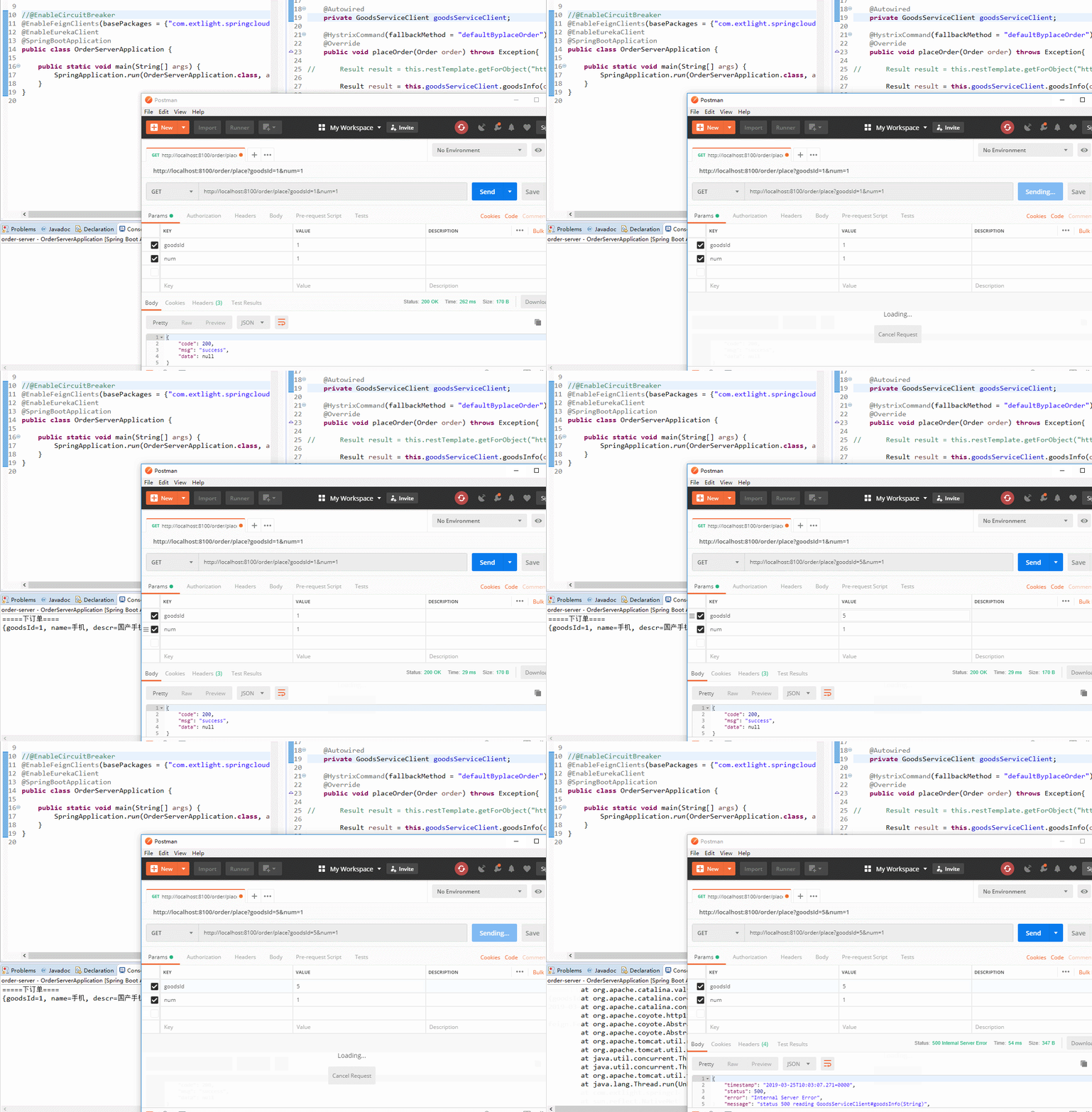
当我们请求发送的 goodsId 的商品不存在,服务提供方抛会异常,调用方无法处理,因此只能展示图中的异常信息。
- 下面,我们再将 @EnableCircuitBreaker 注解的注释放开,运行结果如下:
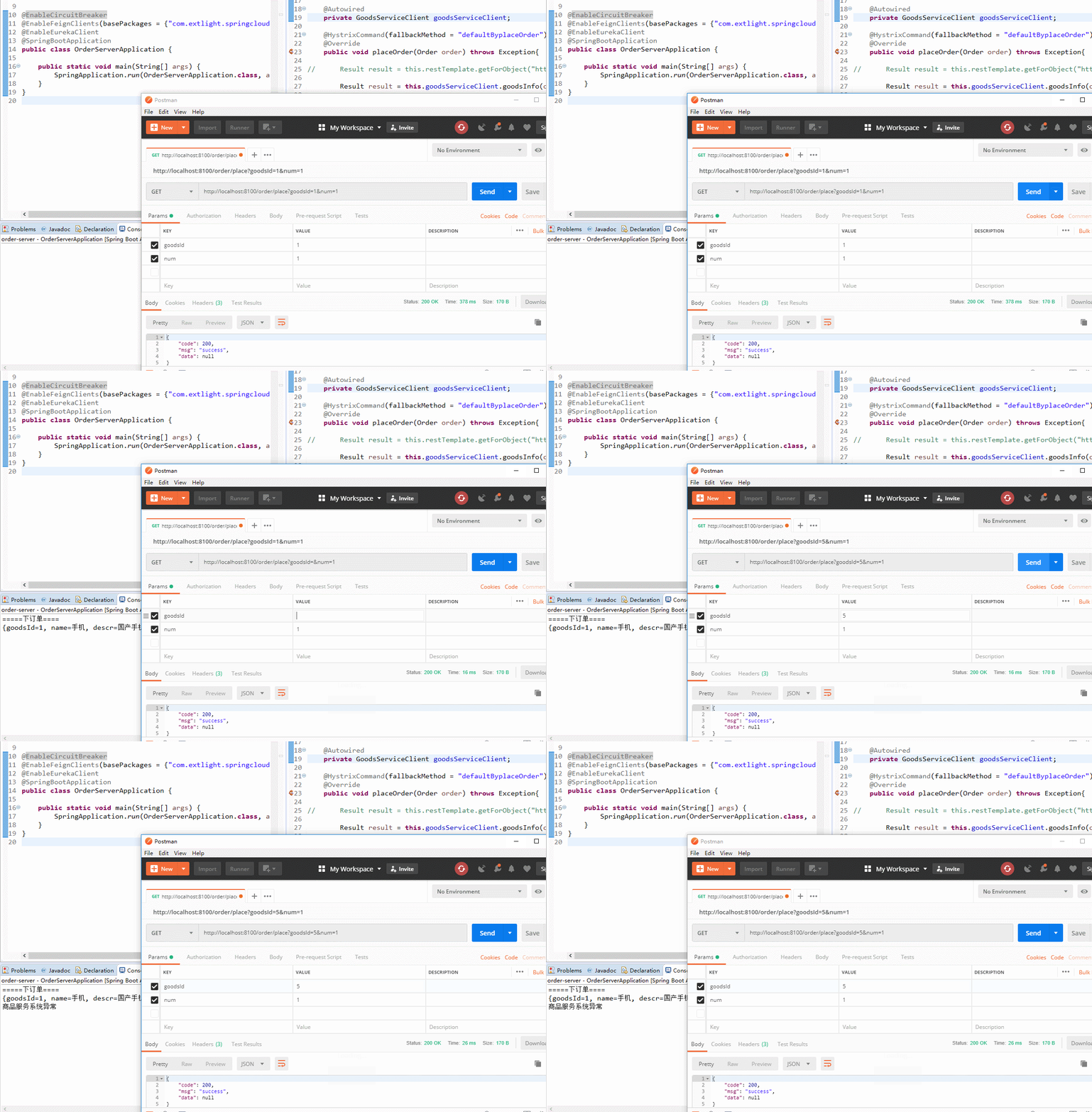
从图中可知,虽然请求了一个 goodsId 不存在的商品,但是调用方(order-server)开启了熔断机制,执行默认方法,从而使接口能正常通信而不是抛出调用方不可处理的异常导致整个系统不能正常运行。
看到这里,或许会有读者产生一个疑问,如果类中定义 N 个方法,是不是意味着同时也要定义 N 个异常处理的方法呢,答案是否定的。
Hystrix 还提供了 @DefaultProperties 统一处理请求熔断,在该注解上设置 defaultFallback 属性值,即熔断开启后要执行的方法。
1@Service
2@DefaultProperties(defaultFallback = "defaultByHystrix")
3public class OrderServiceImpl implements OrderService{
4
5//	@Autowired
6//	private RestTemplate restTemplate;
7
8	@Autowired
9	private GoodsServiceClient goodsServiceClient;
10
11	@HystrixCommand
12	@Override
13	public void placeOrder(Order order) throws Exception{
14
15//		Result result = this.restTemplate.getForObject("http://GOODS/goods/goodsInfo/" + order.getGoodsId(), Result.class);
16
17		Result result = this.goodsServiceClient.goodsInfo(order.getGoodsId());
18
19		if (result != null && result.getCode() == 200) {
20			System.out.println("=====下订单====");
21			System.out.println(result.getData());
22		} else {
23			System.out.println(result.getMsg());
24		}
25	}
26
27	public void defaultByHystrix() {
28		System.out.println("商品服务系统异常");
29	}
30}
31
注意:defaultFallback 定义的方法必须是无参的。
四、服务降级实战
在 common-api 项目中:
4.1 定义 Fallback
1@Component
2public class GoodsServiceClientFallbackFactory implements FallbackFactory<GoodsServiceClient> {
3
4	@Override
5	public GoodsServiceClient create(Throwable cause) {
6		return new GoodsServiceClient() {
7
8			@Override
9			public Result goodsInfo(String goodsId) {
10				return Result.fail(500, "商品服务系统出现异常,请联系管理员");
11			}
12
13		};
14	}
15
16}
使用单独的类处理异常逻辑,当与服务端无法正常通信时调用此类中的方法返回结果。
4.2 修改 Feign 客户端
将上边定义好的 FallbackFactory 设置到 @FeignClient 注解上:
1@FeignClient(value="GOODS", fallbackFactory = GoodsServiceClientFallbackFactory.class)
2public interface GoodsServiceClient {
3
4	@RequestMapping("/goods/goodsInfo/{goodsId}")
5	public Result goodsInfo(@PathVariable("goodsId") String goodsId);
6}
4.3 开启服务降级功能
在 order-server 项目中:
1server:
2    port: 8100
3
4spring:
5  application:
6    name: ORDER
7
8eureka:
9    instance:
10        instance-id: order-api-8100
11        prefer-ip-address: true # 访问路径可以显示 IP
12    client:
13        service-url:
14            defaultZone: http://localhost:9000/eureka/  # 注册中心访问地址
15
16feign:
17  hystrix:
18    enabled: true
4.4 去掉 @HystrixCommand 配置
1@Service
2//@DefaultProperties(defaultFallback = "defaultByHystrix")
3public class OrderServiceImpl implements OrderService{
4
5//	@Autowired
6//	private RestTemplate restTemplate;
7
8	@Autowired
9	private GoodsServiceClient goodsServiceClient;
10
11//	@HystrixCommand
12	@Override
13	public void placeOrder(Order order) throws Exception{
14
15//		Result result = this.restTemplate.getForObject("http://GOODS/goods/goodsInfo/" + order.getGoodsId(), Result.class);
16
17		Result result = this.goodsServiceClient.goodsInfo(order.getGoodsId());
18
19		if (result != null && result.getCode() == 200) {
20			System.out.println("=====下订单====");
21			System.out.println(result.getData());
22		} else {
23			System.out.println(result.getMsg());
24		}
25	}
26
27//	public void defaultByHystrix() {
28//		System.out.println("商品服务系统异常");
29//	}
30}
31
4.5 测试服务降级
在启动类上加 FallbackFactory 类的包扫描目录:
1@ComponentScan(basePackages = {"com.extlight.springcloud"}) // 为了能扫描 common-api 项目中的 GoodsServiceClientFallbackFactory
2@EnableFeignClients(basePackages = {"com.extlight.springcloud"})
3@EnableEurekaClient
4@SpringBootApplication
5public class OrderServerApplication {
6
7	public static void main(String[] args) {
8		SpringApplication.run(OrderServerApplication.class, args);
9	}
10}
打开 Postman 请求下单接口,结果如下图:
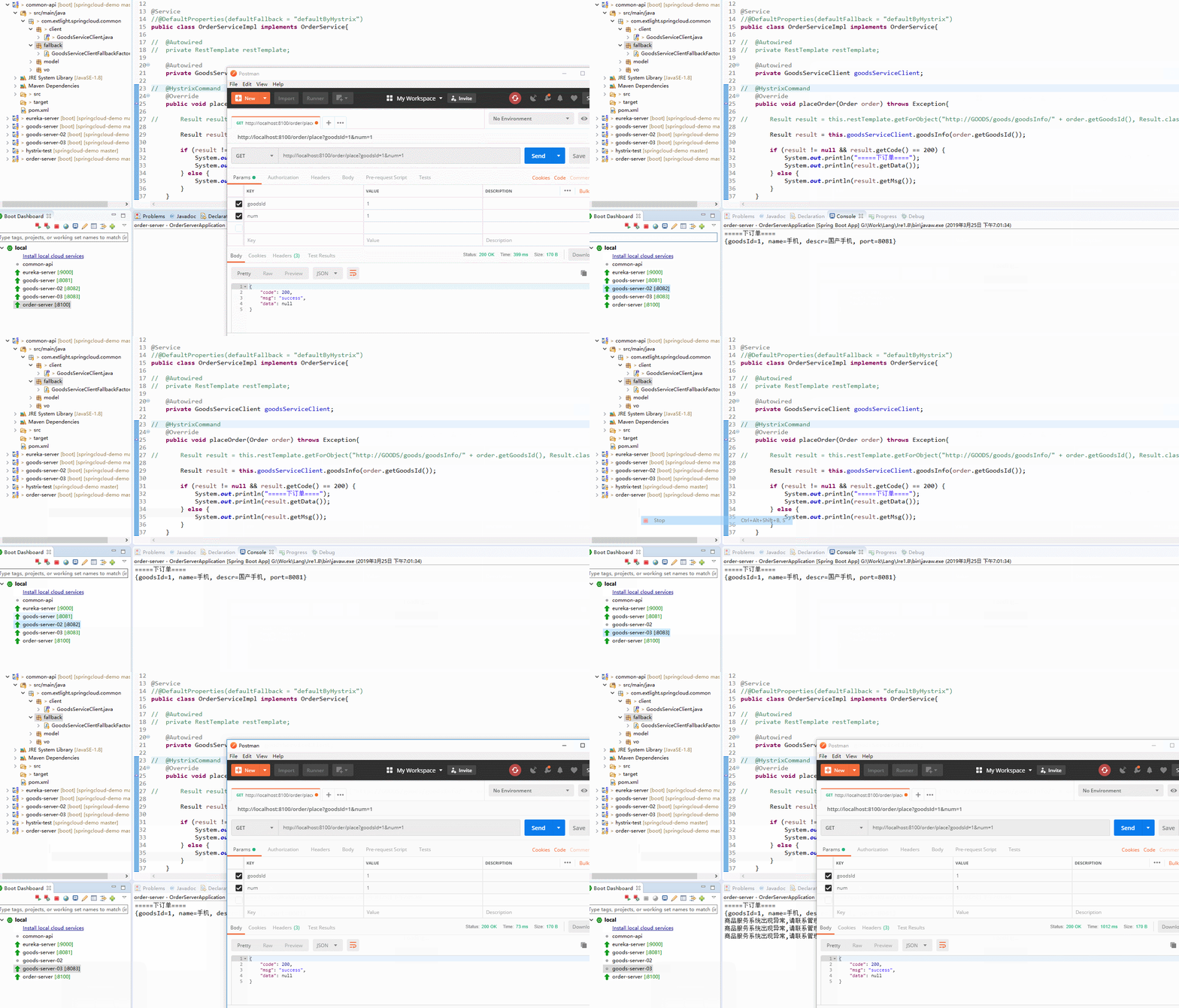
我们手动关闭 2 个商品服务,保留一个商品服务并多次请求商品服务接口,从而出模拟商品服务超过预定荷载情景,最终看到图中服务降级功能。当有请求再次访问商品服务时默认返回 GoodsServiceClientFallbackFactory 中定义的内容。
五、仪表盘
除了服务熔断、降级的功能外,Hystrix 还提供了准及时的调用监控。 Hystrix 会持续地记录所有通过 Hystrix 发起的请求的执行信息,并以统计报表和图形方式展示给用户。
5.1 配置被监控方
order-server 项目中:
1<dependency>
2    <groupId>org.springframework.boot</groupId>
3    <artifactId>spring-boot-starter-actuator</artifactId>
4</dependency>
修改 application.yml,开放端口:
1management:
2  endpoints:
3    web:
4      exposure:
5        include: "*"
5.2 配置监控方
1.新建一个名为 hystrix-dashboard 项目,添加如下依赖:
1<!-- hystrix-dashboard -->
2<dependency>
3    <groupId>org.springframework.cloud</groupId>
4    <artifactId>spring-cloud-starter-netflix-hystrix-dashboard</artifactId>
5</dependency>
2.新建 application.yml
1server:
2  port: 9300
3
4spring:
5  application:
6    name: Hystrix-Dashboard
3.开启监控功能
在启动类上添加 @EnableHystrixDashboard 注解。
1@EnableHystrixDashboard
2@SpringBootApplication
3public class HystrixdashboardApplication {
4
5	public static void main(String[] args) {
6		SpringApplication.run(HystrixdashboardApplication.class, args);
7	}
8}
启动,浏览器访问: http://localhost:9300/hystrix:
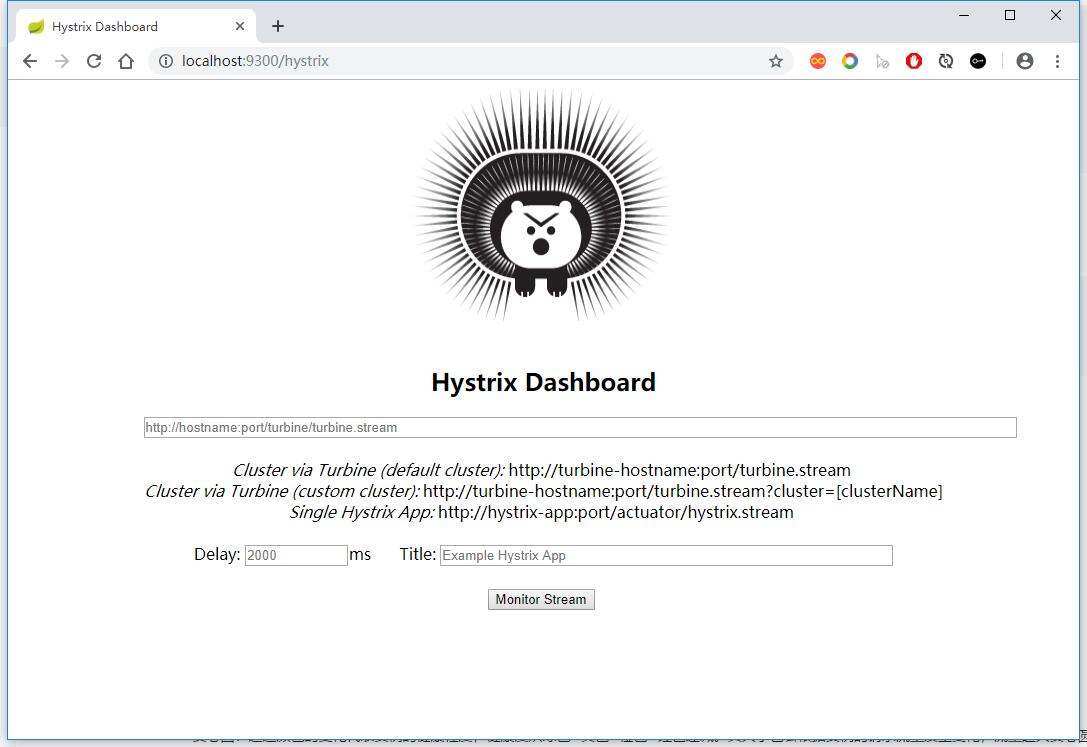
5.3 监控设置
我们以监控 order-server 为例,在监控界面添加监控信息:
1# 需要监控的服务地址
2http://localhost:8100/actuator/hystrix.stream
3
4delay: 请求间隔时间
5
6title: 监控名称
7
8点击 monitor stream
9
10批量访问 order-server 服务的下单接口。
最终效果如下:
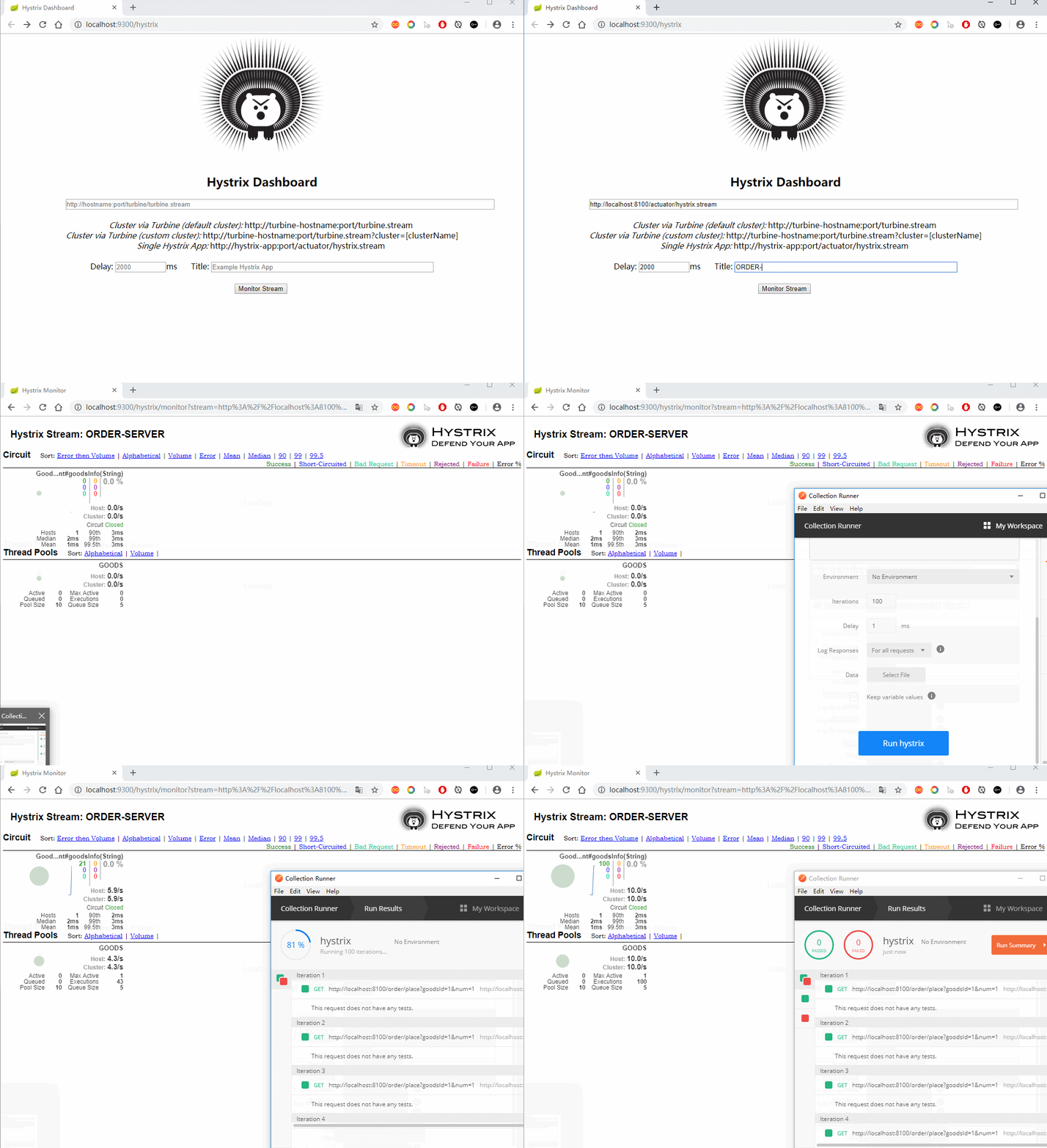
通过批量访问下单接口,发现图中实心圆和曲线发生了变化。那我们如何根据这两个图形查看监控信息呢?
实心圆:通过颜色的变化代表实例的健康程度,健康度从绿色>黄色>橙色>红色递减。其大小也会根据实例的请求流量发生变化,流量越大实心圆越大。
曲线:用来记录间隔时间内流量的相对变化,通常可以观察到流量的上升和下降趋势。