
创建 SimpleCMDB 项目:
[root@localhost ~]$ django-admin.py startproject SimpleCMDB
创建应用,收集主机信息:
1[root@localhost ~]$ cd SimpleCMDB/
2[root@localhost SimpleCMDB]$ python manage.py startapp hostinfo
修改配置:
1[root@localhost SimpleCMDB]$ cat SimpleCMDB/settings.py
2
3INSTALLED_APPS = (    # 添加应用
4    ......
5    'hostinfo',
6)
7
8MIDDLEWARE_CLASSES = (    # 禁用CSRF,使得可以使用POST传递数据
9    ......
10    #'django.middleware.csrf.CsrfViewMiddleware',
11)
12
13LANGUAGE_CODE = 'zh-cn'    # 修改语言
14
15TIME_ZONE = 'Asia/Shanghai'    # 修改时区
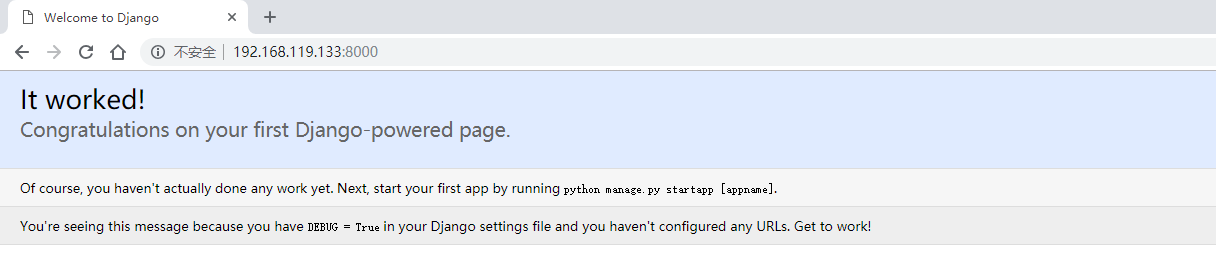
启动开发服务器:
[root@localhost SimpleCMDB]$ python manage.py runserver 0.0.0.0:8000
定义数据模型:
1[root@localhost SimpleCMDB]$ cat hostinfo/models.py
2from django.db import models
3
4# Create your models here.
5
6class Host(models.Model):
7    hostname = models.CharField(max_length=50)
8    ip = models.IPAddressField()
9    vendor = models.CharField(max_length=50)
10    product = models.CharField(max_length=50)
11    sn = models.CharField(max_length=50)
12    cpu_model = models.CharField(max_length=50)
13    cpu_num = models.IntegerField()
14    memory = models.CharField(max_length=50)
15    osver = models.CharField(max_length=50)
同步到数据库:
1[root@localhost SimpleCMDB]$ python manage.py validate
2[root@localhost SimpleCMDB]$ python manage.py syncdb
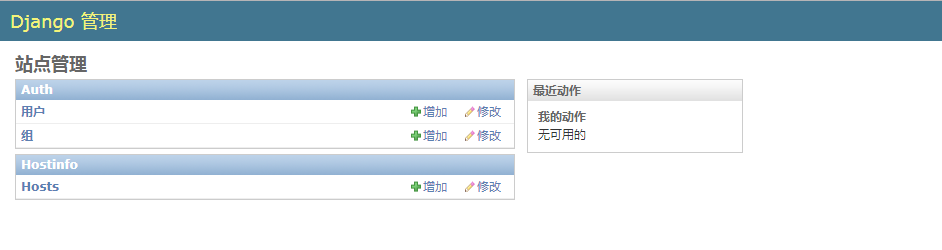
将数据模型注册到管理后台:
1[root@localhost SimpleCMDB]$ cat hostinfo/admin.py
2from django.contrib import admin
3from hostinfo.models import Host
4
5# Register your models here.
6
7class HostAdmin(admin.ModelAdmin):
8    list_display = [
9        'hostname',
10        'ip',
11        'cpu_model',
12        'cpu_num',
13        'memory',
14        'vendor',
15        'product',
16        'osver',
17        'sn',
18    ]
19
20admin.site.register(Host, HostAdmin)
通过 POST 方法收集主机信息到 SimpleCMDB:
1[root@localhost SimpleCMDB]$ cat SimpleCMDB/urls.py
2....
3urlpatterns = patterns('',
4    ....
5    url(r'^hostinfo/collect/$', 'hostinfo.views.collect'),
6)
7
8[root@localhost SimpleCMDB]$ cat hostinfo/views.py
9from django.shortcuts import render
10from django.http import HttpResponse
11from hostinfo.models import Host
12
13# Create your views here.
14
15def collect(request):
16    if request.POST:
17        hostname = request.POST.get('hostname')
18        ip = request.POST.get('ip')
19        osver = request.POST.get('osver')
20        vendor = request.POST.get('vendor')
21        product = request.POST.get('product')
22        cpu_model = request.POST.get('cpu_model')
23        cpu_num = request.POST.get('cpu_num')
24        memory = request.POST.get('memory')
25        sn = request.POST.get('sn')
26
27        host = Host()
28        host.hostname = hostname
29        host.ip = ip
30        host.osver = osver
31        host.vendor = vendor
32        host.product = product
33        host.cpu_model = cpu_model
34        host.cpu_num = cpu_num
35        host.memory = memory
36        host.sn = sn
37        host.save()
38
39        return HttpResponse('OK')
40
41    else:
42        return HttpResponse('No Data!')
43
44[root@localhost ~]$ cat /data/script/getHostInfo.py
45#!/usr/bin/env python
46#-*- coding:utf-8 -*-
47
48import urllib, urllib2
49from subprocess import Popen, PIPE
50
51# 获取IP地址
52def getIP():
53    p = Popen('ifconfig', stdout=PIPE, shell=True)
54    data = p.stdout.read().split('\n\n')
55    for lines in data:
56        if lines.startswith('lo'):
57            continue
58        if lines:
59            ip = lines.split('\n')[1].split()[1].split(':')[1]
60            break
61
62    return ip
63
64
65# 获取主机名
66def getHostname():
67    p = Popen('hostname', stdout=PIPE, shell=True)
68    hostname = p.stdout.read().strip()
69    return hostname
70
71
72# 获取操作系统版本
73def getOSVersion():
74    with open('/etc/issue') as fd:
75        data = fd.read().split('\n')[0]
76        osVer = data.split()[0] + ' ' + data.split()[2]
77
78    return osVer
79
80
81# 获取服务器硬件信息
82def getHardwareInfo(name):
83    cmd = ''' dmidecode --type system | grep "%s" ''' % name
84    p = Popen(cmd, stdout=PIPE, shell=True)
85    hardwareInfo = p.stdout.read().split(':')[1].strip()
86    return hardwareInfo
87
88
89# 获取CPU型号
90def getCPUModel():
91    with open('/proc/cpuinfo') as fd:
92        for line in fd.readlines():
93            if line.startswith('model name'):
94                cpuModel = line.split()[3].split('(')[0]
95                break
96
97    return cpuModel
98
99
100# 获取CPU核数
101def getCPUNum():
102    with open('/proc/cpuinfo') as fd:
103        for line in fd.readlines():
104            if line.startswith('cpu cores'):
105                cpuNum = line.split()[3]
106                break
107
108    return cpuNum
109
110
111# 获取物理内存大小
112def getMemorySize():
113    with open('/proc/meminfo') as fd:
114        memTotal = fd.readline().split()[1]
115
116    memSize = str(int(memTotal)/1024) + 'M'
117    return memSize
118
119
120if __name__ == '__main__':
121    hostInfo = {}
122    hostInfo['ip'] = getIP()
123    hostInfo['hostname'] = getHostname()
124    hostInfo['osver'] = getOSVersion()
125    hostInfo['vendor'] = getHardwareInfo('Manufacturer')
126    hostInfo['product'] = getHardwareInfo('Product Name')
127    hostInfo['sn'] = getHardwareInfo('Serial Number')
128    hostInfo['cpu_model'] = getCPUModel()
129    hostInfo['cpu_num'] = getCPUNum()
130    hostInfo['memory'] = getMemorySize()
131
132    data = urllib.urlencode(hostInfo)    # 通过POST方法传递数据
133    request = urllib2.urlopen('http://192.168.216.128:8000/hostinfo/collect/', data)
134    print(request.read())
135
136[root@localhost ~]$ python /data/script/getHostInfo.py    # 如果想收集其他主机信息,直接在其他主机跑这个脚本即可
137OK

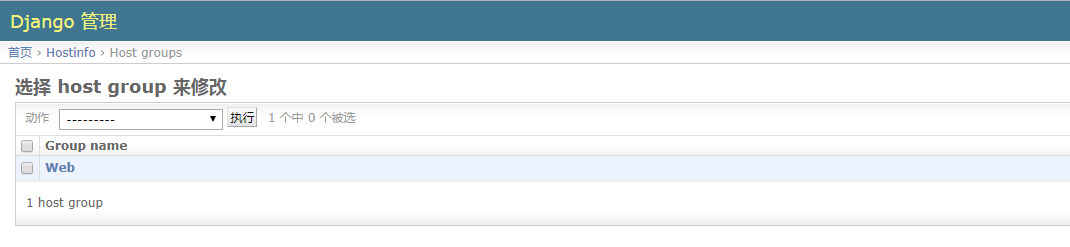
主机分组管理:
1[root@localhost SimpleCMDB]$ cat hostinfo/models.py   # 创建模型,添加一张主机组的表
2from django.db import models
3
4....
5
6class HostGroup(models.Model):
7    group_name = models.CharField(max_length=50)      # 组名,使用的字段类型是CharField
8    group_members = models.ManyToManyField(Host)      # 组成员,注意使用的字段及字段参数
9
10[root@localhost SimpleCMDB]$ python manage.py validate
11[root@localhost SimpleCMDB]$ python manage.py syncdb
12
13[root@localhost SimpleCMDB]$ cat hostinfo/models.py    # 注册模型
14from django.db import models
15
16# Create your models here.
17
18class Host(models.Model):
19    hostname = models.CharField(max_length=50)
20    ip = models.IPAddressField()
21    vendor = models.CharField(max_length=50)
22    product = models.CharField(max_length=50)
23    sn = models.CharField(max_length=50)
24    cpu_model = models.CharField(max_length=50)
25    cpu_num = models.IntegerField()
26    memory = models.CharField(max_length=50)
27    osver = models.CharField(max_length=50)
28
29    def __str__(self):
30        return self.ip
31
32class HostGroup(models.Model):
33    group_name = models.CharField(max_length=50)
34    group_members = models.ManyToManyField(Host)
如下,当我们多次使用指定脚本收集主机信息时,如果数据库里有记录了,它还是会添加一条相同的记录:
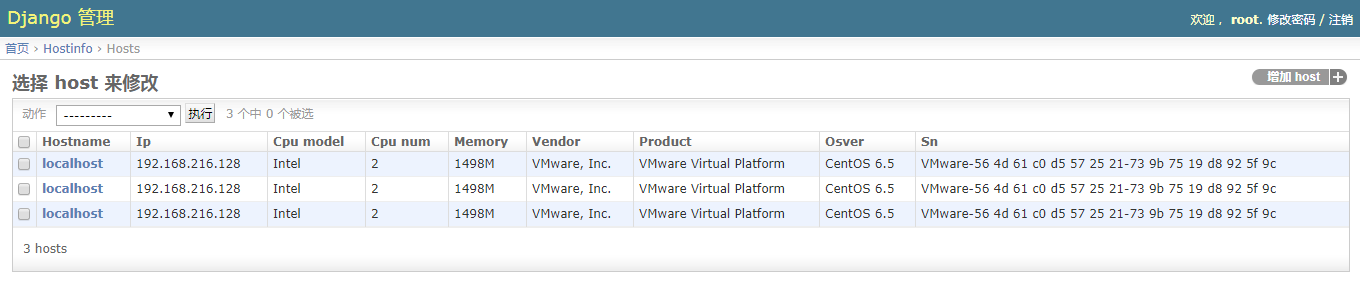
因此我们需要修改一下视图函数,加个判断:
1[root@localhost SimpleCMDB]$ cat hostinfo/views.py
2from django.shortcuts import render
3from django.http import HttpResponse
4from hostinfo.models import Host
5
6# Create your views here.
7
8def collect(request):
9    if request.POST:
10        hostname = request.POST.get('hostname')
11        ip = request.POST.get('ip')
12        osver = request.POST.get('osver')
13        vendor = request.POST.get('vendor')
14        product = request.POST.get('product')
15        cpu_model = request.POST.get('cpu_model')
16        cpu_num = request.POST.get('cpu_num')
17        memory = request.POST.get('memory')
18        sn = request.POST.get('sn')
19
20        try:
21            host = Host.objects.get(sn=sn)    # 查询数据库,查看是否有记录,如果有就重写记录,没有就添加记录
22        except:
23            host = Host()
24
25        host.hostname = hostname
26        host.ip = ip
27        host.osver = osver
28        host.vendor = vendor
29        host.product = product
30        host.cpu_model = cpu_model
31        host.cpu_num = cpu_num
32        host.memory = memory
33        host.sn = sn
34        host.save()
35
36        return HttpResponse('OK')
37
38    else:
39        return HttpResponse('No Data!')