1.MySQL数据库之DDL创建、删除、切换
(1)查看所有数据库
show databases;
(2)切换数据库
use 数据库名;
(3)创建数据库
create database 数据库名;
(4)删除数据库
drop database 数据库名;
2.MySQL数据库之DDL数据表的创建、删除和修改
注意:对数据表进行操作前,要先选择数据库,否则会报错。
(1)创建数据表结构
1create table 表名(
2列名 列类型 其他的关键词,
3...
4列名 列类型 其他的关键词
5);
例如:
创建了user表,里面有6个数据列:id、user_name、email、age、fee、created_at
1create table user(
2id int unsigned not null auto_increment comment '用户id',
3user_name varchar(20) not null comment '用户名',
4email varchar(50) not null comment '用户邮箱',
5age tinyint unsigned not null comment '用户年龄',
6fee decimal(10.2) not null default 0.00 comment '用户余额',
7created_at timestamp not null comment '注册时间',
8primary key(id)
9);
(2)查看当前数据库的表
show tables;
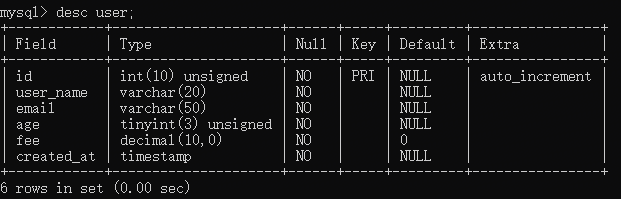
(3)查看表结构
desc 表名;
例如:
(4)查看创建表的SQL语句
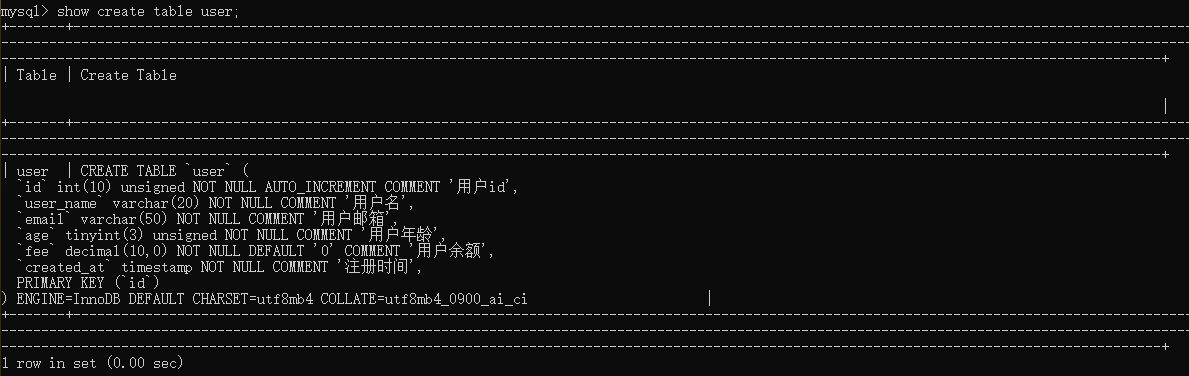
show create table 表名;
(5)删除表
drop table 表名;
(6)修改表的相关操作
alter table 表名 操作
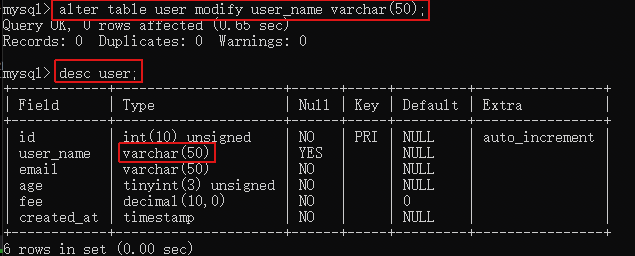
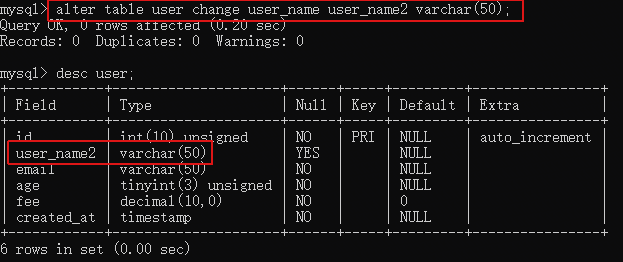
a.修改列类型
1alter table 表名 modify 列名 列类型;
2
3alter table 表名 change 原列名 新列名 列类型;
例如:
b.添加表字段
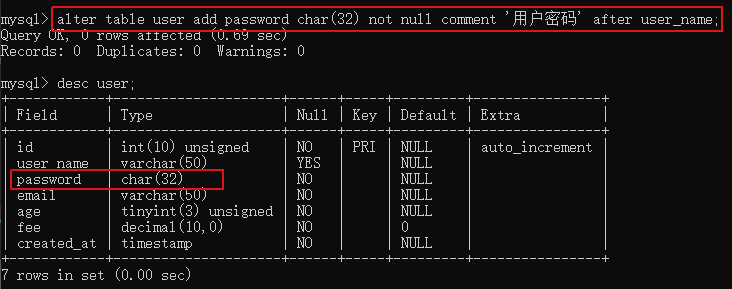
1alter table 表名 add(
2列名 列类型,
3...
4列名 列类型
5);
例如:
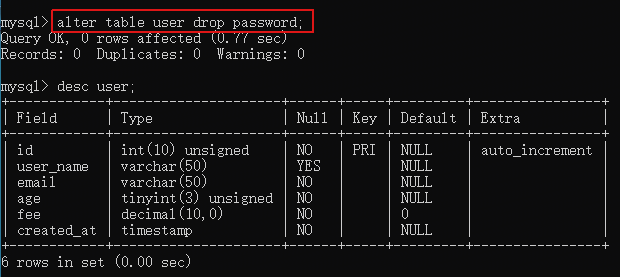
c.删除表的某一列
alter table 表名 drop 列名;
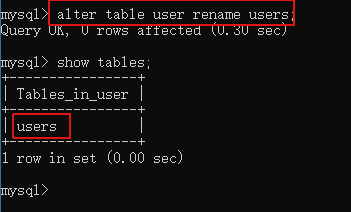
d.修改表名
alter table 表名 rename (to) 新表名;