
前言
关于svg的介绍请参考张鑫旭老师的博客:未来必热:SVG Sprite介绍
svg的优缺点:
优点:
- 支持多色图标,不受单色限制。
- 可以通过font-size,color来控制样式
- 可以利用css实现动画
- 缩放不失真
- 减少http请求
缺点:
- ie9+以上才支持
- 浏览器渲染svg的性能一般,不如png
font库,可以去阿里巴巴矢量图
普通使用方法
第一步:引入项目下面生成的symbol代码:
<script src="./iconfont.js"></script>
第二步:加入通用css代码(引入一次就行):
1<style type="text/css">
2.icon {
3   width: 1em; height: 1em;
4   vertical-align: -0.15em;
5   fill: currentColor;
6   overflow: hidden;
7}
8</style>
第三步:挑选相应图标并获取类名,应用于页面:
1<svg class="icon" aria-hidden="true">
2  <use xlink:href="#icon-xxx"></use>
3</svg>
详细如下:
1<!DOCTYPE html>
2<html lang="en">
3<head>
4  <meta charset="UTF-8">
5  <title>svg使用</title>
6  <script src="https://my.oschina.net//u/4323462/blog/3887118/iconfont.js"></script>
7  <style>
8    .icon {
9        width: 1em;
10        height: 1em;
11        vertical-align: -0.15em;
12        fill: currentColor;
13        overflow: hidden;
14    }
15  </style>
16</head>
17<body>
18    <svg class="icon" aria-hidden="true">
19      <use xlink:href="#icon-jiantoushang"></use>
20    </svg>
21    <svg class="icon" aria-hidden="true">
22      <use xlink:href="#icon-jiantouyou"></use>
23    </svg>
24    <svg class="icon" aria-hidden="true">
25      <use xlink:href="#icon-jiantouxia"></use>
26    </svg>
27    <svg class="icon" aria-hidden="true">
28      <use xlink:href="#icon-saoyisao"></use>
29    </svg>
30    <svg class="icon" aria-hidden="true">
31      <use xlink:href="#icon-wode"></use>
32    </svg>
33    <svg class="icon" aria-hidden="true">
34      <use xlink:href="#icon-xiaoxi"></use>
35    </svg>
36</body>
37</html>
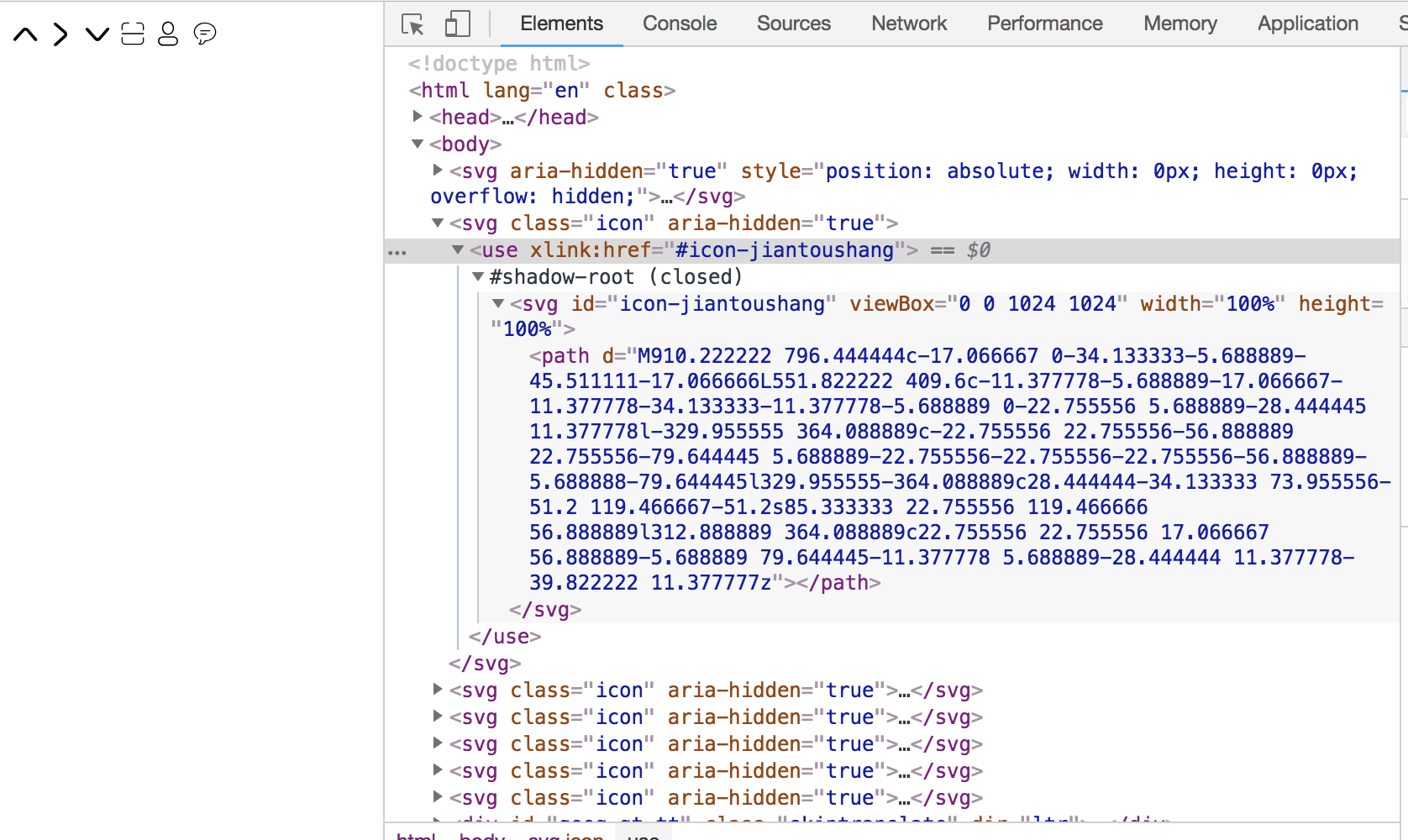
在vue中封装一个组件
第一步:
在vue脚手架生成的文件夹下的src/components创建一个Svg
Icon.vue文件
1<template>
2  <svg :class="svgClass" aria-hidden="true">
3    <use :xlink:href="iconName"></use>
4  </svg>
5</template>
6
7<script type="text/ecmascript-6">
8export default {
9  name: 'svg-icon',
10  props: {
11    iconClass: {
12      type: String,
13      required: true
14    },
15    className: {
16      type: String
17    }
18  },
19  computed: {
20    iconName () {
21      return `#icon-${this.iconClass}`
22    },
23    svgClass () {
24      if (this.className) {
25        return 'svg-icon ' + this.className
26      } else {
27        return 'svg-icon'
28      }
29    }
30  }
31}
32</script>
33
34<style>
35.svg-icon {
36      width: 1em;
37      height: 1em;
38      vertical-align: -0.15em;
39      fill: currentColor;
40      overflow: hidden;
41  }
42</style>
第二步:
在src目录下创建icons文件下,文件夹下面有svg文件夹和index.js文件
-svg文件夹:存放每个svg文件
第三步:
使用和安装svg-sprite
这里使用webpack loader中的一个svg-sprite-loader,可以将多个svg打包成svg-spite
1、安装
npm install svg-sprire-loader --save-dev
2、配置build/webpack.base.conf.js
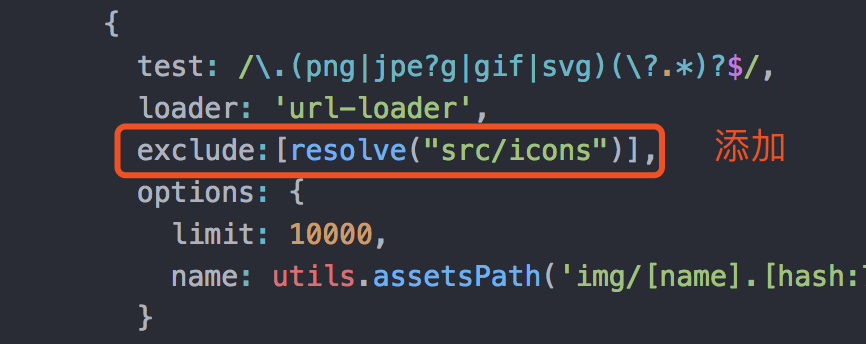
在前面添加
1{
2        test: /\.svg$/,
3        loader: "svg-sprite-loader",
4        include: [resolve("src/icons")],
5        options: {
6          symbolId: "icon-[name]"
7        }
8 },
详细如下:
1{
2        test: /\.svg$/,
3        loader: "svg-sprite-loader",
4        include: [resolve("src/icons")],
5        options: {
6          symbolId: "icon-[name]"
7        }
8      },
9      {
10        test: /\.(png|jpe?g|gif|svg)(\?.*)?$/,
11        loader: 'url-loader',
12        exclude:[resolve("src/icons")],
13        options: {
14          limit: 10000,
15          name: utils.assetsPath('img/[name].[hash:7].[ext]')
16        }
17 },
第四步:自动导入
自动导入需要用到webpack的require context
1// require.context的简单介绍
2require.context("./file", false, /.file.js$/);
3这行代码就会去 file 文件夹(不包含子目录)下面的找所有文件名以 .file.js 结尾的文件能被 require 的文件。就是说可以通过正则匹配引入相应的文件模块。
4
5// require.context有三个参数:
6directory:说明需要检索的目录
7useSubdirectories:是否检索子目录
8regExp: 匹配文件的正则表达式
在src/icons/index.js使用require context
1import Vue from 'vue'
2import SvgIcon from '../components/SvgIcon.vue'
3
4Vue.component('svg-icon', SvgIcon)
5
6const requireAll = requireContext => requireContext.keys().map(requireContext)
7const req = require.context('./svg', false, /\.svg$/)
8requireAll(req)
**第五步:**在main.js中引入
import '@/icons'
自此,已经完成组件的封装
在src/icons/svg下面的各个文件
--user.svg
<?xml version="1.0" standalone="no"?><!DOCTYPE svg PUBLIC "-//W3C//DTD SVG 1.1//EN" "http://www.w3.org/Graphics/SVG/1.1/DTD/svg11.dtd"><svg t="1503993891882" class="icon" style="" viewBox="0 0 1024 1024" version="1.1" xmlns="http://www.w3.org/2000/svg" p-id="7986" xmlns:xlink="http://www.w3.org/1999/xlink" width="64" height="64"><defs><style type="text/css"></style></defs><path d="M504.951 511.98c93.49 0 169.28-74.002 169.28-165.26 0-91.276-75.79-165.248-169.28-165.248-93.486 0-169.287 73.972-169.279 165.248-0.001 91.258 75.793 165.26 169.28 165.26z m77.6 55.098H441.466c-120.767 0-218.678 95.564-218.678 213.45V794.3c0 48.183 97.911 48.229 218.678 48.229H582.55c120.754 0 218.66-1.78 218.66-48.229v-13.77c0-117.887-97.898-213.45-218.66-213.45z" p-id="7987"></path></svg>
--password.svg
<?xml version="1.0" standalone="no"?><!DOCTYPE svg PUBLIC "-//W3C//DTD SVG 1.1//EN" "http://www.w3.org/Graphics/SVG/1.1/DTD/svg11.dtd"><svg t="1503994678729" class="icon" style="" viewBox="0 0 1024 1024" version="1.1" xmlns="http://www.w3.org/2000/svg" p-id="9229" xmlns:xlink="http://www.w3.org/1999/xlink" width="64" height="64"><defs><style type="text/css"></style></defs><path d="M780.8 354.579692 665.6 354.579692 665.6 311.689846c0-72.310154-19.849846-193.299692-153.6-193.299692-138.870154 0-153.6 135.049846-153.6 193.299692l0 42.889846L243.2 354.579692 243.2 311.689846C243.2 122.249846 348.790154 0 512 0s268.8 122.249846 268.8 311.689846L780.8 354.579692zM588.8 669.420308C588.8 625.900308 554.220308 590.769231 512 590.769231s-76.8 35.131077-76.8 78.651077c0 29.459692 15.399385 54.468923 38.439385 67.820308l0 89.639385c0 21.740308 17.250462 39.699692 38.4 39.699692s38.4-17.959385 38.4-39.699692l0-89.639385C573.44 723.889231 588.8 698.88 588.8 669.420308zM896 512l0 393.609846c0 65.260308-51.869538 118.390154-115.2 118.390154L243.2 1024c-63.291077 0-115.2-53.129846-115.2-118.390154L128 512c0-65.220923 51.869538-118.390154 115.2-118.390154l537.6 0C844.130462 393.609846 896 446.779077 896 512z" p-id="9230"></path></svg>
完整项目github,点击
###打包之前必须修改路径,不然不会显示svg图
1在项目目录下
2    -config
3        -index.js
4
5        assetsPublicPath修改为:
6        assetsPublicPath: './',