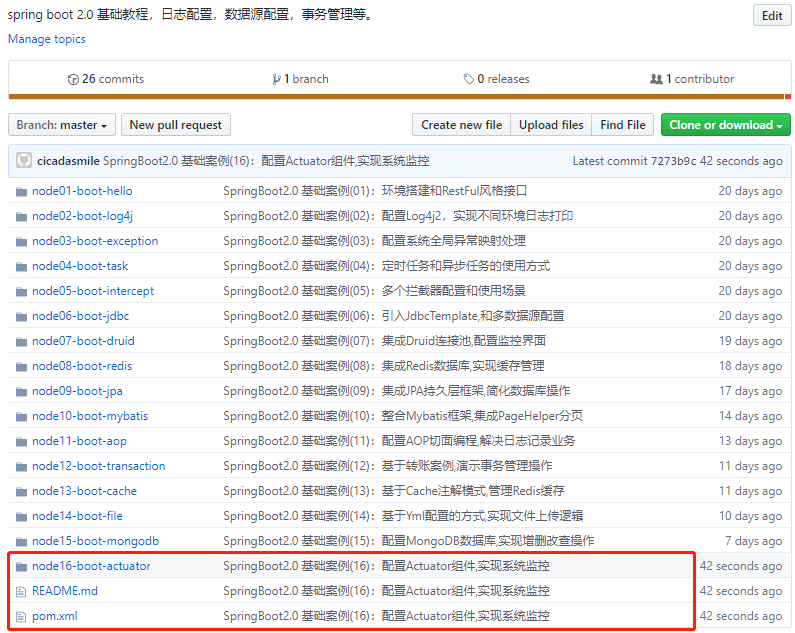
1本文源码
2GitHub地址:知了一笑
3https://github.com/cicadasmile/spring-boot-base
一、Actuator简介
1、监控组件作用
在生产环境中,需要实时或定期监控服务的可用性。Spring Boot的actuator(健康监控)功能提供了很多监控所需的接口,可以对应用系统进行配置查看、相关功能统计等。
2、监控分类
Actuator 提供Rest接口,展示监控信息。 接口分为三大类: 应用配置类:获取应用程序中加载的应用配置、环境变量、自动化配置报告等与SpringBoot应用相关的配置类信息。 度量指标类:获取应用程序运行过程中用于监控的度量指标,比如:内存信息、线程池信息、HTTP请求统计等。 操作控制类:提供了对应用的关闭等操作类功能。
二、与SpringBoot2.0整合
1、核心依赖Jar包
1<!-- 监控依赖 -->
2<dependency>
3    <groupid>org.springframework.boot</groupid>
4    <artifactid>spring-boot-starter-actuator</artifactid>
5</dependency>
2、Yml配置文件
1# 端口
2server:
3  port: 8016
4spring:
5  application:
6    # 应用名称
7    name: node16-boot-actuator
8management:
9  endpoints:
10    web:
11      exposure:
12        # 打开所有的监控点
13        include: "*"
14      # 自定义监控路径 monitor
15      # 默认值:http://localhost:8016/actuator/*
16      # 配置后:http://localhost:8016/monitor/*
17      base-path: /monitor
18  endpoint:
19    health:
20      show-details: always
21    shutdown:
22      # 通过指定接口关闭 SpringBoot
23      enabled: true
24  # 可以自定义端口
25  # server:
26  #   port: 8089
27
28# 描述项目基础信息
29info:
30  app:
31    name: node16-boot-actuator
32    port: 8016
33    version: 1.0.0
34    author: cicada
三、监控接口详解
1、Info接口
Yml文件中配置的项目基础信息
1路径:http://localhost:8016/monitor/info
2输出:
3{
4    "app": {
5        "name": "node16-boot-actuator",
6        "port": 8016,
7        "version": "1.0.0",
8        "author": "cicada"
9    }
10}
2、Health接口
health 主要用来检查应用的运行状态
1路径:http://localhost:8016/monitor/health
2输出:
3{
4    "status": "UP",
5    "details": {
6        "diskSpace": {
7            "status": "UP",
8            "details": {
9                "total": 185496236032,
10                "free": 140944084992,
11                "threshold": 10485760
12            }
13        }
14    }
15}
3、Beans接口
展示了 bean 的类型、单例多例、别名、类的全路径、依赖Jar等内容。
1路径:http://localhost:8016/monitor/beans
2输出:
3{
4    "contexts": {
5        "node16-boot-actuator": {
6        "beans": {
7            "endpointCachingOperationInvokerAdvisor": {
8                "aliases": [],
9                "scope": "singleton",
10                "type": "org.springframework.boot.actuate.endpoint.invoker.cache.CachingOperationInvokerAdvisor",
11                "resource": "class path resource [org/springframework/boot/actuate/autoconfigure/endpoint/EndpointAutoConfiguration.class]",
12                "dependencies": ["environment"]
13            }
14        }
15    }
16}
4、Conditions接口
查看配置在什么条件下有效,或者自动配置为什么无效。
1路径:http://localhost:8016/monitor/conditions
2输出:
3{
4    "contexts": {
5        "node16-boot-actuator": {
6            "positiveMatches": {
7                "AuditAutoConfiguration#auditListener": [{
8                    "condition": "OnBeanCondition",
9                    "message": "@ConditionalOnMissingBean"
10                }],
11    }
12}
5、HeapDump接口
自动生成Jvm的堆转储文件HeapDump,可以使用监控工具 VisualVM 打开此文件查看内存快照。
路径:http://localhost:8016/monitor/heapdump
6、Mappings接口
描述 URI 路径和控制器的映射关系
1路径:http://localhost:8016/monitor/mappings
2输出:
3{
4    "contexts": {
5        "node16-boot-actuator": {
6            "mappings": {
7                "dispatcherServlets": {
8                    "dispatcherServlet": [ {
9                        "handler": "Actuator web endpoint 'auditevents'",
10                        "predicate": "{GET /monitor/auditevents || application/json]}",
11                        "details": {
12                            "handlerMethod": {
13                                "className": "org.springframework.boot.actuate.endpoint.web.servlet.AbstractWebMvcEndpointHandlerMapping.Operat
14                                "name": "handle",
15                                "descriptor": "(Ljavax/servlet/http/HttpServletRequest;Ljava/util/Map;)Ljava/lang/Object;"
16                            },
17                            "requestMappingConditions": {
18                                "consumes": [],
19                                "headers": [],
20                                "methods": ["GET"],
21                                "params": [],
22                                "patterns": ["/monitor/auditevents"],
23                                "produces": [{
24                                    "mediaType": "application/vnd.spring-boot.actuator.v2+json",
25                                    "negated": false
26                                }, {
27                                    "mediaType": "application/json",
28                                    "negated": false
29                                }]
30                            }
31                        }
32                    }
33            }
34    }
35}
7、ThreadDump接口
展示线程名、线程ID、是否等待锁、线程的状态、线程锁等相关信息。
1路径:http://localhost:8016/monitor/threaddump
2输出:
3{
4    "threads": [{
5        "threadName": "DestroyJavaVM",
6        "threadId": 34,
7        "blockedTime": -1,
8        "blockedCount": 0,
9        "waitedTime": -1,
10        "waitedCount": 0,
11        "lockName": null,
12        "lockOwnerId": -1,
13        "lockOwnerName": null,
14        "inNative": false,
15        "suspended": false,
16        "threadState": "RUNNABLE",
17        "stackTrace": [],
18        "lockedMonitors": [],
19        "lockedSynchronizers": [],
20        "lockInfo": null
21    }
22    ]
23}
8、ShutDown接口
优雅关闭 Spring Boot 应用,默认只支持POST请求。
路径:http://localhost:8016/monitor/shutdown
四、源代码地址
1GitHub地址:知了一笑
2https://github.com/cicadasmile/spring-boot-base
3码云地址:知了一笑
4https://gitee.com/cicadasmile/spring-boot-base