
前言
Java是一种流行的编程语言,验证码是一种常用的网络安全技术。Java发展至今,网上也出现了各种各样的验证码,本人初学Java,下面是我用Java实现短信验证码的总结。
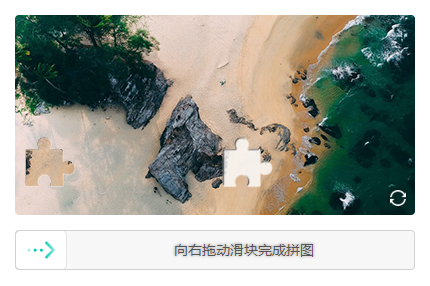
项目集成
后台接收前台的kgCaptchaToken进行验证,验证成功执行成功处理,验证失败返回错误代码及信息。
1package com.kyger;
2
3import jakarta.servlet.ServletException;
4import jakarta.servlet.http.HttpServlet;
5import jakarta.servlet.http.HttpServletRequest;
6import jakarta.servlet.http.HttpServletResponse;
7import java.io.IOException;
8import java.util.Map;
9
10public class demo extends HttpServlet {
11    private static final long serialVersionUID = 1L;
12
13    public demo() {
14        super();
15    }
16
17    protected void doGet(HttpServletRequest request, HttpServletResponse response) throws ServletException, IOException {
18
19        // 编码
20        request.setCharacterEncoding("utf-8");
21        response.setCharacterEncoding("utf-8");;
22        response.setContentType("text/html; charset=utf-8");
23
24        // 后台处理
25        if (request.getMethod().equals("POST")){
26            String html, appId, appSecret;
27
28            // 设置 AppId 及 AppSecret,在应用管理中获取
29            appId = "AppId";
30            appSecret = "AppSecret";
31            KgCaptchaSDK KgRequest = new KgCaptchaSDK(appId, appSecret);
32
33            // 前端验证成功后颁发的 token,有效期为两分钟
34            KgRequest.token = request.getParameter("kgCaptchaToken");
35            // System.out.print(KgRequest.token);
36
37            // 填写应用服务域名,在应用管理中获取
38            KgRequest.appCdn = "appCdn";
39
40            // 请求超时时间,秒
41            KgRequest.connectTimeout = 5;
42
43            // 用户登录或尝试帐号,当安全策略中的防控等级为3时必须填写,一般情况下可以忽略
44            // 可以填写用户输入的登录帐号(如:request.getParameter("username"),可拦截同一帐号多次尝试等行为
45            KgRequest.userId = "kgCaptchaDemo";
46
47            // request 对象,当安全策略中的防控等级为3时必须填写,一般情况下可以忽略
48            KgRequest.request = request;
49            // java 环境中无法提供 request 对象,请分别定义:clientIp|clientBrowser|domain 参数,即:
50            // KgRequest.clientIp = "127.0.0.1";  // 填写客户端IP
51            // KgRequest.clientBrowser = "";  // 客户端浏览器信息
52            // KgRequest.domain = "http://localhost";  // 你的授权域名或服务IP
53
54            // 发送验证请求
55            Map requestResult = KgRequest.sendRequest();
56            if("0".toString().equals(requestResult.get("code"))) {
57                // 验签成功逻辑处理 ***
58
59                // 这里做验证通过后的数据处理
60                // 如登录/注册场景,这里通常查询数据库、校验密码、进行登录或注册等动作处理
61                // 如短信场景,这里可以开始向用户发送短信等动作处理
62                // ...
63
64                html = "<script>alert('验证通过');history.back();</script>";
65            } else {
66                // 验签失败逻辑处理
67                html = "<script>alert(\"" + requestResult.get("msg") + " - " + requestResult.get("code") + "\");history.back();</script>";
68            }
69
70            response.getWriter().append(html);
71        } else {
72            response.sendRedirect("index.html");
73        }
74
75    }
76
77    protected void doPost(HttpServletRequest request, HttpServletResponse response) throws ServletException, IOException {
78        doGet(request, response);
79    }
80}
最后
SDK开源地址:https://github.com/KgCaptcha,顺便做了一个演示:https://www.kgcaptcha.com/demo/