
BottomSheet是一个从屏幕底部滑起的列表(以显示更多的内容)。你可以调用showBottomSheet()或showModalBottomSheet弹出
1import 'package:flutter/material.dart';
2import 'dart:async';
3
4class BottomSheetDemo extends StatefulWidget {
5  @override
6  _BottomSheetDemoState createState() => _BottomSheetDemoState();
7}
8
9class _BottomSheetDemoState extends State<BottomSheetDemo> {
10  final _bottomSheetScaffoldKey = GlobalKey<ScaffoldState>();
11
12  _openBottomSheet() {
13    _bottomSheetScaffoldKey
14      .currentState
15      .showBottomSheet((BuildContext context) {
16        return BottomAppBar(
17          child: Container(
18            height: 90.0,
19            width: double.infinity,
20            padding: EdgeInsets.all(16.0),
21            child: Row(
22              children: <Widget>[
23                Icon(Icons.pause_circle_outline),
24                SizedBox(width: 16.0,),
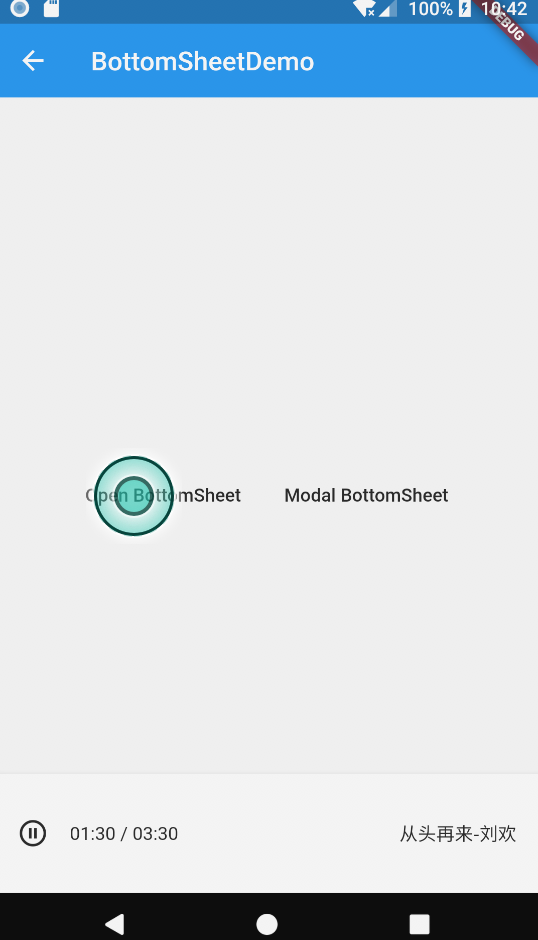
25                Text('01:30 / 03:30'),
26                Expanded(
27                  child: Text('从头再来-刘欢', textAlign: TextAlign.right,),
28                ),
29              ],
30            ),
31          ),
32        );
33      });
34  }
35
36  Future _openModalBottomSheet() async {
37    final option = await showModalBottomSheet(
38      context: context,
39      builder: (BuildContext context) {
40        return Container(
41          height: 200.0,
42          child: Column(
43            children: <Widget>[
44              ListTile(
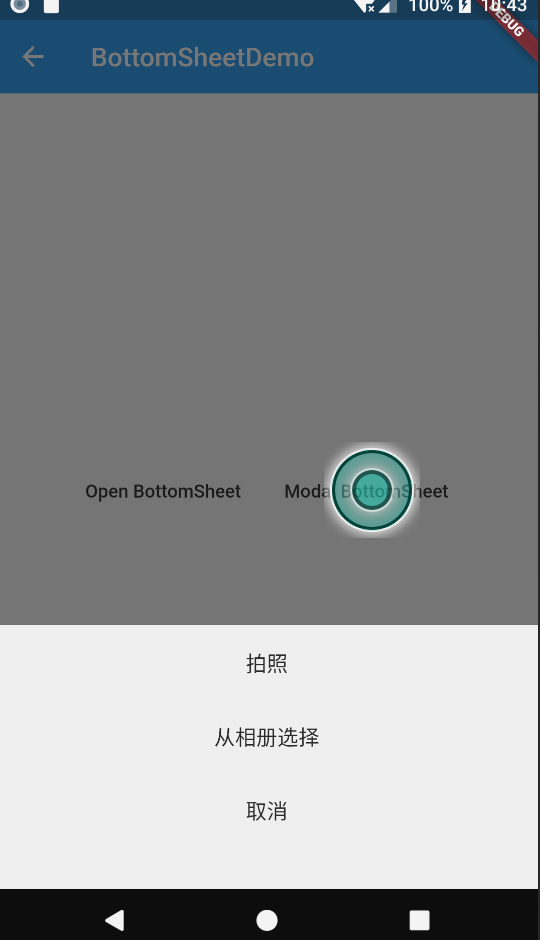
45                title: Text('拍照',textAlign: TextAlign.center),
46                onTap: () {
47                  Navigator.pop(context, '拍照');
48                },
49              ),
50              ListTile(
51                title: Text('从相册选择',textAlign: TextAlign.center),
52                onTap: () {
53                  Navigator.pop(context, '从相册选择');
54                },
55              ),
56              ListTile(
57                title: Text('取消',textAlign: TextAlign.center),
58                onTap: () {
59                  Navigator.pop(context, '取消');
60                },
61              ),
62            ],
63          ),
64        );
65      }
66    );
67
68    print(option);
69  }
70
71  @override
72  Widget build(BuildContext context) {
73    return Scaffold(
74      key: _bottomSheetScaffoldKey,
75      appBar: AppBar(
76        title: Text('BottomSheetDemo'),
77        elevation: 0.0,
78      ),
79      body: Container(
80        padding: EdgeInsets.all(16.0),
81        child: Column(
82          mainAxisAlignment: MainAxisAlignment.center,
83          children: <Widget>[
84            Row(
85              mainAxisAlignment: MainAxisAlignment.center,
86              children: <Widget>[
87                FlatButton(
88                  child: Text('Open BottomSheet'),
89                  onPressed: _openBottomSheet,
90                ),
91                FlatButton(
92                  child: Text('Modal BottomSheet'),
93                  onPressed: _openModalBottomSheet,
94                ),
95              ]
96            ),
97          ],
98        ),
99      ),
100    );
101  }
102}
效果:
文档:https://api.flutter.dev/flutter/material/BottomSheet-class.html