
前言
先上一个辛苦弄出来的gif效果。写公众号时间不长,很多技巧还在慢慢跟小伙伴学习。可关注公众号,回复“绘图”或者“填色”都可获得demo的git地址。请使用Creator2.4.0运行 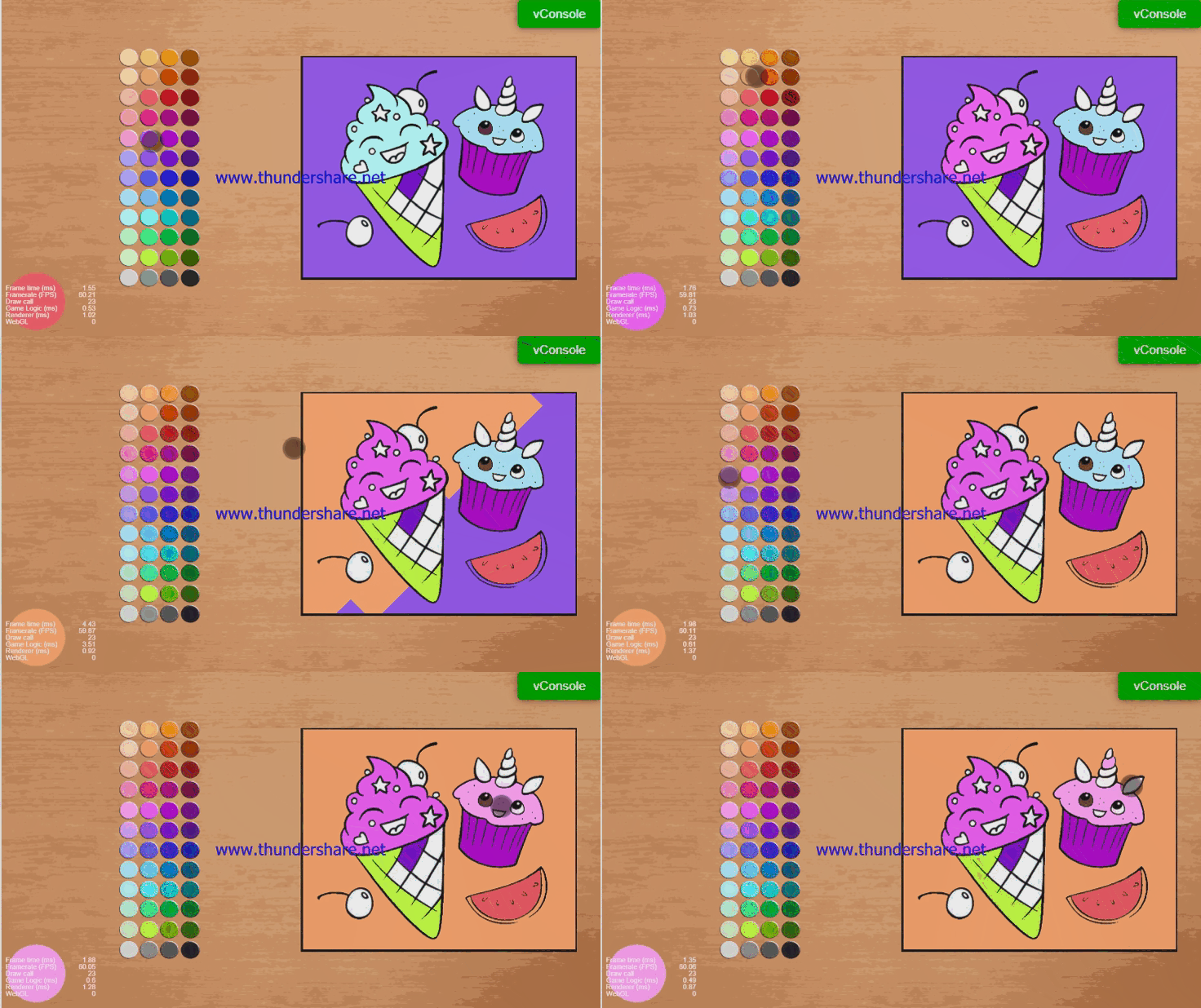
填色游戏种类也挺多的,我今天要说的是一种相对简单的填色。 对于填色游戏的做法,我在论坛里搜到不少帖子,尤其是这个帖子的留言比较多:油漆桶填色效果怎么实现啊,找了两天都找不到资源 其中有一条留言跟我的想法不谋而合, 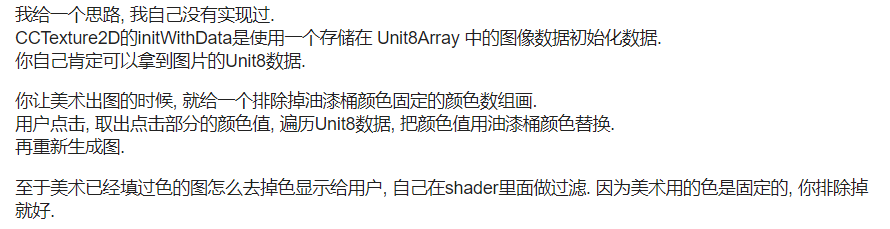 尤其是做了之前的取色,绘图等功能后,对webgl的readPixels()函数返回的数据处理起来越来越顺手。所以就用了替换数据的方式。 还有一种填色游戏采用的纯Graphics的方式,各种贝塞尔曲线,矩形,直线和moveTo,实现几个区块填指定颜色的填色游戏,我感觉那种应该是借助工具的,因为生成的文件相当大。如果有知道的同学可以在下方留言,一起交流。
制作方式
- 先上一张图
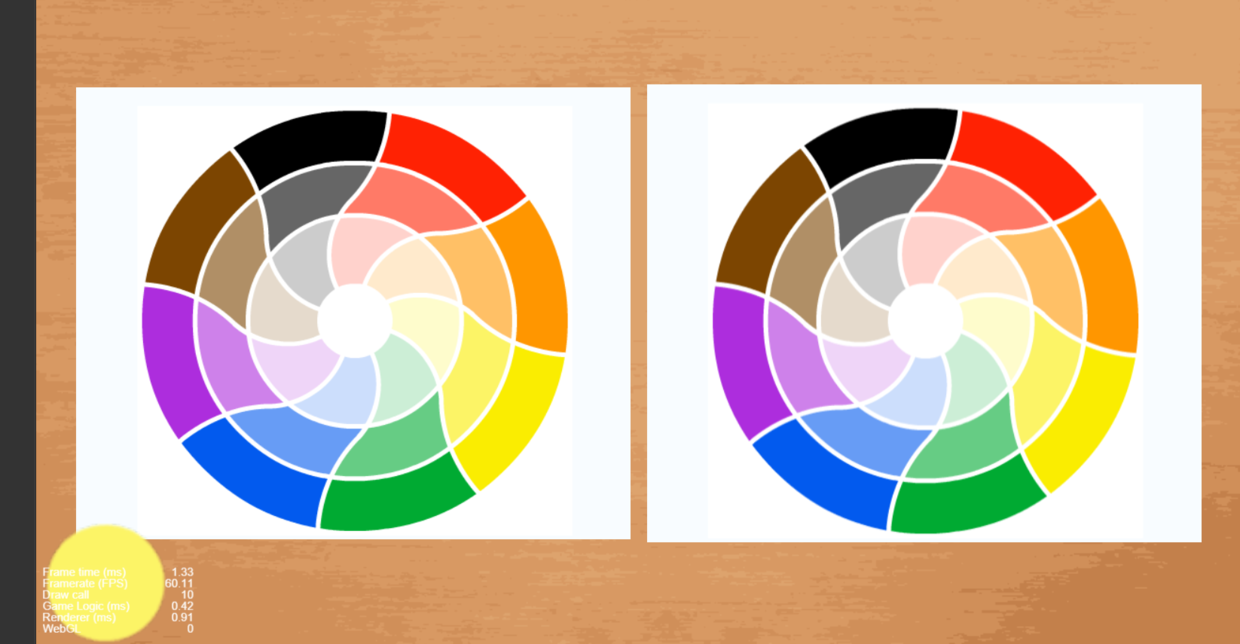 这是一张我在《绘图游戏调色盘取色方法》的文章中展示的一张图,图片左侧的色盘是原始图,右侧是使用相机截屏获得的数据更新后的图。当时是为了验证截屏的正确性而做的。这次正好用来做填色游戏。
 - 制作原理 实际上更改的就是右侧这张图使用的数据。左侧的图接收触摸事件,通过触摸点的位置,更新颜色数据。所以只要将两张图片重叠,用右边的图片盖住左边的图片,然后使用处理过的颜色数据更新右边的这张图,效果也就出来了。这里需要说一嘴,为什么要用两张图,就是相机截屏获得的数据初始化出来的纹理,正好是y反转的,所以右侧的图的scaleY我给了-1.否则就是倒着的。
- 接收事件的处理 接收事件,获得点击坐标位置,这个没什么可多说的。
- 更新数据 更新数据的时候我是从点击的点向四周扩散,因为颜色的点太多,所以不能用递归操作,因此做了每帧更新多少个点的方式,目前我给的是5000,OPPO A9真机实测不卡。使用一个数组记录更新过的点,避免重复更新消耗时间。
- 坑与新玩法 我没有做在更新数据时不可以更换颜色操作,所以在更新数据时如果点击了左侧的色盘,那么右侧的颜色会跟着更新,这个也可以说是坑,也可以说是玩法。 色盘也是通过相机截屏获得的数据获取的,但是这种获取有缺陷,就是点击的色盘上的点不能有阴影,但是我使用的色盘刚好有,所以有的时候获取的颜色会是黑色或者灰色。
代码
1import TextureRenderUtils from "../TextureRenderUtils";
2
3const { ccclass, property } = cc._decorator;
4
5@ccclass
6export default class FillColorV1 extends cc.Component {
7
8    @property([cc.Component.EventHandler])
9    callback: cc.Component.EventHandler[] = [];
10
11    @property(cc.Camera)
12    camera: cc.Camera = null;
13
14    @property(cc.Sprite)
15    target: cc.Sprite = null;
16
17    @property(cc.Node)
18    renderNode: cc.Node = null;
19
20    private pointList: number[] = []
21    private r: number;
22    private g: number;
23    private b: number;
24
25    protected textureHelper: TextureRenderUtils = new TextureRenderUtils()
26
27    private grid: number[] = []
28
29    private imgData: ArrayBufferView = null;
30
31    start() {
32        this.node.on(cc.Node.EventType.TOUCH_START, this.touchStart, this)
33        this.init();
34    }
35
36    getTextureInfo() {
37        return this.textureHelper.getTextureInfo();
38    }
39
40    getDataUrl() {
41        return this.textureHelper.getDataUrl()
42    }
43
44    changeColor(color: cc.Color) {
45        this.r = color.r;
46        this.g = color.g;
47        this.b = color.b;
48
49    }
50
51    init() {
52
53        this.textureHelper.init(this.camera, this.renderNode)
54
55        this.textureHelper.render()
56
57        let data = this.textureHelper.getData()
58
59        if (data.length > 0) {
60            this.imgData = data;
61            cc.log('FillColorV1  width ', this.renderNode.width, ' height ', this.renderNode.height)
62            cc.log(' 实际上有多少个点  == ', data.length / 4)
63            let count = this.renderNode.width * this.renderNode.height;
64            cc.log(" 应该有多少个点的颜色 ", count)
65            if (this.target) {
66                let tTexture = this.target.spriteFrame.getTexture()
67                tTexture.setFlipY(false)
68                this.target.node.scaleY = -1
69
70                tTexture.initWithData(data, tTexture.getPixelFormat(), this.renderNode.width, this.renderNode.height)
71
72            }
73        }
74
75    }
76
77
78    update(dt: number) {
79        let flag = false;
80        let count = 0;
81        let width = this.textureHelper.width;
82        let r = this.r;
83        let g = this.g;
84        let b = this.b;
85        //当发现有点击坐标的时候开始执行。这个5000
86        while (this.pointList.length >= 2 && count++ <= 5000) {
87            flag = true;
88            let x = this.pointList.shift();
89            let y = this.pointList.shift();
90            this.paintPoint(x, y, width, r, g, b)
91        }
92
93        if (flag) {
94            let texture = this.target.spriteFrame.getTexture();
95            texture.initWithData(this.imgData, texture.getPixelFormat(), texture.width, texture.height)
96        }
97
98    }
99
100    paintPoint(x: number, y: number, width: number, r: number, g: number, b: number) {
101        let data = this.imgData;
102        let rowW = Math.floor(width) * 4//一行的长度
103        x = Math.floor(x)
104        let srow = Math.floor(y);//行开始位置
105        let startX = srow * rowW + x * 4;//列开始位置
106        if (!this.grid[startX]) {
107            this.grid[startX] = 1
108            // cc.log('r g b%{} ', data[startX + 0], data[startX + 1], data[startX + 2])
109            if (data[startX + 0] > 100 || data[startX + 1] > 100 || data[startX + 2] > 50) {
110                data[startX + 0] = r;
111                data[startX + 1] = g;
112                data[startX + 2] = b;
113
114                this.pointList.push(x - 1)
115                this.pointList.push(y);
116                this.pointList.push(x + 1)
117                this.pointList.push(y);
118                this.pointList.push(x)
119                this.pointList.push(y - 1)
120                this.pointList.push(x)
121                this.pointList.push(y + 1)
122            }
123        }
124    }
125    //用于打印点击的位置,无关紧要
126    showPointColor(x: number, y: number, width: number) {
127        let data = this.imgData;
128        let rowW = Math.floor(width) * 4//一行的长度
129        x = Math.floor(x)
130        let srow = Math.floor(y);//行开始位置
131        let startX = srow * rowW + x * 4;//列开始位置
132        cc.log('r g b', data[startX + 0], data[startX + 1], data[startX + 2])
133
134
135    }
136
137    touchStart(e: cc.Touch) {
138        let pos = e.getLocation();
139        pos = this.node.convertToNodeSpaceAR(pos)
140        cc.log('touchStart  x ', pos.x, ' y = ', pos.y)
141        this.pointList.length = 0;
142        this.grid.length = 0;
143        this.pointList.push(pos.x)
144        this.pointList.push(pos.y)
145        this.showPointColor(pos.x, pos.y, this.textureHelper.width)
146    }
147
148}
149
结语
以上是我做的一种填色方案,并没有涉及到很大的图案,也没有涉及到放大缩小。我没有说我的方案是最好的,我相信方案有很多种,很多方案都有它的局限性,有它的适用范围;只要没有bug,就有参考价值;但是不要拿来主义,要根据你自己的情况,酌情考虑。
前几天公众号好不容易凑够了500人,开了广告。但是感觉仅凭广告的收入,不说了,都是眼泪。
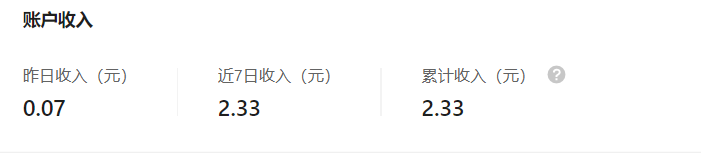
以后更新的速度可能会慢很多,一周两篇,或者一篇或者没有,还请大家见谅。毕竟不能靠这个养活自己,而且还相当耗费时间。
欢迎扫码关注公众号《微笑游戏》,浏览更多内容。如果您觉得文章还可以,点赞、在看、分享、赞助、点下广告都是对我最大的鼓励,在下将感激不尽。
 欢迎扫码关注公众号《微笑游戏》,浏览更多内容。