
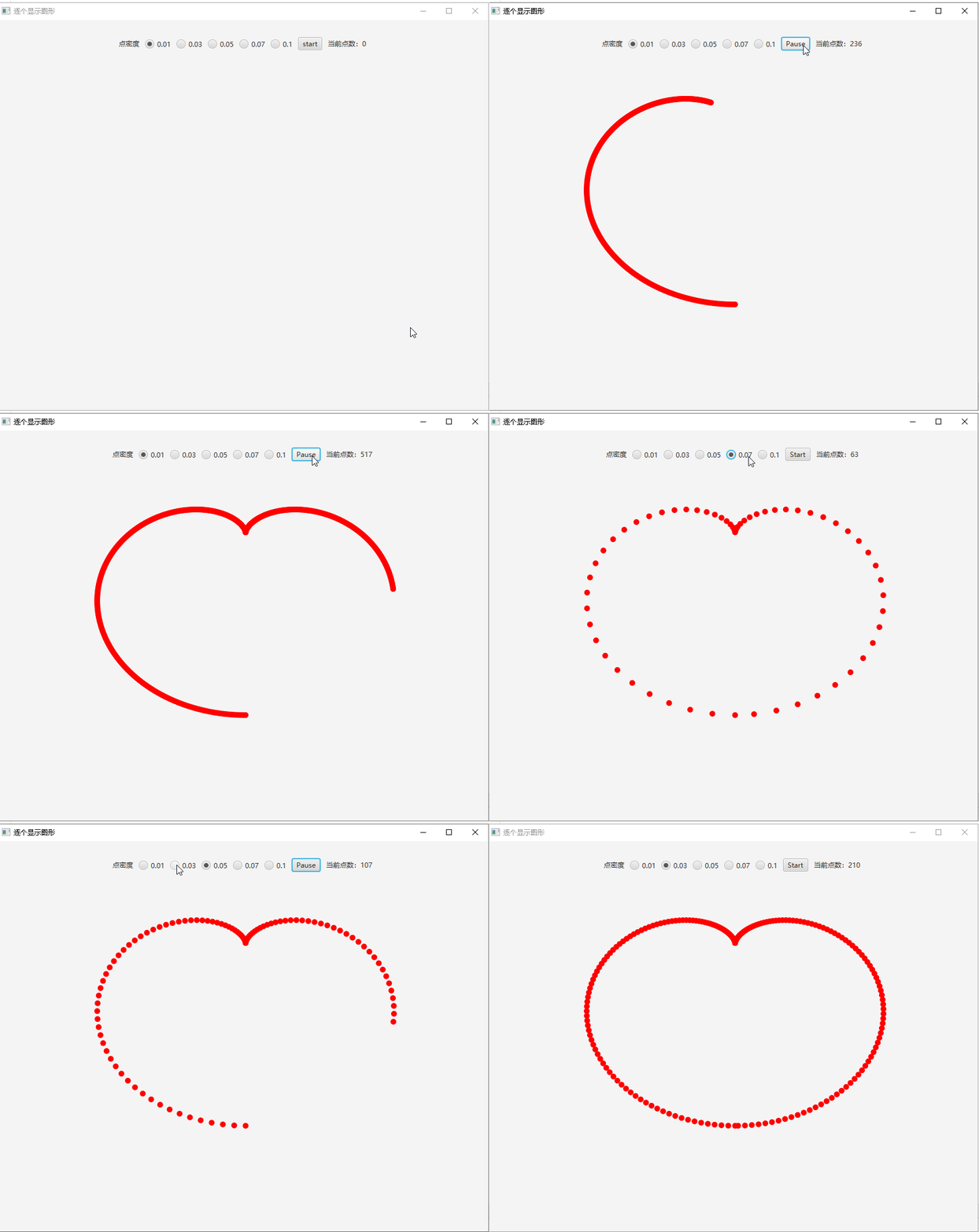
1import javafx.animation.AnimationTimer
2import javafx.application.Application
3import javafx.application.Platform
4import javafx.geometry.Pos
5import javafx.scene.canvas.GraphicsContext
6import javafx.scene.control.RadioButton
7import javafx.scene.paint.Color
8import tornadofx.*
9import java.util.*
10import kotlin.math.PI
11import kotlin.math.cos
12import kotlin.math.sin
13
14fun main(args: Array<String>) {
15    Application.launch(TestApp::class.java, *args)
16}
17
18class TestApp : App(TestView::class)
19class TestView : View("逐个显示图形") {
20    val isRun = booleanProperty()
21    val pNums = intProperty()
22    val aniMate = AniTimer()
23    var t = -PI
24    var renderedList: MutableList<Point> = LinkedList<Point>()
25
26val step= doubleProperty(0.01)
27    lateinit var context: GraphicsContext
28    override val root = borderpane {
29
30        top = hbox(10) {
31            style {
32                alignment = Pos.CENTER
33            }
34            label("点密度")
35            togglegroup {
36                listOf(0.01, 0.03, 0.05, 0.07, 0.1).map { v ->
37                    radiobutton(v.toString(), this, v) { if (v === 0.01) isSelected = true }
38                }
39                selectedToggleProperty().addListener { _, _, newValue ->
40//                    step.value = (selectedToggle as RadioButton).text.toDouble()
41                    step.value = (newValue as RadioButton).text.toDouble()
42                }
43            }
44            button("start") {
45                isRun.addListener { _,_,isrun->
46                    if (isrun)
47                        this.text = "Pause"
48                    else
49                        this.text = "Start"
50                }
51                action {
52                    if (isRun.value) {
53                        aniMate.stop()
54                        this.text = "Start"
55                        isRun.value = false
56                    } else {
57                        t = -PI
58                        renderedList.clear()
59                        pNums.value=0
60                        aniMate.start()
61                        this.text = "Pause"
62                        isRun.value = true
63                    }
64                }
65            }
66            label(pNums.stringBinding { "当前点数:$it" })
67        }
68
69        center = canvas(800.0, 600.0) {
70            style {
71                alignment = Pos.CENTER
72            }
73            context = this.graphicsContext2D
74            paddingAll = 30
75        }
76    }
77
78    inner class AniTimer : AnimationTimer() {
79        var lastTime = 0L
80        val r = 10.0
81        var syncLock = Any()
82        override fun handle(now: Long) {
83            if ((now - lastTime) > 10000000) {
84                lastTime = now
85            } else {
86                return
87            }
88            Platform.runLater {
89                val y = 200 + (2 * cos(t) - cos(2 * t)) * -80
90                val x = 400 + (2 * sin(t) - sin(2 * t)) * 100
91                val p = Point(x, y)
92                // 锁住,防止其他线程修改
93                synchronized(syncLock) {
94                    // 添加历史记录
95                    renderedList.add(p)
96                    // 清屏
97                    context.fill = Color.WHITE
98                    context.clearRect(0.0, 0.0, 800.0, 600.0)
99                    context.fill =  Color.RED
100                    // 渲染点
101                    for (point in renderedList) {
102                        context.fillOval(point.x, point.y, r, r)
103
104                    }
105                    pNums.value += 1
106                    t += step.value
107                    // 控制点的数量
108                    if (t > PI) {
109                        aniMate.stop()
110                        isRun.value=false
111                    }
112                }
113            }
114        }
115    }
116}
117
118class Point(val x: Double, val y: Double)