
原文链接: twojs 加载图片
一个做2维的webgl库, 支持svg和gl, 如果只是简单的二维形状效果, 这个库用起来还蛮好用的

指定大小和可以加mask, 这么看来是可以直接用这个东西实现无滤镜的拼接了, 只不过已经决定使用gl重写, 那就全用gl吧
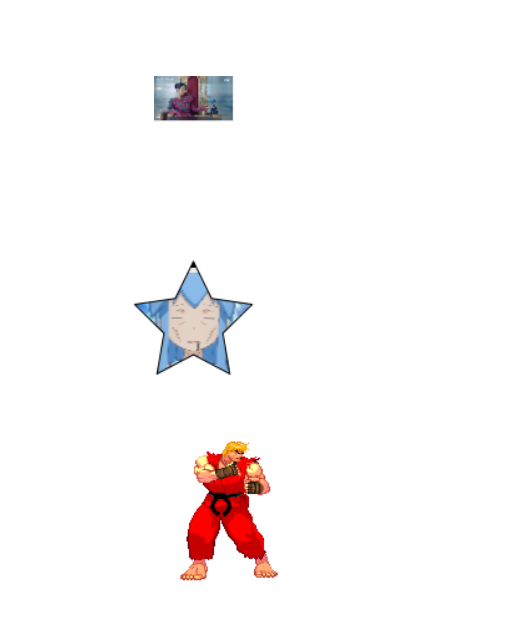
1<template>
2  <div class="flex-row">
3    <div>
4      twojs
5    </div>
6    <div id="draw-shapes"></div>
7  </div>
8</template>
9
10<script setup>
11import Two from "two.js";
12import { onMounted } from "vue";
13onMounted(() => {
14  const elem = document.getElementById("draw-shapes");
15  const params = {
16    width: 600,
17    height: 600,
18    autostart: true,
19    type: Two.Types.webgl,
20  };
21  const two = new Two(params).appendTo(elem);
22  const star = two.makeStar(two.width / 2, two.height / 2, 50, 100, 5);
23  //   const texture = new Two.Texture("https://i.imgur.com/DRmh6S9.jpg");
24  const texture = new Two.Texture("/test.png");
25  // Textures fill as patterns on any Two.Path
26  star.fill = texture;
27  texture.scale = 0.125;
28
29  // A Two.Sprite is a packaged rectangle and texture for convenience.
30  const sprite = two.makeSprite(
31    "https://i.imgur.com/HzeRNWn.jpg",
32    two.width * 0.5,
33    two.height * 0.2
34  );
35  sprite.scale = 0.05;
36
37  // It automatically inherits the dimensions of the texture.
38
39  const columns = 10;
40  const rows = 1;
41  const frameRate = 15;
42
43  // It also has an API to define a sprite sheet
44  const sheet = two.makeSprite(
45    "https://storage.googleapis.com/archive.jono.fyi/projects/two-js/junk/images/ken-sprite.png",
46    two.width * 0.5,
47    two.height * 0.75,
48    columns,
49    rows,
50    frameRate
51  );
52
53  // Which does the math to single out the dimensions of a cell and can then animate
54  sheet.play();
55
56  const mouse = new Two.Vector();
57
58  window.addEventListener("mousemove", function(e) {
59    mouse.set(e.clientX, e.clientY);
60  });
61
62  two.bind("update", function() {
63    // Sprites are Rectangles underneath so they have the same properties as Two.Path's
64    // sprite.rotation = Two.Utils.angleBetween(mouse, sprite.translation);
65    sheet.translation.x = mouse.x || two.width * 0.5;
66  });
67
68  document.body.addEventListener("click", () => {
69    const canvas = document.querySelector("canvas");
70    const url = canvas.toDataURL();
71    const img = new Image();
72    img.src = url;
73    document.body.appendChild(img);
74  });
75});
76</script>
77
78<style></style>