
假设我们要实现的功能是从小游戏A跳转到小游戏B
对于小游戏A:
(1)在platform.ts中添加代码如下:
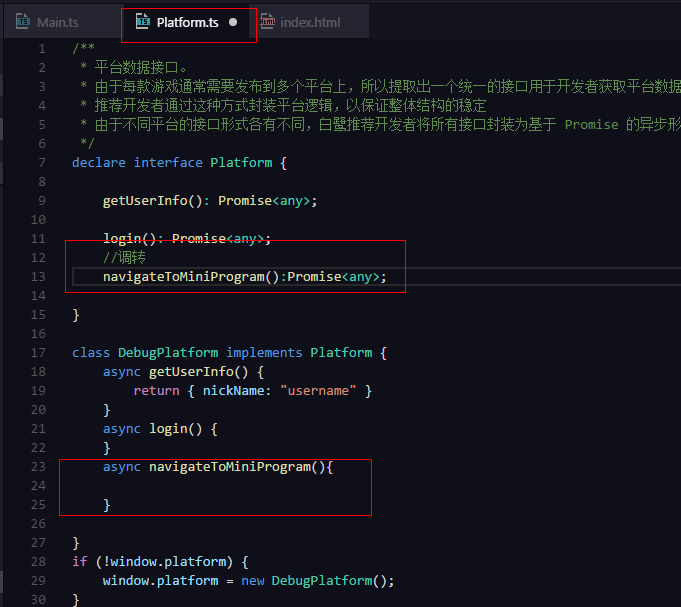
1/**
2 * 平台数据接口。
3 * 由于每款游戏通常需要发布到多个平台上,所以提取出一个统一的接口用于开发者获取平台数据信息
4 * 推荐开发者通过这种方式封装平台逻辑,以保证整体结构的稳定
5 * 由于不同平台的接口形式各有不同,白鹭推荐开发者将所有接口封装为基于 Promise 的异步形式
6 */
7declare interface Platform {
8
9    getUserInfo(): Promise<any>;
10
11    login(): Promise<any>;
12    //调转
13    navigateToMiniProgram():Promise<any>;
14
15}
16
17class DebugPlatform implements Platform {
18    async getUserInfo() {
19        return { nickName: "username" }
20    }
21    async login() {
22    }
23    async navigateToMiniProgram(){
24
25    }
26
27}
28if (!window.platform) {
29    window.platform = new DebugPlatform();
30}
31declare let platform: Platform;
32
33declare interface Window {
34
35    platform: Platform
36}
(2)在main.ts中定义一个跳转按钮并调用platform.ts的方法
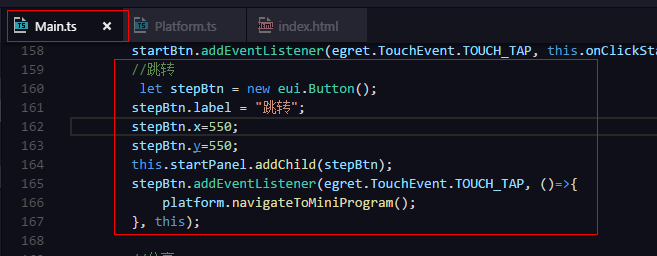
1    //跳转
2        let stepBtn = new eui.Button();
3        stepBtn.label = "跳转";
4        stepBtn.x=550;
5        stepBtn.y=550;
6        this.startPanel.addChild(stepBtn);
7        stepBtn.addEventListener(egret.TouchEvent.TOUCH_TAP, ()=>{
8            platform.navigateToMiniProgram();
9        }, this);
(3)发布成微信小程序,使用微信开发工具打开,在platform.js中添加代码如下:
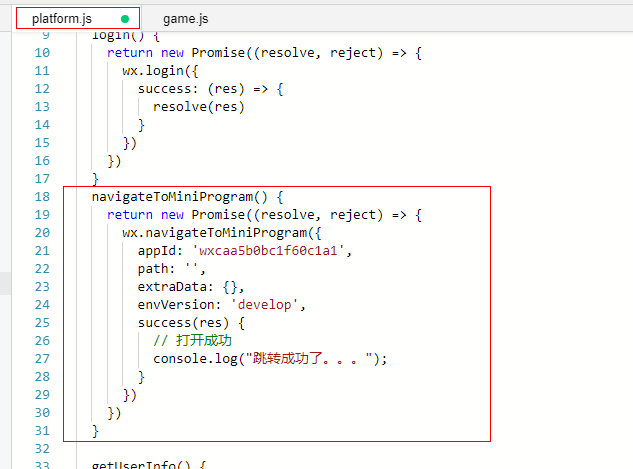
1  navigateToMiniProgram() {
2    return new Promise((resolve, reject) => {
3      wx.navigateToMiniProgram({
4        appId: 'wxcaa5b0bc1f60c1a1',
5        path: '',
6        extraData: {},
7        envVersion: 'develop',
8        success(res) {
9          // 打开成功
10          console.log("跳转成功了。。。");
11        }
12      })
13    })
14  }
注意: appId填将要跳转到的微信小游戏的ID
(4)在game.json中配置需要跳转的小程序的AppId,如下:
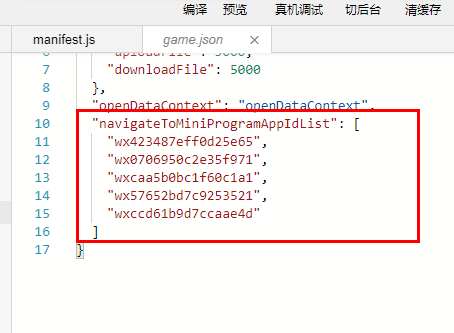
1"navigateToMiniProgramAppIdList": [
2        "wx423487eff0d25e65",
3        "wx0706950c2e35f971",
4        "wxcaa5b0bc1f60c1a1",
5        "wx57652bd7c9253521",
6        "wxccd61b9d7ccaae4d"
7    ]
对于小游戏B:
使用微信开发工具打开小游戏B项目,在index.js中添加代码如下:
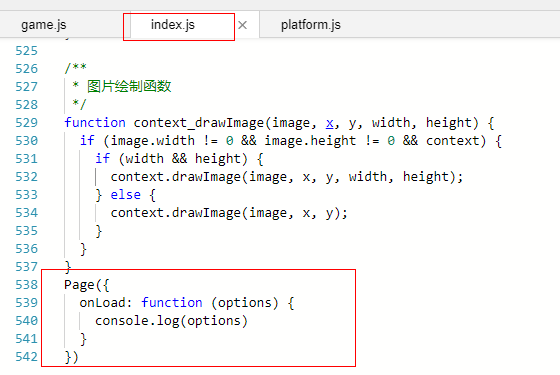
1Page({
2  onLoad: function (options) {
3    console.log(options)
4  }
5})