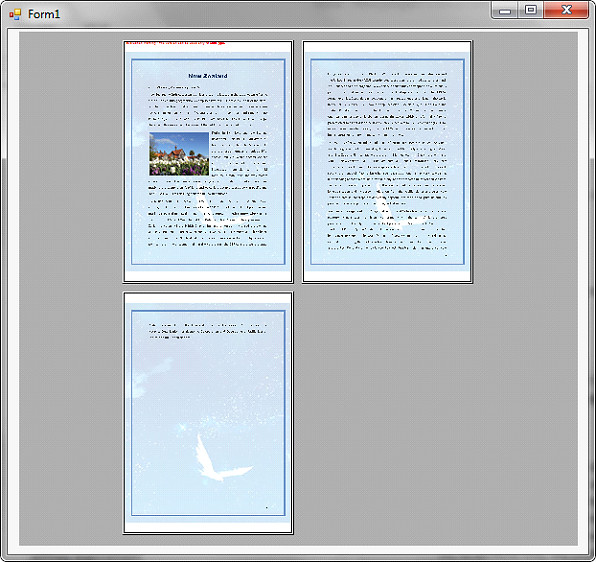
本文演示如何使用Spire.PDF和c#在Windows窗体应用程序中显示PDF文件的打印预览。
在使用下面的代码之前,我们需要创建一个Windows窗体应用程序,在窗体中添加一个PrintPreviewControl控件,并将Spire.Pdf.dll引用到应用程序中。
using System; using System.Windows.Forms; using Spire.Pdf;
namespace PreviewPDF { public partial class Form1 : Form { public Form1() { InitializeComponent(); }
1    private void printPreviewControl1\_Click(object sender, EventArgs e)
2    {
3        //Load PDF file
4        PdfDocument pdf = new PdfDocument();
5        pdf.LoadFromFile("New Zealand.pdf");
6
7        //Set the PrintPreviewControl.Rows and PrintPreviewControl.Columns properties to show multiple pages
8        this.printPreviewControl1.Rows = 2;
9        this.printPreviewControl1.Columns = 2;
10
11        //Preview the pdf file
12        pdf.Preview(this.printPreviewControl1);
13    }
14}
}
截图: