
本文主要介绍如何在阿里云容器服务Kubernetes上快速安装部署Jenkins X Platform并结合demo实践演示GitOps的操作流程。
注意:
本文中使用的jx工具、cloud-environments等做过改造用以适配阿里云Kubernetes容器服务,并未在自建Kubernetes集群中做过验证。
先决条件:
首先,需要在 阿里云容器服务控制台 创建一个Kubernetes集群,本次实践使用的环境信息如下:
master1 192.168.0.119
master2 192.168.0.120
master3 192.168.0.121
worker1 192.168.0.122
jx-node 192.168.0.123
一、 部署Jenkins X Platform并创建Staging Production Env
1. kubectl 、helm、git和jx的安装以及初始化
1$ scp 192.168.0.119:/usr/bin/kubectl /usr/bin/kubectl
2$ scp 192.168.0.119:/usr/local/bin/helm /usr/local/bin/helm
3$ mkdir -p $HOME/.kube
将容器服务控制台上显示的kubeconfig文件内容复制到计算机 $HOME/.kube/config
初始化Helm Client:
1$ helm init --client-only --stable-repo-url https://aliacs-app-catalog.oss-cn-hangzhou.aliyuncs.com/charts-incubator/
2$ helm repo update
安装git
$ yum install git -y
安装jx
$ wget http://acs-jenkins-x.oss-cn-beijing.aliyuncs.com/v1.3.699/jx && mv jx /usr/local/bin/ && chmod +x /usr/local/bin/jx
验证jx:(注意不要选择升级,jx做了定制化修改,目前版本1.3.699)
1$ jx version
2Error loading team settings. the server could not find the requested resource (get environments.jenkins.io)
3Error loading team settings. the server could not find the requested resource (get environments.jenkins.io)
4Failed to get git version: failed to run 'git version' command in directory '', output: '': exec: "git": executable file not found in $PATH
5NAME               VERSION
6jx                 1.3.699
7Kubernetes cluster v1.11.5
8kubectl            v1.11.5
9helm client        v2.11.0+g2e55dbe
10helm server        v2.11.0+g2e55dbe
11Operating System   "CentOS Linux release 7.4.1708 (Core) "
12
13A new jx version is available: 1.3.736
14? Would you like to upgrade to the new jx version? No
2. 安装jenkins-x-platform
1$ mkdir -p ~/.jx
2$ cd ~/.jx
3$ jx install --provider=kubernetes \
4             --domain aliyunk8s-bj.com \
5             --ingress-deployment=nginx-ingress-controller \
6             --ingress-service=nginx-ingress-lb  \
7             --cloud-environment-repo=https://github.com/AliyunContainerService/cloud-environments.git \
8             --no-tiller=true \
9             --no-default-environments=true
交互及日志输出如下:
1Namespace jx created
2 Using helmBinary helm with feature flag: none
3Context "kubernetes-admin-ccf3ebc497d9e4083aab8c89bb1b217bc" modified.
4Storing the kubernetes provider kubernetes in the TeamSettings
5Enabling helm template mode in the TeamSettings
6? Please enter the name you wish to use with git:  jenkins-x-bot
7? Please enter the email address you wish to use with git:  haoshuwei24@gmail.com
8Git configured for user: jenkins-x-bot and email haoshuwei24@gmail.com
9Trying to create ClusterRoleBinding kubernetes-admin-cluster-admin-binding for role: cluster-admin for user kubernetes-admin
10 clusterrolebindings.rbac.authorization.k8s.io "kubernetes-admin-cluster-admin-binding" not found
11Created ClusterRoleBinding kubernetes-admin-cluster-admin-binding
12Using helm2
13Skipping tiller
14helm installed and configured
15existing ingress controller found, no need to install a new one
16Waiting for external loadbalancer to be created and update the nginx-ingress-controller service in kube-system namespace
17External loadbalancer created
18Waiting to find the external host name of the ingress controller Service in namespace kube-system with name nginx-ingress-lb
19If you are installing Jenkins X on premise you may want to use the '--on-premise' flag or specify the '--external-ip' flags. See: https://jenkins-x.io/getting-started/install-on-cluster/#installing-jenkins-x-on-premise
20You can now configure your wildcard DNS aliyunk8s-bj.com to point to 39.97.21.40
21nginx ingress controller installed and configured
22Lets set up a Git user name and API token to be able to perform CI/CD
23
24Creating a local Git user for GitHub server
25? GitHub user name: jenkins-x-bot
26To be able to create a repository on GitHub we need an API Token
27Please click this URL https://github.com/settings/tokens/new?scopes=repo,read:user,read:org,user:email,write:repo_hook,delete_repo
28
29Then COPY the token and enter in into the form below:
30
31? API Token: ****************************************
32Select the CI/CD pipelines Git server and user
33? Do you wish to use GitHub as the pipelines Git server: Yes
34? Do you wish to use jenkins-x-bot as the pipelines Git user for GitHub server: Yes
35Setting the pipelines Git server https://github.com and user name jenkins-x-bot.
36Saving the Git authentication configurationCurrent configuration dir: /root/.jx
37options.Flags.CloudEnvRepository: https://github.com/AliyunContainerService/cloud-environments.git
38options.Flags.LocalCloudEnvironment: false
39Cloning the Jenkins X cloud environments repo to /root/.jx/cloud-environments
40Enumerating objects: 1317, done.
41Counting objects: 100% (1317/1317), done.
42Compressing objects: 100% (618/618), done.
43Total 1317 (delta 673), reused 1317 (delta 673), pack-reused 0
44No default password set, generating a random one
45Generated helm values /root/.jx/extraValues.yaml
46Creating Secret jx-install-config in namespace jx
47Installing Jenkins X platform helm chart from: /root/.jx/cloud-environments/env-kubernetes
48? Select Jenkins installation type: Static Master Jenkins
49? Pick workload build pack:  Kubernetes Workloads: Automated CI+CD with GitOps Promotion
50Setting the team build pack to kubernetes-workloads repo: https://github.com/AliyunContainerService/jenkins-x-kubernetes.git ref: master
51Installing jx into namespace jx
52Adding values file /root/.jx/cloud-environments/env-kubernetes/myvalues.yaml
53Adding values file /root/.jx/adminSecrets.yaml
54Adding values file /root/.jx/extraValues.yaml
55Adding values file /root/.jx/cloud-environments/env-kubernetes/secrets.yaml
56Fetched chart jenkins-x/jenkins-x-platform to dir /tmp/helm-template-workdir-860490114/jenkins-x/chartFiles/jenkins-x-platform
57Generating Chart Template 'template --name jenkins-x --namespace jx /tmp/helm-template-workdir-860490114/jenkins-x/chartFiles/jenkins-x-platform --output-dir /tmp/helm-template-workdir-860490114/jenkins-x/output --debug --values /root/.jx/cloud-environments/env-kubernetes/myvalues.yaml --values /root/.jx/adminSecrets.yaml --values /root/.jx/extraValues.yaml --values /root/.jx/cloud-environments/env-kubernetes/secrets.yaml'
58Applying generated chart jenkins-x/jenkins-x-platform YAML via kubectl in dir: /tmp/helm-template-workdir-860490114/jenkins-x/output
59deployment.extensions/jenkins-x-chartmuseum created
60persistentvolumeclaim/jenkins-x-chartmuseum created
61secret/jenkins-x-chartmuseum created
62service/jenkins-x-chartmuseum created
63role.rbac.authorization.k8s.io/cleanup created
64rolebinding.rbac.authorization.k8s.io/cleanup created
65serviceaccount/cleanup created
66clusterrole.rbac.authorization.k8s.io/controllercommitstatus-jx created
67clusterrolebinding.rbac.authorization.k8s.io/controllercommitstatus-jx created
68deployment.apps/jenkins-x-controllercommitstatus created
69role.rbac.authorization.k8s.io/controllercommitstatus created
70rolebinding.rbac.authorization.k8s.io/controllercommitstatus created
71serviceaccount/jenkins-x-controllercommitstatus created
72clusterrole.rbac.authorization.k8s.io/controllerrole-jx created
73clusterrolebinding.rbac.authorization.k8s.io/controllerrole-jx created
74deployment.apps/jenkins-x-controllerrole created
75role.rbac.authorization.k8s.io/controllerrole created
76rolebinding.rbac.authorization.k8s.io/controllerrole created
77serviceaccount/jenkins-x-controllerrole created
78clusterrole.rbac.authorization.k8s.io/controllerteam-jx created
79clusterrolebinding.rbac.authorization.k8s.io/controllerteam-jx created
80deployment.apps/jenkins-x-controllerteam created
81role.rbac.authorization.k8s.io/controllerteam created
82rolebinding.rbac.authorization.k8s.io/controllerteam created
83serviceaccount/jenkins-x-controllerteam created
84clusterrole.rbac.authorization.k8s.io/controllerworkflow-jx created
85clusterrolebinding.rbac.authorization.k8s.io/controllerworkflow-jx created
86deployment.apps/jenkins-x-controllerworkflow created
87role.rbac.authorization.k8s.io/controllerworkflow created
88rolebinding.rbac.authorization.k8s.io/controllerworkflow created
89serviceaccount/jenkins-x-controllerworkflow created
90configmap/exposecontroller created
91role.rbac.authorization.k8s.io/expose created
92rolebinding.rbac.authorization.k8s.io/expose created
93serviceaccount/expose created
94clusterrole.rbac.authorization.k8s.io/gcactivities-jx created
95clusterrolebinding.rbac.authorization.k8s.io/gcactivities-jx created
96cronjob.batch/jenkins-x-gcactivities created
97role.rbac.authorization.k8s.io/gcactivities created
98rolebinding.rbac.authorization.k8s.io/gcactivities created
99serviceaccount/jenkins-x-gcactivities created
100cronjob.batch/jenkins-x-gcpods created
101role.rbac.authorization.k8s.io/gcpods created
102rolebinding.rbac.authorization.k8s.io/gcpods created
103serviceaccount/jenkins-x-gcpods created
104clusterrole.rbac.authorization.k8s.io/gcpreviews-jx created
105clusterrolebinding.rbac.authorization.k8s.io/gcpreviews-jx created
106cronjob.batch/jenkins-x-gcpreviews created
107role.rbac.authorization.k8s.io/gcpreviews created
108rolebinding.rbac.authorization.k8s.io/gcpreviews created
109serviceaccount/jenkins-x-gcpreviews created
110deployment.extensions/jenkins-x-heapster created
111service/heapster created
112configmap/jenkins created
113persistentvolumeclaim/jenkins created
114service/jenkins-agent created
115deployment.extensions/jenkins created
116service/jenkins created
117configmap/jenkins-x-git-kinds created
118clusterrolebinding.rbac.authorization.k8s.io/jenkins-jx-role-binding created
119secret/jenkins created
120serviceaccount/jenkins created
121configmap/jenkins-tests created
122configmap/nexus created
123deployment.extensions/jenkins-x-nexus created
124persistentvolumeclaim/jenkins-x-nexus created
125secret/nexus created
126service/nexus created
127role.rbac.authorization.k8s.io/committer created
128clusterrolebinding.rbac.authorization.k8s.io/jenkins-x-team-controller created
129configmap/jenkins-x-team-controller created
130secret/jenkins-docker-cfg created
131configmap/jenkins-x-devpod-config created
132configmap/jenkins-x-docker-registry created
133configmap/jenkins-x-extensions created
134configmap/jenkins-x-pod-templates created
135secret/jx-basic-auth created
136role.rbac.authorization.k8s.io/jx-view created
137secret/jenkins-maven-settings created
138secret/jenkins-npm-token created
139role.rbac.authorization.k8s.io/owner created
140secret/jenkins-release-gpg created
141secret/jenkins-ssh-config created
142role.rbac.authorization.k8s.io/viewer created
143Applying Helm hook post-upgrade YAML via kubectl in file: /tmp/helm-template-workdir-860490114/jenkins-x/helmHooks/jenkins-x-platform/charts/expose/templates/job.yaml
144job.batch/expose created
145Waiting for helm post-upgrade hook Job expose to complete before removing it
如果是首次部署jenkins x platfrom的话,此处需等待几分钟进行镜像的拉取和容器的启动:
1$ kubectl -n jx get po
2NAME                                                READY     STATUS              RESTARTS   AGE
3expose-2bhmv                                        0/1       ContainerCreating   0          1m
4jenkins-568884c766-sxc7d                            0/1       Init:0/1            0          1m
5jenkins-x-chartmuseum-6cf566bfb-jm7cv               0/1       ContainerCreating   0          1m
6jenkins-x-controllercommitstatus-6f57d857d8-kzllt   1/1       Running             0          1m
7jenkins-x-controllerrole-57d864c96f-4lrrk           1/1       Running             0          1m
8jenkins-x-controllerteam-c48fc44f-tsrkh             0/1       ContainerCreating   0          1m
9jenkins-x-controllerworkflow-c758649d6-2kpfj        0/1       ContainerCreating   0          1m
10jenkins-x-heapster-7fbdb867d9-wt6sl                 0/2       ContainerCreating   0          1m
11jenkins-x-nexus-5d5455cfd7-4xsck                    0/1       ContainerCreating   0          1m
接下来的日志交互及输出如下:
1^@^@^@Deleting helm hook sources from file: /tmp/helm-template-workdir-860490114/jenkins-x/helmHooks/jenkins-x-platform/charts/expose/templates/job.yaml
2job.batch "expose" deleted
3Removing Kubernetes resources from older releases using selector: jenkins.io/chart-release=jenkins-x,jenkins.io/version!=0.0.3193
4waiting for install to be ready, if this is the first time then it will take a while to download images
5^@Jenkins X deployments ready in namespace jx
6
7
8    ********************************************************
9
10         NOTE: Your admin password is: qub6n#mKkh0oN!S59nPp
11
12    ********************************************************
13
14
15Getting Jenkins API Token
16Using url http://jenkins.jx.aliyunk8s-bj.com/me/configure
17Unable to automatically find API token with chromedp using URL http://jenkins.jx.aliyunk8s-bj.com/me/configure
18Error: creating the chrome client: fork/exec /usr/bin/google-chrome: no such file or directory
19Please go to http://jenkins.jx.aliyunk8s-bj.com/me/configure and click Show API Token to get your API Token
20Then COPY the token and enter in into the form below:
21
22? API Token:
此处如果没有DNS service解析域名jenkins.jx.aliyunk8s-bj.com的话, 需要先在jx-node上手动绑定hosts:
1$ kubectl -n jx get ing
2NAME          HOSTS                             ADDRESS       PORTS     AGE
3chartmuseum   chartmuseum.jx.aliyunk8s-bj.com   xx.xx.xx.xx   80        5m
4jenkins       jenkins.jx.aliyunk8s-bj.com       xx.xx.xx.xx   80        5m
5nexus         nexus.jx.aliyunk8s-bj.com         xx.xx.xx.xx   80        5m
6$ echo "xx.xx.xx.xx jenkins.jx.aliyunk8s-bj.com" >> /etc/hosts
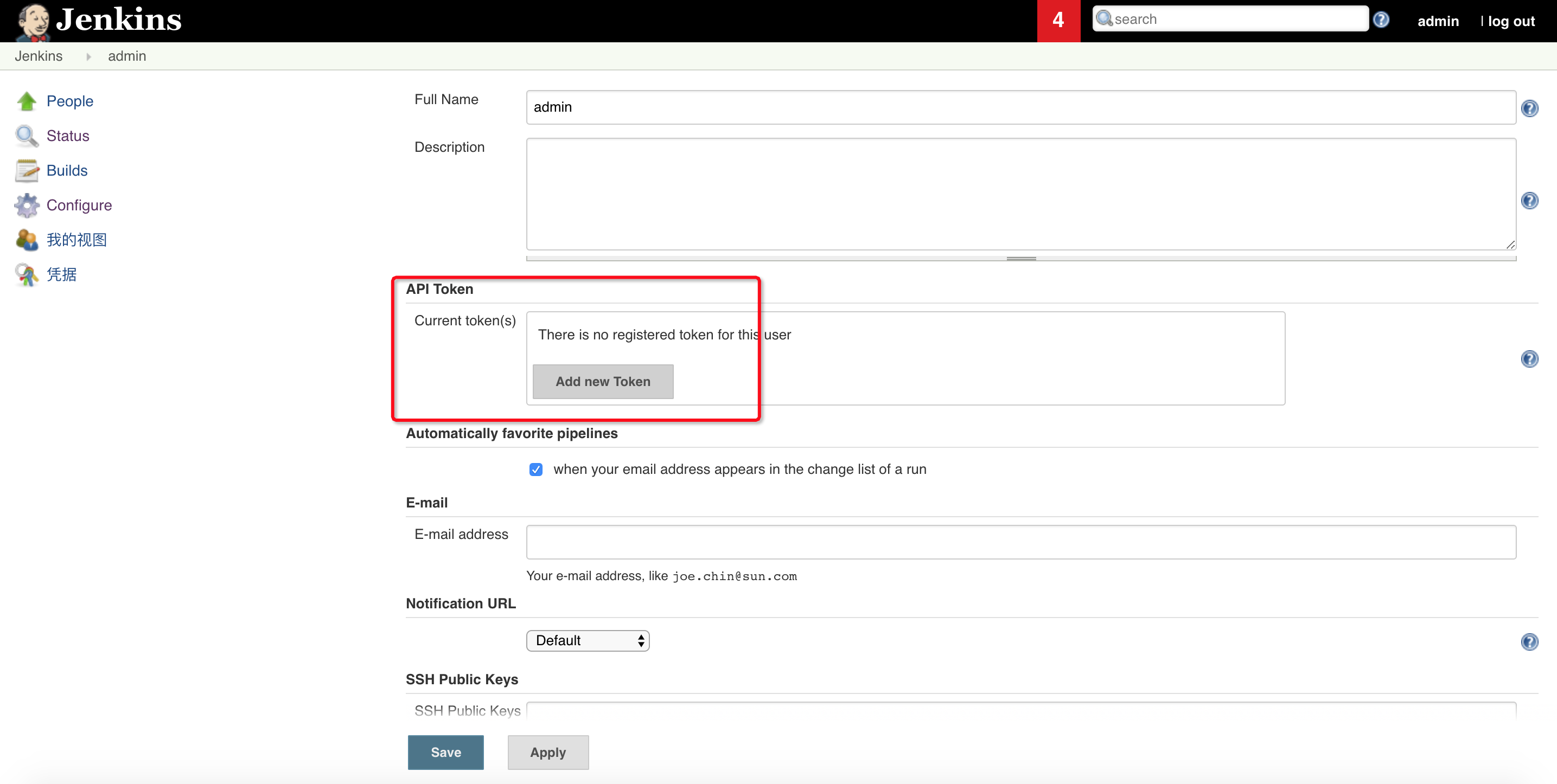
根据日志提示生成jenkins api token:
完成安装:
1Created user admin API Token for Jenkins server jenkins.jx.aliyunk8s-bj.com at http://jenkins.jx.aliyunk8s-bj.com
2Updating Jenkins with new external URL details http://jenkins.jx.aliyunk8s-bj.com
3
4Jenkins X installation completed successfully
5
6
7    ********************************************************
8
9         NOTE: Your admin password is: qub6n#mKkh0oN!S59nPp
10
11    ********************************************************
12
13
14
15Your Kubernetes context is now set to the namespace: jx
16To switch back to your original namespace use: jx namespace default
17For help on switching contexts see: https://jenkins-x.io/developing/kube-context/
18
19To import existing projects into Jenkins:       jx import
20To create a new Spring Boot microservice:       jx create spring -d web -d actuator
21To create a new microservice from a quickstart: jx create quickstart
3. 创建staging env
1$ jx create env -n staging -l Staging --namespace staging --fork-git-repo='https://github.com/haoshuwei/default-environment-charts.git' --domain=aliyunk8s-bj.com --promotion=Auto --prefix='bj'
2
3....
4Creating GitHub webhook for haoshuwei/environment-bj-staging for url http://jenkins.jx.aliyunk8s-bj.com/github-webhook/
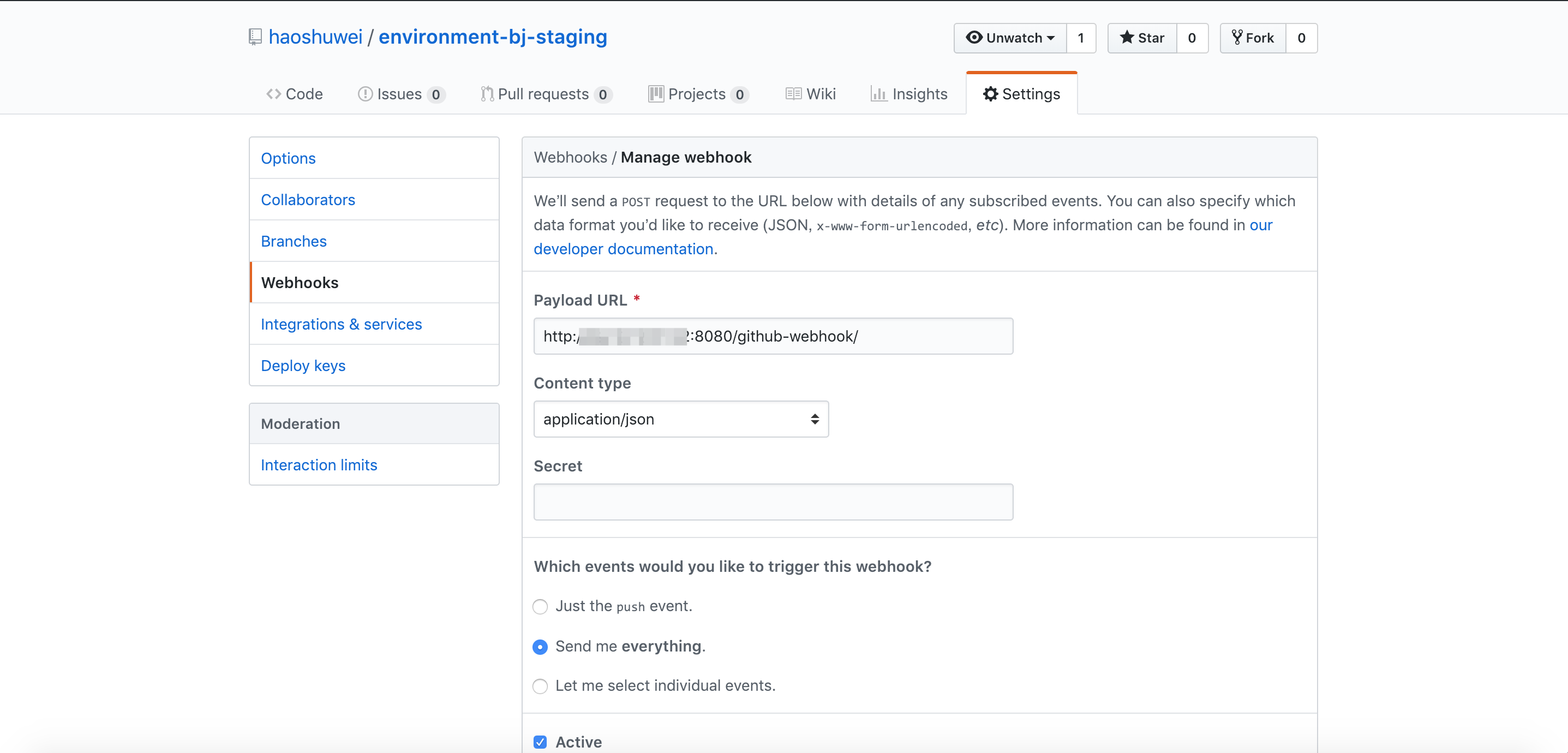
由于我们默认使用Ingress暴露服务, 所以需要修改environment-bj-staging的webhook:
1$ kubectl -n jx get svc |grep LoadBalancer
2kubectl -n jx get svc |grep LoadBalancer
3jenkins                 LoadBalancer   172.19.11.179   xx.xx.xx.xx   8080:30456/TCP   13h
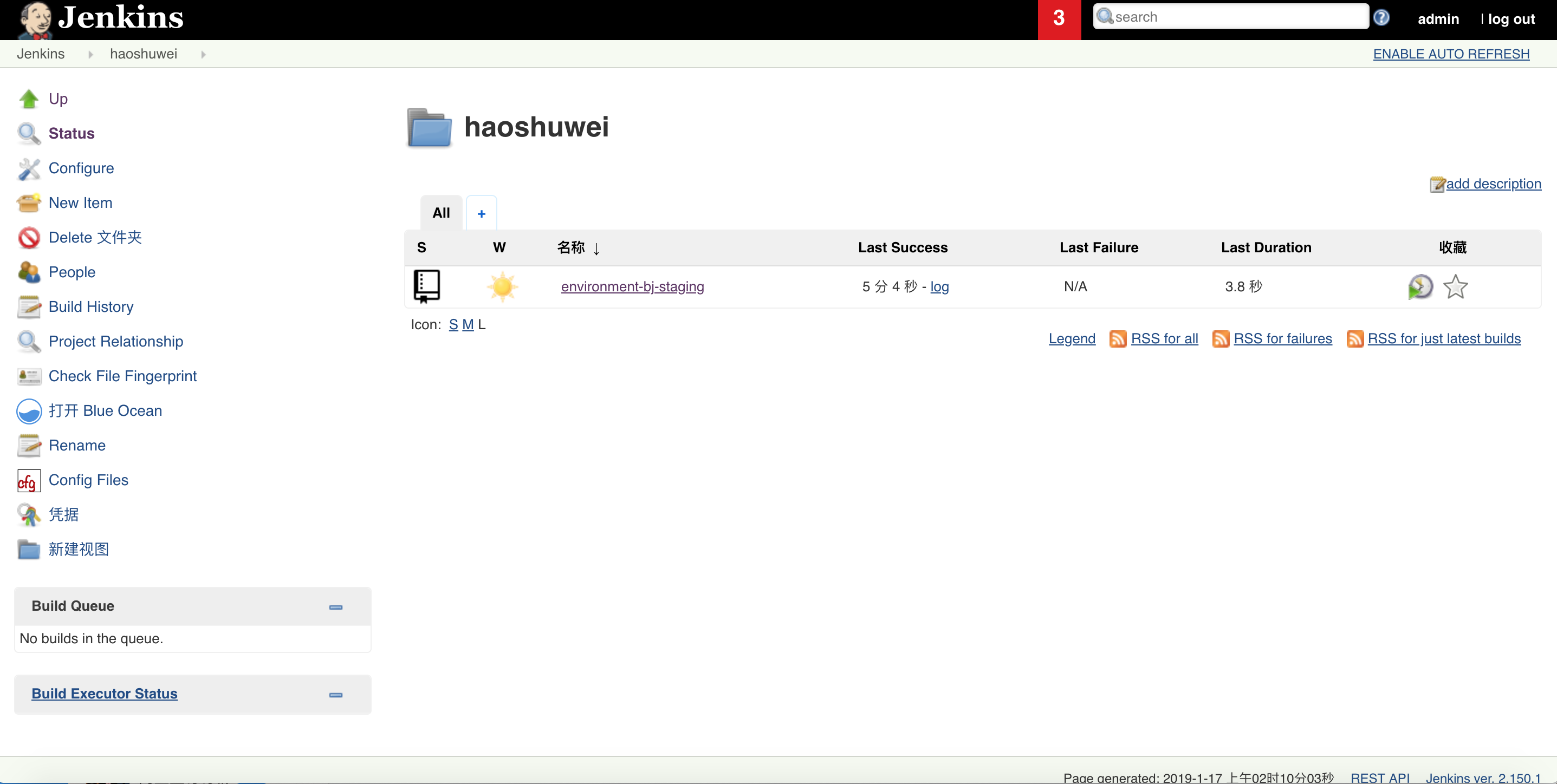
jenkins会自动创建environment-bj-staging job并进行扫描和构建:
4. 创建production env:
1$ jx create env -n production -l Production --namespace production --fork-git-repo='https://github.com/haoshuwei/default-environment-charts.git' --domain=aliyunk8s-bj.com --promotion=Manual --prefix='bj'
2
3...
4Creating GitHub webhook for haoshuwei/environment-bj-production for url http://jenkins.jx.aliyunk8s-bj.com/github-webhook/
修改environment-hz-production的webhook。
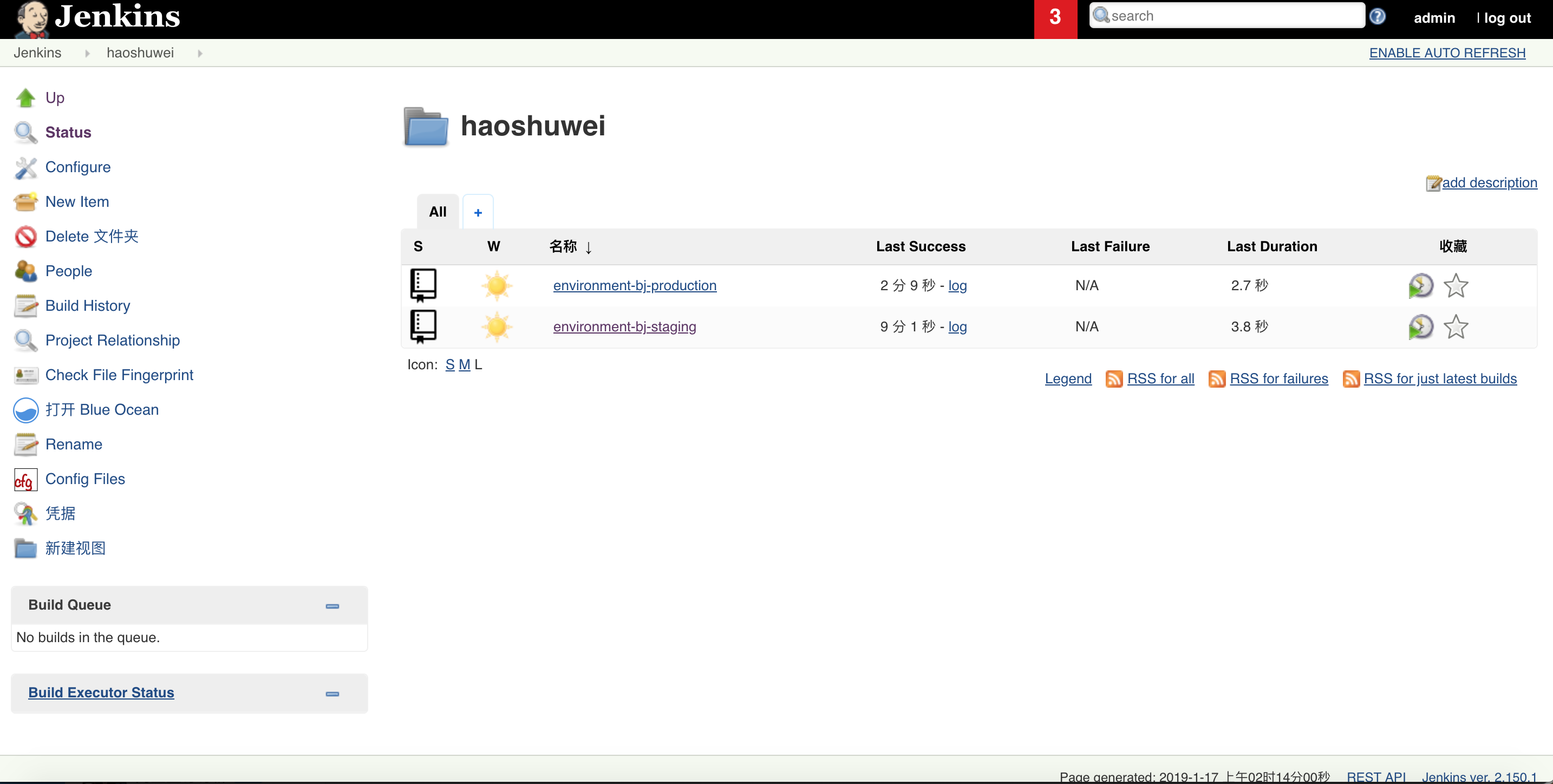
jenkins会自动创建environment-bj-production job并进行扫描和构建:
5. 配置访问阿里云容器镜像服务的docker registry secret:
1$ kubectl -n jx delete secrets jenkins-docker-cfg
2secret "jenkins-docker-cfg" deleted
3$ docker login -u xxx -p xxx registry.cn-beijing.aliyuncs.com
4$ kubectl create secret generic jenkins-docker-cfg -n jx --from-file=/root/.docker/config.json
5secret/jenkins-docker-cfg created
二、 运用GitOps管理应用发布
1. 安装openjdk
$ yum install -y java-1.8.0-openjdk
2. 创建一个Spring示例应用
1$ jx create spring -d web -d actuator
2? Language: java
3? Group: com.example
4? Artifact: jenkins-x-demo
5Created Spring Boot project at /root/.jx/jenkins-x-demo
6No username defined for the current Git server!
7? Do you wish to use jenkins-x-bot as the Git user name: Yes
8The directory /root/.jx/jenkins-x-demo is not yet using git
9? Would you like to initialise git now? Yes
10? Commit message:  Initial import
11
12Git repository created
13selected pack: /root/.jx/draft/packs/github.com/AliyunContainerService/jenkins-x-kubernetes/packs/maven
14? Which organisation do you want to use? jenkins-x-bot
15replacing placeholders in directory /root/.jx/jenkins-x-demo
16app name: jenkins-x-demo, git server: github.com, org: jenkins-x-bot, Docker registry org: jenkins-x-bot
17skipping directory "/root/.jx/jenkins-x-demo/.git"
18Using Git provider GitHub at https://github.com
19
20
21About to create repository jenkins-x-demo on server https://github.com with user jenkins-x-bot
22? Enter the new repository name:  jenkins-x-demo
23
24
25Creating repository jenkins-x-bot/jenkins-x-demo
26Pushed Git repository to https://github.com/haoshuwei/jenkins-x-demo
27
28Created Jenkins Project: http://jenkins.jx.aliyunk8s-bj.com/job/haoshuwei/job/jenkins-x-demo/
29
30Watch pipeline activity via:    jx get activity -f jenkins-x-demo -w
31Browse the pipeline log via:    jx get build logs haoshuwei/jenkins-x-demo/master
32Open the Jenkins console via    jx console
33You can list the pipelines via: jx get pipelines
34When the pipeline is complete:  jx get applications
35
36For more help on available commands see: https://jenkins-x.io/developing/browsing/
37
38Note that your first pipeline may take a few minutes to start while the necessary images get downloaded!
39
40Creating GitHub webhook for haoshuwei/jenkins-x-demo for url http://jenkins.jx.aliyunk8s-bj.com/github-webhook/
修改 jenkins-x-demo的webhook。
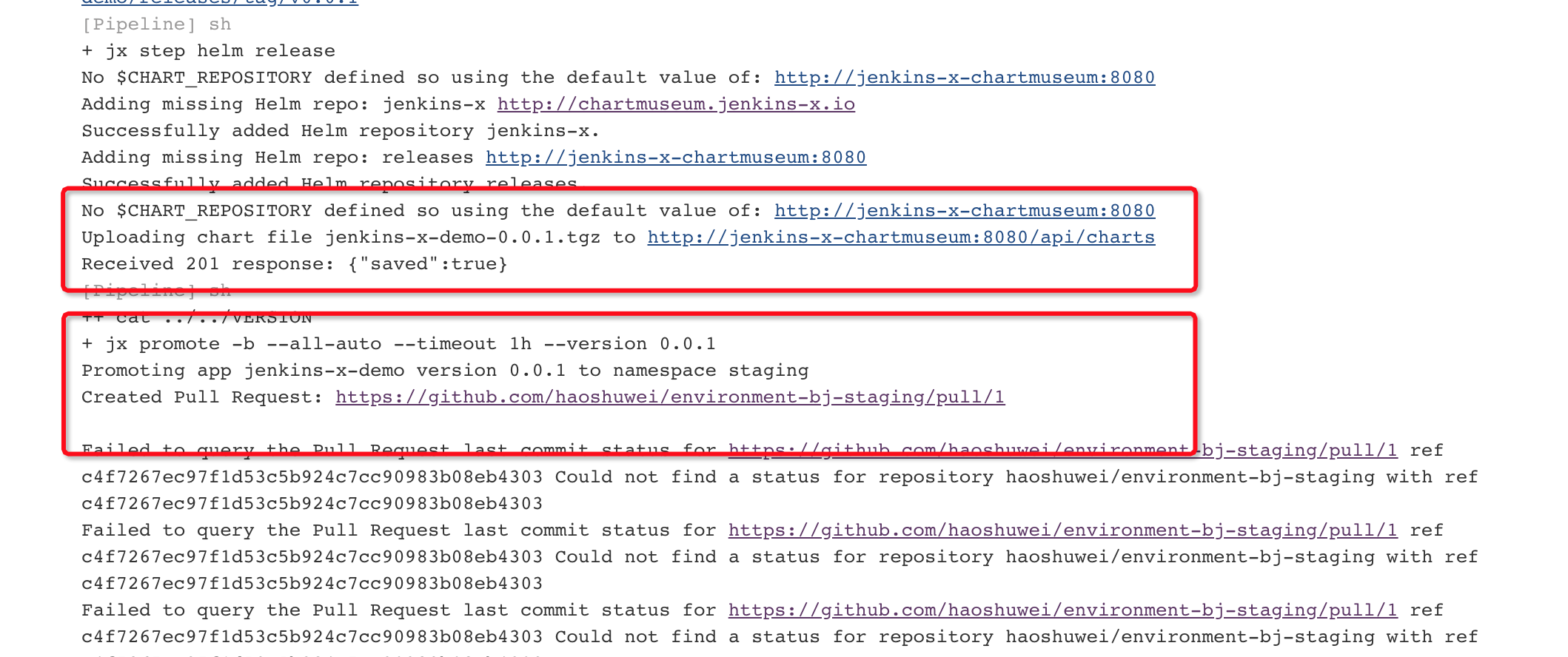
jenkins-x-demo项目成功创建后,jenkins job jenkins-x-demo会自动扫描并构建jenkins-x-demo-0.0.1.tgz发布到chartmuseum并自动promote到staging环境:
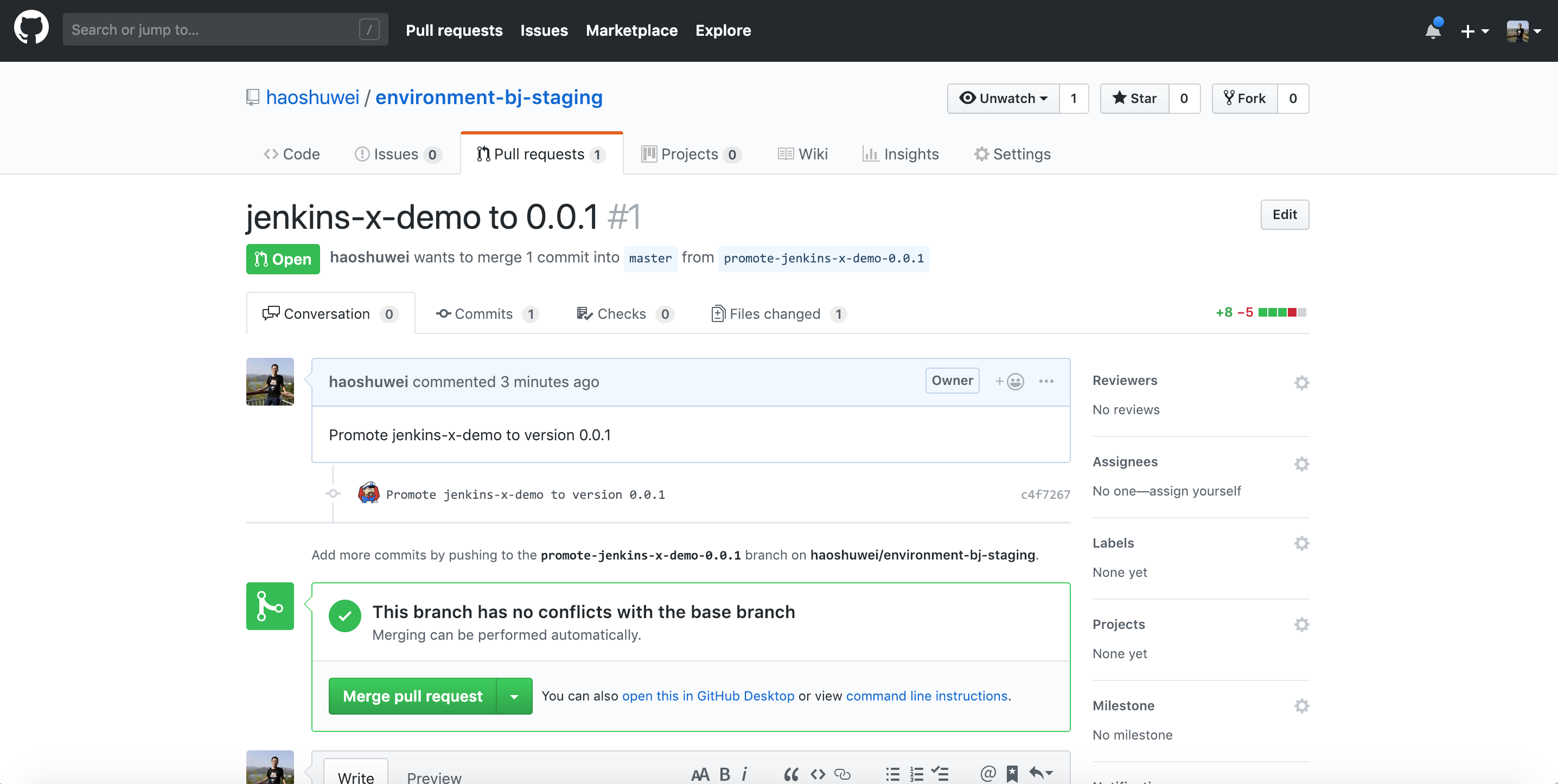
查看environment-bj-staging项目的PR:
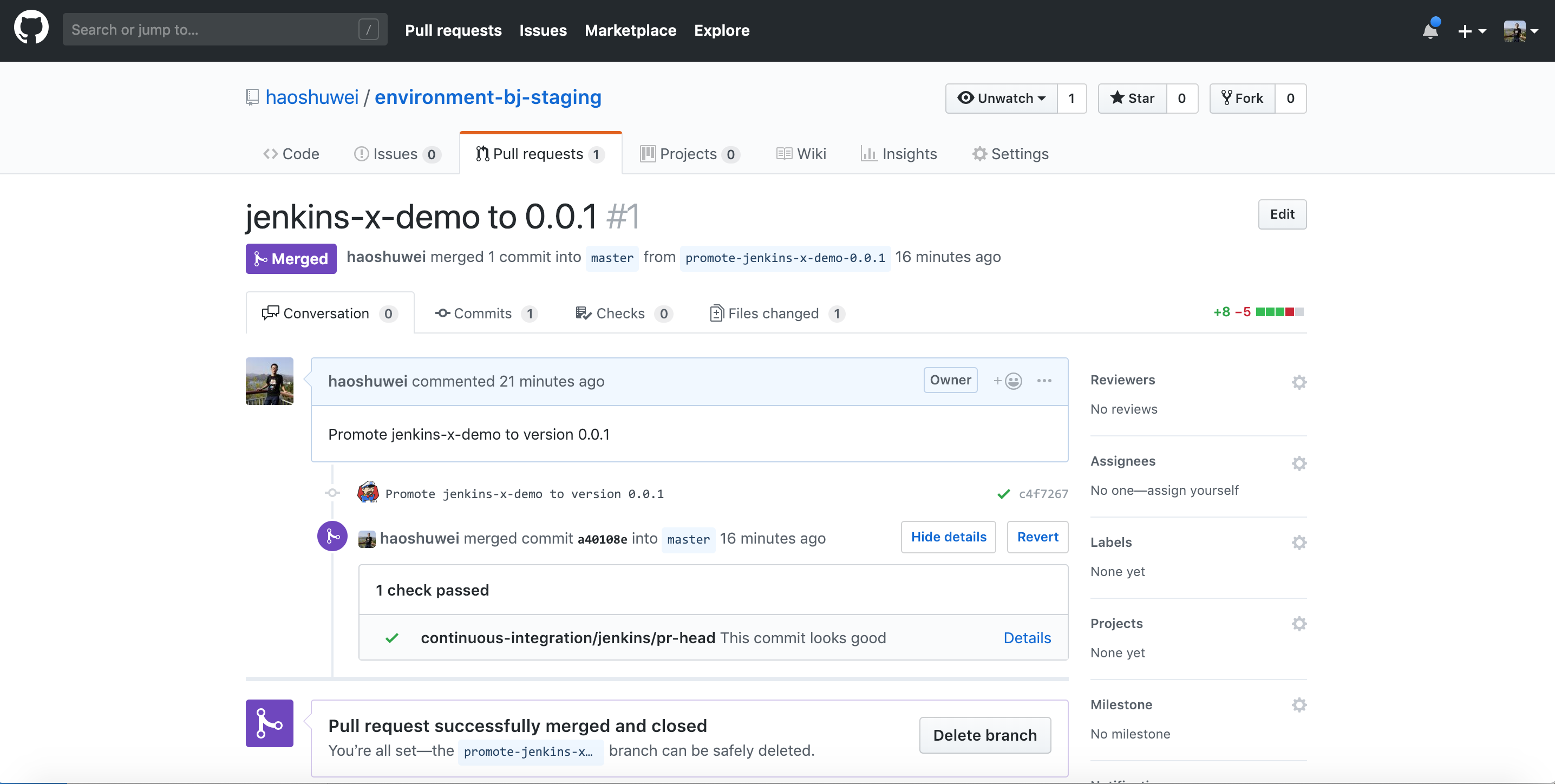
PR的Check通过后会自动merge:
主要修改内容为:
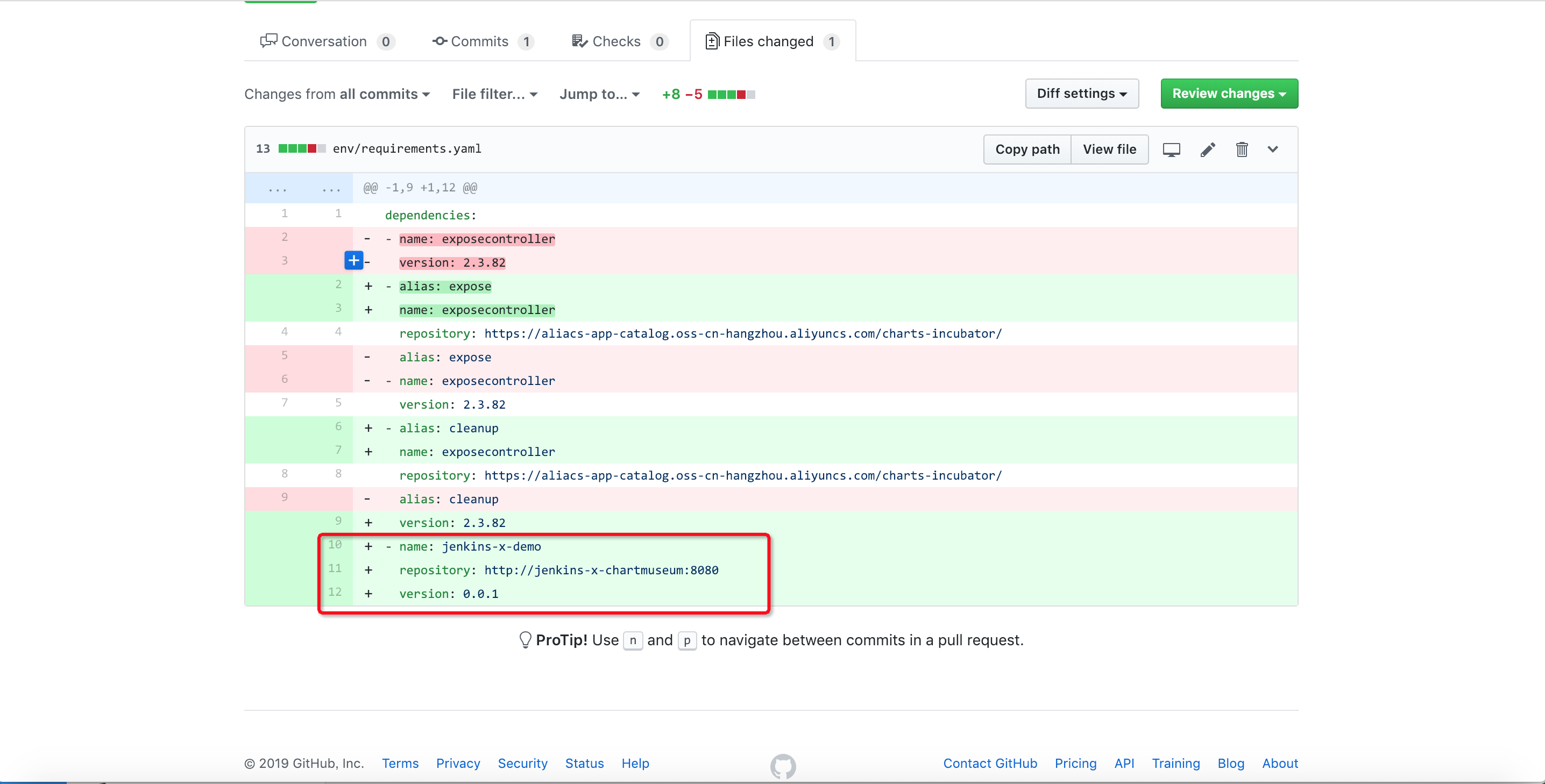
然后environment-bj-staging项目自动构建并部署jenkins-x-demo应用到Staging Env。
3. 访问Staging环境中的jenkins-x-demo应用服务
1$ jx get apps
2APPLICATION       PRODUCTION PODS URL                                            STAGING PODS URL
3jx-jenkins-x-demo 0.0.1      1/1  http://jenkins-x-demo.staging.aliyunk8s-bj.com
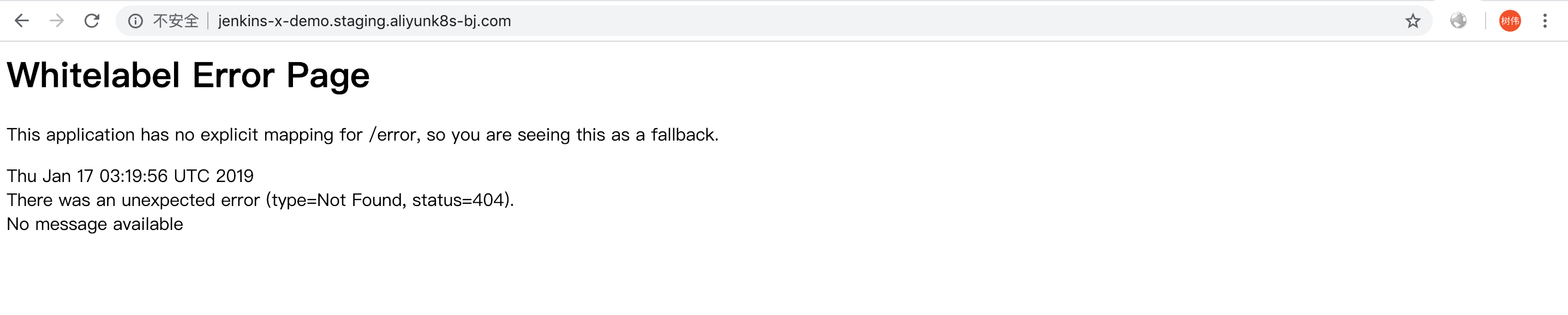
访问http://jenkins-x-demo.staging.aliyunk8s-bj.com:
4. 开发jenkins-x-demo应用并发布新版本到Staging环境
步骤3中, 我们访问了一个并没有准备好进入生产环境的jenkins-x-demo应用, 下面我们添加一个新的feature:
1$ cd jenkins-x-demo
2$ git checkout -b feature/add-index
新建src/main/resources/static/index.html并写入如下内容:
1<html>
2  <head>
3    <title> Jenkins X Spring Demo </title>
4  </head>
5  <body bgcolor=white>
6
7    <table border="0" cellpadding="10">
8      <tr>
9        <td>
10          <img height="300" width="300" src="https://github.com/jenkins-x/jenkins-x-website/raw/e5aae999166a67d6220aa469eed1f23e0996c1f7/images/logo.png">
11        </td>
12        <td>
13          <h1>Jenkins X Spring Demo</h1>
14        </td>
15      </tr>
16    </table>
17  </body>
18
19</html>
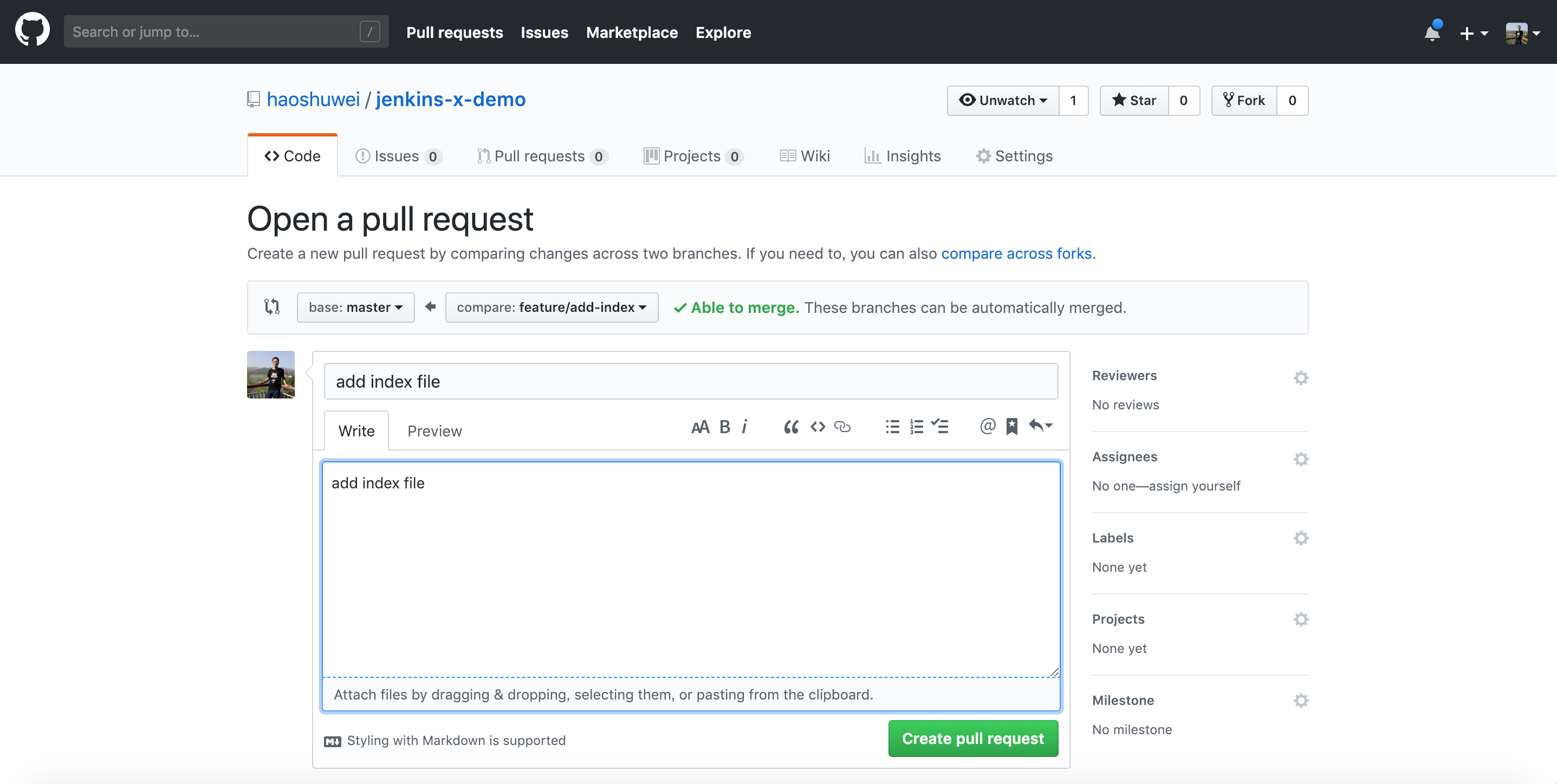
提交和推送后我们在GitHub上创建一个feature/add-index到master分支的PR:
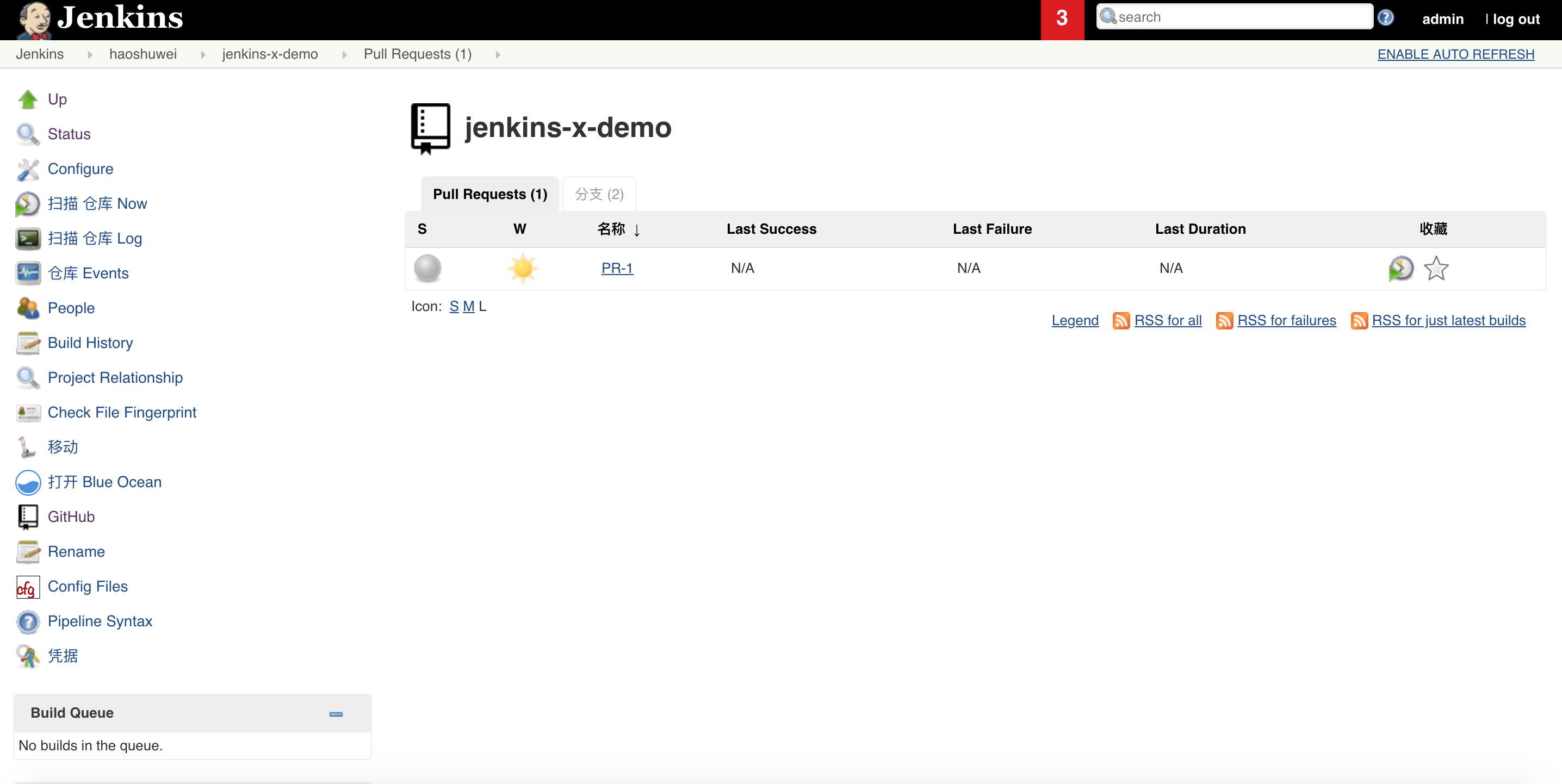
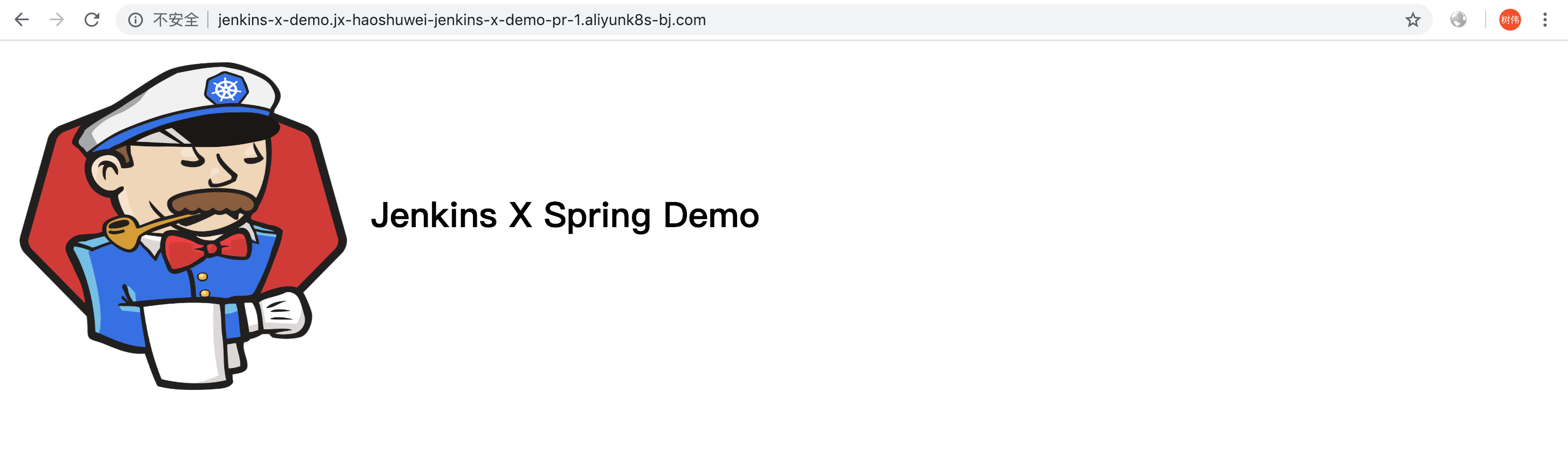
jenkins会自动对PR进行构建和部署,这个过程中jenkins-x-demo的部署并不是部署到Staging环境,而是会部署为Preview环境提供预览:
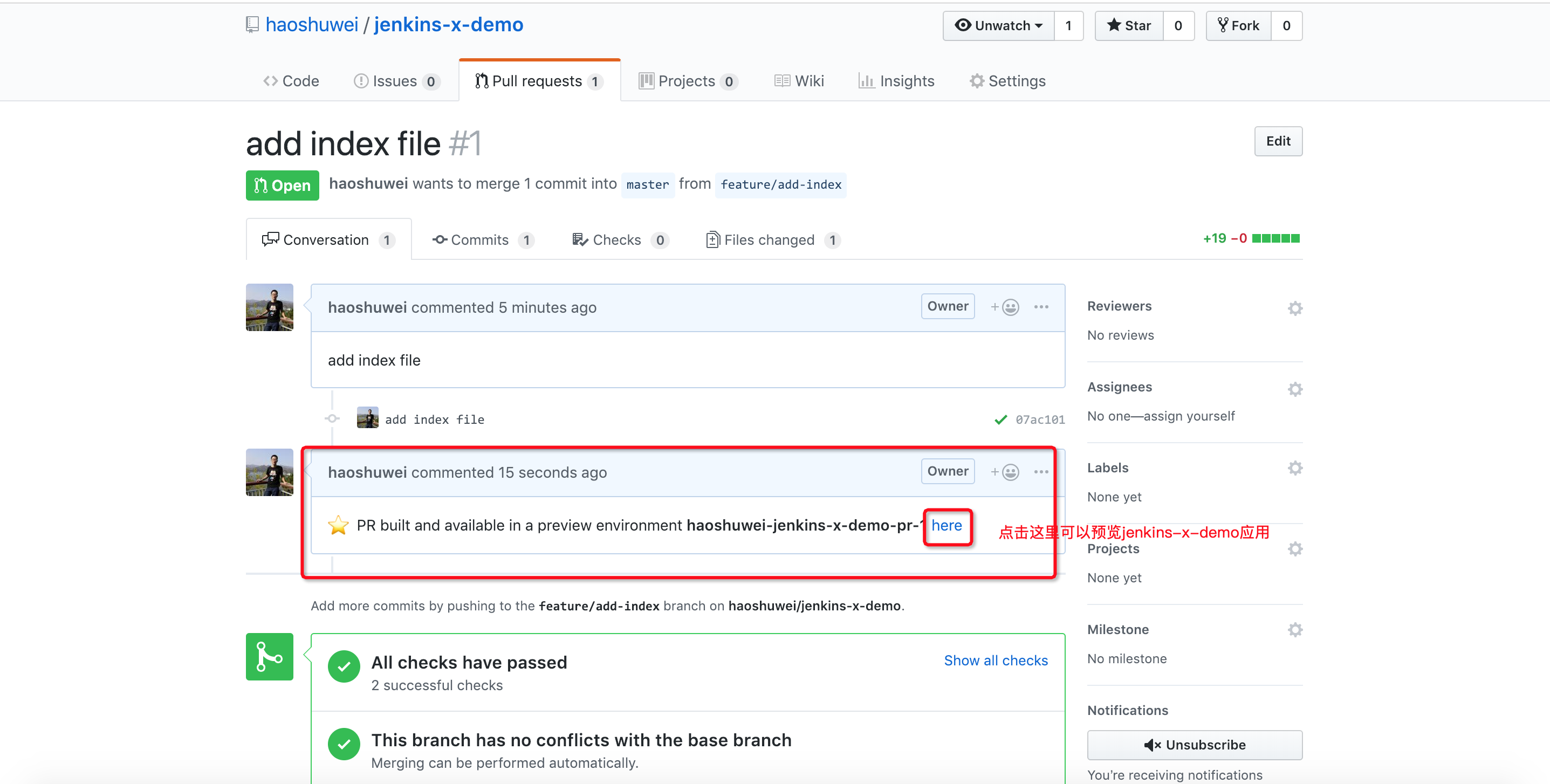
预览jenkins-x-demo应用http://jenkins-x-demo.jx-haoshuwei-jenkins-x-demo-pr-1.aliyunk8s-bj.com/:
5. 发布新版本jenkins-x-demo应用到Staging环境
确认提交的PR没问题后,即可merge到master分支:
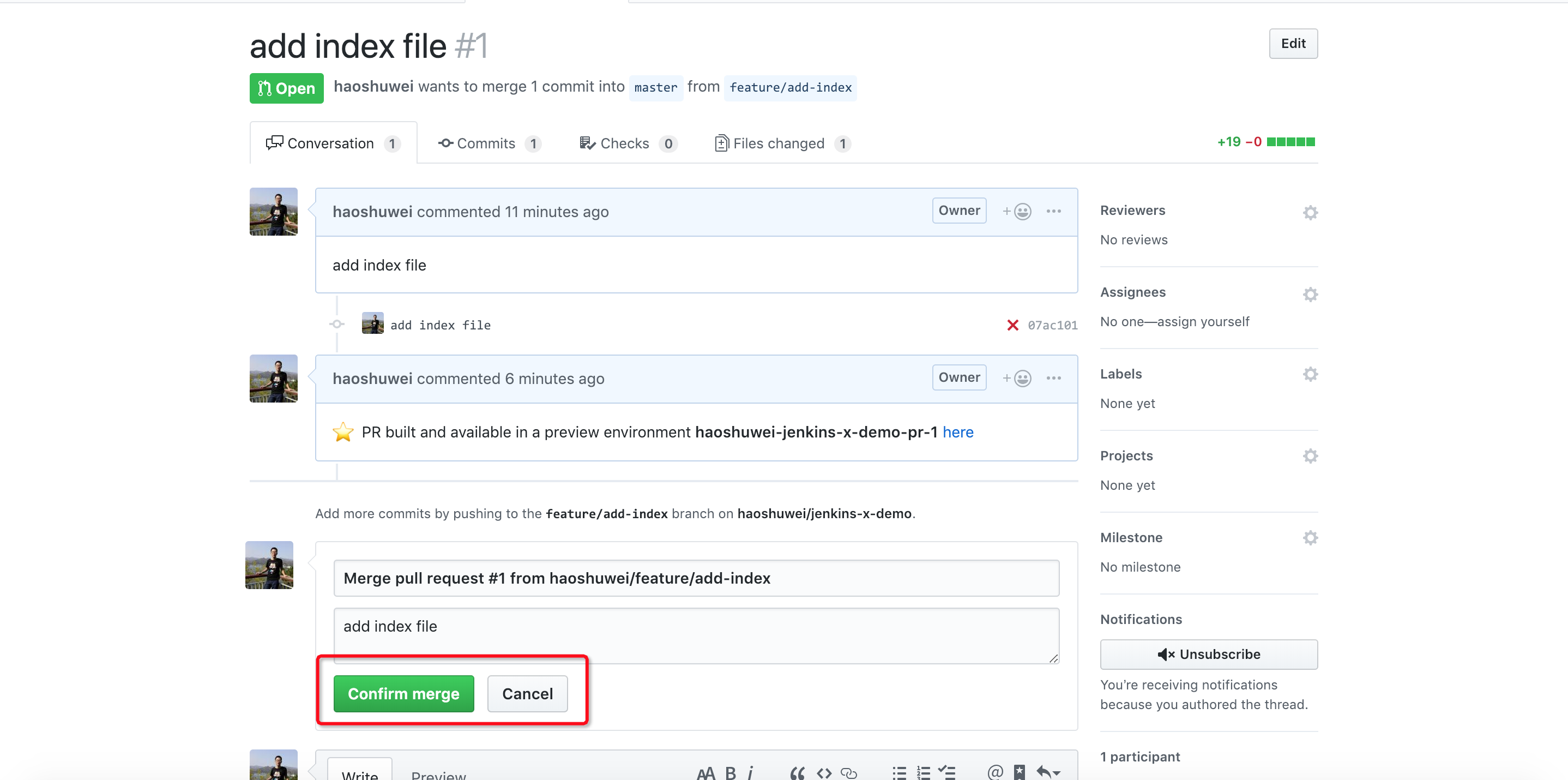
jenkins会重新构建jenkins-x-demo v0.0.2并发布到Staging环境:
1$ jx get apps
2APPLICATION       PRODUCTION PODS URL                                            STAGING PODS URL
3jx-jenkins-x-demo 0.0.2      1/1  http://jenkins-x-demo.staging.aliyunk8s-bj.com
6. jenkins-x-demo应用推送到Production环境
一旦应用通过测试验证并准备好进入生产后, 我们就可以手动发布应用到Production环境:
1$ jx get apps
2APPLICATION       PRODUCTION PODS URL                                               STAGING PODS URL
3jx-jenkins-x-demo 0.0.2      1/1  http://jenkins-x-demo.production.aliyunk8s-bj.com 0.0.2   1/1  http://jenkins-x-demo.staging.aliyunk8s-bj.com
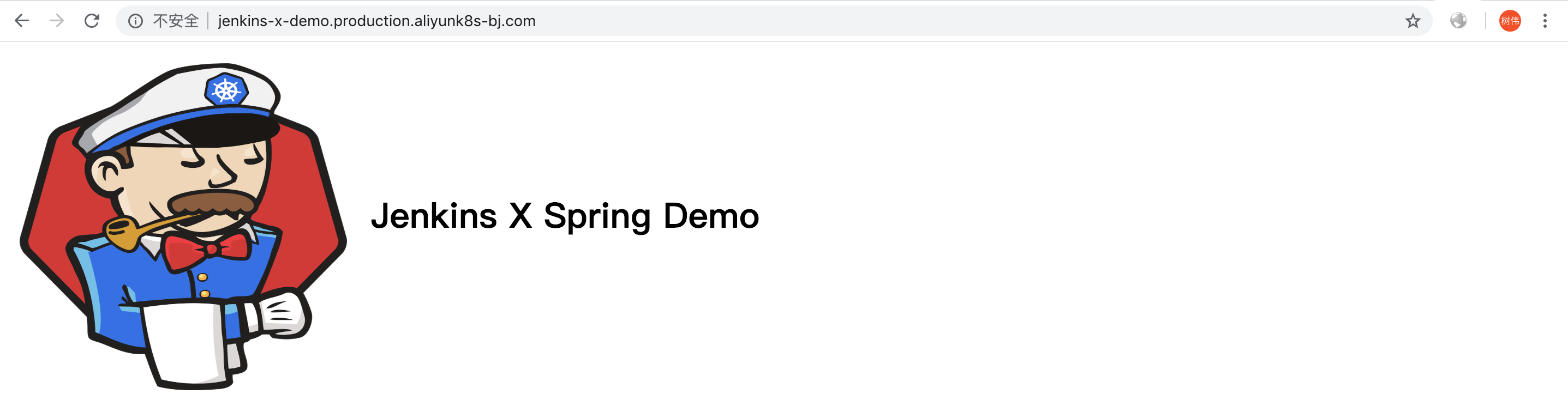
访问Production环境中的jenkins-x-demo:
三、 Production环境中应用的回滚
回滚到版本v0.x.x
$ jx promote --version 0.x.x --env production --timeout 20m
四、 删除或重装Jenkins X Platform
1$ kubectl config current-context
2$ jx uninstall
3$ cd ~/.jx
4$ rm -rf *
五、 结束语
目前Jenkins X Platform还在不断完善和改进中, 比如支持多集群等问题https://github.com/jenkins-x/jx/issues/479, 我们也会持续优化Jenkins X 在阿里云Kubernetes容器服务上的最佳实践并更新博客。