
在网站根目录下放置 webhook.php 自动部署文件,然后GitHub服务器的对应项目的 webhooks 配置上该文件的网址(Payload URL)与 密钥(Secret),需启用php的shell_exec函数。 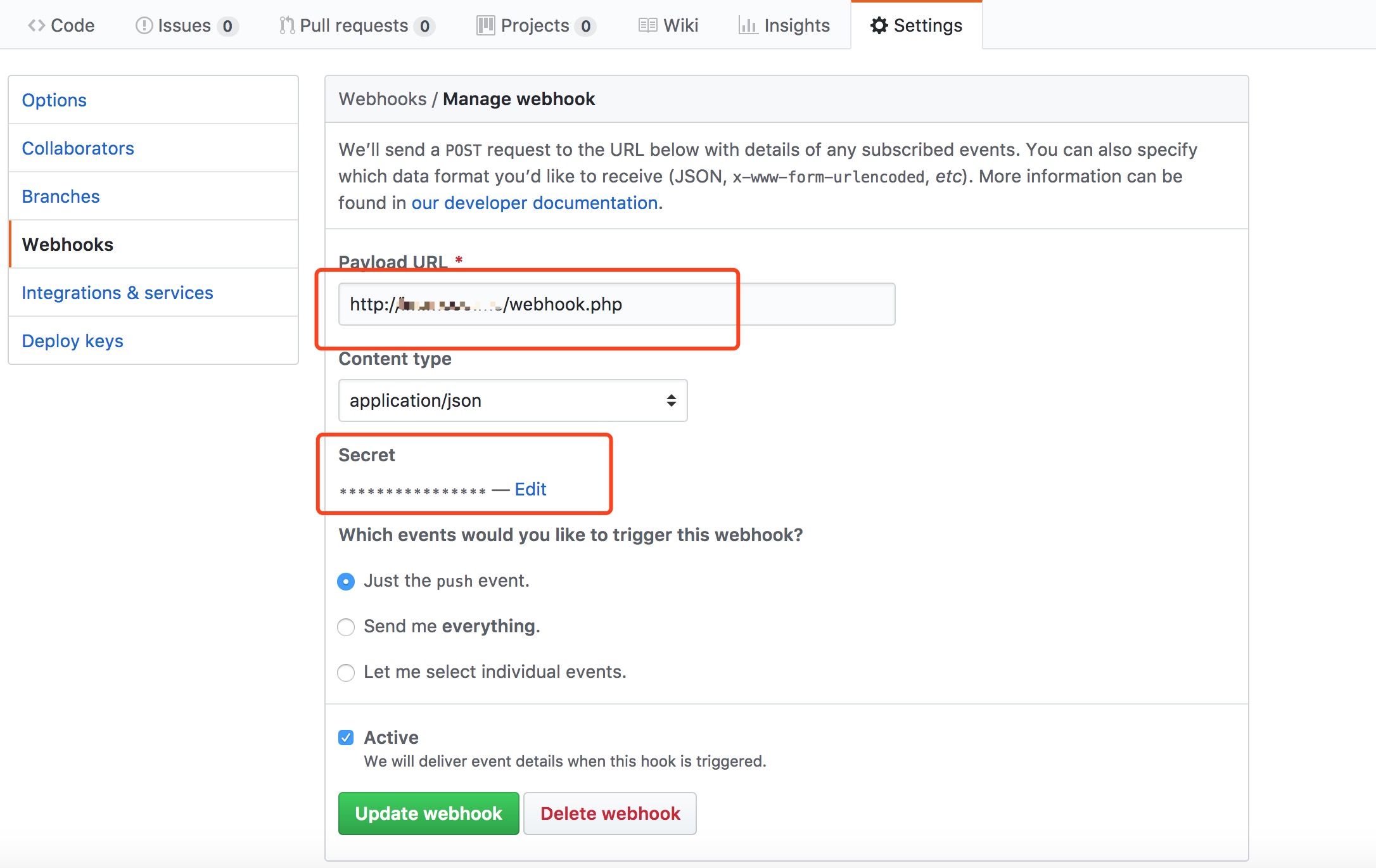
webhook.php 代码
1   <?php
2
3
4    $target = '/home/www/im'; // 生产环境web目录
5    //密钥
6    $secret = "123456";
7    $wwwUser = 'www';
8    $wwwGroup = 'www';
9
10    //日志文件地址
11    $fs = fopen('../storage/logs/gitHubAuto_hook.log', 'a');
12
13    //获取GitHub发送的内容
14    $json = file_get_contents('php://input');
15    $content = json_decode($json, true);
16    //github发送过来的签名
17    $signature = $_SERVER['HTTP_X_HUB_SIGNATURE'];
18
19    if (!$signature) {
20       fclose($fs);
21       return http_response_code(404);
22     }
23
24    list($algo, $hash) = explode('=', $signature, 2);
25    //计算签名
26    $payloadHash = hash_hmac($algo, $json, $secret);
27
28    // 判断签名是否匹配
29    if ($hash === $payloadHash) {
30        $cmd = "cd $target && git pull";
31        $res = shell_exec($cmd);
32
33        $res_log .= 'Success:'.PHP_EOL;
34        $res_log .= $content['head_commit']['author']['name'] . ' 在' . date('Y-m-d H:i:s') . '向' . $content['repository']['name'] . '项目的' . $content['ref'] . '分支push了' . count($content['commits']) . '个commit:' . PHP_EOL;
35        $res_log .= $res.PHP_EOL;
36        $res_log .= '======================================================================='.PHP_EOL;
37
38        fwrite($fs, $res_log);
39        $fs and fclose($fs);
40
41
42      } else {
43            $res_log  = 'Error:'.PHP_EOL;
44            $res_log .= $content['head_commit']['author']['name'] . ' 在' . date('Y-m-d H:i:s') . '向' . $content['repository']['name'] . '项目的' . $content['ref'] . '分支push了' . count($content['commits']) . '>个commit:' . PHP_EOL;
45            $res_log .= '密钥不正确不能pull'.PHP_EOL;
46            $res_log .= '======================================================================='.PHP_EOL;
47           fwrite($fs, $res_log);
48           $fs and fclose($fs);
49      }