
今天是开发飞行射击游戏第五天,爆炸特效体系与NPC子弹弹幕。
简介
实现爆炸特效体系与NPC子弹弹幕。
飞机爆炸也是一个类,爆炸也是个数可变的,也需要特效管理者类。
实现效果
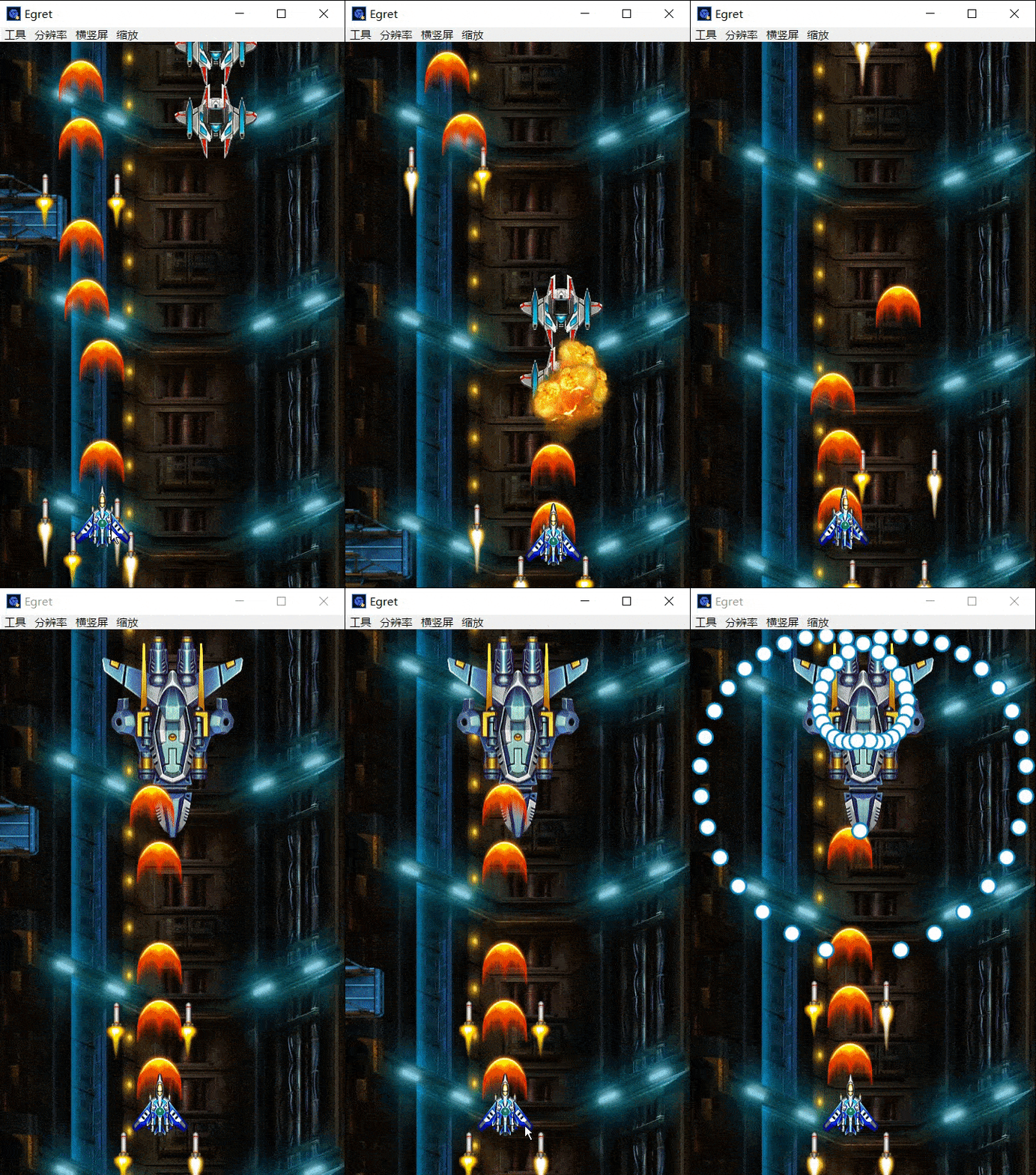
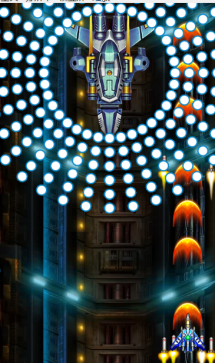
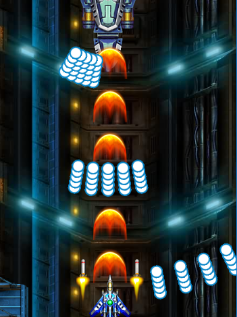
本来想路视频转GIF的,但是gif文件过大,超过5M又上传不了,而且压缩后失帧严重,仅截取了一部分转为gif, 请大家原谅。
代码及过程
一、特效体系:爆炸
爆炸是一个动画帧,播放完就可以,因为比较简单, 用一个类+id 种类索引通过状态机的形式区分多种不同的爆炸。
创建特效类TX和特效管理者类TXManager类
1)TX类
1	public id:number;		//代表种类
2	public vis:boolean;		//被工厂管理的都需要vis
3	public fi:number;		//代表动画帧播放第几帧
4	public t:number;		//延时计时器 记录延时如:3次主循环出现,
5	public m:number;		//状态
6	public l:number;		//特效播放的总时长
7	public tm:TXManager;	//上级指针
构造:
update(){}
动画延时播放:当create时,它可能不存在,如果有延时,比如延时5,visible可见性是false,但是vis是true。
如果t是0,就不用延时,一种是倒计时状态,没有出现。另一种是播放状态
m 0是倒计时 1是播放。
在构造最后
1if(this.t > 0){
2			//虽然在仓库,但是看不到
3			//0 是倒计时, 1是播放
4			this.visible = false;
5			this.m = 0;
6		}else{
7			this.visible = true;
8			this.m = 1 ;
9		}
TX类
1```c
2class TX extends egret.Sprite{
3
4	public im:egret.Bitmap;
5	public id:number;		//代表种类
6	public vis:boolean;		//被工厂管理的都需要vis
7	public fi:number;		//代表动画帧播放第几帧
8	public t:number;		//延时计时器 记录延时如:3次主循环出现,
9	public m:number;		//状态
10	public l:number;		//特效播放的总时长
11
12	public tm:TXManager;	//上级指针
13
14	public constructor(id:number,x:number, y:number,
15		t:number,l:number,tm:TXManager) {
16
17		super();
18		this.id = id;
19		this.x = x ;
20		this.y = y;
21		this.t = t;
22		this.l = l;
23		this.m = 0;
24		this. fi = 0 ;
25		this.vis = true;	//若它是false 工厂内对象消失
26		this.tm = tm;
27
28		this.im = Main.createBitmapByName("tx1_1_png");
29		this.anchorOffsetX = this.im.width/2;
30		this.anchorOffsetY = this.im.height/2;
31		this.addChild(this.im);
32
33		if(this.t > 0){
34			//虽然在仓库,但是看不到
35			//0 是倒计时, 1是播放
36			this.visible = false;
37			this.m = 0;
38		}else{
39			this.visible = true;
40			this.m = 1 ;
41		}
42
43
44	}
45
46	public update(){
47		 switch(this.m ){
48			 //
49			 case 0:
50			 	//倒计时
51			 	this.t-- ;
52				 if(this.t <=0 ){
53					 //出现爆炸
54					 this.visible = true;
55					 this.m = 1;		//播放
56				 }
57			 break;
58			 case 1 :
59			 	//动画播放
60			 	this.fi++;
61				 //
62				 if(this.fi >= this.l){
63					 this.vis =false;		//工厂里对象销毁
64				 }else{						//没有播放完,动画帧切换
65					 //动画切换公式	fi从0开始,到9,
66					 //10是动画的张数有几张动画就*几。 fi是动画帧,l是动画长度,
67					 this.im.texture = RES.getRes("tx1_"+Math.floor(this.fi*10/this.l + 1)+"_png");
68				 }
69		 }
70	}
71}
``
TXManager类
1class TXManager extends egret.Sprite{
2
3	public tm:Array<TX>;		//Array动态数组(容器),通过添加,添加对象,移除对象。
4	public game:MainGame;
5
6	public constructor(game:MainGame) {
7		super();
8		this.game = game;
9		this.tm = new Array();
10	}
11	//每create一次就new一个
12	public create(id:number,x:number,y:number,t:number,l:number,game:MainGame){
13		//生成子弹
14		let one = new TX(id,x,y,t,l,this);
15		//添加到世界
16		this.addChild(one);
17		//放到仓库数组最后
18		this.tm.push(one);
19
20	}
21	//更新所有子弹,找到每一颗子弹,每颗更新
22	public update(){
23		//整个仓库长度 ,利用循环可 以循环出所有子弹
24		for(let i = 0 ; i < this.tm.length ; i++){
25			//找到每颗子弹
26			let one = this.tm[i];
27			one.update();
28			//若子弹太多,仓库会满,所以子弹需要移除
29			//子弹出屏,vis == false。移除
30			if(one.vis == false){
31				//先从场景移除
32				this.removeChild(one);
33				//仓库移除
34				this.tm.splice(i ,1);
35				//移除一个对象,长度-1
36				i--;
37			}
38		}
39	}
40}
在Maingame中申请public tm:TXManager
构造:this.tm = tm; this.addChild(this.tm);
更新 this.tm.update();
在ZDManager类中
1if(npc.hp <= 0 ){
2	for(let k = 0 ; k < 10 ; k ++){				//-50 到 +50
3		this.game.tm.create( 0, npc.x + Math.random()*100 -50 ,
4						npc.y + Math.random()*100 -50 ,
5						Math.floor(Math.random() * 5), 10,this.game);
6					}
7					npc.vis = false;
8				}
实现爆炸效果 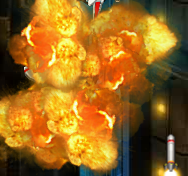
在上面的设置中,所有的NPC爆炸都是一个样子,如果出现不同的NPC爆炸怎么办?
有限状态机实现多样化都是在子类中,case。
如果对象和对象当中,想出现不同的现象,需要不同的代码。
需要给每一个子类,每一个特殊的NPC写相应的爆炸,
二.爆炸效果多样性
子类实现不同的dead()方法,
在NPC父类中 添加:public abstract dead();
实现每个NPC不同的死亡效果,在每个子类中都添加。
在NPC0,1中添加
1public dead(){
2		for(let k = 0 ; k < 10 ; k ++){
3			this.nm.game.tm.create( 0, this.x + Math.random()*100 - 50 ,
4			this.y + Math.random()*100 - 50 ,
5			Math.floor(Math.random() * 5), 10,this.nm.game);
6		}
7	}
之后再ZDManager中调用dead方法
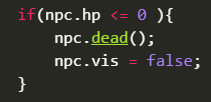
父类当中有抽象方法,但是实际执行每个子类的代码。
三.实现NPC的特殊弹幕
boss也是NPC,也得接受NPCManager的管理
创建BOSS0类
1class BOSS0 extends NPC{
2
3	public im:egret.Bitmap;
4	public m:number;
5	public t:number;
6
7	public constructor(x:number,y:number,nm:NPCManager) {
8
9		super(nm);
10		this.x = x ;this.y = y;
11		this.im = Main.createBitmapByName("boss50_png");
12		this.im.anchorOffsetX = this.im.width/2;
13		this.im.anchorOffsetY = this.im.height/2;
14		this.addChild(this.im);
15
16		this.m = this.t = 0;
17		this.hp = 1000;
18	}
19
20
21	public update(){
22
23	}
24	public isHit(x:number,y:number):boolean{
25		return false;
26	}
27	public dead(){
28
29	}
30}
添加BOSS更新方法
1switch(this.m){
2			//boss停的位置
3			case 0:
4				this.y+=10;
5				if(this.y >= 150){
6					this.t = 20 ;
7					this.m = 1;
8				}
9			break;
10			//等待状态
11			case 1:
12				this.t--;
13				if(this.t <=0){
14					this.m = 10;
15					this.t = 0 ;
16				}
17			break;
18			//发射子弹
19			case 10:
20				this.t++;
21				//每隔3次主循环发射一颗
22				if(this.t % 3 == 0 ){
23					for(let i = 0 ; i < 5 ; i++){
24						//5串子弹
25						//160+i*10 间隔10度发一颗
26					this.nm.game.nzm.create(1, this.x, this.y, 10 ,160+i*10,this.nm.game );
27					}
28				}
29				if(this.t >= 20){
30					this.t = 10;
31					this.m = 1;
32				}
33			break;
34		}
①一串子弹
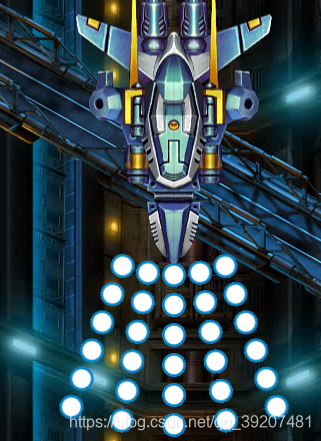
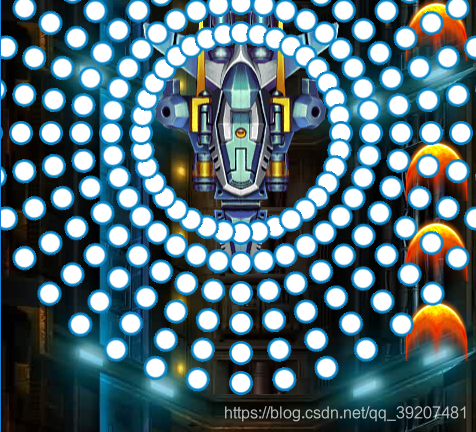
②实现环形的子弹
//发射子弹
1case 10:
2	this.t++;
3	//每隔3次主循环发射一颗
4	if(this.t % 3 == 0 ){
5		for(let i = 0 ; i < 36 ; i++){
6			//5穿子弹
7			//160+i*10 间隔10度发一颗
8		this.nm.game.nzm.create(1, this.x, this.y, 10 ,160+i*10,this.nm.game );
9		}
10	}
11	if(this.t >= 20){
12		this.t = Math.random()* 20 + 10;
13		this.m = 1;
14	}
15break;
③漩涡形子弹
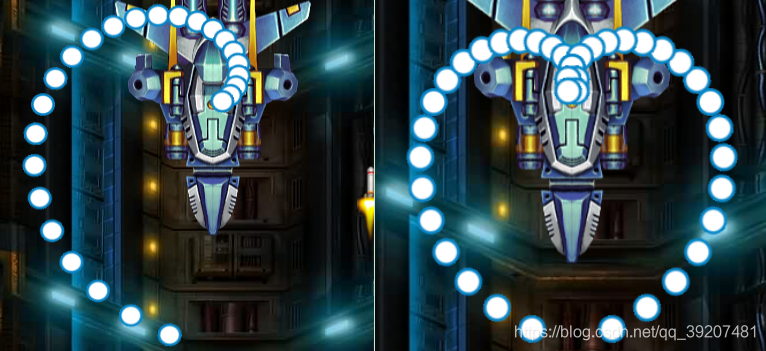
1case 11:
2	this.t++;
3	//随着t的++,发射子弹的角度不断变化
4	this.nm.game.nzm.create(1, this.x, this.y, 10 ,180+this.t*10,this.nm.game );	//逆时针转
5	this.nm.game.nzm.create(1, this.x, this.y, 10 ,180 - this.t*10,this.nm.game );	//顺时针转
6	//子弹发射跟t有关联	间隔10度发一颗
7	if(this.t >= 36){
8		this.t = Math.random()* 20 + 10;
9		this.m = 1;
10				}
11break;
④矩阵型子弹
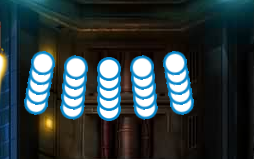
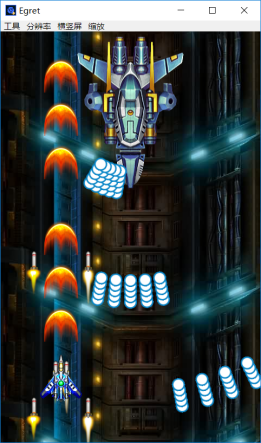
1case 12:
2	this.t++;
3	//每10次主循环中15,16,17,18,19发射子弹 5颗
4	if(this.t % 20 > 14){
5	for(let i = 0 ; i < 5 ; i++){
6	//间隔20度打一排,从130度开始打5颗,
7	//每十次主循环是一波,this.t/10,前十次结果为10,11,12,13结果为1,取整*20就是每波的距离
8			this.nm.game.nzm.create(1,this.x,this.y,10,Math.floor(this.t/20)*20 +130+i*5,this.nm.game );
9			//135度左右打5颗,
10		}
11	}
12	if(this.t >= 100){
13		this.t = Math.random() * 20 + 10;
14		this.m =1 ;
15	}
16			break;
⑤鞭形子弹
后发先至效果
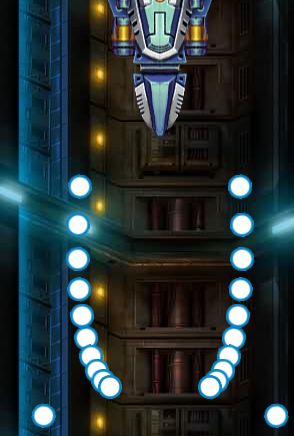
//鞭形子弹
1case 13:
2	this.t++;
3	//速度随着时间增加,产生后发先至效果
4	this.nm.game.nzm.create( 1, this.x - 50, this.y, 6 + this.t *2 ,190 - this.t,this.nm.game );
5	this.nm.game.nzm.create( 1, this.x+50, this.y, 6 + this.t *2 ,170 + this.t,this.nm.game );
6	if(this.t >= 10){
7			this.t = Math.random() * 20 + 10;
8			this.m =1 ;
9	}
10break;
⑥朝向性子弹
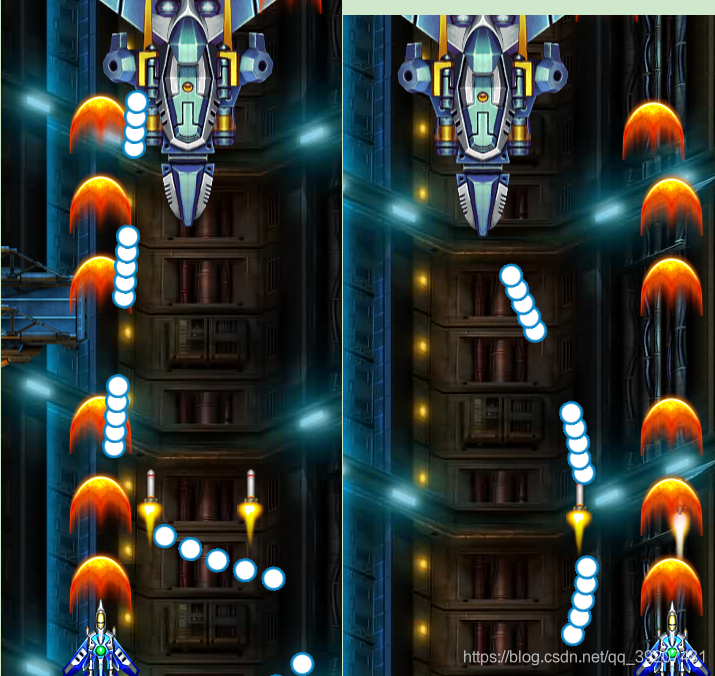
NPC朝向玩家发射子弹并不是跟踪形子弹
朝向性子弹由子弹发射位置和玩家位置决定
过程:
NZDManager将角度参数设为缺省值 n?:numbe。 若不赋值,值为空。
原理:
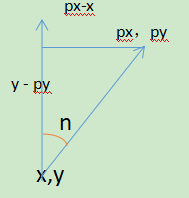
0角度向上顺时针转过n角度,求角度n = arctan( px-x /y -py)
代码为:
在NZDManager中

1//如果n角度是空的,就是没有赋值
2	if(!n){
3		n = Math.atan2(this.game.player.x - x,y - this.game.player.y);
4		//注意:三角函数算出的都是弧度制,还需要弧度制转换角度制
5		n = n * 180/Math.PI;
6
7	}
BOSS0中
1//朝向型子弹
2			case 14 :
3				this.t++;
4				//打5团,每10次主循环打一组,
5				if(this.t % 10 > 4){
6					this.nm.game.nzm.create( 1, this.x - 50, this.y, 15);
7				}
8				if(this.t >= 50){
9					this.t = Math.random() * 20 + 10;
10					this.m =1 ;
11				}
12
13			break;
实现随机类型子弹
在等待状态case1中 this.m = Math.floor(Math.random() * 5 ) + 10; //随机类型子弹
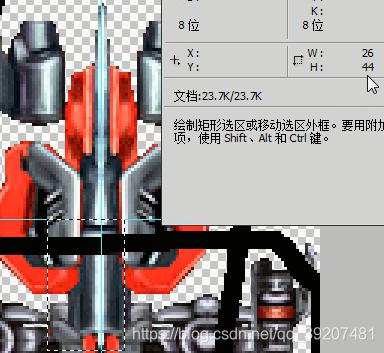
四.不规则图形的碰撞
白鹭引擎中有像素级的碰撞检测,但是在游戏中,子弹与BOSS的碰撞,假如一颗子弹100*100像素,一颗子弹就检测了10000次,50颗子弹就是50万次,游戏会非常卡。那么不开启像素级碰撞,不规则图形的碰撞怎么解决呢?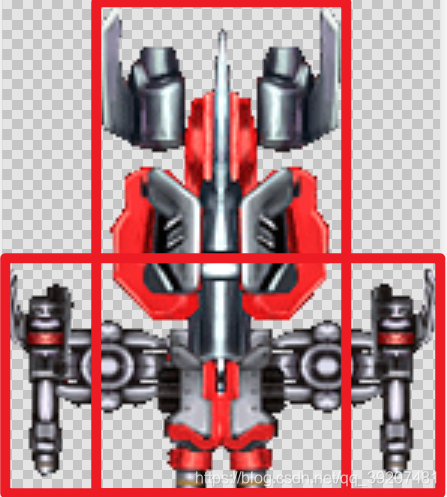
图片宽 146 高 166 各中心点 73,83像素
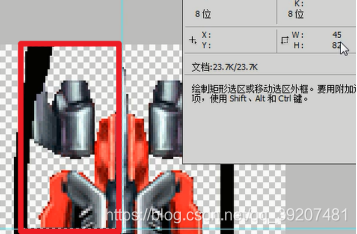
1if(Math.abs(x - this.x ) < 45 &&
2		Math.abs(y - this.y )< 82){
3			return true;
4		}
不规则图形拆成规则图形。
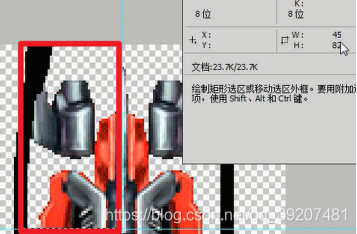
//宽73,高36
1if(Math.abs(x - this.x) < 73 &&
2		Math.abs(y -(this.y + 44)) < 36){
3			return true;
4		}
要用矩形中心检测,横坐标在中心,纵坐标在选框中,实际比y多44,
至此,第五天的开发笔记已经完成,学习需要坚持,坚持到最后一定会有结果,每天写下笔记来记录自己的学习内容, 以后有需要也可以查看,大家可以一起学习。
想要我一起学习的可以关注我的公众号 知言不尽 找到我,交流学习,获取图片素材和源代码。