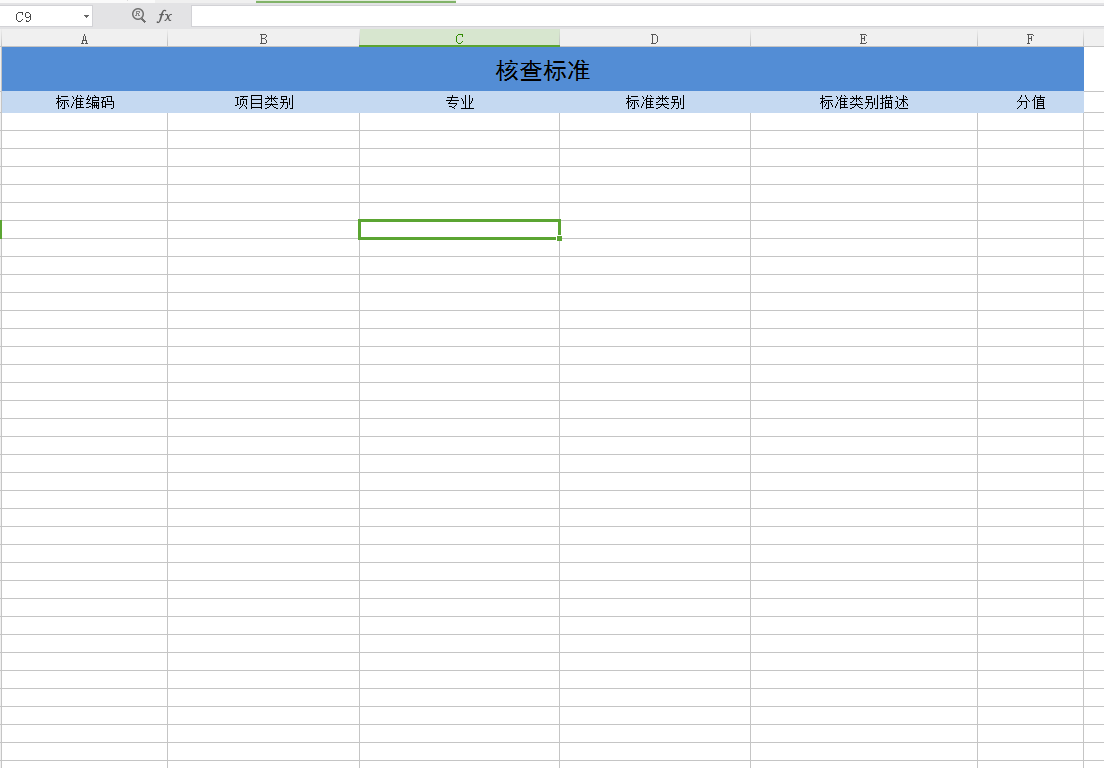
本文章,导入导出依赖提前定义好的模板
1package com.jd.nb.wishplat.man.util;
2
3import java.io.File;
4import java.io.FileInputStream;
5import java.io.FileNotFoundException;
6import java.io.IOException;
7import java.util.Date;
8
9import javax.servlet.ServletOutputStream;
10import javax.servlet.http.HttpServletResponse;
11
12import org.apache.commons.lang.ArrayUtils;
13import org.apache.commons.lang.StringUtils;
14import org.apache.poi.hssf.usermodel.HSSFCell;
15import org.apache.poi.hssf.usermodel.HSSFDateUtil;
16import org.apache.poi.hssf.usermodel.HSSFRow;
17import org.apache.poi.hssf.usermodel.HSSFSheet;
18import org.apache.poi.hssf.usermodel.HSSFWorkbook;
19import org.apache.poi.poifs.filesystem.POIFSFileSystem;
20import org.apache.poi.xssf.usermodel.XSSFCell;
21import org.apache.poi.xssf.usermodel.XSSFRow;
22import org.apache.poi.xssf.usermodel.XSSFSheet;
23import org.apache.poi.xssf.usermodel.XSSFWorkbook;
24import org.springframework.web.context.request.RequestContextHolder;
25import org.springframework.web.context.request.ServletRequestAttributes;
26import org.springframework.web.multipart.MultipartFile;
27
28import com.alibaba.fastjson.JSONArray;
29import com.alibaba.fastjson.JSONObject;
30/**
31 *
32 * @author zhenwei.shi
33 *
34 */
35public class ImpAndExpExcel {
36
37    public static JSONArray doImpXlsx(MultipartFile file, String[] fields, String[] requiredFields, Integer docReadStartRowIndex) throws IOException {
38        XSSFWorkbook wb = new XSSFWorkbook(file.getInputStream());
39
40        JSONArray jsonArray = new JSONArray();
41        int startRowIndex = (null == docReadStartRowIndex?2:docReadStartRowIndex);
42
43        XSSFSheet sheet = wb.getSheetAt(0);
44
45        // 遍历所有行记录,sheet.getLastRowNum()获取的是最后一行的index
46        for (int startRow = startRowIndex; startRow <= sheet.getLastRowNum(); startRow++) {
47            // 遍历记录所有列
48            JSONObject jsonObj = new JSONObject();
49            boolean isErrorObj = false;
50
51            for (int columnIndex = 0; columnIndex < fields.length; columnIndex++) {
52                XSSFCell nowCell = getXssfCell(sheet, startRow, columnIndex);
53                String cellValue = getXssfCellValue(nowCell);
54                if(isRequired(fields[columnIndex],requiredFields) && StringUtils.isEmpty(cellValue)){
55                    isErrorObj = true;
56                    break;
57                }
58                jsonObj.put(fields[columnIndex], cellValue);
59            }
60
61            if(!isErrorObj){
62                jsonArray.add(jsonObj);
63            }
64        }
65        wb.close();
66        return jsonArray;
67    }
68
69    /**
70     * 导入03版Excel .xls
71     * 依据上传文件返还JSON数组对象,JSON属性为heads
72     * @param file 导入的文件
73     * @param heads 定义对象的列名
74     * @param rowStartIndex 从第几行开始读取
75     * @return
76     * @throws IOException
77     */
78    @SuppressWarnings("resource")
79    public static JSONArray doImpXls(MultipartFile file, String[] fields, Integer docReadStartRowIndex) throws IOException {
80        POIFSFileSystem fs = new POIFSFileSystem(file.getInputStream());
81        HSSFWorkbook wb = new HSSFWorkbook(fs);
82
83        JSONArray jsonArray = new JSONArray();
84        int startRowIndex = (null == docReadStartRowIndex?2:docReadStartRowIndex);
85
86        HSSFSheet sheet = wb.getSheetAt(0);//只导入sheet第一页
87
88        // 遍历所有行记录,sheet.getLastRowNum()获取的是最后一行的index
89        for (int startRow = startRowIndex; startRow <= sheet.getLastRowNum(); startRow++) {
90            // 遍历记录所有列
91            JSONObject jsonObj = new JSONObject();
92            boolean isBlankObj = true;
93            for (int columnIndex = 0; columnIndex < fields.length; columnIndex++) {
94                HSSFCell nowCell = getHssfCell(sheet, startRow, columnIndex, true);
95                String value = getHssfCellStringValue(nowCell);
96                if(null!=value){
97                    value=value.trim();
98                }
99                jsonObj.put(fields[columnIndex], value);
100                if(!StringUtils.isEmpty(value) && !"0".equals(value)){
101                    isBlankObj = false;
102                }
103            }
104
105            if(!isBlankObj){
106                jsonArray.add(jsonObj);
107            }
108        }
109        return jsonArray;
110    }
111
112    /**
113     * 导出03版Excel .xls
114     * @param object//导出对象,可以是数组可以是对象
115     * @param fields//要导出对象的所需要的属性,注意跟模板书序一直
116     * @param docTemplatePath 如  1:/D:/saw_workspace/property/property-manage-ui/target/classes//templates/supplier/设施设备管理导入模板.xls
117     *                      2:/templates/supplier/供应商管理导入模板.xls
118     *                     docTemplatePath = this.getClass().getResource("/").getPath()+/templates/supplier/供应商管理导入模板.xls";
119     * @param docWriteStartRowIndex//从模板第几行开始写入
120     * @return
121     * @throws FileNotFoundException
122     * @throws IOException
123     */
124    public static void doExpXls(Object object,String[] fields,String docTemplatePath,Integer docWriteStartRowIndex) throws IOException{
125        doExpXls(object, fields, docTemplatePath, docWriteStartRowIndex,null);
126    }
127
128    /**
129     * 导出03版Excel .xls
130     * @param object//导出对象,可以是数组可以是对象
131     * @param fields//要导出对象的所需要的属性,注意跟模板书序一直
132     * @param docTemplatePath 如  1:/D:/saw_workspace/property/property-manage-ui/target/classes//templates/supplier/设施设备管理导入模板.xls
133     *                      2:/templates/supplier/供应商管理导入模板.xls
134     *                     docTemplatePath = this.getClass().getResource("/").getPath()+/templates/supplier/供应商管理导入模板.xls";
135     * @param docWriteStartRowIndex//从模板第几行开始写入
136     * @param sheetRowsCount//sheet页数据最大行数
137     * @return
138     * @throws IOException
139     */
140    @SuppressWarnings("resource")
141    public static void doExpXls(Object object,String[] fields,String docTemplatePath,Integer docWriteStartRowIndex,Integer sheetRowsCount) throws IOException{
142        docTemplatePath = docTemplatePath.replaceAll("\\\\", "/");
143        String projectPath = ImpAndExpExcel.class.getResource("/").getPath().replaceAll("\\\\", "/");
144        if(!docTemplatePath.contains(projectPath)){
145            docTemplatePath = projectPath+"/"+docTemplatePath;
146        }
147        FileInputStream inputStream = new FileInputStream(new File(docTemplatePath));;
148
149        HSSFWorkbook workbook = new HSSFWorkbook(new POIFSFileSystem(inputStream));
150
151        JSONArray jsonArr = (JSONArray) JSONArray.toJSON(object);
152        int everyCount = null==sheetRowsCount?50000:sheetRowsCount;
153        int pageCount = (int)Math.ceil(jsonArr.size()/(everyCount*1.0));
154        //创建SHEET页
155        for(int i=0; i<pageCount; i++){
156            HSSFSheet sheet = null;
157            if(0==i){
158                sheet = workbook.getSheetAt(0);
159            }else{
160                sheet = workbook.cloneSheet(0);
161            }
162
163            int index = workbook.getSheetIndex(sheet);
164            workbook.setSheetName(index, "第"+(i+1)+"页");
165            workbook.setSheetOrder(sheet.getSheetName(), i);
166        }
167        //sheet页赋值数据
168        for(int i=0; i<pageCount; i++){
169            int startIndex = i*everyCount;
170            int endIndex = startIndex+everyCount;
171            if(i==pageCount-1){
172                endIndex = jsonArr.size();
173            }
174            JSONArray subjsonArr = (JSONArray)JSONArray.toJSON(jsonArr.subList(startIndex, endIndex));
175            int startRowIndex = (null == docWriteStartRowIndex?2:docWriteStartRowIndex);
176
177            HSSFSheet sheet = workbook.getSheetAt(i);
178
179            for (int j = 0; j < subjsonArr.size(); j++,startRowIndex++) {
180                JSONObject jsonObj  = subjsonArr.getJSONObject(j);
181                for (int colIndex = 0; colIndex < fields.length; colIndex++) {
182                    HSSFCell tempCell = getHssfCell(sheet, startRowIndex, colIndex, true);
183                    tempCell.setCellValue(jsonObj.getString(fields[colIndex]));
184                }
185            }
186        }
187
188        ServletOutputStream out = null;
189        String excName = docTemplatePath.substring(docTemplatePath.lastIndexOf("/")+1);
190        try {
191            HttpServletResponse response = ((ServletRequestAttributes) RequestContextHolder.getRequestAttributes()).getResponse();
192            response.setCharacterEncoding("UTF-8");
193            response.setContentType("application/octet-stream; charset=UTF-8");
194            response.addHeader("Content-Disposition", "attachment; filename=\""+new String(excName.getBytes("GB2312"),"ISO8859-1")+"\";");//
195            out = response.getOutputStream();
196            workbook.write(out);
197            out.flush();
198        } catch (IOException e) {
199            e.printStackTrace();
200        } finally{
201            try {
202                out.close();
203                inputStream.close();
204            } catch (IOException e) {
205                // TODO Auto-generated catch block
206                e.printStackTrace();
207            }
208        }
209    }
210
211    /**
212     * 获取导出03版Excel .xls的workbook
213     * @param object//导出对象,可以是数组可以是对象
214     * @param fields//要导出对象的所需要的属性,注意跟模板书序一直
215     * @param docTemplatePath 如  1:/D:/saw_workspace/property/property-manage-ui/target/classes//templates/supplier/设施设备管理导入模板.xls
216     *                      2:/templates/supplier/供应商管理导入模板.xls
217     *                     docTemplatePath = this.getClass().getResource("/").getPath()+/templates/supplier/供应商管理导入模板.xls";
218     * @param docWriteStartRowIndex//从模板第几行开始写入
219     * @return
220     * @throws FileNotFoundException
221     * @throws IOException
222     */
223    public static HSSFWorkbook getHSSFWorkbook(Object object,String[] fields,String docTemplatePath,Integer docWriteStartRowIndex) throws FileNotFoundException,IOException {
224        docTemplatePath = docTemplatePath.replaceAll("\\\\", "/");
225        String projectPath = ImpAndExpExcel.class.getResource("/").getPath().replaceAll("\\\\", "/");
226        if(!docTemplatePath.contains(projectPath)){
227            docTemplatePath = projectPath+"/"+docTemplatePath;
228        }
229        FileInputStream inputStream = new FileInputStream(new File(docTemplatePath));
230        HSSFWorkbook workbook = new HSSFWorkbook(new POIFSFileSystem(inputStream));
231        HSSFSheet sheet = workbook.getSheetAt(0);
232
233        int startRowIndex = (null == docWriteStartRowIndex?2:docWriteStartRowIndex);
234
235        JSONArray jsonArr = (JSONArray) JSONArray.toJSON(object);
236        for (int i = 0; i < jsonArr.size(); i++,startRowIndex++) {
237            JSONObject jsonObj  = jsonArr.getJSONObject(i);
238            for (int colIndex = 0; colIndex < fields.length; colIndex++) {
239                HSSFCell tempCell = getHssfCell(sheet, startRowIndex, colIndex, true);
240
241                tempCell.setCellValue(jsonObj.getString(fields[colIndex]));
242            }
243        }
244
245        return workbook;
246    }
247    /**
248     * 此方法用于下载指定文件。
249     * @param response 用于防止下载乱码,设置输出流的相关信息
250     * @param filePath 如  1:/D:/saw_workspace/property/property-manage-ui/target/classes//templates/supplier/设施设备管理导入模板.xls
251     *                      2:/templates/supplier/供应商管理导入模板.xls
252     *                     filePath = this.getClass().getResource("/").getPath()+/templates/supplier/供应商管理导入模板.xls";
253     * @return true 下载成功, false 下载失败
254     */
255    public static void download(String filePath){
256        ServletOutputStream out = null;
257        FileInputStream inputStream = null;
258        filePath = filePath.replaceAll("\\\\", "/");
259        String projectPath = ImpAndExpExcel.class.getResource("/").getPath().replaceAll("\\\\", "/");
260        if(!filePath.contains(projectPath)){
261            filePath = projectPath+"/"+filePath;
262        }
263        String fileName = filePath.substring(filePath.lastIndexOf("/")+1, filePath.length());
264        try{
265            inputStream = new FileInputStream(new File(filePath));
266            HttpServletResponse response = ((ServletRequestAttributes) RequestContextHolder.getRequestAttributes()).getResponse();
267            response.setCharacterEncoding("UTF-8");
268            response.setContentType("application/octet-stream; charset=UTF-8");
269            response.addHeader("Content-Disposition", "attachment; filename=\""+new String(fileName.getBytes("GB2312"),"ISO8859-1")+"\";");//
270
271            out = response.getOutputStream();
272
273            int b = 0;
274            byte[] buffer = new byte[512];
275            while ((b=inputStream.read(buffer)) != -1){
276                out.write(buffer,0,b);
277            }
278            out.flush();
279        } catch (IOException e) {
280            e.printStackTrace();
281        }finally{
282            try {
283                 if(inputStream != null){
284                     inputStream.close();
285                 }
286            } catch (IOException e) {
287                e.printStackTrace();
288            }
289
290            try {
291                if(out != null){
292                    out.close();
293                }
294            } catch (IOException e) {
295                e.printStackTrace();
296            }
297        }
298    }
299
300    // 获取xlsx单元格,不存在是否创建
301    public static XSSFCell getXssfCell(XSSFSheet sheet, int rowIndex, int colIndex,
302            boolean isCreate) {
303        if (isCreate) {
304            XSSFRow row = sheet.getRow(rowIndex);
305            if (row == null) {
306                row = sheet.createRow(rowIndex);
307                row.setHeightInPoints(24);// 设置行的高度(单元格的高度)
308            }
309            XSSFCell cell = row.getCell(colIndex);
310            if (cell == null) {
311                cell = row.createCell(colIndex);
312            }
313            return cell;
314        } else {
315            return getXssfCell(sheet, rowIndex, colIndex);
316        }
317    }
318
319    // 获取xlsx单元格
320    public static XSSFCell getXssfCell(XSSFSheet sheet, int rowIndex, int colIndex) {
321        XSSFRow row = sheet.getRow(rowIndex);
322        if (row != null) {
323            XSSFCell cell = row.getCell(colIndex);
324            if (cell != null) {
325                return cell;
326            }
327        }
328        return null;
329    }
330
331    // 获取xlsx单元格Cell里面的值
332    // 因为cell单元格有格式,所以针对不同的格式取值
333    public static String getXssfCellValue(XSSFCell cell) {
334        String cellValue = "";
335        if(null==cell) {
336            return cellValue;
337        }
338        switch (cell.getCellType()) {
339            case XSSFCell.CELL_TYPE_STRING:// 字符串类型
340                cellValue = cell.getStringCellValue();
341                if (cellValue.trim().equals("") || cellValue.trim().length() <= 0)
342                    cellValue = "";
343                break;
344            case XSSFCell.CELL_TYPE_NUMERIC: // 数值类型
345                if (HSSFDateUtil.isCellDateFormatted(cell)) {
346                    Date d = cell.getDateCellValue();
347                    if (d != null) {
348                        cellValue = DateTimeUtils.getDate(d);
349                    } else {
350                        cellValue = "";
351                    }
352                } else {
353                    cellValue = cell.getNumericCellValue() + "";
354                    if(cellValue.contains(".")){
355                        cellValue = cellValue.substring(0, cellValue.indexOf("."));
356                    }
357                }
358                break;
359            case HSSFCell.CELL_TYPE_FORMULA: // 公式
360                try{
361                    cell.setCellType(HSSFCell.CELL_TYPE_NUMERIC);
362                    cellValue = String.valueOf(cell.getNumericCellValue());
363                }catch (Exception e) {
364                    try{
365                        cellValue = String.valueOf(cell.getStringCellValue());
366                    }catch(Exception e2){
367                        cellValue ="";
368                    }
369                }
370                break;
371            case HSSFCell.CELL_TYPE_BLANK:
372                break;
373            case HSSFCell.CELL_TYPE_BOOLEAN:
374                cellValue = String.valueOf(cell.getBooleanCellValue());
375                break;
376            case HSSFCell.CELL_TYPE_ERROR:
377                break;
378            default:
379                break;
380        }
381        if(cellValue!=null) {
382            cellValue = cellValue.trim();
383        }
384        return cellValue;
385    }
386
387    // 获取xls单元格,不存在是否创建
388    public static HSSFCell getHssfCell(HSSFSheet sheet, int rowIndex, int colIndex,
389            boolean isCreate) {
390        if (isCreate) {
391            HSSFRow row = sheet.getRow(rowIndex);
392            if (row == null) {
393                row = sheet.createRow(rowIndex);
394                row.setHeightInPoints(24);// 设置行的高度(单元格的高度)
395            }
396            HSSFCell cell = row.getCell(colIndex);
397            if (cell == null) {
398                cell = row.createCell(colIndex);
399            }
400            return cell;
401        } else {
402            return getHssfCell(sheet, rowIndex, colIndex);
403        }
404    }
405
406    // 获取xls单元格
407    public static HSSFCell getHssfCell(HSSFSheet sheet, int rowIndex, int colIndex) {
408        HSSFRow row = sheet.getRow(rowIndex);
409        if (row != null) {
410            HSSFCell cell = row.getCell(colIndex);
411            if (cell != null) {
412                return cell;
413            }
414        }
415        return null;
416    }
417
418    // 获取xls单元格Cell里面的值
419    // 因为cell单元格有格式,所以针对不同的格式取值
420    public static String getHssfCellStringValue(HSSFCell cell) {
421        String cellValue = "";
422        switch (cell.getCellType()) {
423        case HSSFCell.CELL_TYPE_STRING:// 字符串类型
424            cellValue = cell.getStringCellValue();
425            if (cellValue.trim().equals("") || cellValue.trim().length() <= 0)
426                cellValue = " ";
427            break;
428        case HSSFCell.CELL_TYPE_NUMERIC: // 数值类型
429            if (HSSFDateUtil.isCellDateFormatted(cell)) {
430                Date d = cell.getDateCellValue();
431                if (d != null) {
432                    cellValue = DateTimeUtils.getDate(d);
433                } else {
434                    cellValue = "";
435                }
436            } else {
437                cellValue = cell.getNumericCellValue() + "";
438                if(cellValue.contains(".")){
439                    cellValue = cellValue.substring(0, cellValue.indexOf("."));
440                }
441            }
442            break;
443        case HSSFCell.CELL_TYPE_FORMULA: // 公式
444            try{
445                cell.setCellType(HSSFCell.CELL_TYPE_NUMERIC);
446                cellValue = String.valueOf(cell.getNumericCellValue());
447            }catch (Exception e) {
448                try{
449                    cellValue = String.valueOf(cell.getStringCellValue());
450                }catch(Exception e2){
451                    cellValue ="";
452                }
453            }
454            break;
455        case HSSFCell.CELL_TYPE_BLANK:
456            cellValue = " ";
457            break;
458        case HSSFCell.CELL_TYPE_BOOLEAN:
459            break;
460        case HSSFCell.CELL_TYPE_ERROR:
461            break;
462        default:
463            break;
464        }
465        return cellValue;
466    }
467
468    public static boolean isRequired(String checkFiled, String[] requireds) {
469        if(StringUtils.isEmpty(checkFiled) || ArrayUtils.isEmpty(requireds)) {
470            return false;
471        }
472        for(String required : requireds) {
473            if(required.equals(checkFiled)) {
474                return true;
475            }
476        }
477        return false;
478    }
479}
模板样子