将文件夹保留目录打包为 ZIP 压缩包并下载
上周做了一个需求,要求将数据库保存的 html 界面取出后将服务器下的css和js文件一起打包压缩为ZIP文件,返回给前台;在数据库中保存的是html标签,查出后,我把这些内容写入css和js等其他文件所在目录的一个文件内,然后将这整个文件夹压缩打包下载,解决过程中遇到了下载出来后并没有保存层级目录,在查了好久方法后完成了如下版本,已经可以正常下载并保留层级目录。
1话不多说,直接上代码,有不足的地方希望大哥们提出来一起探讨
2
3 1     //ZIP文件包压缩下载
4 2     @Override
5 3     public void downloadZip(String id,HttpServletResponse response) {
6 4            String zipPath = "你的路径";
7 5         File file = new File(zipPath,"index.html");//创建指定目录和文件名称的文件对象
8 6         BufferedWriter bw = null;//创建缓冲流
9 7         try {
10 8             //校验文件目录是否存在,文件是否存在
11 9             chenkFile(file,zipPath);
1210             //这一步是我将指定内容从数据库写入文件
1311             ModuleInfo moduleInfo = moduleDao.getByModId(id);
1412
1513             bw = new BufferedWriter(new FileWriter(file));
1614             //把内容写入临时文件中
1715             bw.write(moduleInfo.getContent());
1816             //此处不能删除,要关闭一次 不关闭无法写入内容 导致压缩包内文件无内容
1917             bw.flush();
2018             bw.close();
2119             //将目标文件压缩为ZIP并下载
2220             ZipUtil.zip(zipPath,response);
2321             //删除文件(防止下一次压缩时有重复文件名)
2422             file.delete();
2523         } catch (Exception e) {
2624             log.error("html压缩"+e.getMessage(),e);
2725         }finally {
2826             //这是我写的IO流关闭工具类 如需要可以看我关于IO流关闭的文章
2927             IOCloseUtils.ioClose(bw);
3028         }
3129     }
3230
3331     //判断文件目录和文件是否存在 如否则新建
3432     public void chenkFile(File file,String path){
3533         try {
3634             if (file.exists()){//如果目录存在
3735                 if (!file.isDirectory()){//如果文件不存在
3836                     file.createNewFile();//创建文件
3937                 }
4038             }else {//如果目录不存在
4139                 File file1 = new File(path);//创建指定目录文件对象
4240                 file1.mkdirs();//创建目录
4341                 file.createNewFile();//创建文件
4442             }
4543         } catch (IOException e) {
4644             log.error(e.getMessage(),e);
4745         }
4846     }
49
50public static void zip(String sourceFileName, HttpServletResponse response){
51        ZipOutputStream out = null;
52        BufferedOutputStream bos = null;
53        try {
54            //将zip以流的形式输出到前台
55            response.setHeader("content-type", "application/octet-stream");
56            response.setCharacterEncoding("utf-8");
57            // 设置浏览器响应头对应的Content-disposition
58            //参数中 testZip 为压缩包文件名,尾部的.zip 为文件后缀
59            response.setHeader("Content-disposition",
60                    "attachment;filename=" + new String("testZip".getBytes("gbk"), "iso8859-1")+".zip");
61            //创建zip输出流
62            out = new ZipOutputStream(response.getOutputStream());
63            //创建缓冲输出流
64            bos = new BufferedOutputStream(out);
65            File sourceFile = new File(sourceFileName);
66            //调用压缩函数
67            compress(out, bos, sourceFile, sourceFile.getName());
68            out.flush();
69            log.info("压缩完成");
70        } catch (Exception e) {
71            log.error("ZIP压缩异常:"+e.getMessage(),e);
72        } finally {
73            IOCloseUtils.ioClose(bos,out);
74        }
75    }
76
77    public static void compress(ZipOutputStream out, BufferedOutputStream bos, File sourceFile, String base){
78        FileInputStream fos = null;
79        BufferedInputStream bis = null;
80        try {
81            //如果路径为目录(文件夹)
82            if (sourceFile.isDirectory()) {
83                //取出文件夹中的文件(或子文件夹)
84                File[] flist = sourceFile.listFiles();
85                if (flist.length == 0) {//如果文件夹为空,则只需在目的地zip文件中写入一个目录进入点
86                    out.putNextEntry(new ZipEntry(base + "/"));
87                } else {//如果文件夹不为空,则递归调用compress,文件夹中的每一个文件(或文件夹)进行压缩
88                    for (int i = 0; i < flist.length; i++) {
89                        compress(out, bos, flist[i], base + "/" + flist[i].getName());
90                    }
91                }
92            } else {//如果不是目录(文件夹),即为文件,则先写入目录进入点,之后将文件写入zip文件中
93                out.putNextEntry(new ZipEntry(base));
94                fos = new FileInputStream(sourceFile);
95                bis = new BufferedInputStream(fos);
96
97                int tag;
98                //将源文件写入到zip文件中
99                while ((tag = bis.read()) != -1) {
100                    out.write(tag);
101                }
102
103                bis.close();
104                fos.close();
105            }
106        } catch (Exception e) {
107            e.printStackTrace();
108        } finally {
109            IOCloseUtils.ioClose(bis,fos);
110        }
111    }
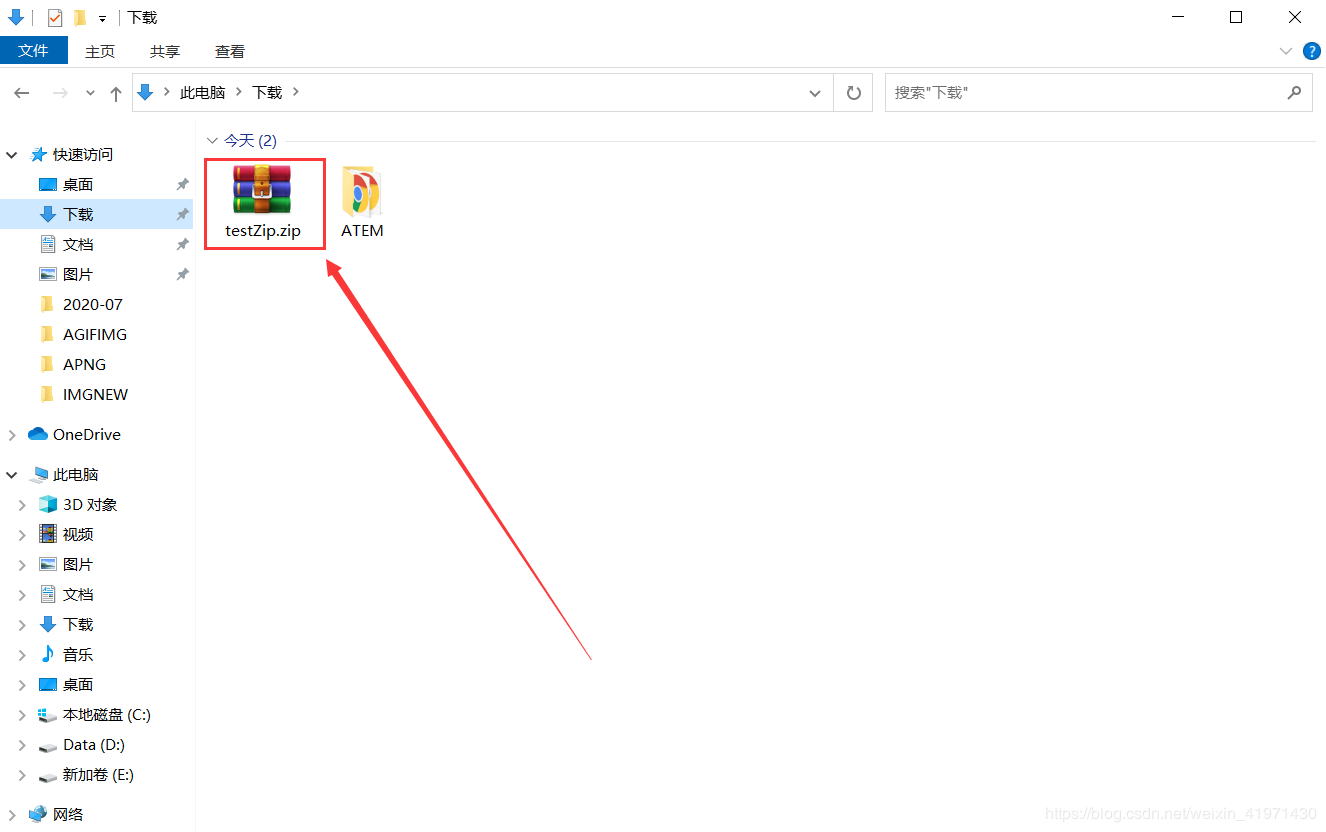
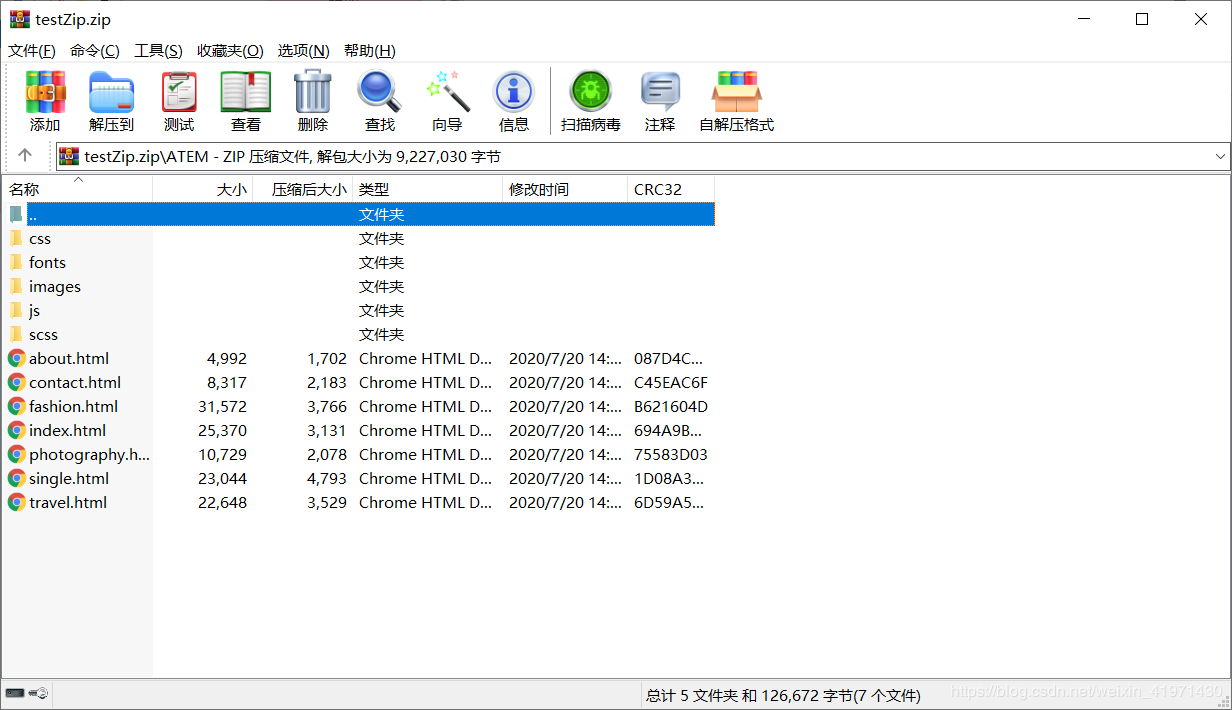
如图下载后如图所示,名为 testZip.zip 的文件 层级目录都有保留
发文不易,各位看官关注下公众号,谢谢!!!
关注公众号回复 ”jar包“ 获取 IDEA2020最新版破解jar包
教程在这 点击这里跳转教程
求个关注不过分叭~~~