
ElasticSearch中有数据,Kibana查询不到数据
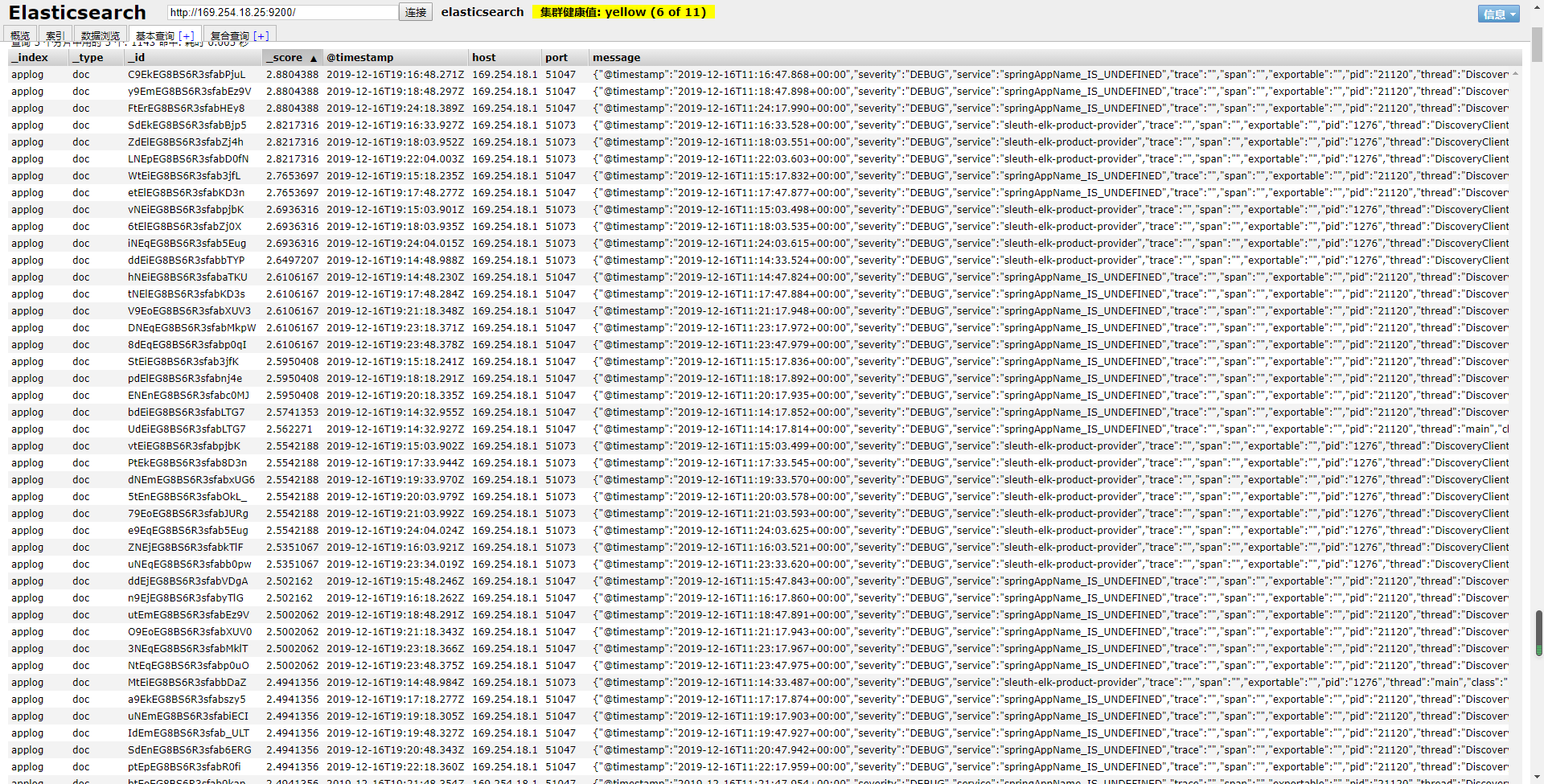
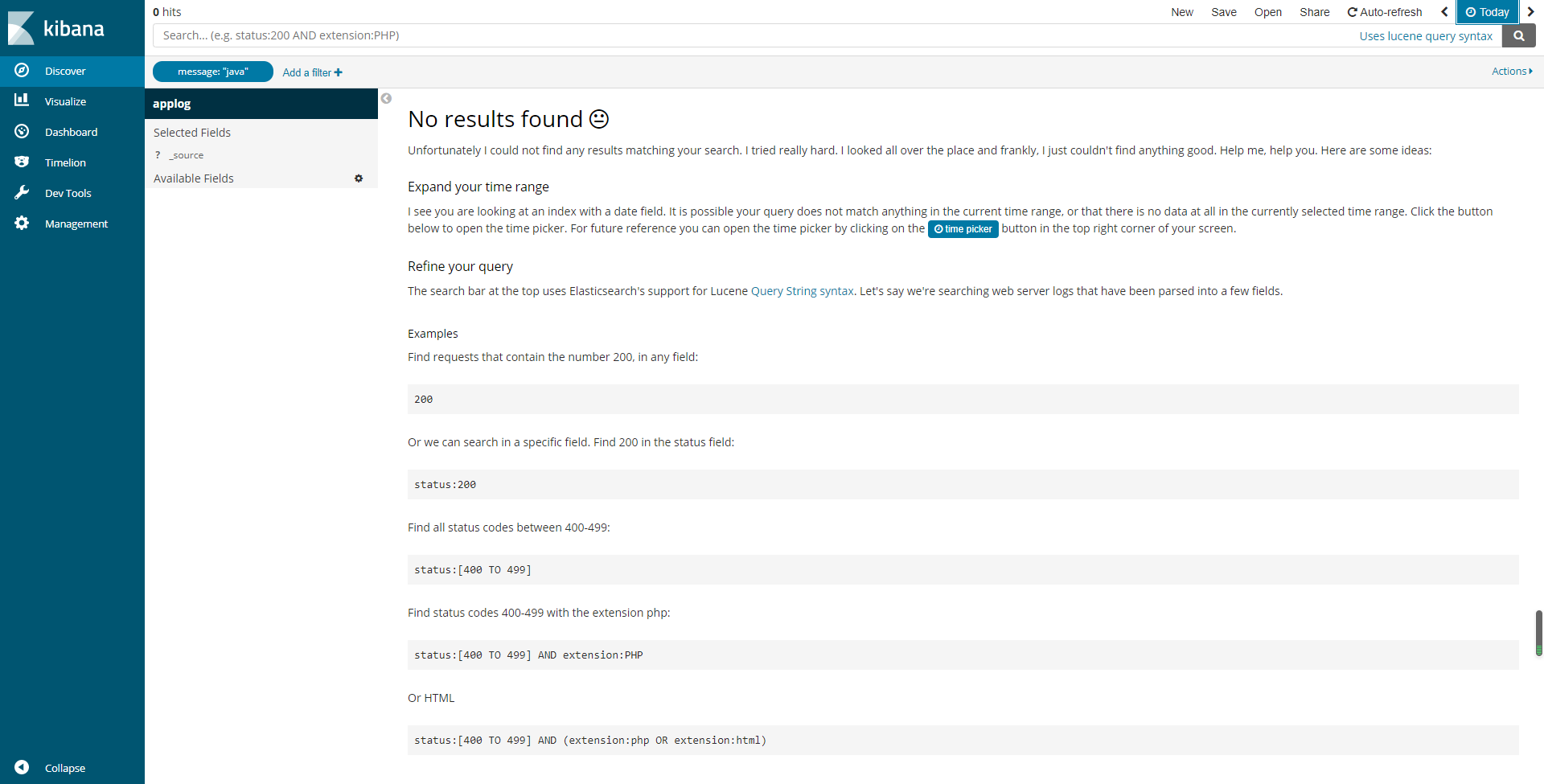
多数原因就是Linux的时区问题,
在linux输入date查看当前时间是否根本地相对应,不对应那么你就来对了,
解决方案一、
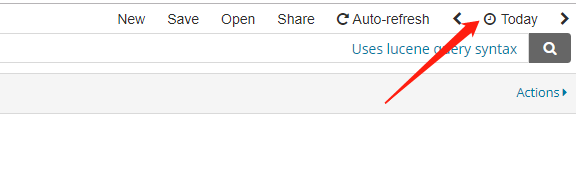
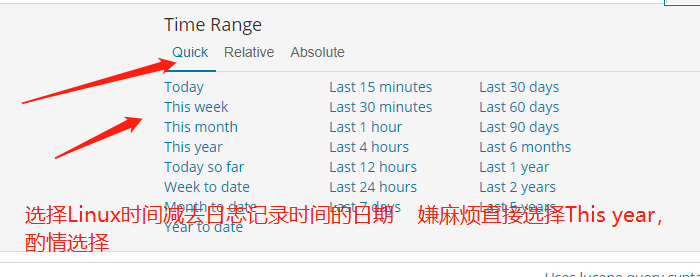
这个选择的时间根据自己Linux相差的日期进行选择
举例:比如我的和本地相差一天,我日志文件是今天上传到linux的logstash上面的,那么我选择this week或者更久即可。
解决方案二:
修改linux服务器时间和本地一致,重启系统即可
下面选择的是北京时间
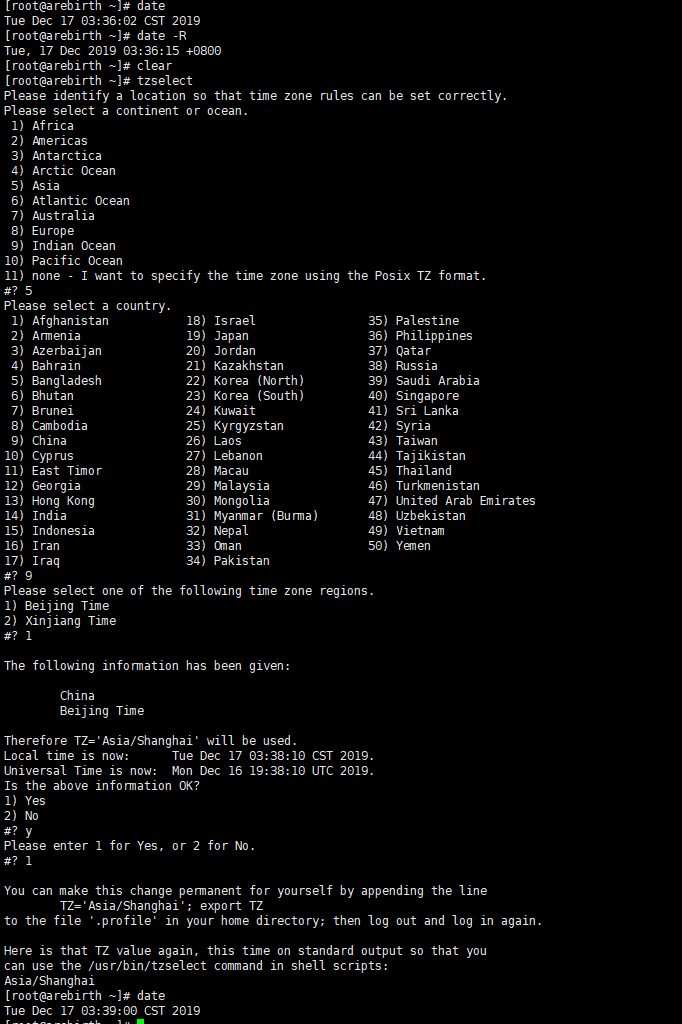
1[root@arebirth ~]# tzselect
2Please identify a location so that time zone rules can be set correctly.
3Please select a continent or ocean.
4 1) Africa
5 2) Americas
6 3) Antarctica
7 4) Arctic Ocean
8 5) Asia
9 6) Atlantic Ocean
10 7) Australia
11 8) Europe
12 9) Indian Ocean
1310) Pacific Ocean
1411) none - I want to specify the time zone using the Posix TZ format.
15#? 5
16Please select a country.
17 1) Afghanistan          18) Israel            35) Palestine
18 2) Armenia          19) Japan            36) Philippines
19 3) Azerbaijan          20) Jordan            37) Qatar
20 4) Bahrain          21) Kazakhstan        38) Russia
21 5) Bangladesh          22) Korea (North)        39) Saudi Arabia
22 6) Bhutan          23) Korea (South)        40) Singapore
23 7) Brunei          24) Kuwait            41) Sri Lanka
24 8) Cambodia          25) Kyrgyzstan        42) Syria
25 9) China          26) Laos            43) Taiwan
2610) Cyprus          27) Lebanon            44) Tajikistan
2711) East Timor          28) Macau            45) Thailand
2812) Georgia          29) Malaysia            46) Turkmenistan
2913) Hong Kong          30) Mongolia            47) United Arab Emirates
3014) India          31) Myanmar (Burma)        48) Uzbekistan
3115) Indonesia          32) Nepal            49) Vietnam
3216) Iran          33) Oman            50) Yemen
3317) Iraq          34) Pakistan
34#? 9
35Please select one of the following time zone regions.
361) Beijing Time
372) Xinjiang Time
38#? 1
39
40The following information has been given:
41
42    China
43    Beijing Time
44
45Therefore TZ='Asia/Shanghai' will be used.
46Local time is now:    Tue Dec 17 03:38:10 CST 2019.
47Universal Time is now:    Mon Dec 16 19:38:10 UTC 2019.
48Is the above information OK?
491) Yes
502) No
51#? y
52Please enter 1 for Yes, or 2 for No.
53#? 1
54
55You can make this change permanent for yourself by appending the line
56    TZ='Asia/Shanghai'; export TZ
57to the file '.profile' in your home directory; then log out and log in again.
58
59Here is that TZ value again, this time on standard output so that you
60can use the /usr/bin/tzselect command in shell scripts:
61Asia/Shanghai
62[root@arebirth ~]# date
63Tue Dec 17 03:39:00 CST 2019
64[root@arebirth ~]# reboot