
本文章为原创文章,转载请注明,欢迎评论和改正。
一,分析
之前所用的直接通过HTML中的元素值来爬取一些网页上的数据,但是一些比较敏感的数据,很多正规网站都是通过json数据存储,这些数据通过HTML元素是爬取不到的,所以只能通过json数据的api接口来爬取数据。
二,网站处理
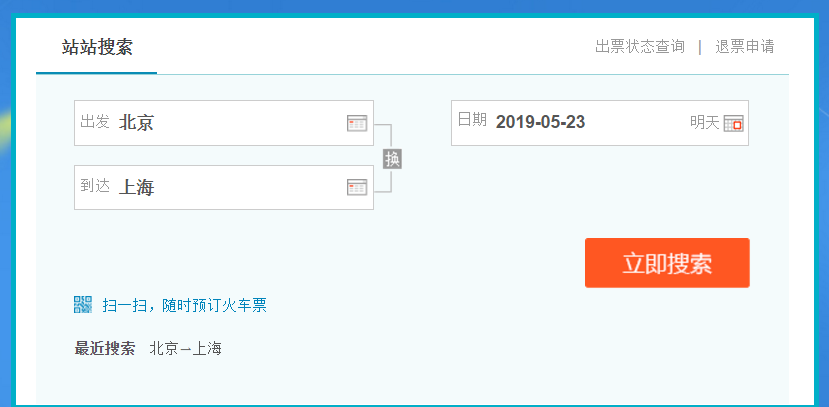
1,打开去哪儿网的网站https://train.qunar.com/,找到火车票查询,输入起点终点和日期,查询。
2,右击打开审查元素,点击network
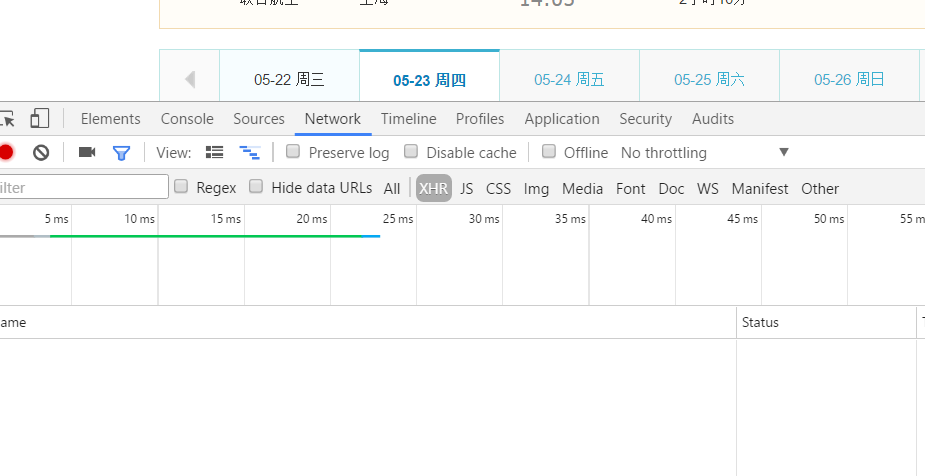
3,刷新网页,找到XHR,点击链接
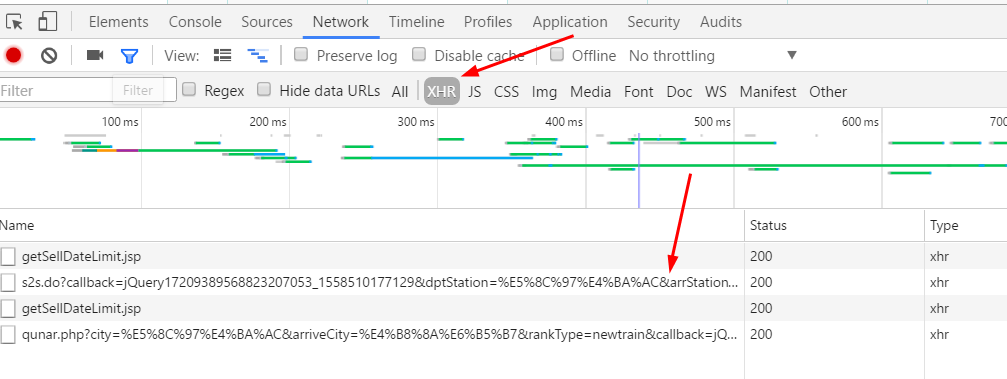
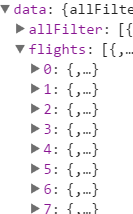
4,找到s2sBeanList这一属性,打开即为所需要的数据
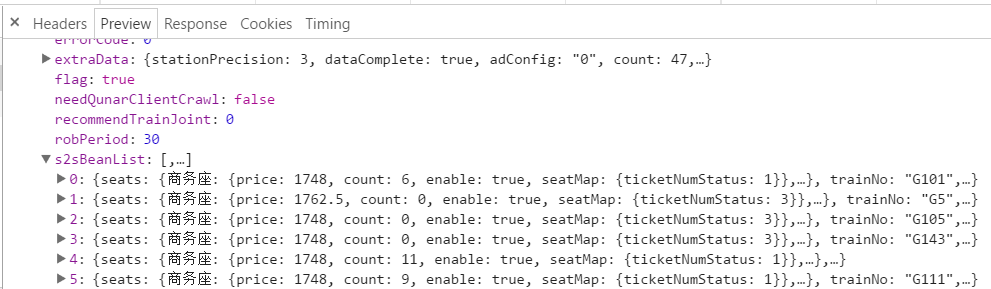
header里有所需的地址
三,项目结构
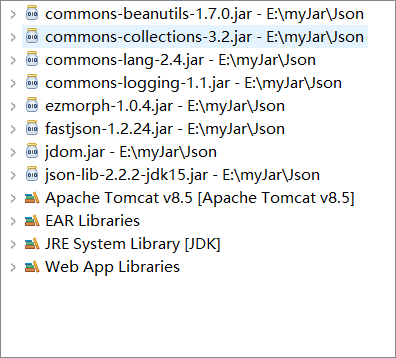
1,所需jar包,基本是分析json数据的时候用到
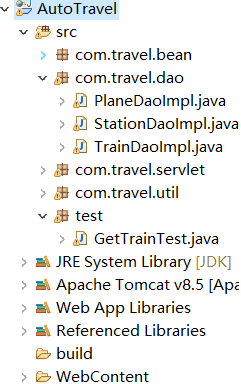
2,项目目录结构
四,代码分析
1,解析URL地址,并以将json数据转化为String类型返回
1public static String geturl(String url){
2		 StringBuffer json = new StringBuffer();
3		 try {
4			URL u = new URL(url);
5			URLConnection yc = u.openConnection();
6			//读取返回的数据
7			BufferedReader in = new BufferedReader(new InputStreamReader(yc.getInputStream(),"UTF-8"));
8			String inputline = null;
9			while((inputline=in.readLine())!=null){
10				json.append(inputline);
11			}
12		in.close();
13
14	 	} catch (Exception e) {
15	 		e.printStackTrace();
16	 	}
17		//将StringBuffer转化为json格式的字符串
18		String jsonStr=json.toString();          //将不规范的字符串形式的json数据规范化
19		jsonStr=jsonStr.substring(jsonStr.indexOf("{"),jsonStr.length()-1);
20		return jsonStr;
21 }
2,将地址转化为经纬度的方法(用到即可取)
1public static String getLngLat(String address) {
2			StringBuffer json = new StringBuffer();
3			try {
4				URL u = new URL("http://restapi.amap.com/v3/geocode/geo?address="+address+"&output=JSON&key=7f4ffae4074e8b8e4d147190527a4b72");
5				URLConnection yc = u.openConnection();
6				//读取返回的数据
7				BufferedReader in = new BufferedReader(new InputStreamReader(yc.getInputStream(),"UTF-8"));
8				String inputline = null;
9				while((inputline=in.readLine())!=null){
10					json.append(inputline);
11				}
12			in.close();
13			} catch (Exception e) {
14		 		e.printStackTrace();
15		 	}
16			String jsonStr=json.toString();
17			JSONObject jsonObject = JSONObject.fromObject(jsonStr);              //判断是否有这个点
18			if(jsonObject.getJSONArray("geocodes").size()>0)
19				return jsonObject.getJSONArray("geocodes").getJSONObject(0).get("location").toString();
20			else
21				return null;
22		}
3,查询火车票的代码
1public static List<TrainMess> loadTrainRoute(String startPoint,String endPoint,String date) {
2			String strUrl="https://train.qunar.com/dict/open/s2s.do?callback=jQuery17203917861486539813_1558231852669"
3					+ "&dptStation="+startPoint+"&arrStation="+endPoint+"&date="+date   //日期格式2019-05-20
4					+ "&type=normal&user=neibu&source=site&start=1&num=500&sort=3&_=1558231852892";
5
6			//调用方法将url转为json格式的字符串
7			String jsonStr=geturl(strUrl);
8			JSONObject jsonObject = JSONObject.fromObject(jsonStr);
9
10			JSONArray jArray=jsonObject.getJSONObject("data").getJSONArray("s2sBeanList");
11
12			for(int i=0;i<jArray.size();i++) {
13                   //循环遍历所有车次
14				jsonObject=(jArray.getJSONObject(i));
15
16				System.out.println("起点:"+startPoint);
17				System.out.println("起点经纬度:"+getLngLat(startPoint)); //getLngLat 调用将地址转化为经纬度的方法
18				System.out.println("车次"+jsonObject.get("trainNo").toString());
19				System.out.println("车站:"+jsonObject.get("dptStationName")+"-"+jsonObject.get("arrStationName"));
20				System.out.println("时间段:"+jsonObject.get("dptTime")+"-"+jsonObject.get("arrTime"));
21				System.out.println("一等座的价格:"+jsonObject.getJSONObject("seats").getJSONObject("一等座").get("price"));
22				System.out.println("一等座的剩余票数:"+jsonObject.getJSONObject("seats").getJSONObject("一等座").get("count"));
23
24			}
25			return null;
26	 }
27
28jsonObject=(jArray.getJSONObject(i));为循环遍历所有车次
五,完整代码
1package test;
2
3import java.io.BufferedReader;
4import java.io.InputStreamReader;
5import java.net.URL;
6import java.net.URLConnection;
7import java.util.List;
8
9import com.travel.bean.TrainMess;
10import com.travel.util.AddressLngLatExchange;
11
12import net.sf.json.JSONArray;
13import net.sf.json.JSONObject;
14
15public class GetTrainTest {
16	//解析URL
17	 public static String geturl(String url){
18		 StringBuffer json = new StringBuffer();
19		 try {
20			URL u = new URL(url);
21			URLConnection yc = u.openConnection();
22			//读取返回的数据
23			BufferedReader in = new BufferedReader(new InputStreamReader(yc.getInputStream(),"UTF-8"));
24			String inputline = null;
25			while((inputline=in.readLine())!=null){
26				json.append(inputline);
27			}
28		in.close();
29
30	 	} catch (Exception e) {
31	 		e.printStackTrace();
32	 	}
33		//将StringBuffer转化为json格式的字符串
34		String jsonStr=json.toString();
35		jsonStr=jsonStr.substring(jsonStr.indexOf("{"),jsonStr.length()-1);
36		return jsonStr;
37 }
38	 //调用将地址转化为经纬度的方法
39	 public static String getLngLat(String address) {
40			StringBuffer json = new StringBuffer();
41			try {
42				URL u = new URL("http://restapi.amap.com/v3/geocode/geo?address="+address+"&output=JSON&key=7f4ffae4074e8b8e4d147190527a4b72");
43				URLConnection yc = u.openConnection();
44				//读取返回的数据
45				BufferedReader in = new BufferedReader(new InputStreamReader(yc.getInputStream(),"UTF-8"));
46				String inputline = null;
47				while((inputline=in.readLine())!=null){
48					json.append(inputline);
49				}
50//				System.out.println(json);
51			in.close();
52			} catch (Exception e) {
53		 		e.printStackTrace();
54		 	}
55			String jsonStr=json.toString();
56			JSONObject jsonObject = JSONObject.fromObject(jsonStr);
57//			System.out.println(jsonObject.getJSONArray("geocodes"));
58			if(jsonObject.getJSONArray("geocodes").size()>0)
59				return jsonObject.getJSONArray("geocodes").getJSONObject(0).get("location").toString();
60			else
61				return null;
62		}
63	 @SuppressWarnings("null")
64	public static List<TrainMess> loadTrainRoute(String startPoint,String endPoint,String date) {
65			String strUrl="https://train.qunar.com/dict/open/s2s.do?callback=jQuery17203917861486539813_1558231852669"
66					+ "&dptStation="+startPoint+"&arrStation="+endPoint+"&date="+date   //日期格式2019-05-20
67					+ "&type=normal&user=neibu&source=site&start=1&num=500&sort=3&_=1558231852892";
68
69			//调用方法将url转为json格式的字符串
70			String jsonStr=geturl(strUrl);
71			JSONObject jsonObject = JSONObject.fromObject(jsonStr);
72
73			JSONArray jArray=jsonObject.getJSONObject("data").getJSONArray("s2sBeanList");
74
75			for(int i=0;i<jArray.size();i++) {
76
77				jsonObject=(jArray.getJSONObject(i));
78
79				System.out.println("起点:"+startPoint);
80				System.out.println("起点经纬度:"+getLngLat(startPoint)); //getLngLat 调用将地址转化为经纬度的方法
81				System.out.println("车次"+jsonObject.get("trainNo").toString());
82				System.out.println("车站:"+jsonObject.get("dptStationName")+"-"+jsonObject.get("arrStationName"));
83				System.out.println("时间段:"+jsonObject.get("dptTime")+"-"+jsonObject.get("arrTime"));
84				System.out.println("一等座的价格:"+jsonObject.getJSONObject("seats").getJSONObject("一等座").get("price"));
85				System.out.println("一等座的剩余票数:"+jsonObject.getJSONObject("seats").getJSONObject("一等座").get("count"));
86
87			}
88			return null;
89	 }
90	public static void main(String[] args) {
91		loadTrainRoute("北京", "上海", "2019-06-10");
92
93
94	}
95}
六,火车车次的站点信息查询
1,分析:因为火车车次和改车次的站点数据存储的位置不同,所以车站站点信息要更改URL
2,刷新网页点击一个车次,展开查看经停
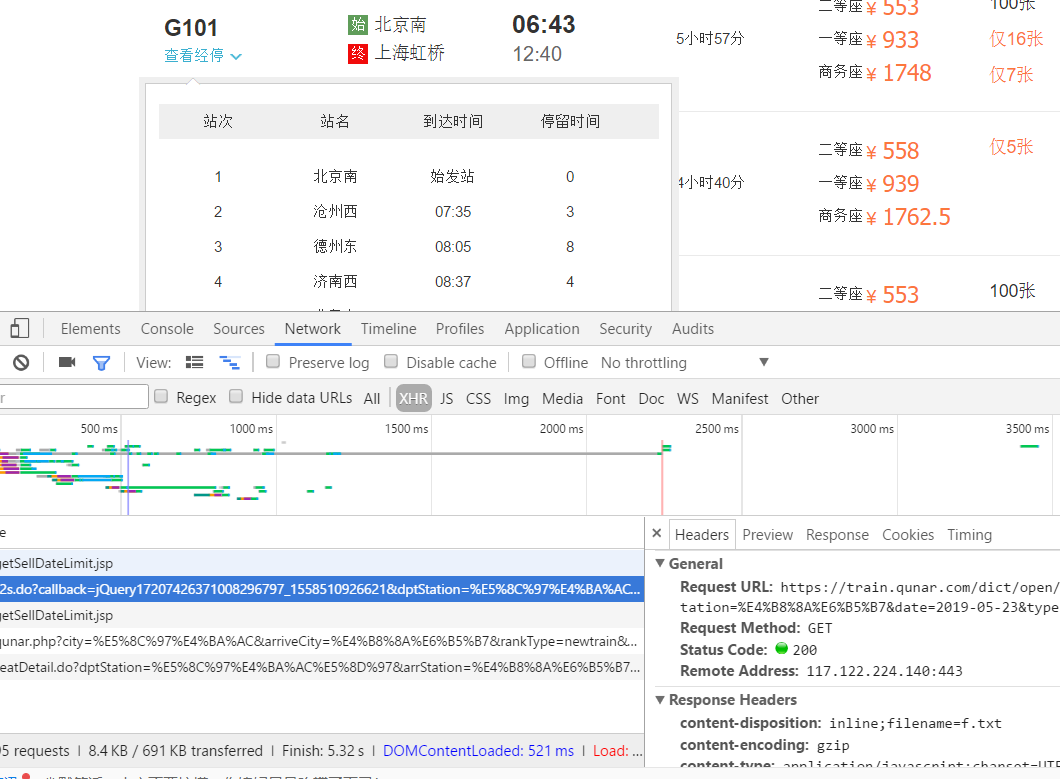
3,先点击XHR,然后点击js,查看到改车次的信息


根据URL道理同上,对json数据进行分析,然后爬取下来。
本文章为原创文章,转载请注明,欢迎评论和改正。