
介绍
服务卡片是一直桌面小组件,可以放置在桌面上等位置,一触即达。
服务卡片分为静态卡片和动态卡片两类。本文介绍静态卡片。
创建
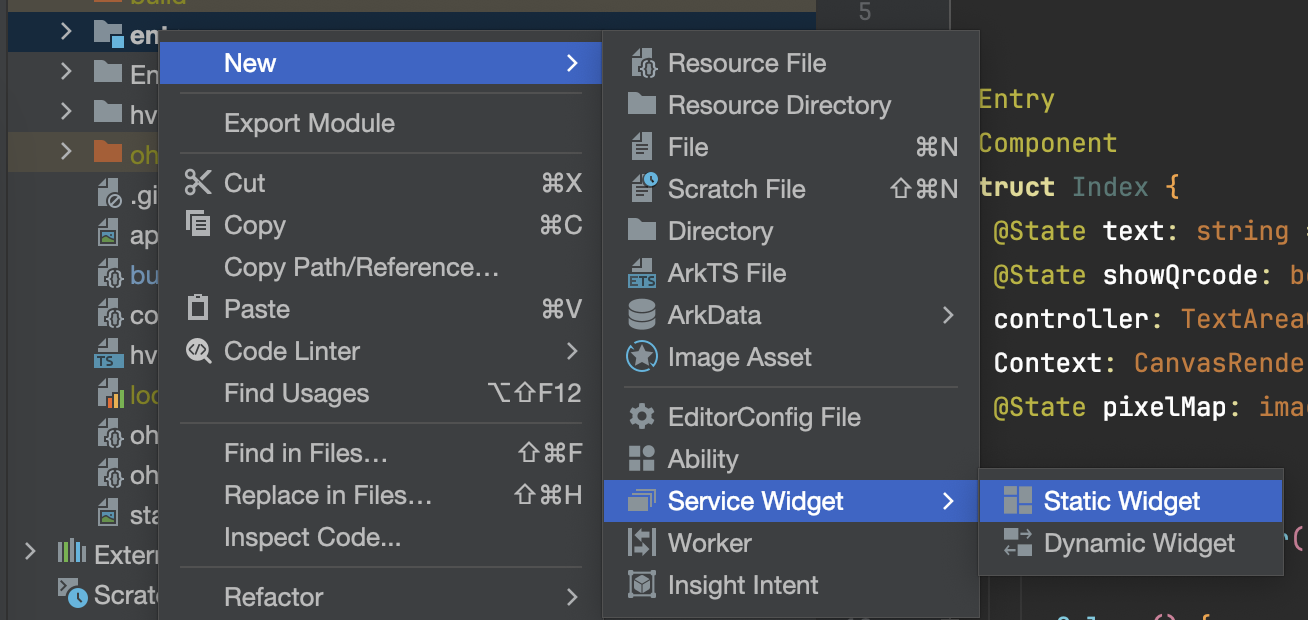
回到 DevEco,在目录entry右键,点击创建 Service Widget,选择 Static Widget, 点击 Next。
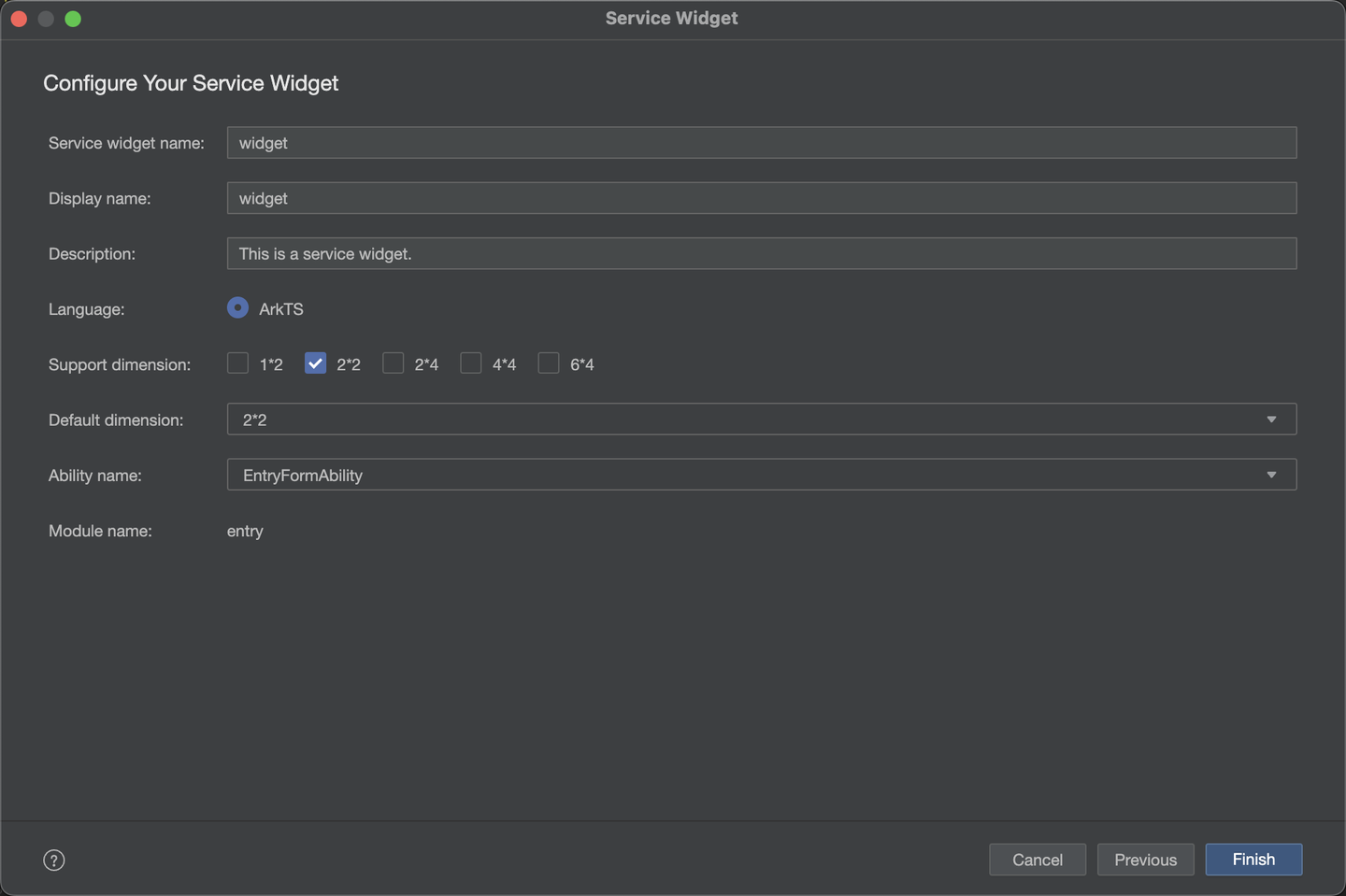
输入名称,选择支持的卡片大小,点击确定创建卡片。
其中 22 代表 2行2列,12 代表1行2列。
编写卡片界面
交互
点击事件传参
这里使用 ArkUI 编写界面,不过不能使用点击事件,转而应该使用 FormLink,相关的事件在 formability 侧接受,通过不同的参数,调用 router.push 打开不同的页面。
1FormLink({
2  action: this.ACTION_TYPE,
3  abilityName: this.ABILITY_NAME,
4  params: {
5    action: this.MESSAGE
6  }
7}) {
8...
9}
参数接收
在 entryability 中的 onCreate 和 onNewWant 生命周期中,来接收参数
1  onCreate(want: Want, launchParam: AbilityConstant.LaunchParam): void {
2
3    if(want?.parameters?.params) {
4      let params: Record<string, Object> = JSON.parse(want.parameters.params as string);
5      this.selectPage = params.action as string;
6      console.log("selectPage", this.selectPage);
7    }
8  }
9
10  onNewWant(want: Want, launchParam: AbilityConstant.LaunchParam): void {
11    console.log('onNewWant');
12    if (want?.parameters?.params) {
13      // want.parameters.params 对应 postCardAction() 中 params 内容
14      let params: Record<string, Object> = JSON.parse(want.parameters.params as string);
15      this.selectPage = params.action as string;
16      hilog.info(DOMAIN_NUMBER, TAG, `onNewWant selectPage: ${this.selectPage}`);
17    }
18    if (this.currentWindowStage !== null) {
19      this.onWindowStageCreate(this.currentWindowStage);
20    }
21  }
注意事项
1.运行时,请使用正常模式,服务卡片不支持 HotReload ,而且热重载模式下卡片无法正常显示。