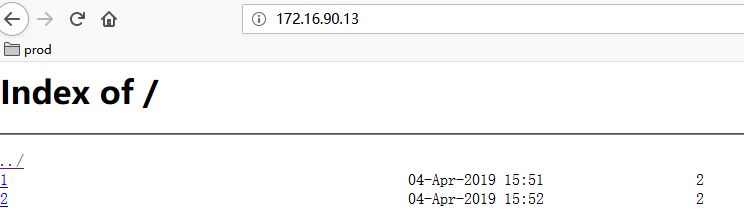
使用nginx可以搭建简单文件服务器
安装nginx(不详述)
修改配置文件
1/usr/local/nginx/conf/nginx.conf
2
3user  root;
4worker_processes  1;
5#error_log  logs/error.log;
6#pid        logs/nginx.pid;
7events {
8    worker_connections  1024;
9}
10http {
11    include       mime.types;
12    default_type  application/octet-stream;
13    log_format  main  '$remote_addr - $remote_user [$time_local] "$request" '
14                      '$status $body_bytes_sent "$http_referer" '
15                      '"$http_user_agent" "$http_x_forwarded_for"';
16    #access_log  logs/access.log  main;
17    sendfile        on;
18    keepalive_timeout  65;
19    include  ./conf.d/*.conf;
20}
文件配置文件
1autoindex on;# 显示目录
2autoindex_exact_size on;# 显示文件大小
3autoindex_localtime on;# 显示文件时间
4server {
5    listen       80;
6    server_name  172.16.90.13;
7    root         /data/file;
8}
创建根目录文件夹并且放入几个文件
web页面访问查看,单击文件即可下载