
前言
在 《一篇带你用 VuePress + Github Pages 搭建博客》中,我们使用 VuePress 搭建了一个博客,最终的效果查看:TypeScript 中文文档。
为了丰富站点的功能,我们可以直接使用一些现有的插件,本篇我们讲讲一些常用的插件。
1. 公告栏弹窗
插件地址:https://vuepress-theme-reco.recoluan.com/views/plugins/bulletinPopover.html
安装:
1yarn add @vuepress-reco/vuepress-plugin-bulletin-popover -D
使用:
1plugins: [
2  ['@vuepress-reco/vuepress-plugin-bulletin-popover', {
3    width: '300px', // 默认 260px
4    title: '消息提示',
5    body: [
6      {
7        type: 'title',
8        content: '添加冴羽好友入前端交流群',
9        style: 'text-aligin: center;'
10      },
11      {
12        type: 'image',
13        src: 'https://cdn.jsdelivr.net/gh/mqyqingfeng/picture/IMG_3516.JPG'
14      }
15    ],
16    footer: [
17      {
18        type: 'button',
19        text: '打赏',
20        link: '/donate'
21      }
22    ]
23  }]
24]
效果截图:
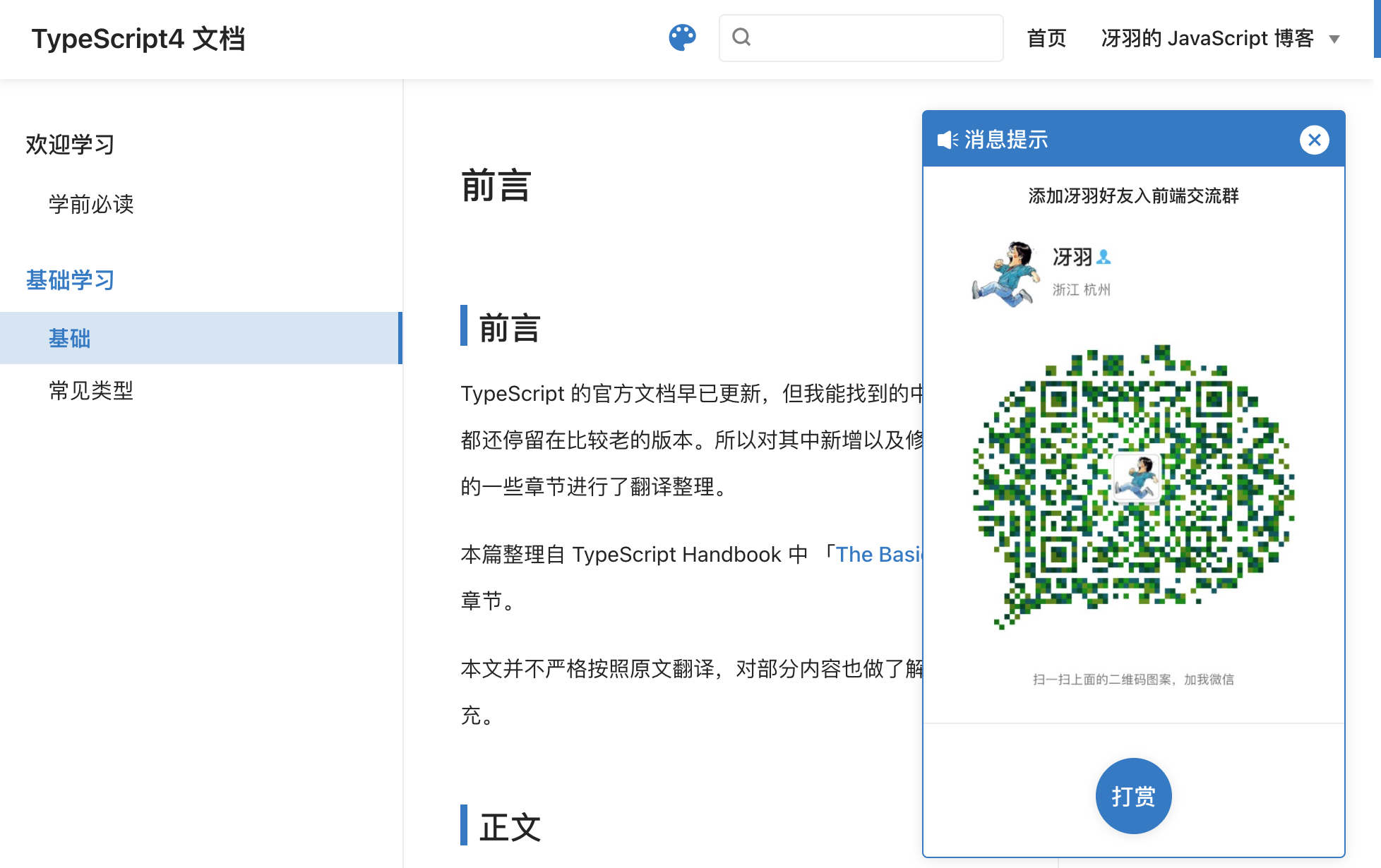
注意事项:
查看插件源码可以得知,公告栏弹窗是使用 sessionStorage 控制的展示频次,在本地测试时,如果关闭了,可以通过清除 sessionStorage 再次展示出来。
1// 所在目录:node_modules/@vuepress-reco/vuepress-plugin-bulletin-popover/bin/Bulletin.vue
2
3mounted () {
4    const closeNote = sessionStorage.getItem('closeNote')
5    this.visible = closeNote !== 'true'
6}
2. 代码复制
插件地址:https://www.npmjs.com/package/vuepress-plugin-nuggets-style-copy
安装:
1yarn add vuepress-plugin-nuggets-style-copy -D
使用:
1plugins: [
2	["vuepress-plugin-nuggets-style-copy", {
3      copyText: "复制代码",
4      tip: {
5          content: "复制成功"
6      }
7   }]
8]
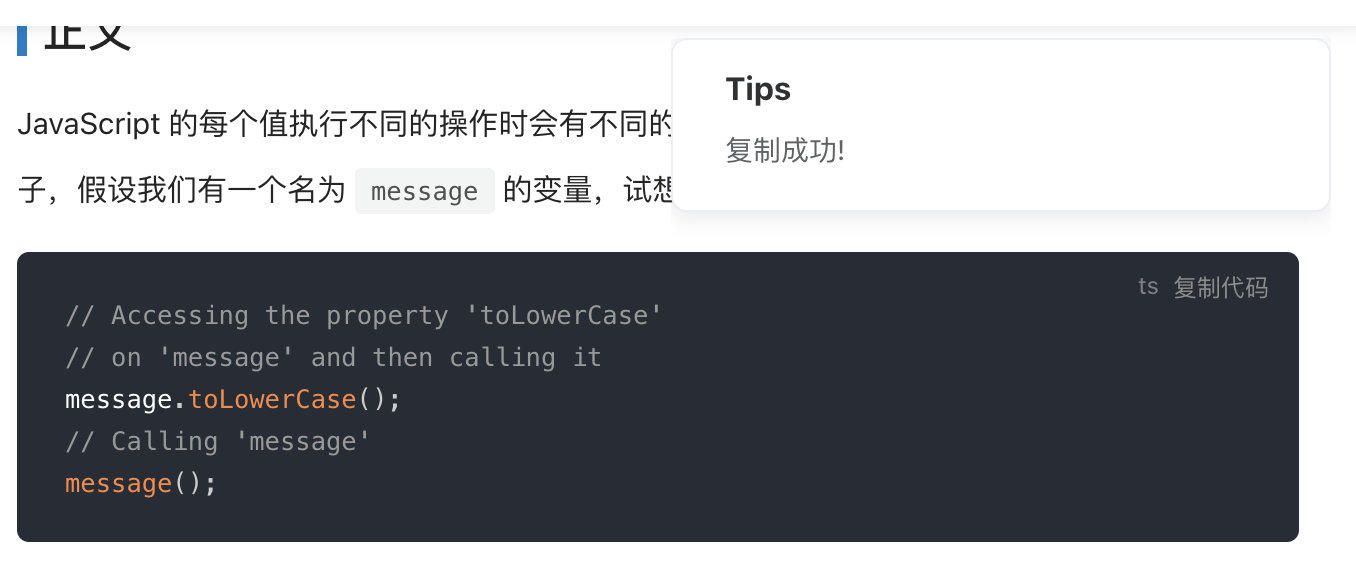
效果类似于掘金的代码复制:
其他样式的代码复制插件还有:
- https://github.com/znicholasbrown/vuepress-plugin-code-copy
- https://snippetors.github.io/plugins/vuepress-plugin-code-copy.html
3. 添加著作权信息
使用 vuepress-plugin-copyright可以禁用文字复制或者在复制时添加著作权信息。
插件地址:https://vuepress-community.netlify.app/zh/plugins/copyright
安装:
1yarn add vuepress-plugin-copyright -D
使用:
1plugins: [
2  [
3    'copyright',
4    {
5      authorName: '冴羽', // 选中的文字将无法被复制
6      minLength: 30, // 如果长度超过  30 个字符
7    },
8  ]
9]
当你复制超过 30 个字符的时候,就会出现:
1著作权归冴羽所有。
2链接:http://localhost:8080/learn-typescript/handbook/Basic.html
3
4JavaScript 的每个值执行不同的操作时会有不同的行为。这听起来有点抽象,所以让我们举个例子,假设我们有一个名为 message 的变量,试想我们可以做哪些操作:
4. 背景音乐
插件地址:https://vuepress-theme-reco.recoluan.com/views/plugins/bgmPlayer.html
安装:
1yarn add @vuepress-reco/vuepress-plugin-bgm-player -D
使用:
1plugins: [
2  [
3    '@vuepress-reco/vuepress-plugin-bgm-player',
4    {
5      audios: [
6        {
7          name: 'LOSER',
8          artist: '米津玄師',
9          url: 'https://www.ytmp3.cn/down/73654.mp3',
10          cover: 'https://p1.music.126.net/qTSIZ27qiFvRoKj-P30BiA==/109951165895951287.jpg?param=200y200'
11        }
12      ] ,
13      // 是否默认缩小
14      autoShrink: true ,
15      // 缩小时缩为哪种模式
16      shrinkMode: 'float',
17      // 悬浮窗样式
18      floatStyle:{ bottom: '10px', 'z-index': '999999' }
19    }
20  ]
21]
效果截图:

其他音乐插件:
5. 看板娘
插件地址:https://vuepress-theme-reco.recoluan.com/views/plugins/kanbanniang.html
安装:
1yarn add @vuepress-reco/vuepress-plugin-kan-ban-niang -D
使用:
1plugins: [
2  [
3    '@vuepress-reco/vuepress-plugin-kan-ban-niang',
4    {
5      theme: ['blackCat', 'whiteCat', 'haru1', 'haru2', 'haruto', 'koharu', 'izumi', 'shizuku', 'wanko', 'miku', 'z16']
6    }
7  ]
8]
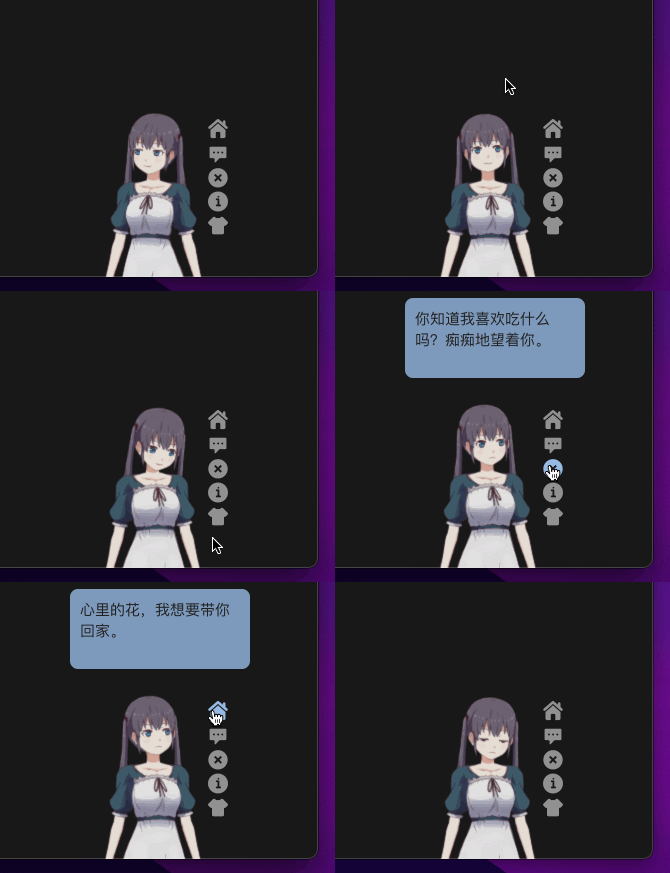
效果截图:
其他看板娘插件:
6. 修改光标效果
插件地址:https://github.com/moefyit/vuepress-plugin-cursor-effects
安装:
1yarn add vuepress-plugin-cursor-effects -D
使用:
1plugins: [
2  ['cursor-effects', {
3    size: 2, // size of the particle, default: 2
4    shape: 'star', // ['star' | 'circle'], // shape of the particle, default: 'star'
5    zIndex: 999999999, // z-index property of the canvas, default: 999999999
6	}]
7]
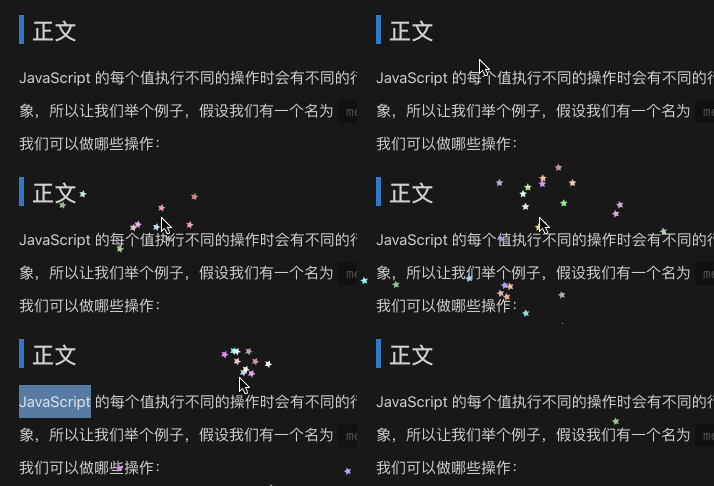
效果截图:
7. 动态标题展示
插件地址:https://github.com/moefyit/vuepress-plugin-dynamic-title
安装:
1yarn add vuepress-plugin-cursor-effects -D
使用:
1plugins: [
2  ['dynamic-title', {
3     showIcon: 'https://www.typescriptlang.org/favicon-32x32.png?v=8944a05a8b601855de116c8a56d3b3ae',
4     showText: '客官欢迎回来~',
5     hideIcon: 'https://www.typescriptlang.org/favicon-32x32.png?v=8944a05a8b601855de116c8a56d3b3ae',
6     hideText: '客官不要走嘛~',
7     recoverTime: 2000,
8	}]
9]
效果截图:

8. 优化代码展示
插件地址:https://vuepress-theme-reco.recoluan.com/views/plugins/extractCode.html
安装:
1yarn add @vuepress-reco/vuepress-plugin-extract-code -D
使用:
1plugins: [
2    '@vuepress-reco/extract-code'
3  ]
效果截图:
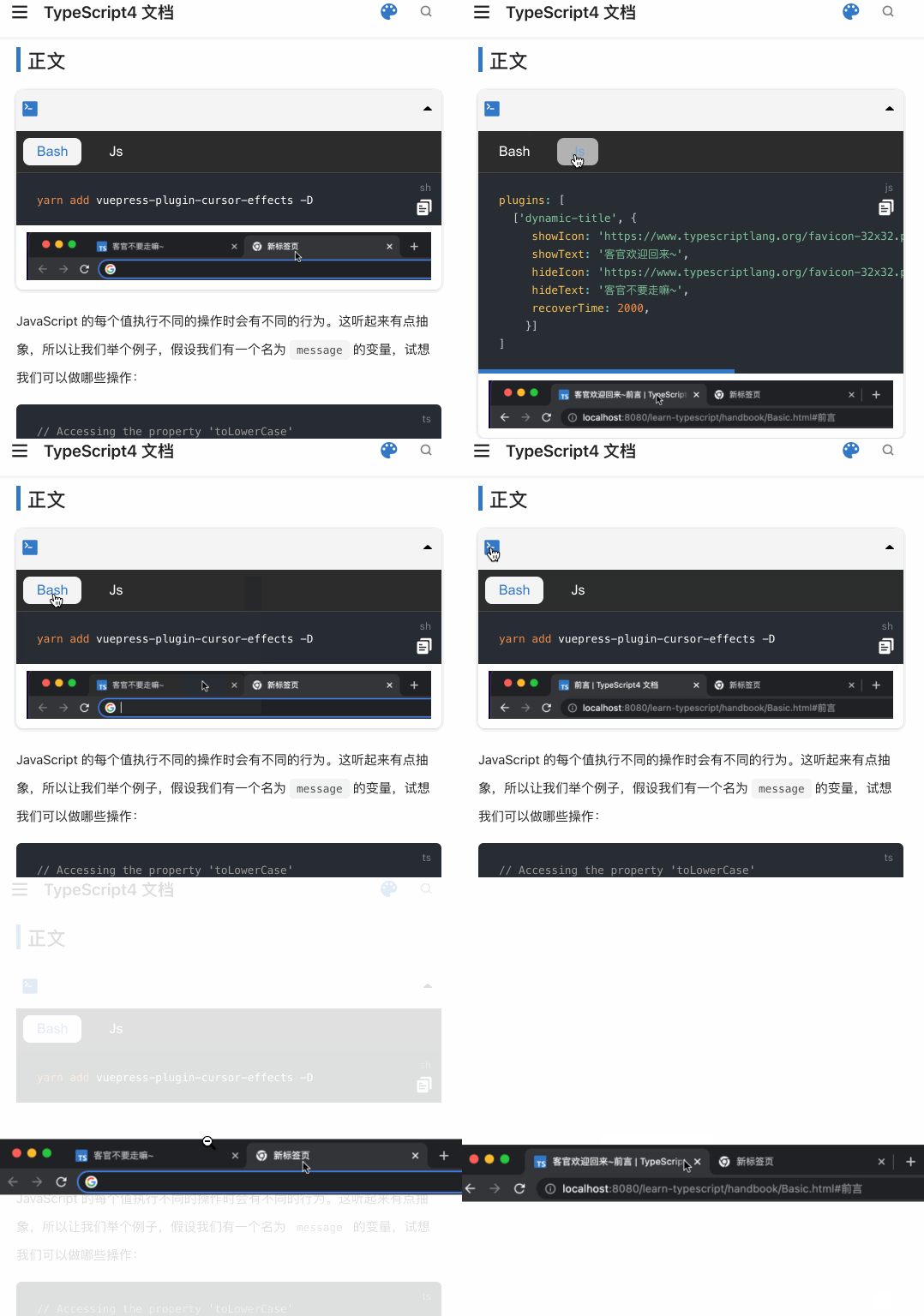
当你需要使用这种方式展示代码的时候,你需要在 md 文件中添加:
1<RecoDemo :collapse="true">
2  <template slot="code-bash">
3    <<< @/docs/handbook/demo/index.sh
4  </template>
5  <template slot="code-js">
6    <<< @/docs/handbook/demo/index.js
7  </template>
8  <img src="./demo/index.gif" slot="demo" />
9</RecoDemo>
其中的@表示当前项目目录的别名,即源码的根目录,而非docs或者 .vuepress
更多插件寻找
- https://github.com/vuepress/awesome-vuepress
- https://vuepress-community.netlify.app/zh/
- https://vuepress-theme-reco.recoluan.com/views/plugins/
- https://v1.vuepress.vuejs.org/zh/plugin/official/plugin-active-header-links.html
- npm 搜 vuepress-plugin 关键字
- github 搜 vuepress-plugin 关键字
系列文章
博客搭建系列,讲解如何使用 VuePress 搭建、优化博客,并部署到 GitHub、Gitee、私有服务器等平台。系列预计 20 篇左右,本篇为第 21 篇,全系列文章地址:https://github.com/mqyqingfeng/Blog
微信:「mqyqingfeng」,加冴羽好友,进一个神奇的前端学习交流群。
如果有错误或者不严谨的地方,请务必给予指正,十分感谢。如果喜欢或者有所启发,欢迎 star,对作者也是一种鼓励。