
Python之文件处理
不同模式打开文件的完全列表:
模式
描述
r
以只读方式打开文件。文件的指针将会放在文件的开头。这是默认模式。
rb
以二进制格式打开一个文件用于只读。文件指针将会放在文件的开头。这是默认模式。一般用于非文本文件如图片等。
r+
打开一个文件用于读写。文件指针将会放在文件的开头。
rb+
以二进制格式打开一个文件用于读写。文件指针将会放在文件的开头。一般用于非文本文件如图片等。
w
打开一个文件只用于写入。如果该文件已存在则将其覆盖。如果该文件不存在,创建新文件。
wb
以二进制格式打开一个文件只用于写入。如果该文件已存在则将其覆盖。如果该文件不存在,创建新文件。一般用于非文本文件如图片等。
w+
打开一个文件用于读写。如果该文件已存在则将其覆盖。如果该文件不存在,创建新文件。
wb+
以二进制格式打开一个文件用于读写。如果该文件已存在则将其覆盖。如果该文件不存在,创建新文件。一般用于非文本文件如图片等。
a
打开一个文件用于追加。如果该文件已存在,文件指针将会放在文件的结尾。也就是说,新的内容将会被写入到已有内容之后。如果该文件不存在,创建新文件进行写入。
ab
以二进制格式打开一个文件用于追加。如果该文件已存在,文件指针将会放在文件的结尾。也就是说,新的内容将会被写入到已有内容之后。如果该文件不存在,创建新文件进行写入。
a+
打开一个文件用于读写。如果该文件已存在,文件指针将会放在文件的结尾。文件打开时会是追加模式。如果该文件不存在,创建新文件用于读写。
ab+
以二进制格式打开一个文件用于追加。如果该文件已存在,文件指针将会放在文件的结尾。如果该文件不存在,创建新文件用于读写。
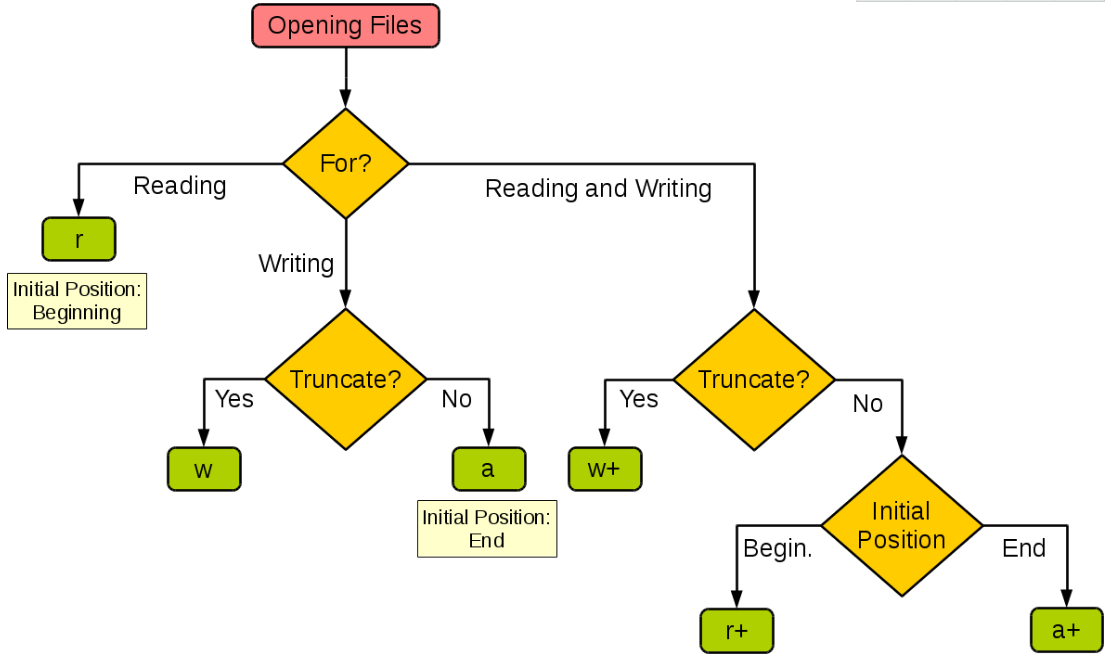
下图很好的总结了这几种模式:
1.读写文件
读文件:
1#!/usr/bin/env python
2# -*- coding: utf-8 -*-
3# @Time    : 2018/4/13 14:41
4# @Author  : Feng Xiaoqing
5# @File    : test.py
6# @Function: -----------
7
8f = open("test.txt")
9text = f.readlines()
10print(text)
执行结果:
['aaaaa\n', 'bbbb\n', 'ccc\n', 'ddd']
写文件:
1#!/usr/bin/env python
2# -*- coding: utf-8 -*-
3# @Time    : 2018/4/13 15:41
4# @Author  : Feng Xiaoqing
5# @File    : test.py
6# @Function: -----------
7
8f = open("test.log","w",encoding='utf-8')
9f.write("Hello World!")
10f.close()
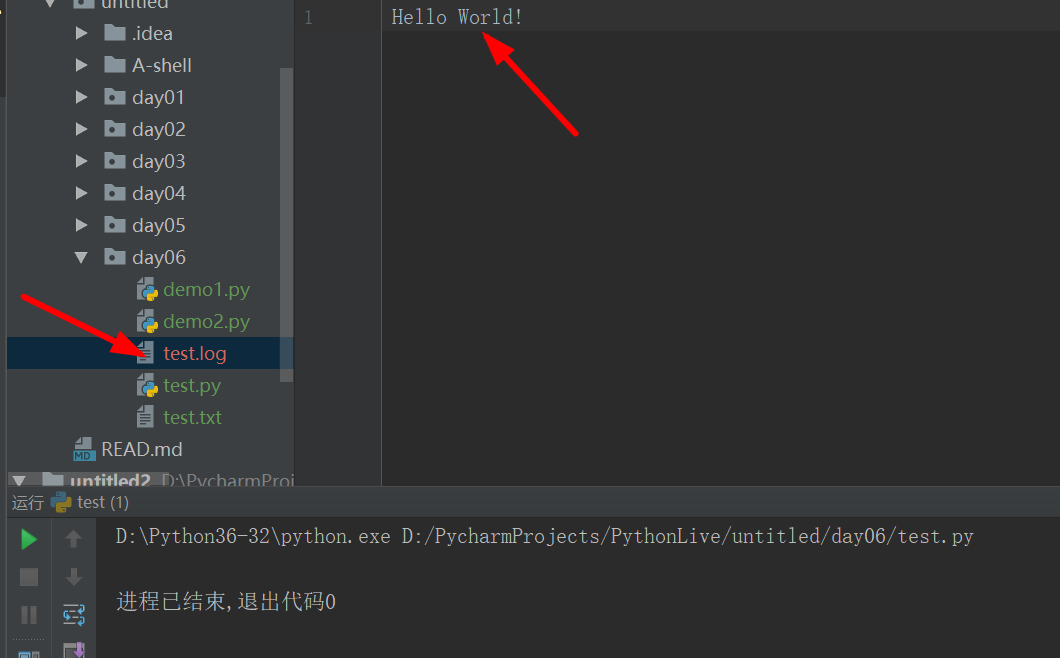
执行结果:
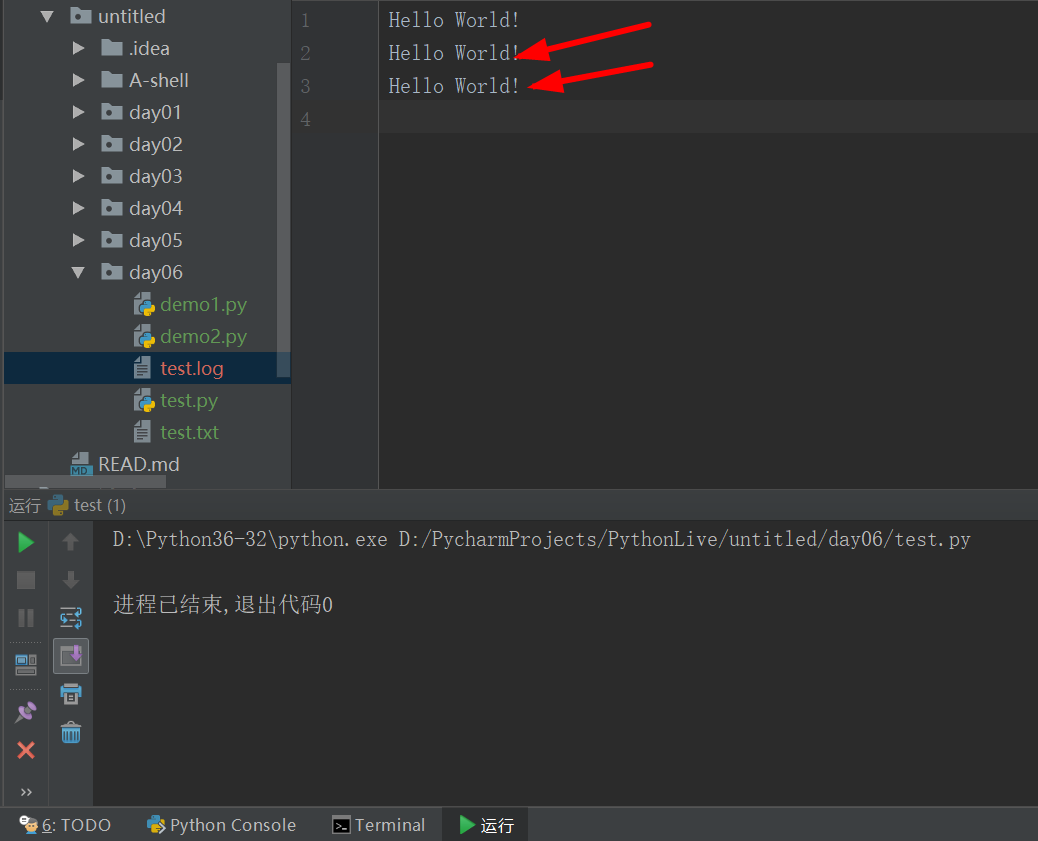
改为把w改为a时的执行结果:
代码:
1#!/usr/bin/env python
2# -*- coding: utf-8 -*-
3# @Time    : 2018/4/13 20:22
4# @Author  : Feng Xiaoqing
5# @File    : test.py
6# @Function: -----------
7
8class File():
9    ENCODING = "utf-8"
10    def wirteFile(self):
11        filename = input("Please input the file name: ")
12        f = codecs.open(filename,'a',encoding=File.ENCODING)
13        while 1:
14            context = input("Please input the file context(quit for exit): ")
15            if context == "quit":
16                break
17            f.write(context)
18            f.write("\n")
19    def readFile(self):
20        print("####################STAT######################")
21        readfile = input("Please input your read file name: ")
22        fileread = codecs.open(readfile,encoding=File.ENCODING)
23        readContext = fileread.read()
24        print(readContext)
25        print("################### END ######################")
26        fileread.close()
27if __name__ == '__main__':
28    import codecs
29    File = File()
30    File.wirteFile()
31    File.readFile()
执行过程:
1Please input the file name: fxq.log
2Please input the file context(quit for exit): Hello world!
3Please input the file context(quit for exit): My name is Fengxiaoqing
4Please input the file context(quit for exit): I'm 30
5Please input the file context(quit for exit): I'm a bright boy.l
6Please input the file context(quit for exit): Think you very much!
7Please input the file context(quit for exit): quit
8####################STAT######################
9Please input your read file name: fxq.log
10Hello world!
11My name is Fengxiaoqing
12I'm 30
13I'm a bright boy.l
14Think you very much!
15################### END ######################
16进程已结束,退出代码0
2. Python中的文件操作方法
# 文件对象f常用的操作方法
# read() 把文件的所有内容都读取出来,返回一个字符串
# write(data) 把字符串data写入到文件中,只接受字符串参数
# fr.readline() 每次读取文件一行数据,返回每行的字符串数据
# fr.readlines() 读取文件内容,返回一个list,每一行是一个元素
# fr.name 文件名字
# fr.fileno() 文件描述符
# fr.close() 关闭文件
# fr.encoding 文件编码
# fr.closed 返回bool值, 判断文件是否已经关闭
# fr.seek(offset, whence) offset偏移量正数向后偏移,负数向前偏移 whence 0 开头,1 现在位置 2 代表结尾
# fr.tell() 返回文件光标位置
# fr.truncate(size) 只有写文件才可以用,清空文件,size表示清空到什么地方.
# help(fr.seek) 控制文件光标,文件需要使用b方式打开,
with用法:
1        with codec.open("1.log",encoding= "utf-8") as f:
2        print(f.read())