
前言
最近LZ给项目框架升级, 从Spring1.x升级到Spring2.x, 在这里就不多赘述两个版本之间的区别以及升级的原因。
关于升级过程中踩的坑,在其他博文中会做比较详细的记录,以便给读者参考,不要掉进同样的坑里。 这里我们讨论一个关于URL中包含双斜杠被拦截的问题。
发现问题
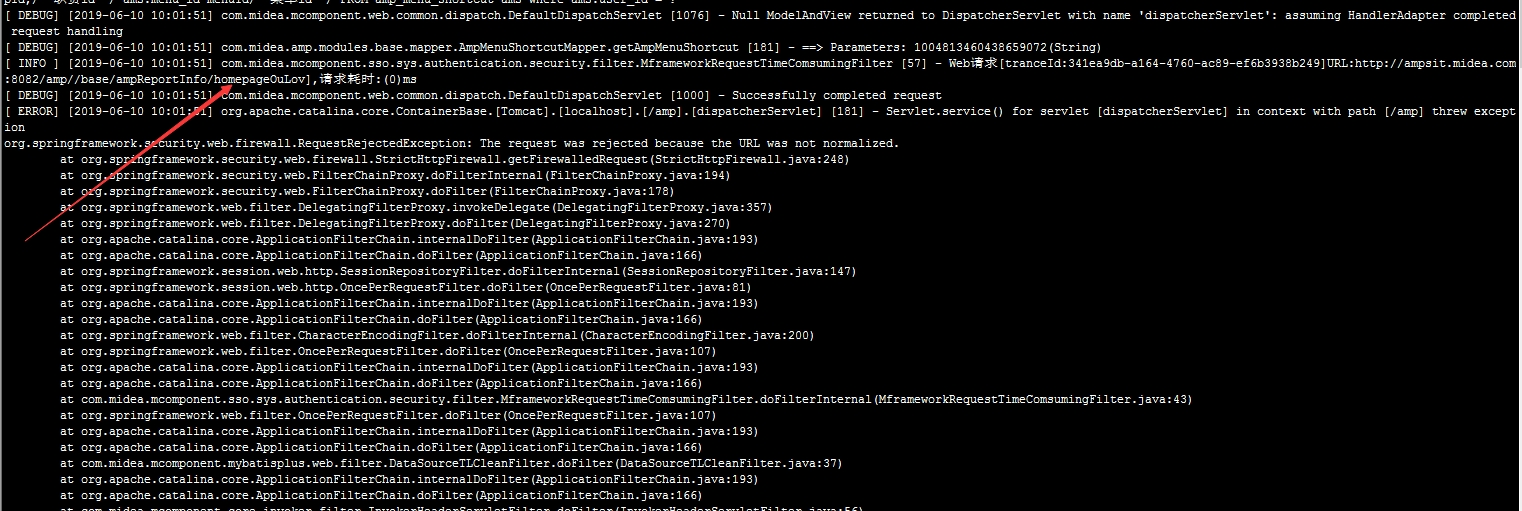
升级框架之后,测试一个功能时,发现报错Http 500, 第一时间怀疑是后台功能报错。打印后台错误日志,发现报错信息:The request was rejected because the URL was not normalized。
之后与升级前相同环境对比发现,相同的功能, 升级之后,URL中包含双斜杠。
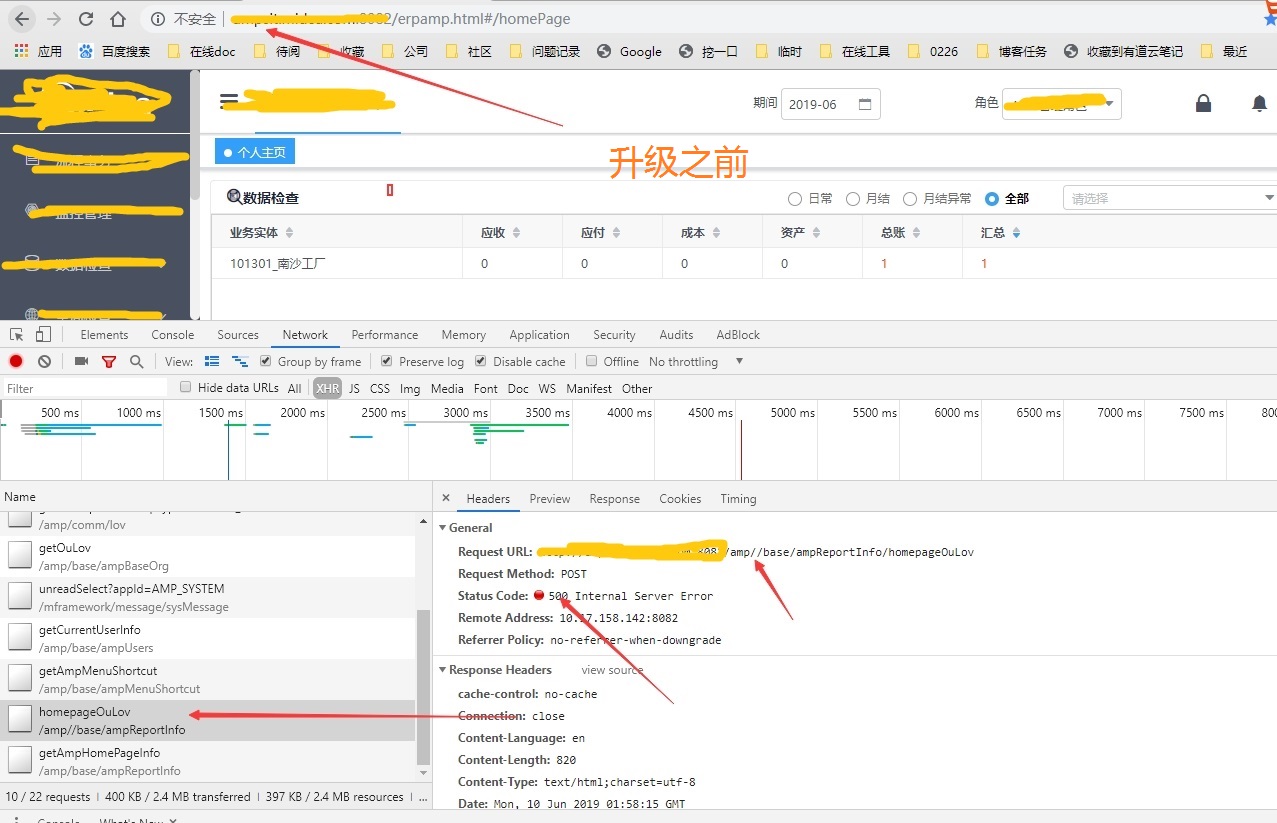
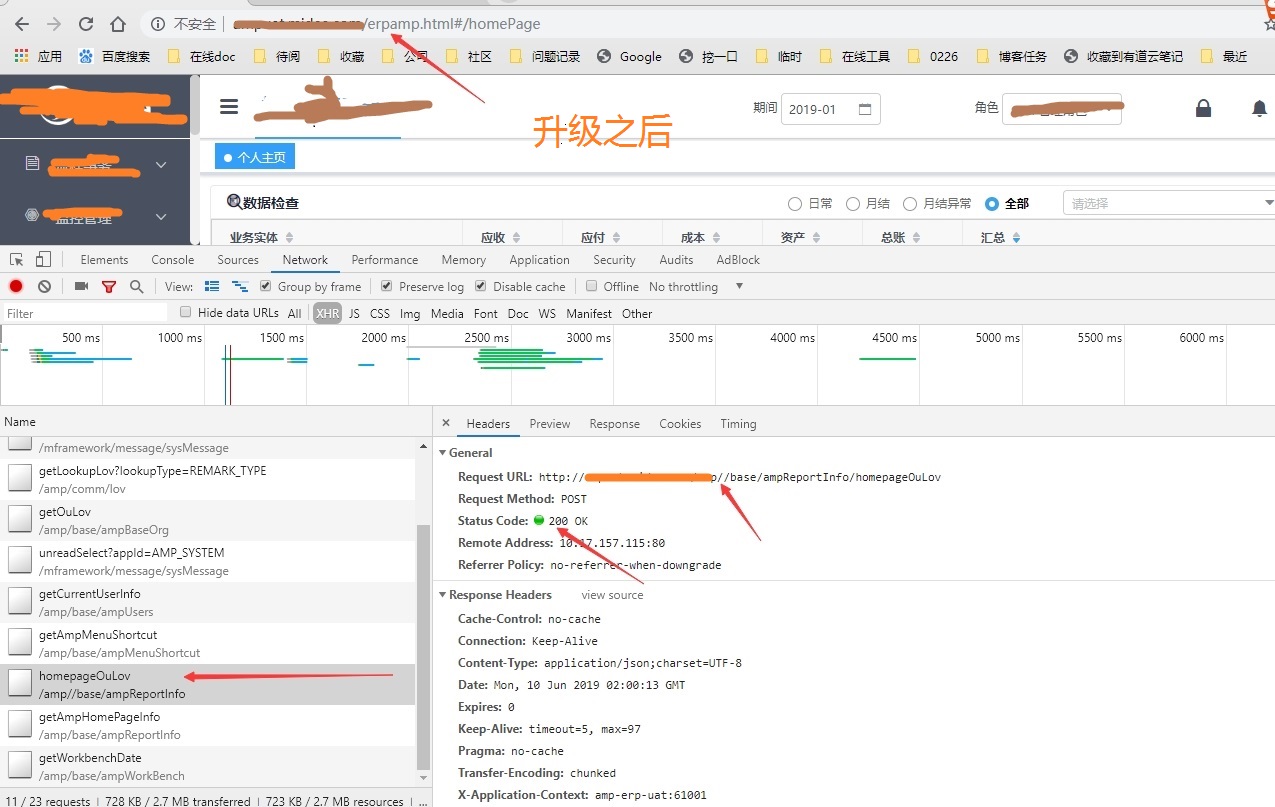
分析问题
经过对比不同和错误信息,初步定位问题出在URL上。查询资料得知,Spring Security 在高版本中增加了StrictHttpFirewall类,对URL校验更加严格。于是查看源码:
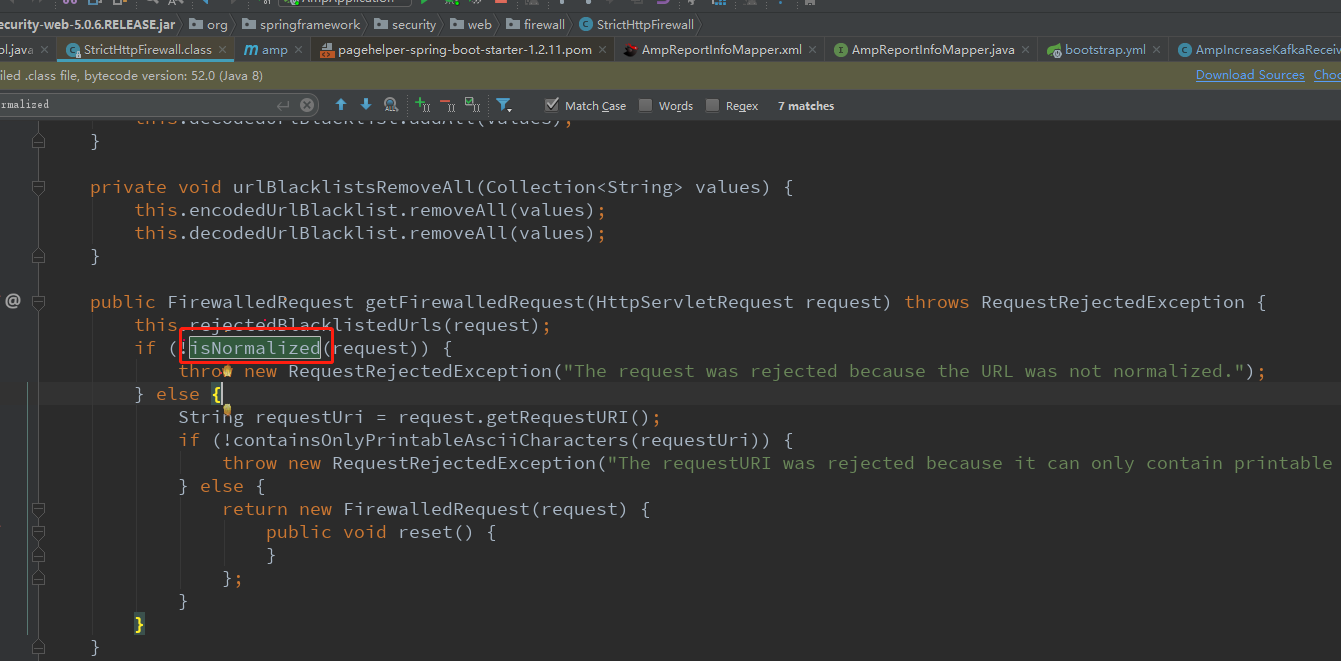
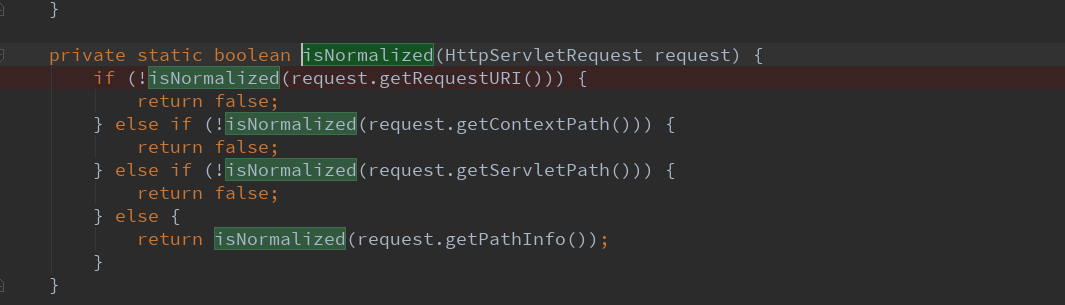
</code>1private static boolean isNormalized(String path) { 2 if (path == null) { 3 return true; 4 } else if (path.indexOf("//") > -1) { 5 return false; 6 } else { 7 int i; 8 for(int j = path.length(); j > 0; j = i) { 9 i = path.lastIndexOf(47, j - 1); 10 int gap = j - i; 11 if (gap == 2 && path.charAt(i + 1) == '.') { 12 return false; 13 } 14 15 if (gap == 3 && path.charAt(i + 1) == '.' && path.charAt(i + 2) == '.') { 16 return false; 17 } 18 } 19 20 return true; 21 } 22}
解决问题
方法一:修改项目中出现“//”双斜杠的URL路径,哈哈
方法二:自定义FireWall方式允许URL出现双斜杠“//”
参考:Spring 5.0.3 RequestRejectedException: The request was rejected because the URL was not normalized
-
创建允许在URL中使用斜线的自定义防火墙。
@Bean public HttpFirewall allowUrlEncodedSlashHttpFirewall() { StrictHttpFirewall firewall = new StrictHttpFirewall(); firewall.setAllowUrlEncodedSlash(true);
return firewall; }
2.在WebSecurity中配置这个bean。
1@Override
2public void configure(WebSecurity web) throws Exception {
3    //@formatter:off
4    super.configure(web);
5    web.httpFirewall(allowUrlEncodedSlashHttpFirewall());
6....
7}
至此,问题解决。