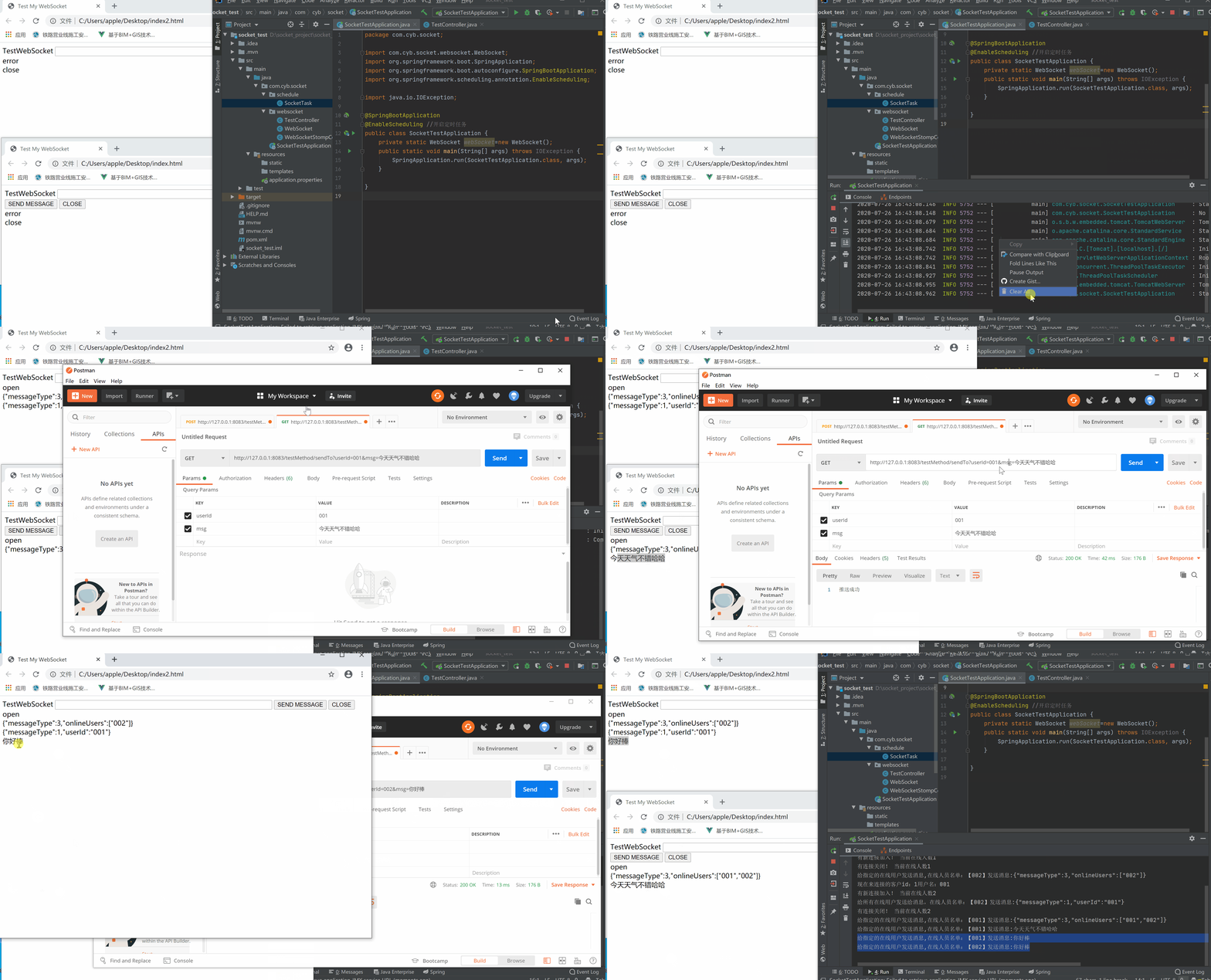
功能介绍
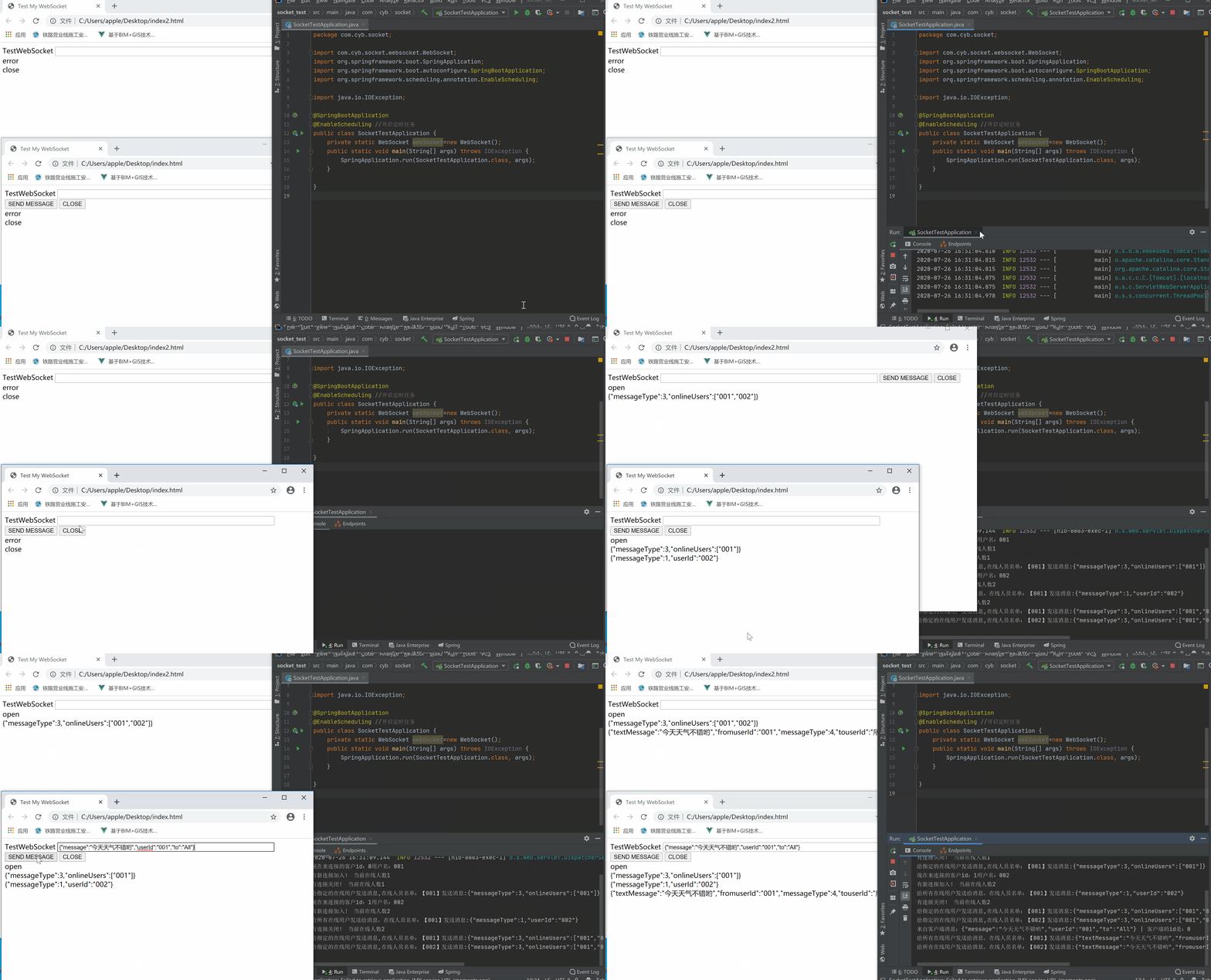
- 客户端给所有在线用户发送消息
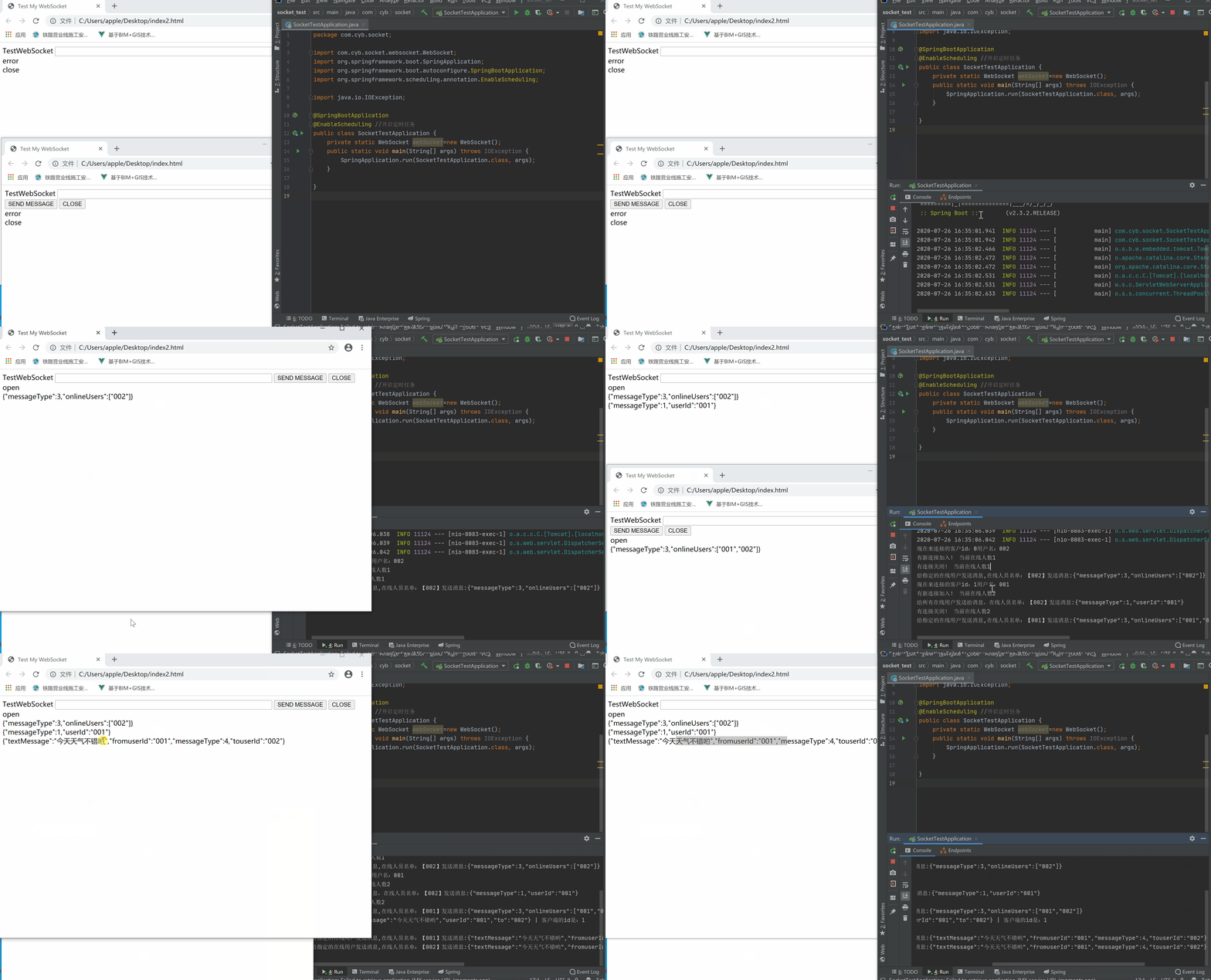
- 客户端给指定在线用户发送消息
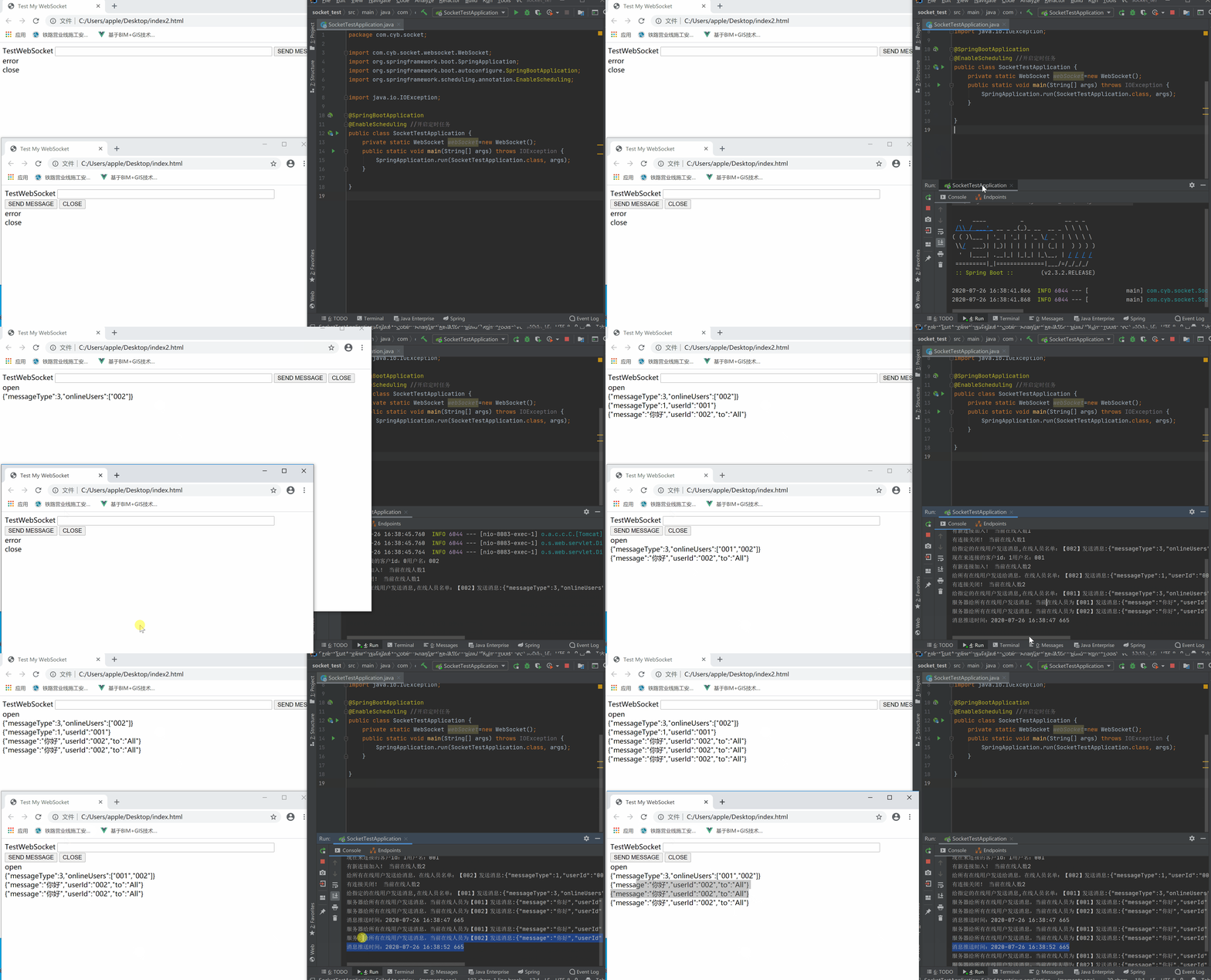
- 服务器给客户端发送消息(轮询方式)
注意:socket只是实现一些简单的功能,具体的还需根据自身情况,代码稍微改造下
项目搭建
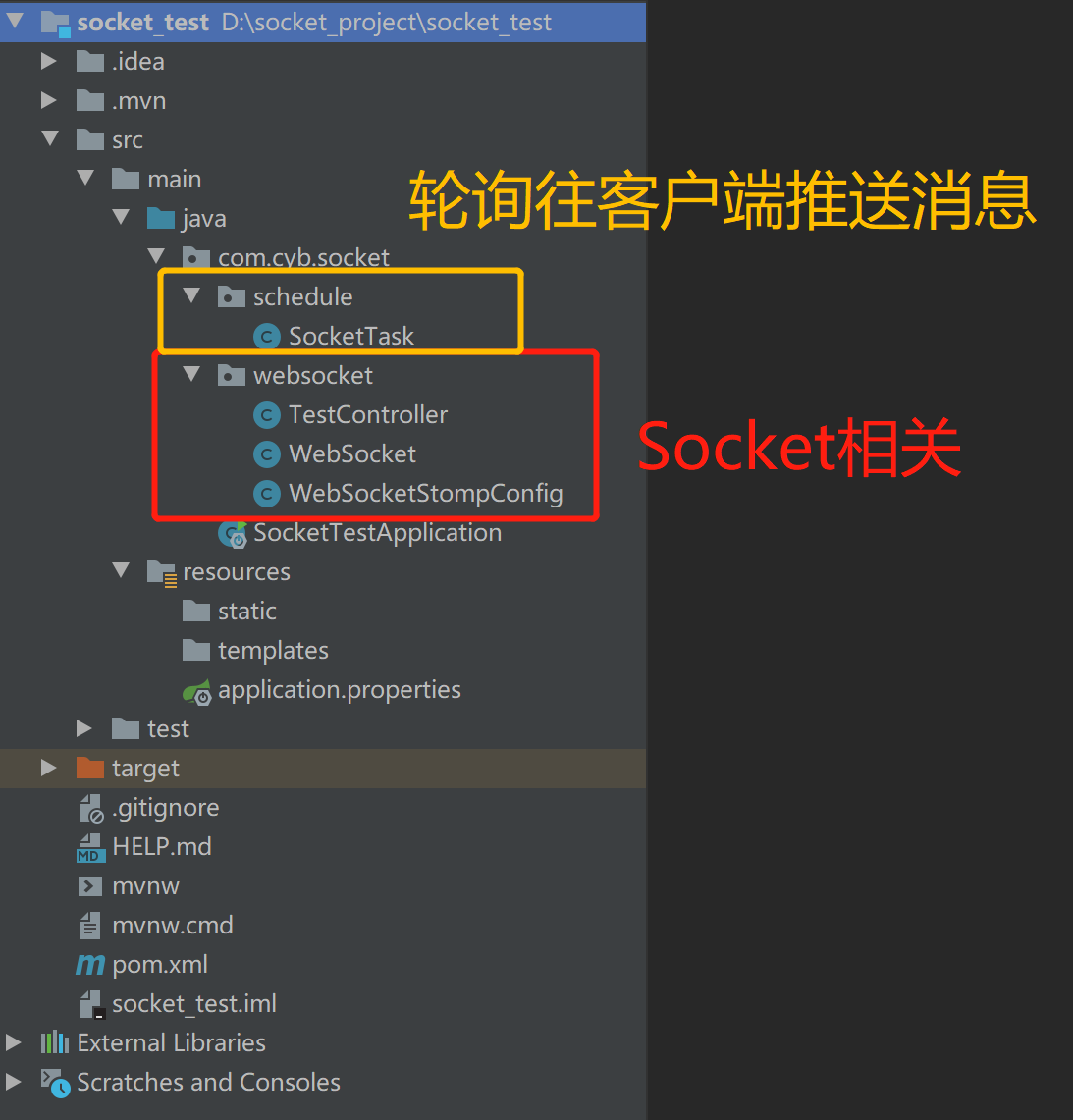
项目结构图
pom.xml
1<?xml version="1.0" encoding="UTF-8"?>
2<project xmlns="http://maven.apache.org/POM/4.0.0" xmlns:xsi="http://www.w3.org/2001/XMLSchema-instance"
3    xsi:schemaLocation="http://maven.apache.org/POM/4.0.0 https://maven.apache.org/xsd/maven-4.0.0.xsd">
4    <modelVersion>4.0.0</modelVersion>
5    <parent>
6        <groupId>org.springframework.boot</groupId>
7        <artifactId>spring-boot-starter-parent</artifactId>
8        <version>2.3.2.RELEASE</version>
9        <relativePath/> <!-- lookup parent from repository -->
10    </parent>
11    <groupId>com.cyb</groupId>
12    <artifactId>socket_test</artifactId>
13    <version>0.0.1-SNAPSHOT</version>
14    <name>socket_test</name>
15    <description>Demo project for Spring Boot</description>
16
17    <properties>
18        <java.version>1.8</java.version>
19    </properties>
20
21    <dependencies>
22        <!-- springboot websocket -->
23        <dependency>
24            <groupId>org.springframework.boot</groupId>
25            <artifactId>spring-boot-starter-websocket</artifactId>
26        </dependency>
27        <!--guava依赖-->
28        <dependency>
29            <groupId>com.google.guava</groupId>
30            <artifactId>guava</artifactId>
31            <version>18.0</version>
32        </dependency>
33        <!--fastjson依赖-->
34        <dependency>
35            <groupId>com.alibaba</groupId>
36            <artifactId>fastjson</artifactId>
37            <version>1.2.46</version>
38        </dependency>
39        <dependency>
40            <groupId>org.springframework.boot</groupId>
41            <artifactId>spring-boot-starter-web</artifactId>
42        </dependency>
43
44        <dependency>
45            <groupId>org.springframework.boot</groupId>
46            <artifactId>spring-boot-starter-test</artifactId>
47            <scope>test</scope>
48            <exclusions>
49                <exclusion>
50                    <groupId>org.junit.vintage</groupId>
51                    <artifactId>junit-vintage-engine</artifactId>
52                </exclusion>
53            </exclusions>
54        </dependency>
55    </dependencies>
56
57    <build>
58        <plugins>
59            <plugin>
60                <groupId>org.springframework.boot</groupId>
61                <artifactId>spring-boot-maven-plugin</artifactId>
62            </plugin>
63        </plugins>
64    </build>
65
66</project>
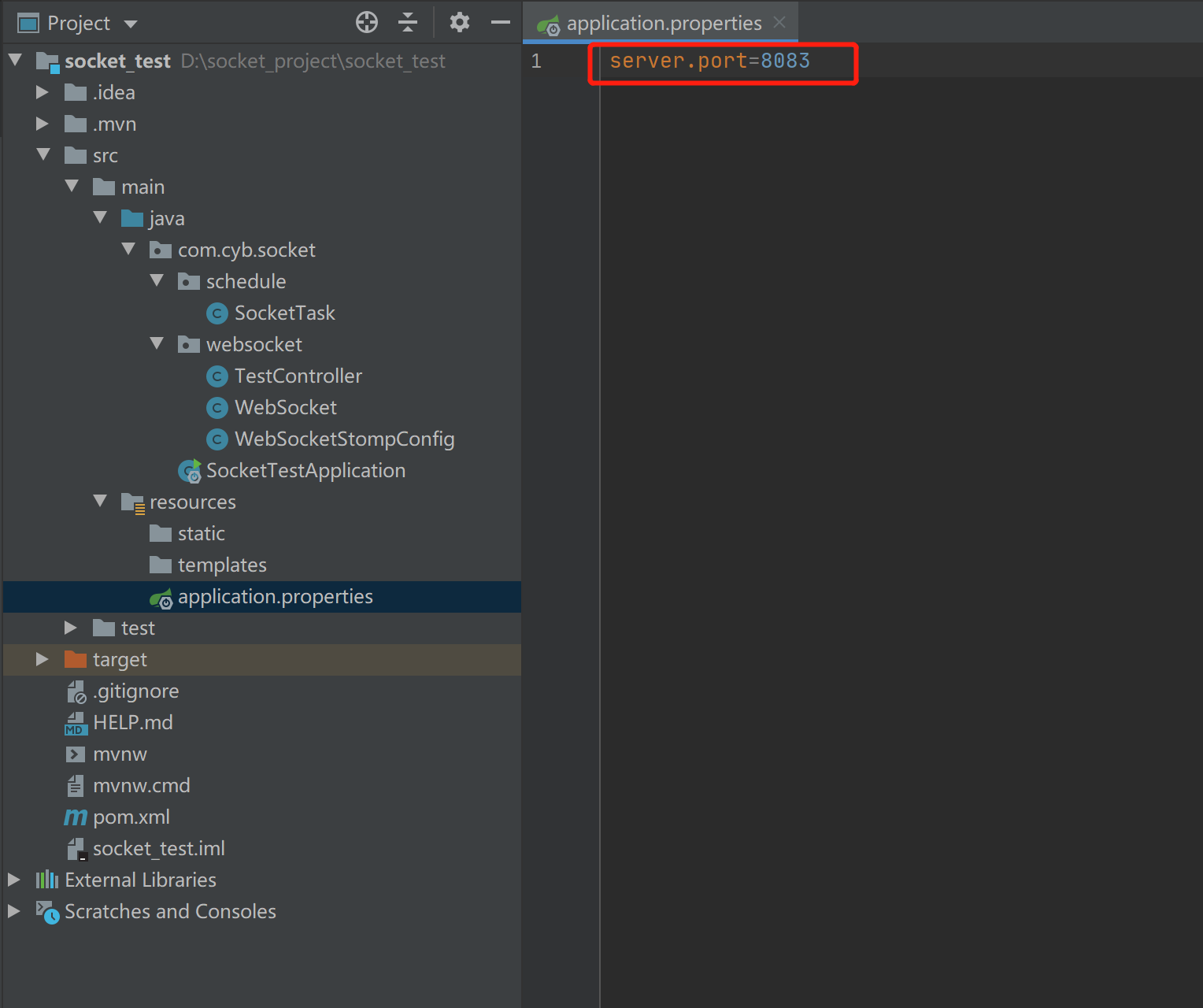
appliccation.properties
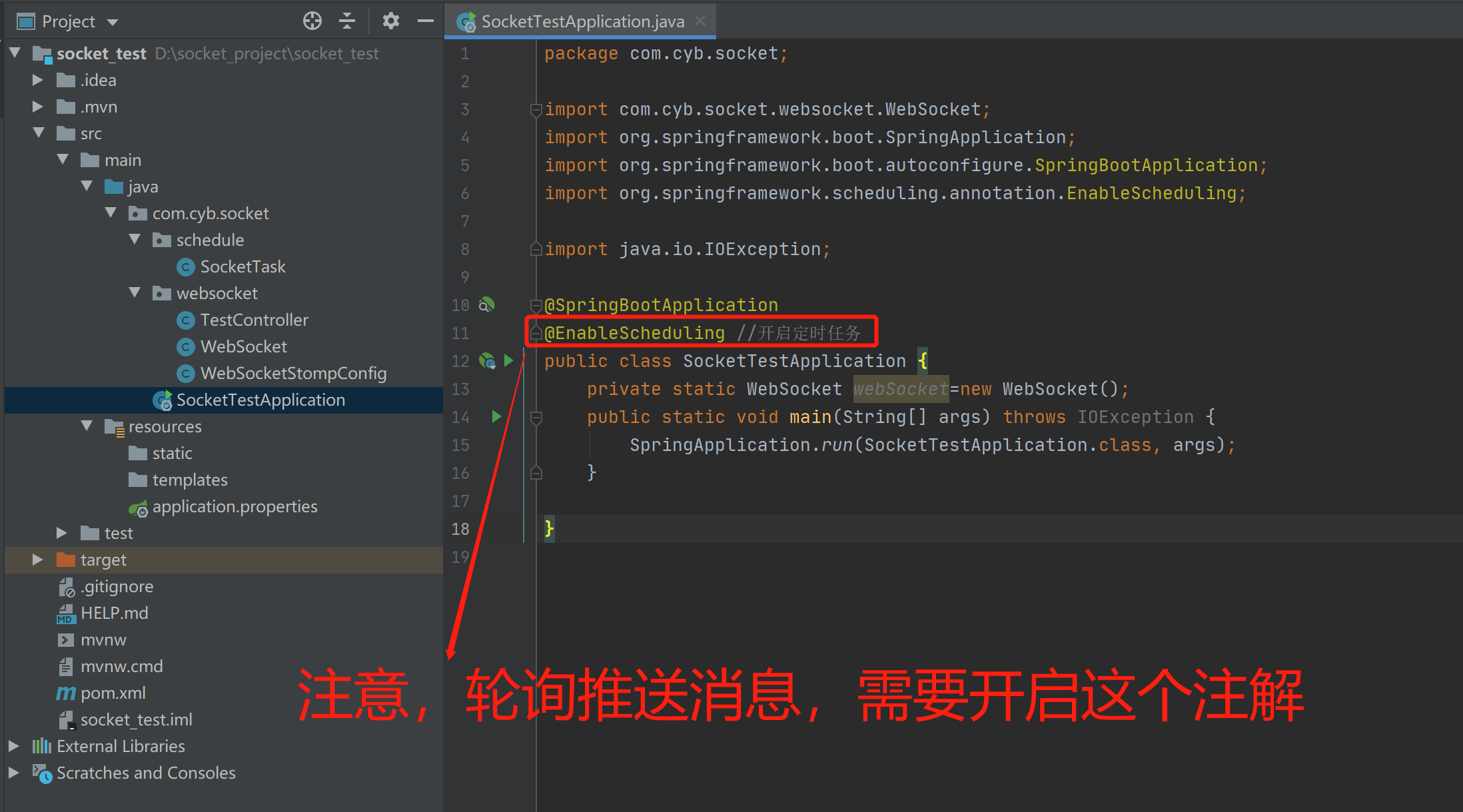
SocketTestApplication.java(Spring Boot启动类)
WebSocketStompConfig.java
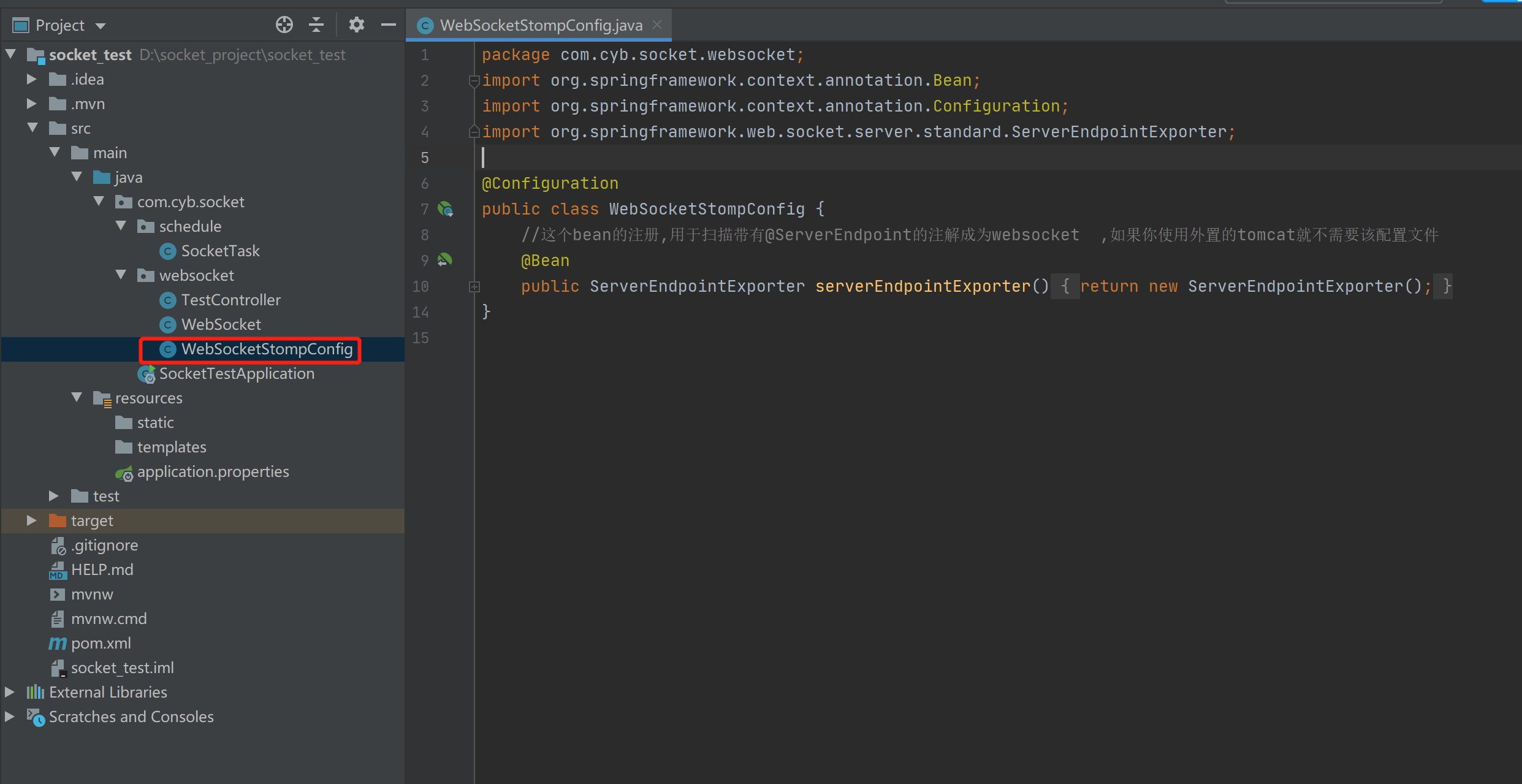
1package com.cyb.socket.websocket;
2import org.springframework.context.annotation.Bean;
3import org.springframework.context.annotation.Configuration;
4import org.springframework.web.socket.server.standard.ServerEndpointExporter;
5
6@Configuration
7public class WebSocketStompConfig {
8    //这个bean的注册,用于扫描带有@ServerEndpoint的注解成为websocket  ,如果你使用外置的tomcat就不需要该配置文件
9    @Bean
10    public ServerEndpointExporter serverEndpointExporter()
11    {
12        return new ServerEndpointExporter();
13    }
14}
WebSocket.java(Socket核心类)
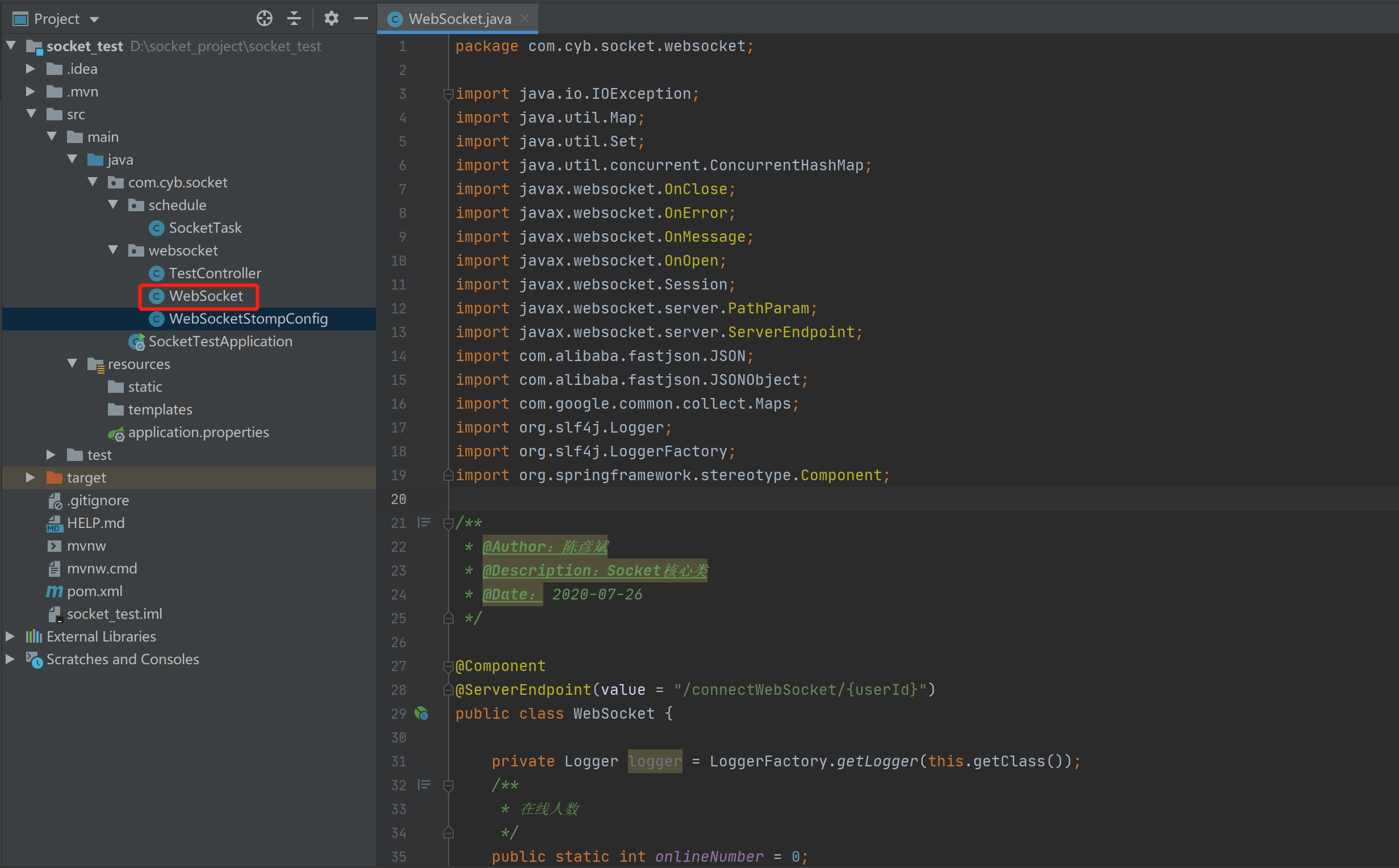
1package com.cyb.socket.websocket;
2
3import java.io.IOException;
4import java.util.Map;
5import java.util.Set;
6import java.util.concurrent.ConcurrentHashMap;
7import javax.websocket.OnClose;
8import javax.websocket.OnError;
9import javax.websocket.OnMessage;
10import javax.websocket.OnOpen;
11import javax.websocket.Session;
12import javax.websocket.server.PathParam;
13import javax.websocket.server.ServerEndpoint;
14import com.alibaba.fastjson.JSON;
15import com.alibaba.fastjson.JSONObject;
16import com.google.common.collect.Maps;
17import org.slf4j.Logger;
18import org.slf4j.LoggerFactory;
19import org.springframework.stereotype.Component;
20
21/**
22 * @Author:陈彦斌
23 * @Description:Socket核心类
24 * @Date: 2020-07-26
25 */
26
27@Component
28@ServerEndpoint(value = "/connectWebSocket/{userId}")
29public class WebSocket {
30
31    private Logger logger = LoggerFactory.getLogger(this.getClass());
32    /**
33     * 在线人数
34     */
35    public static int onlineNumber = 0;
36    /**
37     * 以用户的姓名为key,WebSocket为对象保存起来
38     */
39    private static Map<String, WebSocket> clients = new ConcurrentHashMap<String, WebSocket>();
40    /**
41     * 会话
42     */
43    private Session session;
44    /**
45     * 用户名称
46     */
47    private String userId;
48
49    /**
50     * 建立连接
51     *
52     * @param session
53     */
54    @OnOpen
55    public void onOpen(@PathParam("userId") String userId, Session session) {
56        onlineNumber++;
57        System.out.println("现在来连接的客户id:" + session.getId() + "用户名:" + userId);
58        //logger.info("现在来连接的客户id:"+session.getId()+"用户名:"+userId);
59        this.userId = userId;
60        this.session = session;
61        System.out.println("有新连接加入! 当前在线人数" + onlineNumber);
62        //  logger.info("有新连接加入! 当前在线人数" + onlineNumber);
63        try {
64            //messageType 1代表上线 2代表下线 3代表在线名单 4代表普通消息
65            //先给所有人发送通知,说我上线了
66            Map<String, Object> map1 = Maps.newHashMap();
67            map1.put("messageType", 1);
68            map1.put("userId", userId);
69            sendMessageAll(JSON.toJSONString(map1), userId);
70
71            //把自己的信息加入到map当中去
72            clients.put(userId, this);
73            System.out.println("有连接关闭! 当前在线人数" + onlineNumber);
74            //logger.info("有连接关闭! 当前在线人数" + clients.size());
75            //给自己发一条消息:告诉自己现在都有谁在线
76            Map<String, Object> map2 = Maps.newHashMap();
77            map2.put("messageType", 3);
78            //移除掉自己
79            Set<String> set = clients.keySet();
80            map2.put("onlineUsers", set);
81            sendMessageTo(JSON.toJSONString(map2), userId);
82        } catch (IOException e) {
83            System.out.println(userId + "上线的时候通知所有人发生了错误");
84            //logger.info(userId+"上线的时候通知所有人发生了错误");
85        }
86    }
87
88    @OnError
89    public void onError(Session session, Throwable error) {
90        //logger.info("服务端发生了错误"+error.getMessage());
91        //error.printStackTrace();
92        System.out.println("服务端发生了错误:" + error.getMessage());
93    }
94
95    /**
96     * 连接关闭
97     */
98    @OnClose
99    public void onClose() {
100        onlineNumber--;
101        //webSockets.remove(this);
102        clients.remove(userId);
103        try {
104            //messageType 1代表上线 2代表下线 3代表在线名单  4代表普通消息
105            Map<String, Object> map1 = Maps.newHashMap();
106            map1.put("messageType", 2);
107            map1.put("onlineUsers", clients.keySet());
108            map1.put("userId", userId);
109            sendMessageAll(JSON.toJSONString(map1), userId);
110        } catch (IOException e) {
111            System.out.println(userId + "下线的时候通知所有人发生了错误");
112            //logger.info(userId+"下线的时候通知所有人发生了错误");
113        }
114        //logger.info("有连接关闭! 当前在线人数" + onlineNumber);
115        //logger.info("有连接关闭! 当前在线人数" + clients.size());
116        System.out.println("有连接关闭! 当前在线人数" + onlineNumber);
117    }
118
119    /**
120     * 收到客户端的消息
121     *
122     * @param message 消息
123     * @param session 会话
124     */
125    @OnMessage
126    public void onMessage(String message, Session session) {
127        try {
128            //logger.info("来自客户端消息:" + message+"客户端的id是:"+session.getId());
129            System.out.println("来自客户端消息:" + message + " | 客户端的id是:" + session.getId());
130            JSONObject jsonObject = JSON.parseObject(message);
131            String textMessage = jsonObject.getString("message");
132            String fromuserId = jsonObject.getString("userId");
133            String touserId = jsonObject.getString("to");
134            //如果不是发给所有,那么就发给某一个人
135            //messageType 1代表上线 2代表下线 3代表在线名单  4代表普通消息
136            Map<String, Object> map1 = Maps.newHashMap();
137            map1.put("messageType", 4);
138            map1.put("textMessage", textMessage);
139            map1.put("fromuserId", fromuserId);
140            if (touserId.equals("All")) {
141                map1.put("touserId", "所有人");
142                sendMessageAll(JSON.toJSONString(map1), fromuserId);
143            } else {
144                map1.put("touserId", touserId);
145                System.out.println("开始推送消息给" + touserId);
146                sendMessageTo(JSON.toJSONString(map1), touserId);
147            }
148        } catch (Exception e) {
149            e.printStackTrace();
150            //logger.info("发生了错误了");
151        }
152
153    }
154
155    /**
156     * 给指定的用户发送消息
157     *
158     * @param message
159     * @param TouserId
160     * @throws IOException
161     */
162    public void sendMessageTo(String message, String TouserId) throws IOException {
163        for (WebSocket item : clients.values()) {
164            System.out.println("给指定的在线用户发送消息,在线人员名单:【" + item.userId.toString() + "】发送消息:" + message);
165            if (item.userId.equals(TouserId)) {
166                item.session.getAsyncRemote().sendText(message);
167                break;
168            }
169        }
170    }
171
172    /**
173     * 给所有用户发送消息
174     *
175     * @param message    数据
176     * @param FromuserId
177     * @throws IOException
178     */
179    public void sendMessageAll(String message, String FromuserId) throws IOException {
180        for (WebSocket item : clients.values()) {
181            System.out.println("给所有在线用户发送给消息,在线人员名单:【" + item.userId.toString() + "】发送消息:" + message);
182            item.session.getAsyncRemote().sendText(message);
183        }
184    }
185
186    /**
187     * 给所有在线用户发送消息
188     *
189     * @param message 数据
190     * @throws IOException
191     */
192    public void sendMessageAll(String message) throws IOException {
193        for (WebSocket item : clients.values()) {
194            System.out.println("服务器给所有在线用户发送消息,当前在线人员为【" + item.userId.toString() + "】发送消息:" + message);
195            item.session.getAsyncRemote().sendText(message);
196        }
197    }
198
199    /**
200     * 获取在线用户数
201     *
202     * @return
203     */
204    public static synchronized int getOnlineCount() {
205        return onlineNumber;
206    }
207}
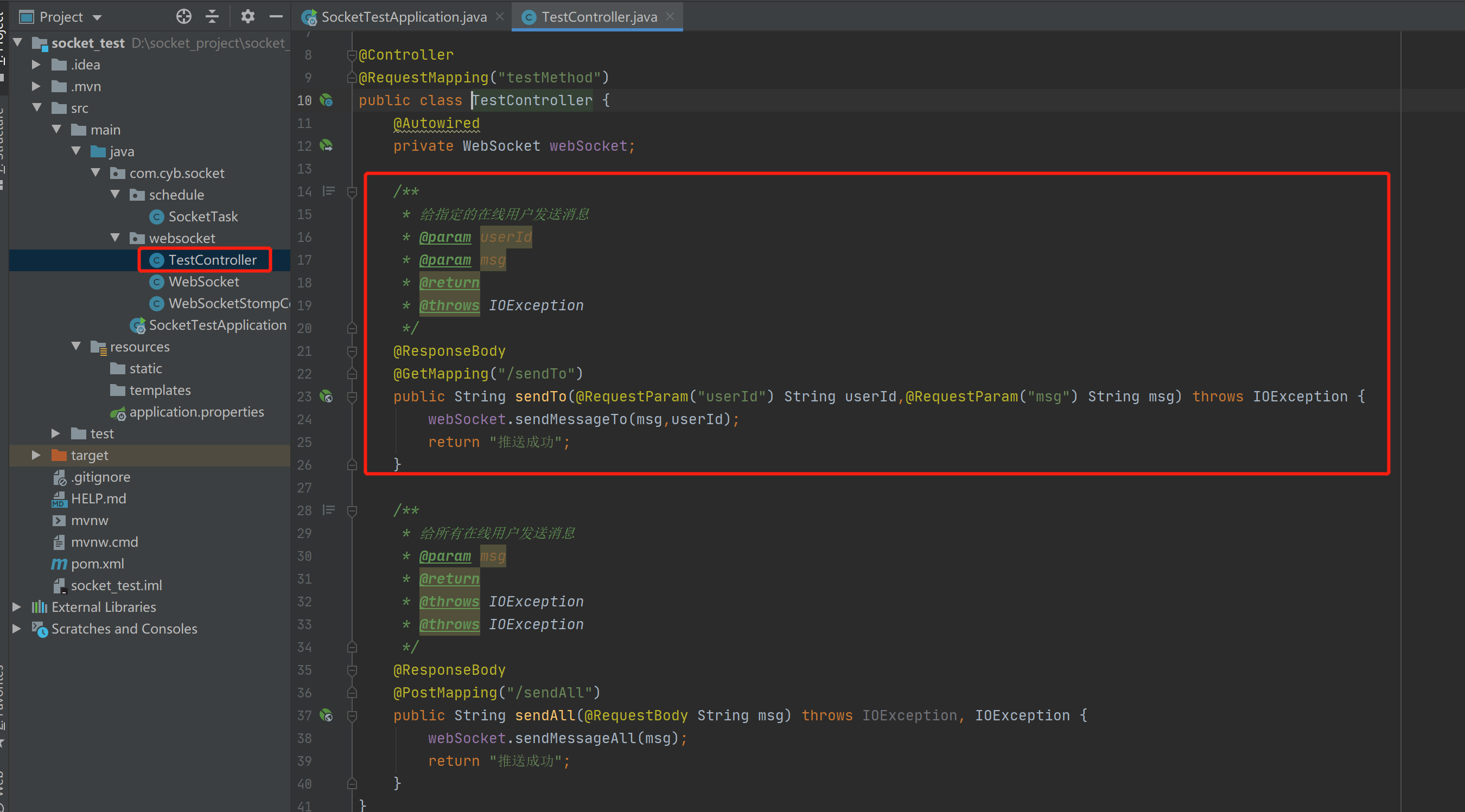
TestController.java(前端控制器)
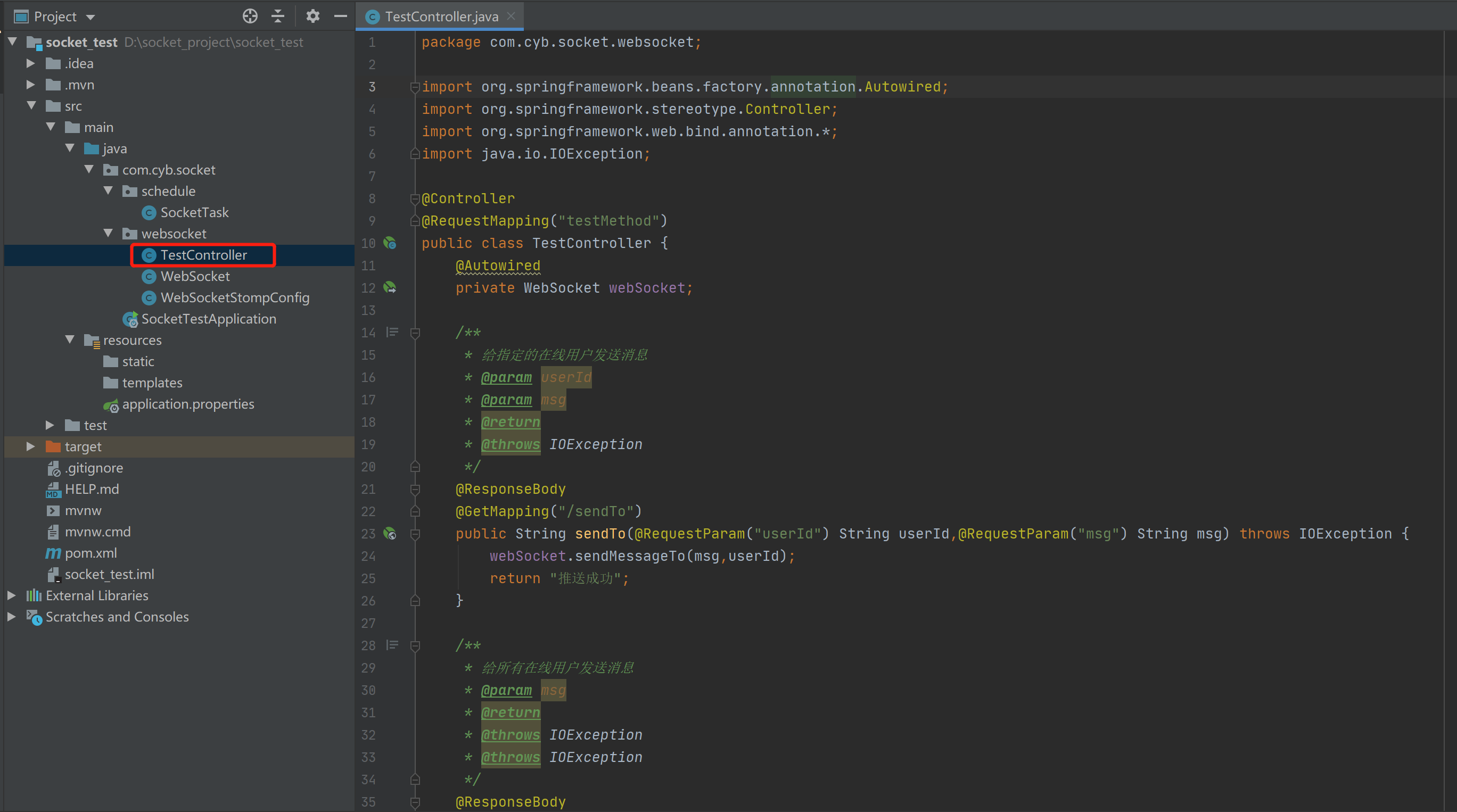
1package com.cyb.socket.websocket;
2
3import org.springframework.beans.factory.annotation.Autowired;
4import org.springframework.stereotype.Controller;
5import org.springframework.web.bind.annotation.*;
6import java.io.IOException;
7
8@Controller
9@RequestMapping("testMethod")
10public class TestController {
11    @Autowired
12    private WebSocket webSocket;
13
14    /**
15     * 给指定的在线用户发送消息
16     * @param userId
17     * @param msg
18     * @return
19     * @throws IOException
20     */
21    @ResponseBody
22    @GetMapping("/sendTo")
23    public String sendTo(@RequestParam("userId") String userId,@RequestParam("msg") String msg) throws IOException {
24        webSocket.sendMessageTo(msg,userId);
25        return "推送成功";
26    }
27
28    /**
29     * 给所有在线用户发送消息
30     * @param msg
31     * @return
32     * @throws IOException
33     * @throws IOException
34     */
35    @ResponseBody
36    @PostMapping("/sendAll")
37    public String sendAll(@RequestBody String msg) throws IOException, IOException {
38        webSocket.sendMessageAll(msg);
39        return "推送成功";
40    }
41}
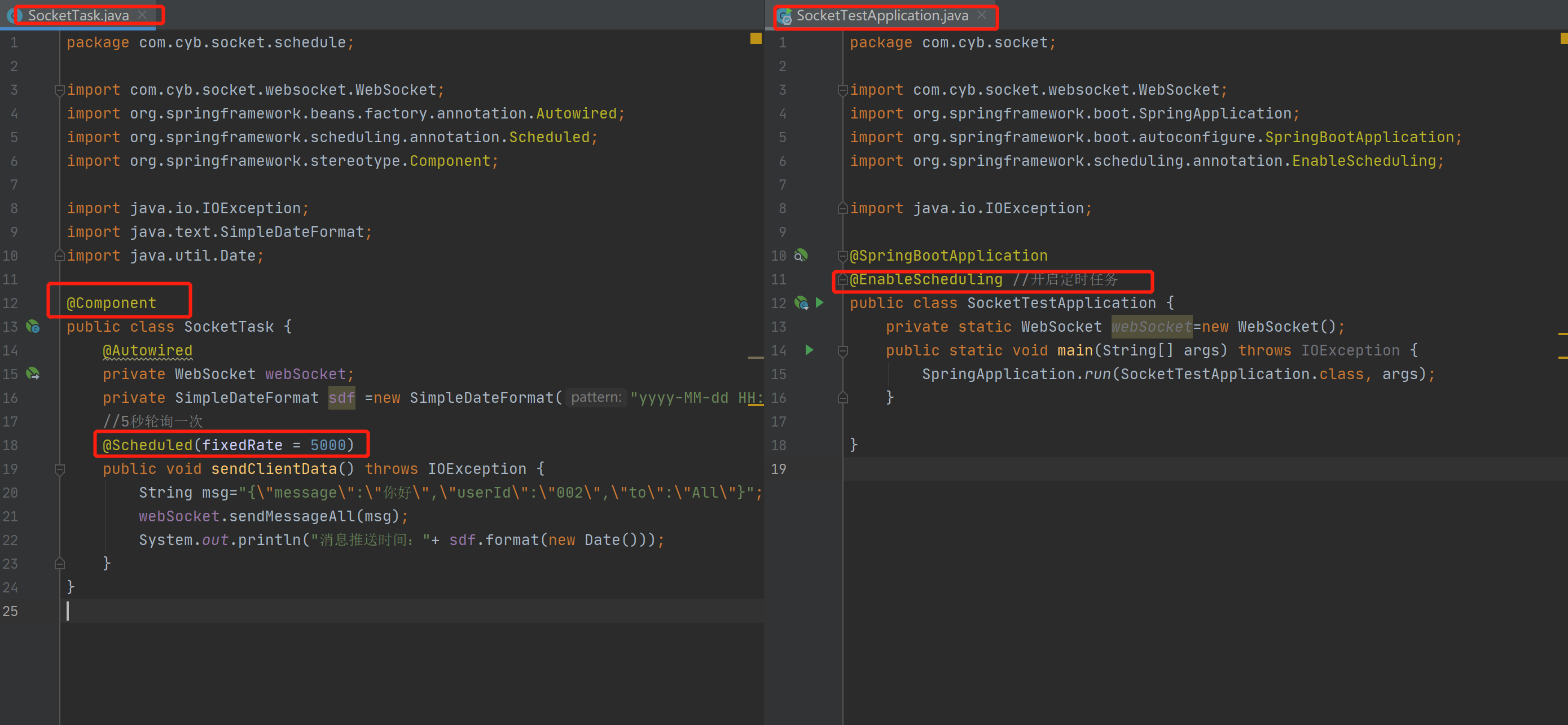
SocketTask.java(轮询调度往客户端推送消息)
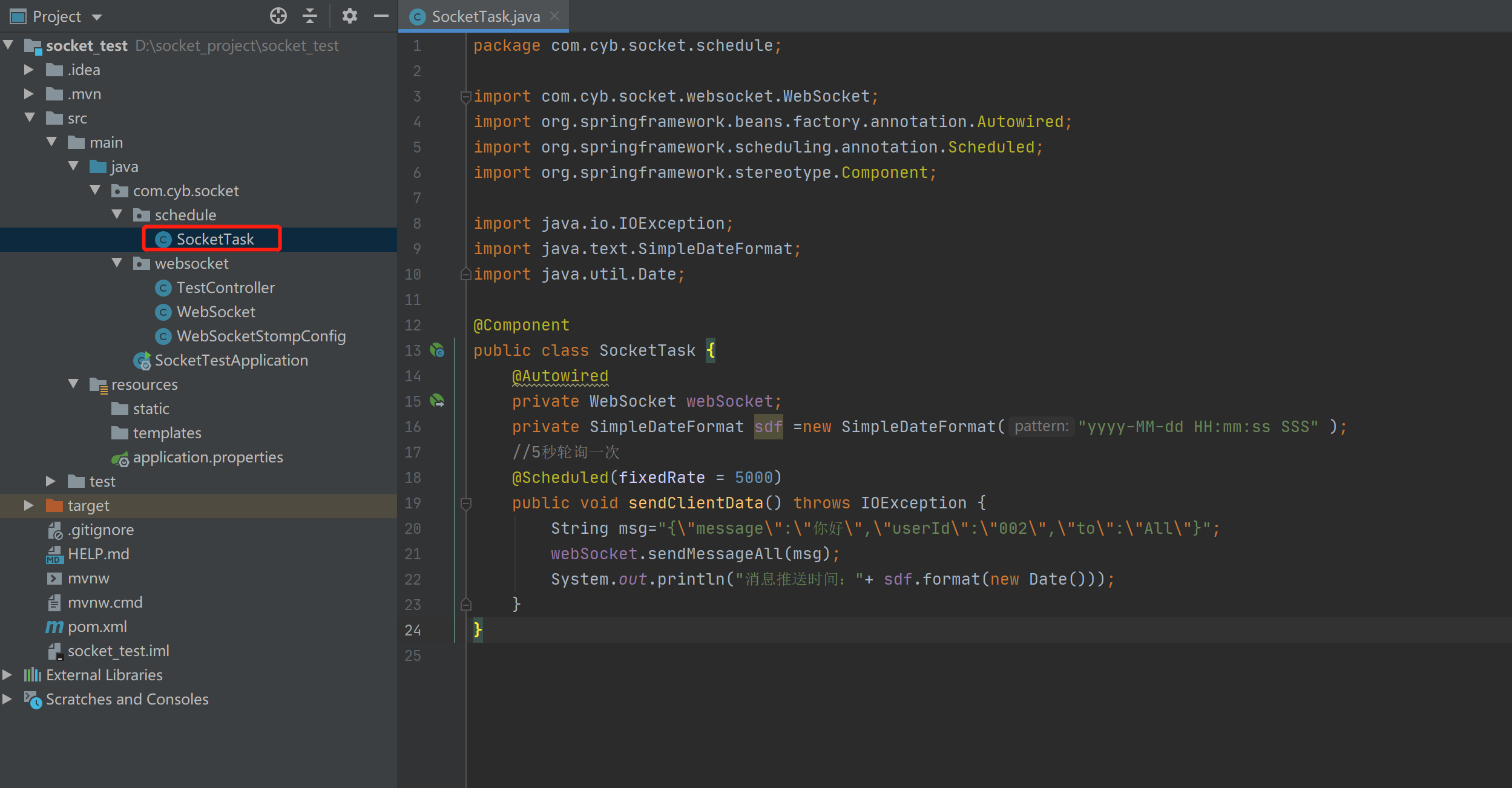
1package com.cyb.socket.schedule;
2
3import com.cyb.socket.websocket.WebSocket;
4import org.springframework.beans.factory.annotation.Autowired;
5import org.springframework.scheduling.annotation.Scheduled;
6import org.springframework.stereotype.Component;
7
8import java.io.IOException;
9import java.text.SimpleDateFormat;
10import java.util.Date;
11
12@Component
13public class SocketTask {
14    @Autowired
15    private WebSocket webSocket;
16    private SimpleDateFormat sdf =new SimpleDateFormat("yyyy-MM-dd HH:mm:ss SSS" );
17    //5秒轮询一次
18    @Scheduled(fixedRate = 5000)
19    public void sendClientData() throws IOException {
20        String msg="{\"message\":\"你好\",\"userId\":\"002\",\"to\":\"All\"}";
21        webSocket.sendMessageAll(msg);
22        System.out.println("消息推送时间:"+ sdf.format(new Date()));
23    }
24}
测试网页
index.html
1<!DOCTYPE HTML>
2<html>
3<head>
4    <title>Test My WebSocket</title>
5</head>
6
7
8<body>
9TestWebSocket
10<input  id="text" type="text" style="width:500px"/>
11<button onclick="send()">SEND MESSAGE</button>
12<button onclick="closeWebSocket()">CLOSE</button>
13<div id="message"></div>
14</body>
15
16<script type="text/javascript">
17    var websocket = null;
18
19
20    //判断当前浏览器是否支持WebSocket
21    if('WebSocket' in window){
22        //连接WebSocket节点
23        websocket = new WebSocket("ws://localhost:8083/connectWebSocket/001");
24    }
25    else{
26        alert('Not support websocket')
27    }
28
29
30    //连接发生错误的回调方法
31    websocket.onerror = function(){
32        setMessageInnerHTML("error");
33    };
34
35
36    //连接成功建立的回调方法
37    websocket.onopen = function(event){
38        setMessageInnerHTML("open");
39    }
40
41
42    //接收到消息的回调方法
43    websocket.onmessage = function(event){
44        setMessageInnerHTML(event.data);
45    }
46
47
48    //连接关闭的回调方法
49    websocket.onclose = function(){
50        setMessageInnerHTML("close");
51    }
52
53
54    //监听窗口关闭事件,当窗口关闭时,主动去关闭websocket连接,防止连接还没断开就关闭窗口,server端会抛异常。
55    window.onbeforeunload = function(){
56        websocket.close();
57    }
58
59
60    //将消息显示在网页上
61    function setMessageInnerHTML(innerHTML){
62        document.getElementById('message').innerHTML += innerHTML + '<br/>';
63    }
64
65
66    //关闭连接
67    function closeWebSocket(){
68        websocket.close();
69    }
70
71
72    //发送消息
73    function send(){
74        var message = document.getElementById('text').value;
75        websocket.send(message);
76    }
77</script>
78</html>
index2.html
1<!DOCTYPE HTML>
2<html>
3<head>
4    <title>Test My WebSocket</title>
5</head>
6
7
8<body>
9TestWebSocket
10<input  id="text" type="text" style="width:500px" />
11<button onclick="send()">SEND MESSAGE</button>
12<button onclick="closeWebSocket()">CLOSE</button>
13<div id="message"></div>
14</body>
15
16<script type="text/javascript">
17    var websocket = null;
18
19
20    //判断当前浏览器是否支持WebSocket
21    if('WebSocket' in window){
22        //连接WebSocket节点
23        websocket = new WebSocket("ws://localhost:8083/connectWebSocket/002");
24    }
25    else{
26        alert('Not support websocket')
27    }
28
29
30    //连接发生错误的回调方法
31    websocket.onerror = function(){
32        setMessageInnerHTML("error");
33    };
34
35
36    //连接成功建立的回调方法
37    websocket.onopen = function(event){
38        setMessageInnerHTML("open");
39    }
40
41
42    //接收到消息的回调方法
43    websocket.onmessage = function(event){
44        setMessageInnerHTML(event.data);
45    }
46
47
48    //连接关闭的回调方法
49    websocket.onclose = function(){
50        setMessageInnerHTML("close");
51    }
52
53
54    //监听窗口关闭事件,当窗口关闭时,主动去关闭websocket连接,防止连接还没断开就关闭窗口,server端会抛异常。
55    window.onbeforeunload = function(){
56        websocket.close();
57    }
58
59
60    //将消息显示在网页上
61    function setMessageInnerHTML(innerHTML){
62        document.getElementById('message').innerHTML += innerHTML + '<br/>';
63    }
64
65
66    //关闭连接
67    function closeWebSocket(){
68        websocket.close();
69    }
70
71
72    //发送消息
73    function send(){
74        var message = document.getElementById('text').value;
75        websocket.send(message);
76    }
77</script>
78</html>
项目地址
1链接:https://pan.baidu.com/s/1yiAXTkCjHac-F3S1HFyNJQ
2提取码:53tp
功能演示
客户端给所有在线用户发消息
客户端给指定在线用户发送消息
服务器给客户端发送消息(轮询方式)
注意需要加上这些注解
演示
通过前端控制器给指定用户发送消息
演示