
问题
1、页面布局文件:
1<LinearLayout  xmlns:android="http://schemas.android.com/apk/res/android"
2    android:id="@+id/layout_order_detail"
3    android:layout_width="match_parent"
4    android:layout_height="match_parent"
5    android:fitsSystemWindows="true"
6    android:orientation="vertical">
2、配置文件不设置android:windowSoftInputMode属性;
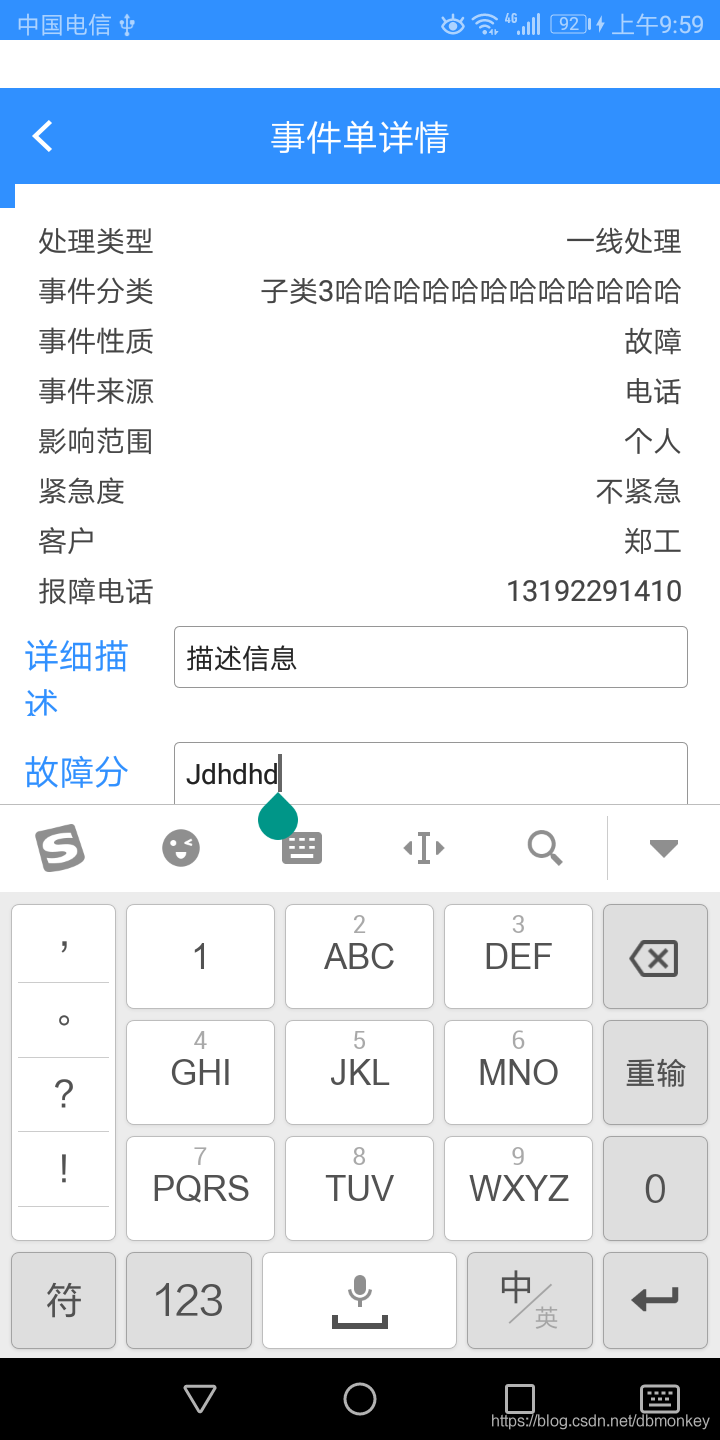
效果图:
image
3、加入android:fitsSystemWindows="true"后,解决了输入法遮挡了输入框的问题,但是界面顶部出现了状态栏高度的白条。
解决方法
1、自定义CustomLinearLayout(因为我页面最外层是LinearLayout)继承LinearLayout,重写fitSystemWindows和onApplyWindowInsets两个方法:
1public class CustomLinearLayout extends LinearLayout {
2    public CustomLinearLayout(Context context) {
3        super(context);
4    }
5
6    public CustomLinearLayout(Context context, AttributeSet attrs) {
7        super(context, attrs);
8    }
9
10    public CustomLinearLayout(Context context, AttributeSet attrs, int defStyleAttr) {
11        super(context, attrs, defStyleAttr);
12    }
13
14    public CustomLinearLayout(Context context, AttributeSet attrs, int defStyleAttr, int defStyleRes) {
15        super(context, attrs, defStyleAttr, defStyleRes);
16    }
17
18    @Override
19    protected boolean fitSystemWindows(Rect insets) {
20        if (Build.VERSION.SDK_INT >= Build.VERSION_CODES.KITKAT) {
21            insets.left = 0;
22            insets.top = 0;
23            insets.right = 0;
24        }
25        return super.fitSystemWindows(insets);
26    }
27
28    @RequiresApi(api = Build.VERSION_CODES.KITKAT_WATCH)
29    @Override
30    public WindowInsets onApplyWindowInsets(WindowInsets insets) {
31        if (Build.VERSION.SDK_INT >= Build.VERSION_CODES.KITKAT) {
32            return super.onApplyWindowInsets(insets.replaceSystemWindowInsets(0, 0, 0, insets.getSystemWindowInsetBottom()));
33        } else {
34            return insets;
35        }
36    }
37}
2、修改布局文件:
1<com.example.widget.CustomLinearLayout xmlns:android="http://schemas.android.com/apk/res/android"
2    android:id="@+id/layout_order_detail"
3    android:layout_width="match_parent"
4    android:layout_height="match_parent"
5    android:fitsSystemWindows="true"
6    android:orientation="vertical">
3、配置文件不设置android:windowSoftInputMode属性;
4、效果图:
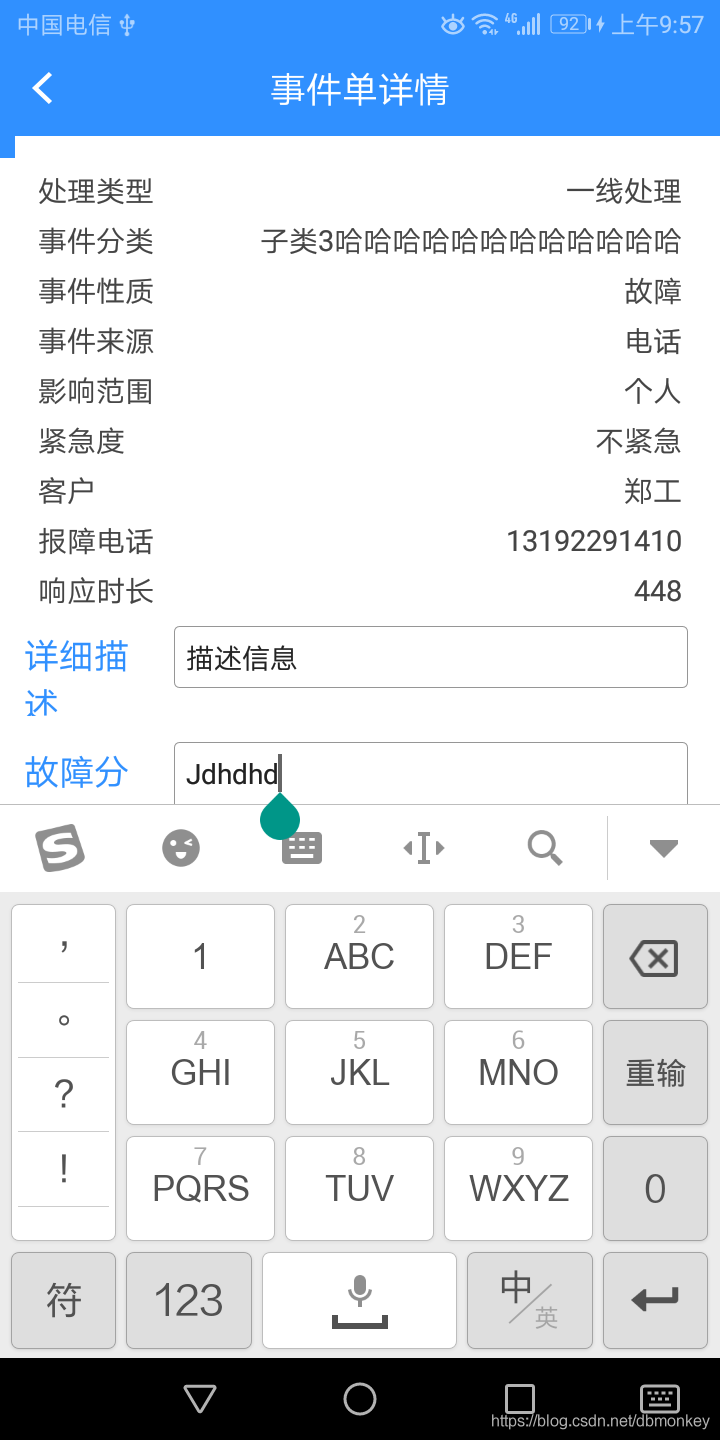
image.png
问题解决。