
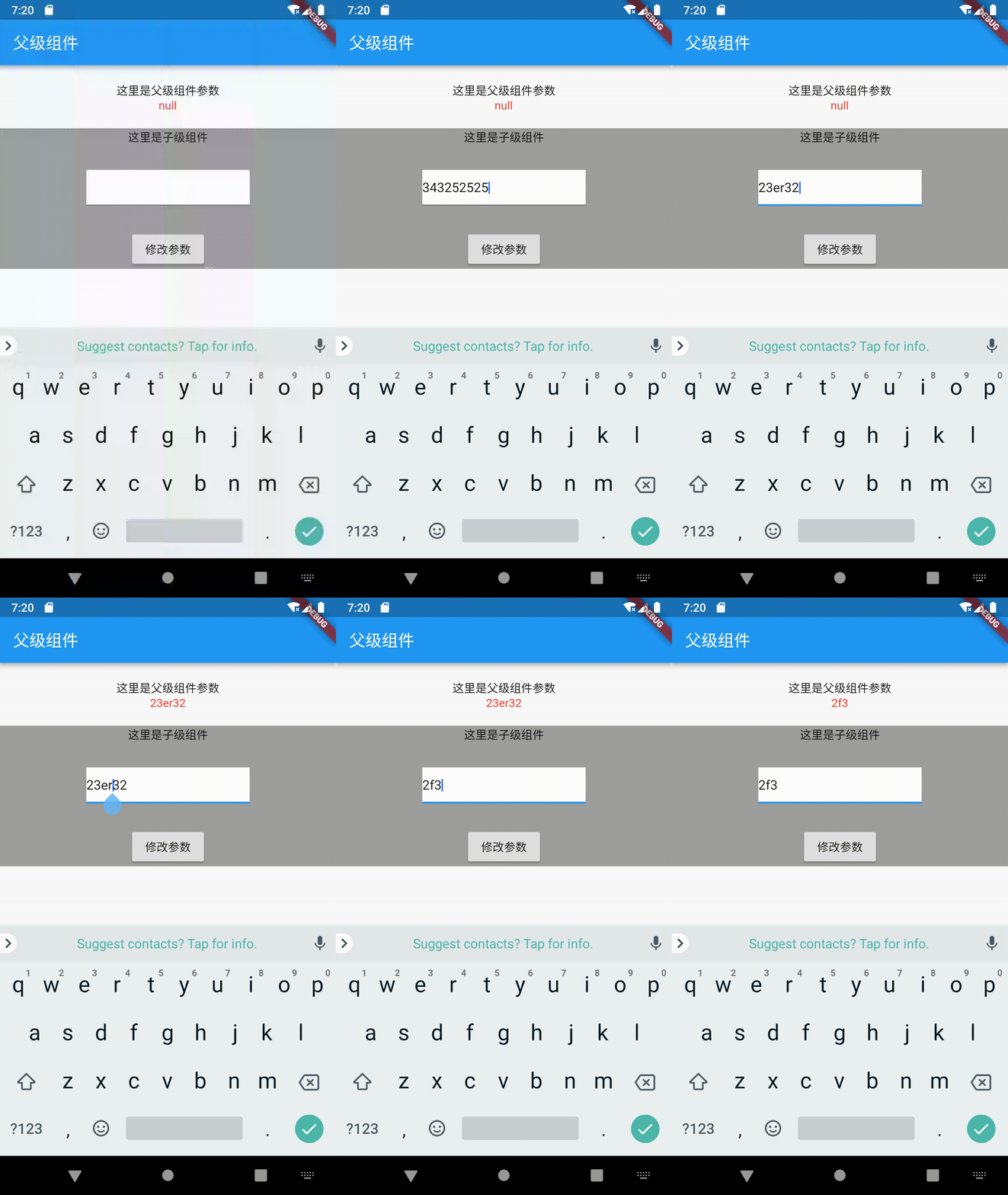
子组件调用父级组件方法的主要实现是父组件给子组件传入一个方法,然后在子组件中调用父级方法来修改父级的参数。看一下效果图
父级组件实现
在父级组件中写一个**_editParentText的方法来修改组件中的contentText**值,并在引入子组件的时候传入该方法
1class PageParent extends StatefulWidget {
2  @override
3  _PageParentState createState() => _PageParentState();
4}
5
6class _PageParentState extends State<PageParent> {
7  String contentText;
8
9  @override
10  Widget build(BuildContext context) {
11    return Scaffold(
12      appBar: AppBar(
13        title: Text('父级组件'),
14      ),
15      body: Container(
16        alignment: Alignment.center,
17        child: Column(
18          children: <Widget>[
19            Container(
20              padding: EdgeInsets.all(20),
21              child: Column(
22                children: <Widget>[
23                  Text('这里是父级组件参数',),
24                  Text('${contentText}',style: TextStyle(color: Colors.red),)
25                ],
26              ),
27            ),
28            PageChildren(editParentText: (editText) => _editParentText(editText))    // 给子组件传入_editParentText()方法
29          ],
30        ),
31      ),
32    );
33  }
34 // 修改contentText参数
35  _editParentText(editText) {
36    setState(() {
37      contentText = editText;
38    });
39  }
40
41
42
43}
子级页面是实现
在子级页面中定义一个editParentText用于接收父级传过来的方法,然后直接通过widget.editParentText('传回的参数')即调用父级组件的_editParentText方法
1class PageChildren extends StatefulWidget {
2  final editParentText;
3  const PageChildren({Key key, this.editParentText}) : super(key: key);
4  @override
5  _PageChildrenState createState() => _PageChildrenState();
6}
7
8class _PageChildrenState extends State<PageChildren> {
9  TextEditingController _controller = TextEditingController();
10  @override
11  Widget build(BuildContext context) {
12    return Container(
13      alignment: Alignment.center,
14      color: Colors.grey,
15      child: Column(
16        children: <Widget>[
17          Text('这里是子级组件'),
18          Container(
19            width: 200,
20            color: Colors.white,
21            margin: EdgeInsets.symmetric(vertical: 30),
22            child: TextField(
23              controller: _controller,
24            ),
25          ),
26          RaisedButton(
27            child: Text('修改参数'),
28            onPressed: (){
29              setState(() {
30                widget.editParentText(_controller.text);    // 调用父级组件方法
31              });
32            },
33          )
34        ],
35      ),
36    );
37  }
38
39}