springboot2.0配合thymeleaf实现页面国际化
1. 引入thymeleaf
1<?xml version="1.0" encoding="UTF-8"?>
2<project xmlns="http://maven.apache.org/POM/4.0.0" xmlns:xsi="http://www.w3.org/2001/XMLSchema-instance"
3         xsi:schemaLocation="http://maven.apache.org/POM/4.0.0 https://maven.apache.org/xsd/maven-4.0.0.xsd">
4    <modelVersion>4.0.0</modelVersion>
5    <parent>
6        <groupId>org.springframework.boot</groupId>
7        <artifactId>spring-boot-starter-parent</artifactId>
8        <version>2.2.1.RELEASE</version>
9        <relativePath/> <!-- lookup parent from repository -->
10    </parent>
11    <groupId>cn.jfjb</groupId>
12    <artifactId>crud</artifactId>
13    <version>0.0.1-SNAPSHOT</version>
14    <name>crud</name>
15    <description>Demo project for Spring Boot</description>
16
17    <properties>
18        <java.version>1.8</java.version>
19    </properties>
20
21    <dependencies>
22        <dependency>
23            <groupId>org.springframework.boot</groupId>
24            <artifactId>spring-boot-starter-web</artifactId>
25        </dependency>
26
27        <dependency>
28            <groupId>org.springframework.boot</groupId>
29            <artifactId>spring-boot-starter-thymeleaf</artifactId>
30        </dependency>
31
32        <dependency>
33            <groupId>org.springframework.boot</groupId>
34            <artifactId>spring-boot-starter-test</artifactId>
35            <scope>test</scope>
36            <exclusions>
37                <exclusion>
38                    <groupId>org.junit.vintage</groupId>
39                    <artifactId>junit-vintage-engine</artifactId>
40                </exclusion>
41            </exclusions>
42        </dependency>
43    </dependencies>
44
45    <build>
46        <plugins>
47            <plugin>
48                <groupId>org.springframework.boot</groupId>
49                <artifactId>spring-boot-maven-plugin</artifactId>
50            </plugin>
51        </plugins>
52    </build>
53
54</project>
55
2. 新建一个“i18n”的包,用来存放国际化配置
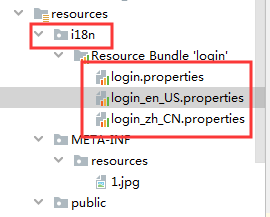
写入如下内容 
3. application.yml中添加配置参数
1spring:
2  messages:
3    basename: i18n.login
4. 编写控制器页面
1package cn.jfjb.crud.controller;
2
3import org.springframework.stereotype.Controller;
4import org.springframework.web.bind.annotation.RequestMapping;
5
6/**
7 * @author john
8 * @date 2019/11/22 - 19:38
9 */
10@Controller
11@RequestMapping({"/"})
12public class HelloController {
13
14    @RequestMapping({"/"})
15    public String hello12() {
16        return "index";
17    }
18}
19
5. 编写模板页面
1<!DOCTYPE html>
2<html lang="en" xmlns:th="http://www.thymeleaf.org">
3<head>
4    <meta charset="UTF-8">
5    <title>Title</title>
6</head>
7<body>
8<h1 th:text="#{login.name}"></h1>
9<h1 th:text="#{login.password}"></h1>
10</body>
11</html>
使用th标签之前需要在页面加上xmlns,加上这个之后会有提示!
<html lang="en" xmlns:th="http://www.thymeleaf.org">
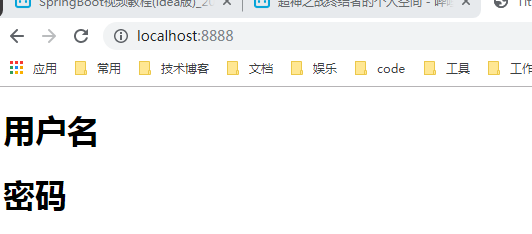
然后切换浏览器上面的语言然后刷新页面就会变化
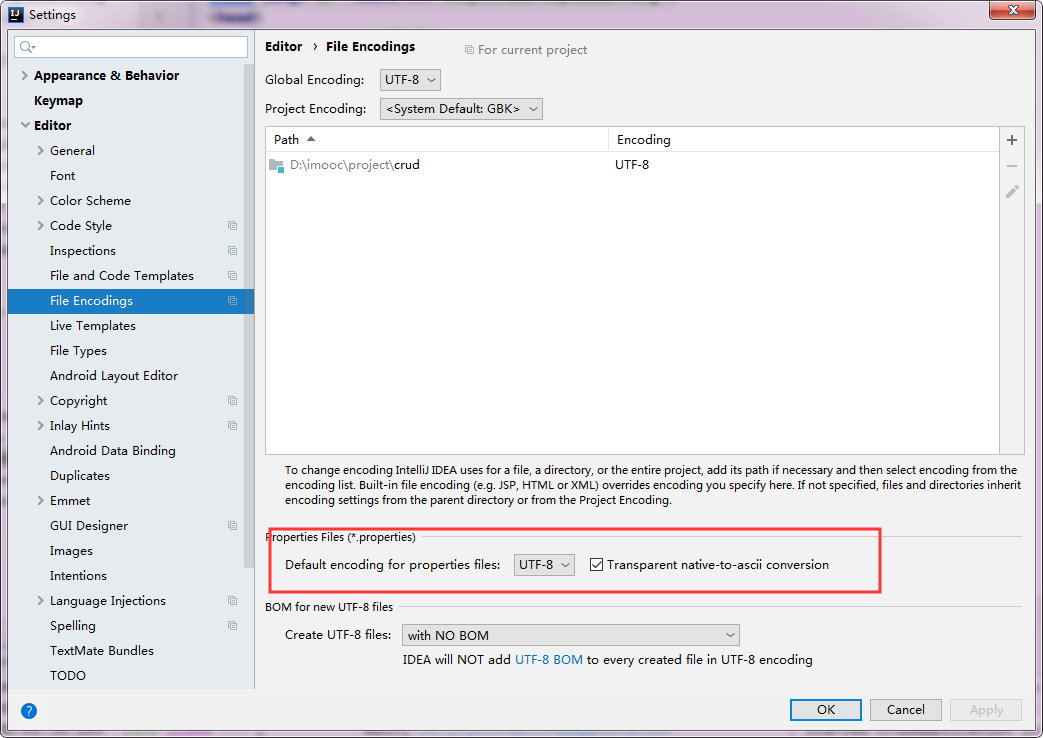
如果出现乱码,需要设置idea的编码
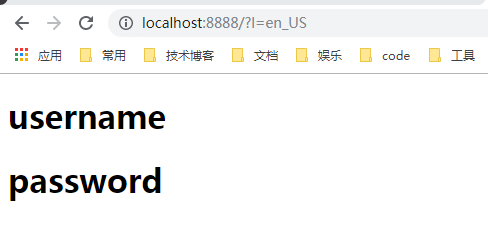
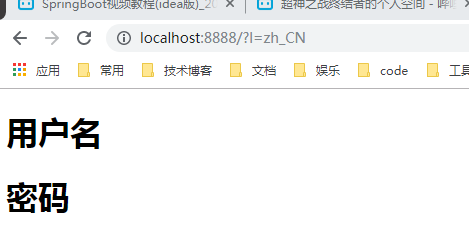
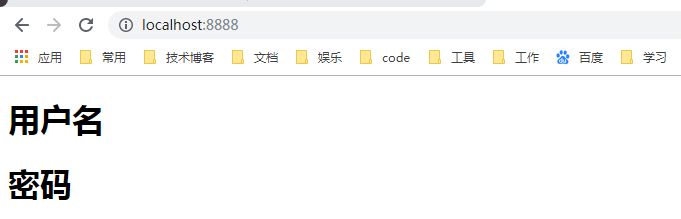
测试
配置使其可以当请求参数中携带语言参数时自动切换语言
1. 编写自定义的LocalResolver
1package cn.jfjb.crud.component;
2
3import org.springframework.util.StringUtils;
4import org.springframework.web.servlet.LocaleResolver;
5
6import javax.servlet.http.HttpServletRequest;
7import javax.servlet.http.HttpServletResponse;
8import java.util.Locale;
9
10/**
11 * @author john
12 * @date 2019/11/23 - 21:08
13 */
14public class MyLocalResolver implements LocaleResolver {
15    @Override
16    public Locale resolveLocale(HttpServletRequest req) {
17        // 获取l后面的参数
18        String l = req.getParameter("l");
19        Locale locale = Locale.getDefault();
20        //没有l使用默认配置,有l使用自定义配置
21        if (!StringUtils.isEmpty(l)) {
22            String[] split = l.split("_");
23            // 第一个是语言代码  第二个是国家代码
24            locale = new Locale(split[0], split[1]);
25        }
26        return locale;
27    }
28
29    @Override
30    public void setLocale(HttpServletRequest httpServletRequest, HttpServletResponse httpServletResponse, Locale locale) {
31
32    }
33}
34
2. 把配置加入到SpringBoot的容器中
1package cn.jfjb.crud.config;
2
3import cn.jfjb.crud.component.MyLocalResolver;
4import org.springframework.context.annotation.Bean;
5import org.springframework.context.annotation.Configuration;
6import org.springframework.web.servlet.LocaleResolver;
7import org.springframework.web.servlet.config.annotation.WebMvcConfigurer;
8
9/**
10 * @author john
11 * @date 2019/11/23 - 18:01
12 */
13@Configuration
14public class MyMvcConfig implements WebMvcConfigurer {
15
16    @Bean
17    public LocaleResolver localeResolver() {
18        return new MyLocalResolver();
19    }
20
21}
22
测试