相关课程:http://hdjc8.com/hdjc/swiftUI/
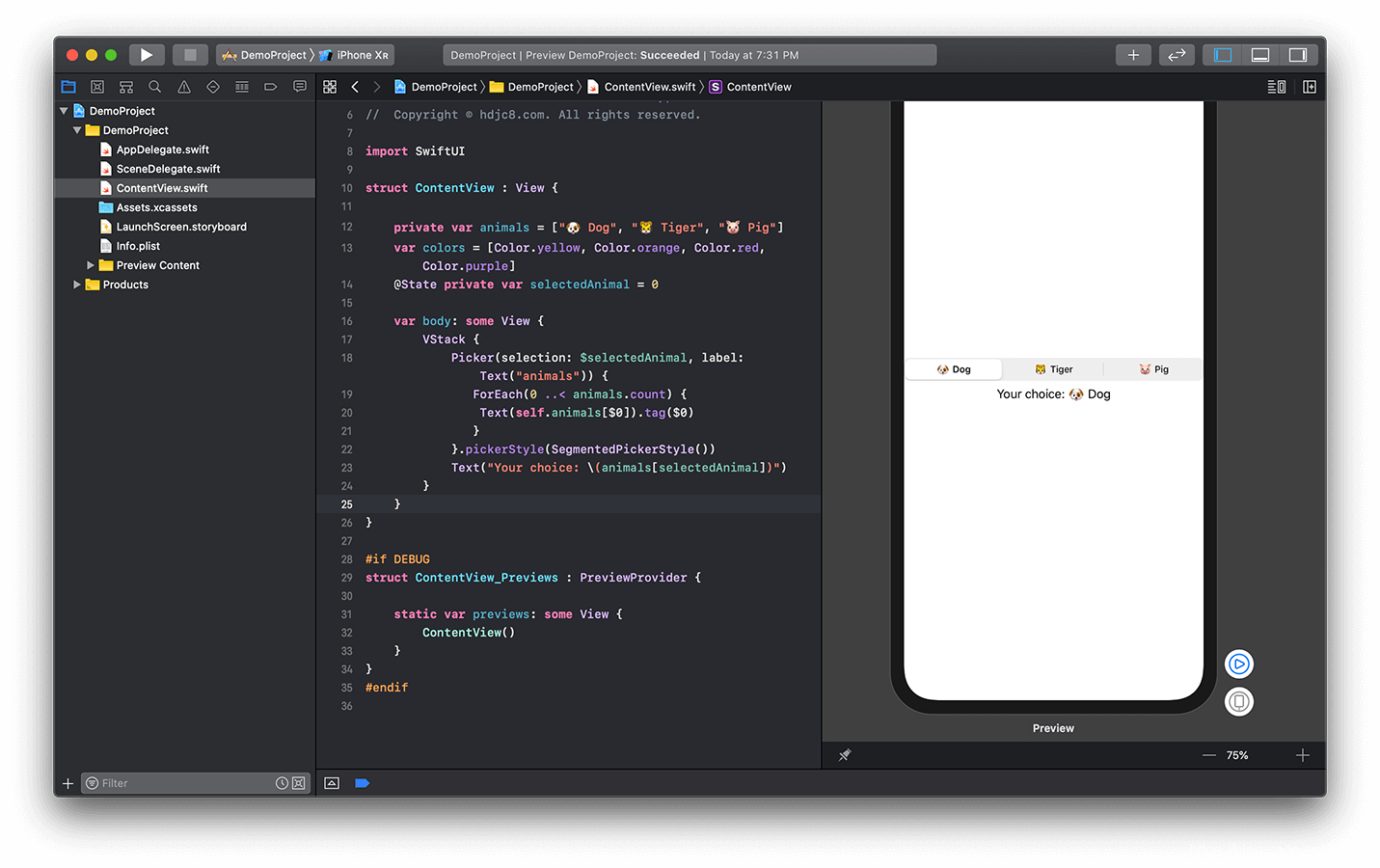
Segment分段控件,类似于UIKit中的UISegmentedControl。分段控件提供一栏选项按钮,一次只能激活其中一个选项按钮。用于实现若干选项的单选。使用分段拾取器,可以在多个视图区域进行快速的跳转。
示例代码:
1struct ContentView : View {
2
3    //给当前的结构体添加一个数组属性,作为Picker列表的数据源。
4    private var animals = ["🐶 Dog", "🐯 Tiger", "🐷 Pig"]
5    var colors = [Color.yellow, Color.orange, Color.red, Color.purple]
6
7    //然后添加一个整型属性,作为列表里的处于选择状态的选项的索引值,并给它添加@State绑定包装标记,使该属性和界面中的Picker视图进行数据绑定。
8    @State private var selectedAnimal = 0
9
10    var body: some View {
11        VStack {
12            Picker(selection: $selectedAnimal, label: Text("animals")) {
13               ForEach(0 ..< animals.count) {
14                Text(self.animals[$0]).tag($0)
15               }
16            }.pickerStyle(SegmentedPickerStyle())//设置拾取器的样式为分段拾取器样式。
17
18            //添加一个文本视图,显示用户所选的内容。
19            Text("Your choice: \(animals[selectedAnimal])")
20        }
21    }
22}
查看运行结果: