
壹
本篇延续上篇Zuul基础学习,做一个实践测试
在之前学习的篇章中,一直积累学习,所以这边已经存在注册中心,product服务,order服务,config配置中心等等服务,每次写demo,注册中心和配置中心都是一直先启动,本次学习Zuul也不例外
贰
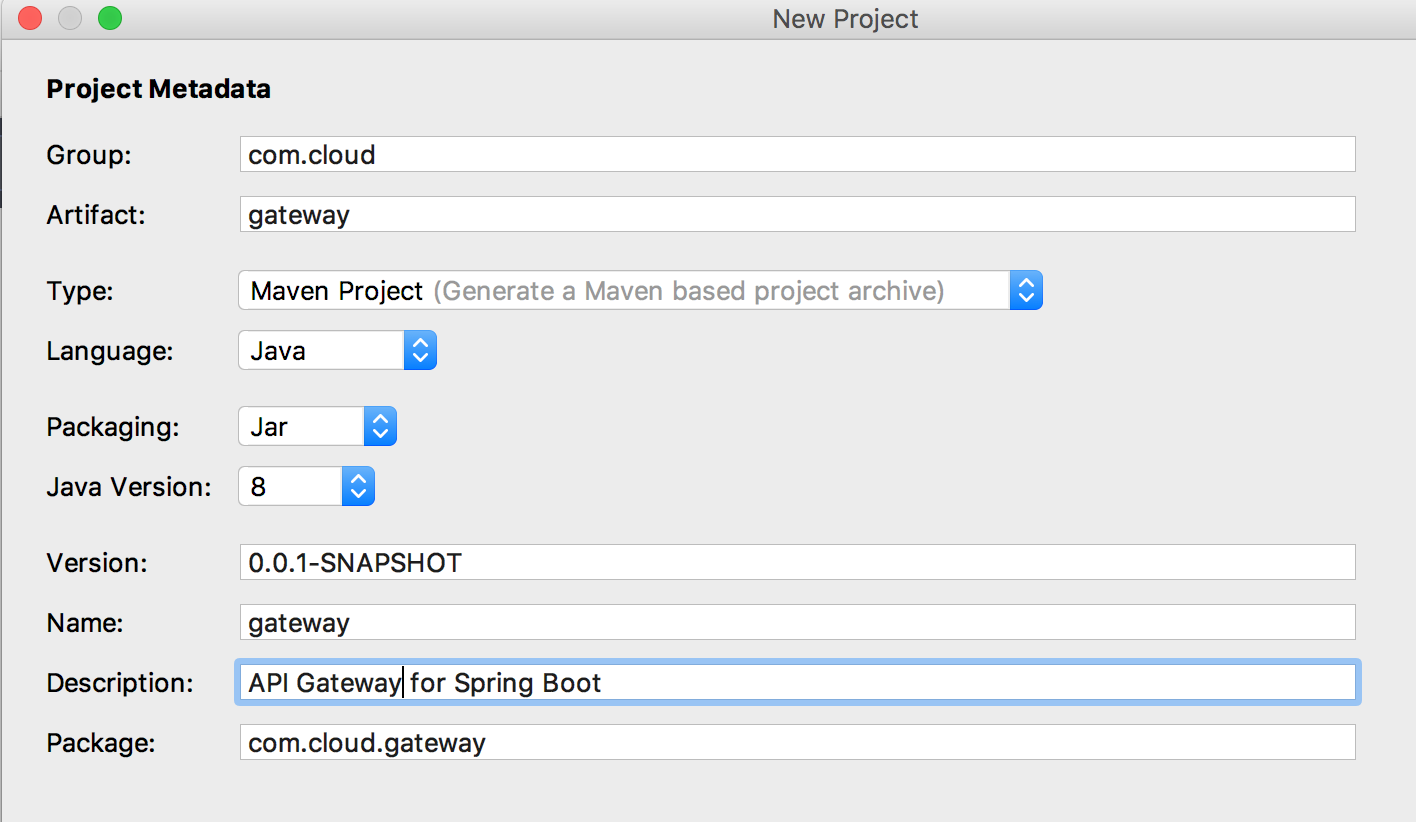
新建一个服务 ,第一步利用IDEA创建
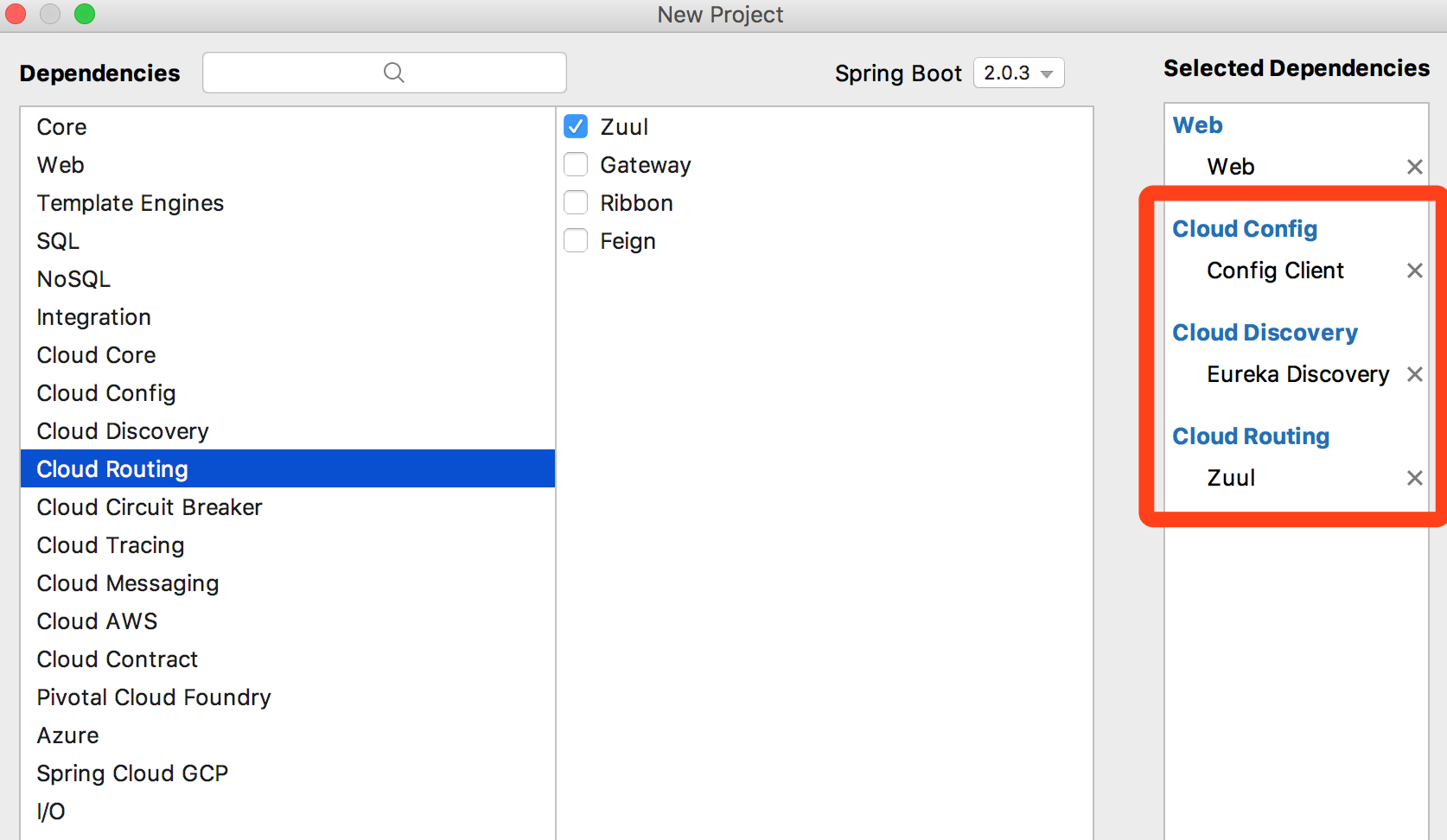
第二步,选择红框中的组件,一般服务我都会加上Web
第三步开始配置,将application.properties文件改成bootstrap.yml,如果忘了为什么这样改,可以回头看看Spring cloud config & Spring cloud bus等内容,内容如下
1spring:
2  application:
3    name: gateway
4  cloud:
5    config:
6      discovery:
7        service-id: CONFIG
8        enabled: true
9      profile: dev
10
11eureka:
12  client:
13    service-url:
14      defaultZone: http://localhost:8761/eureka/
第四步,都是套路,在启动类上添加开启组件注解@EnableZuulProxy
1package com.cloud.gateway;
2
3import org.springframework.boot.SpringApplication;
4import org.springframework.boot.autoconfigure.SpringBootApplication;
5import org.springframework.cloud.netflix.zuul.EnableZuulProxy;
6
7@SpringBootApplication
8@EnableZuulProxy
9public class GatewayApplication {
10
11    public static void main(String[] args) {
12        SpringApplication.run(GatewayApplication.class, args);
13    }
14}
说明下目前启动相关服务以及端口->eureka server:8761,config:8000,product:9000,order:9001,docker 中rabbitMQ:5672,gateway:7000-->从gateway网关访问product服务中的接口
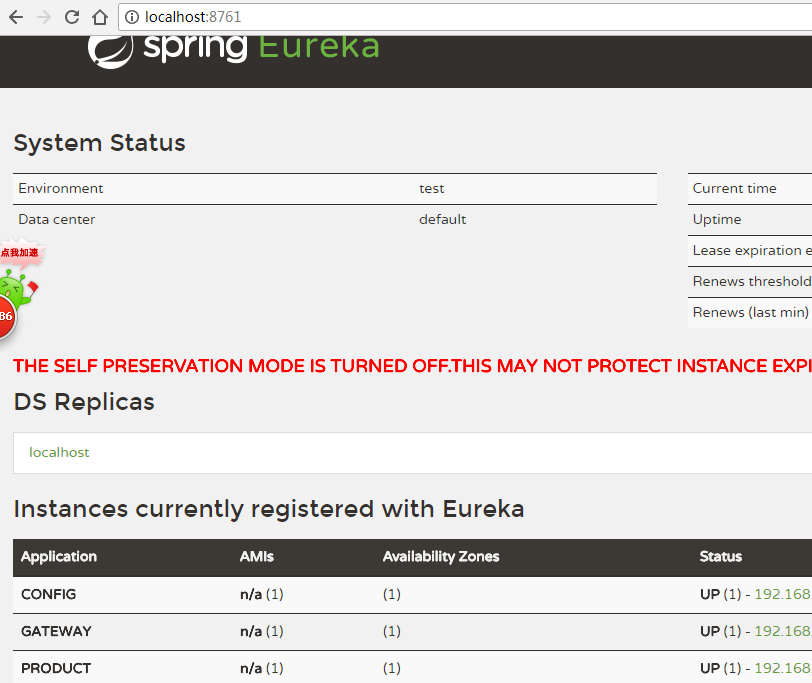
目前网关服务中未添加任何过滤器,先试试效果,下图是启动后注册中心的3个服务发现
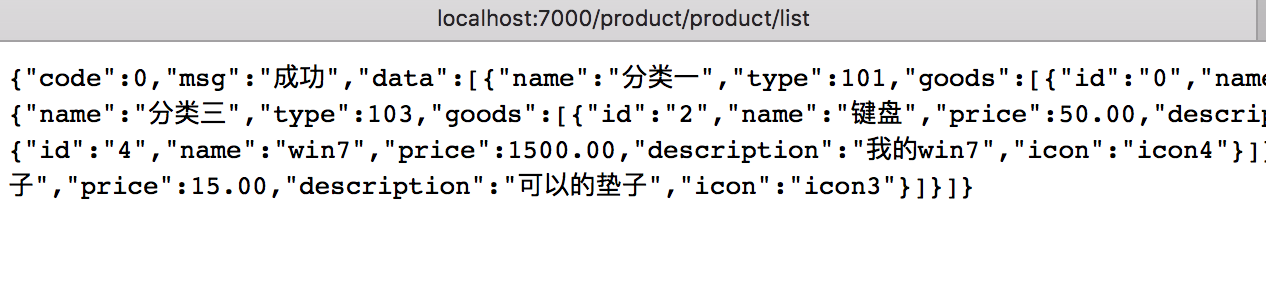
在product服务中,之前写好的简单查询接口: localhost:9000/product/list 返回一个列表
现在从gateway网关去访问: localhost:7000/product/product/list 就可以访问到了
第一个product是注册中心的application的名字,后面product/list是接口
访问config也是没问题的,访问方式:localhost:7000/config/config/product-dev.yml
但是呢,有个性的我每次都根据service-id来写,明显不是那么合我口味,于是可以添加yml配置
1zuul:
2  routes:
3    MyProduct: #这个可以自定义
4      path: /myProduct/**
5      serviceId: product
意思是访问服务中心serviceId是product的服务,访问path方式是/myProduct/**, **代表所有该服务接口,可以浏览器访问试试
如果想要看到所有路由,可以打开actuator监控,在springboot2.0以后,actuator改动比较大,在之前的笔记中有记录相关内容,如果你使用的是2.0之前的版本,配置自己适合的方式就可以,这里以springboot2.0.3版本为例,以下配置,以及监控信息展示,上面是目前的所有路由
1management:
2  endpoints:
3    web:
4      exposure:
5        include: ["routes"]

还有一种简洁的路由写法,其中ignored是排除接口,set类型的参数,使用- /path方式配置
1zuul:
2  routes:
3    product: /myProduct/**
4  ignored-patterns:
5    - /**/product/hello
另外说个点,Zuul默认是不接收cookie,需要配置才可以,贴上完整的配置
1spring:
2  application:
3    name: gateway
4  cloud:
5    config:
6      discovery:
7        service-id: CONFIG
8        enabled: true
9      profile: dev
10
11eureka:
12  client:
13    service-url:
14      defaultZone: http://localhost:8761/eureka/
15
16zuul:
17  routes:
18    product: /myProduct/**
19  sensitiveHeaders:        #设置空即可,可用于接收cookie
20  ignored-patterns:
21    - /**/product/hello
22
23management:
24  endpoints:
25    web:
26      exposure:
27        include: ["routes"]
叁
关于路由,在开发的时候,我们会加服务,加了服务,就要改动配置,都要重新启动什么的,相信大家都知道,用到之前学过的springcloud bus结合MQ实现配置动态刷新springcloud config
配置刷新了,我们还要在代码中也做到动态更新到运行中,所以可以在启动类下面加一段:
1@SpringBootApplication
2@EnableZuulProxy
3public class GatewayApplication {
4
5    public static void main(String[] args) {
6        SpringApplication.run(GatewayApplication.class, args);
7    }
8
9    @ConfigurationProperties("zuul")
10    @RefreshScope
11    public ZuulProperties zuulProperties(){
12        return new ZuulProperties();
13    }
14}
以上是粗略的路由相关的笔记,下来继续学习过滤器相关的内容
---------------------------------------------